A) STEP 1: Getting right MODL chunk
B) STEP 2: Putting into our model
C) STEP 3: Adding Texture for our MODL chunk into new model
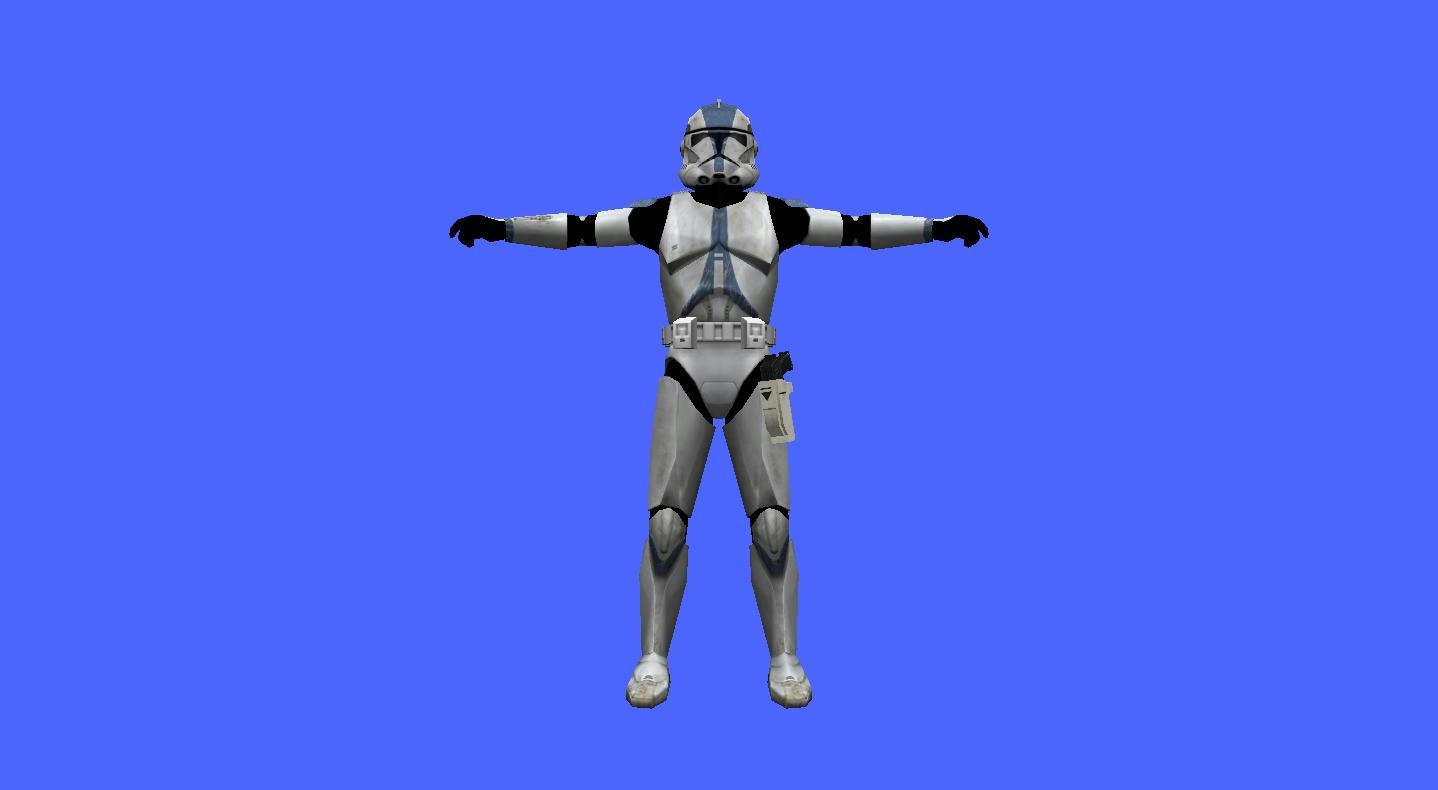
NOTE: as example i will hex edit DarthD.U.C.K. Holsters with DC-17 Version and ep3trooper as model so you will need them also need XVI32 Hex Editor
A) STEP 1: Getting right MODL chunk
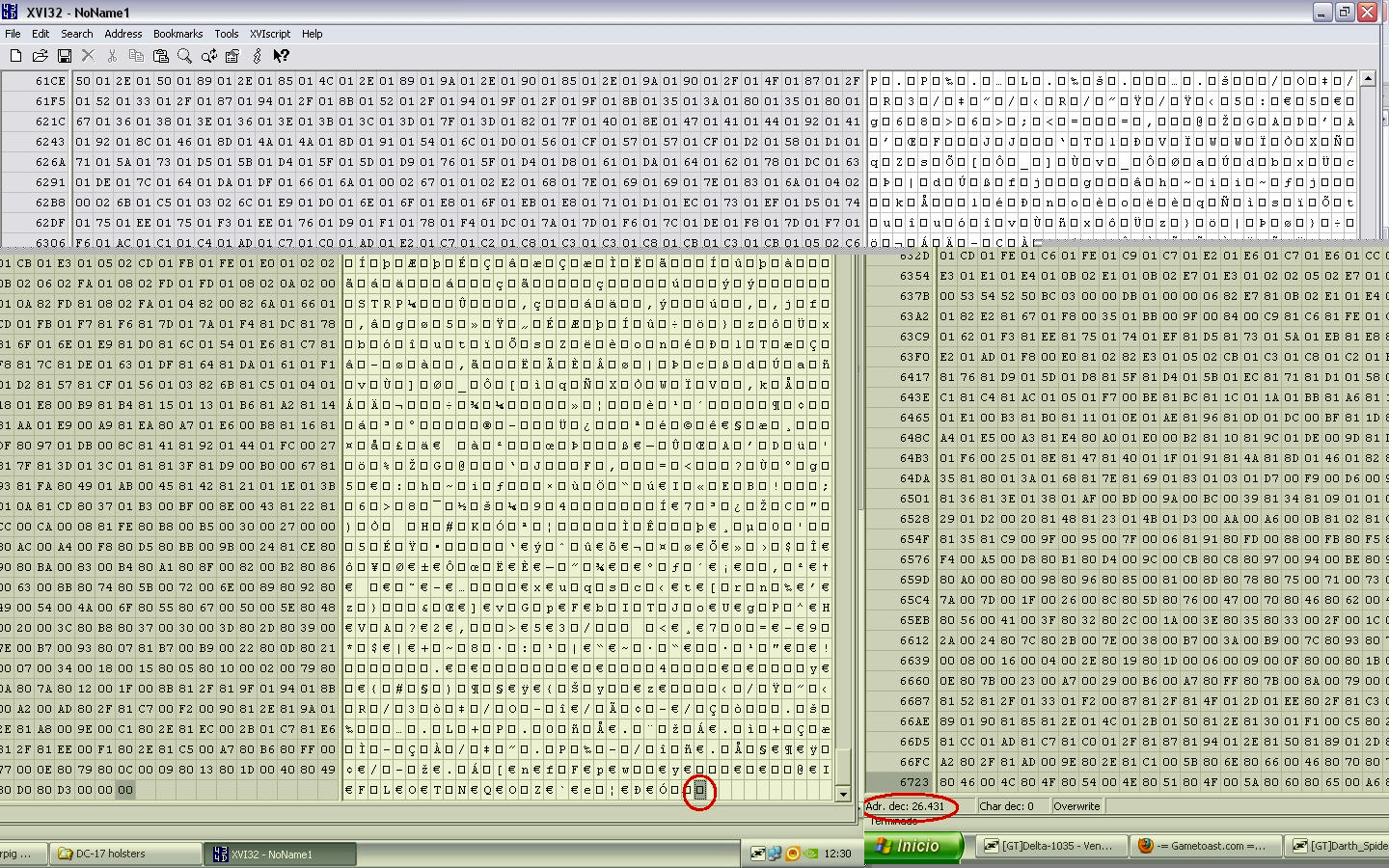
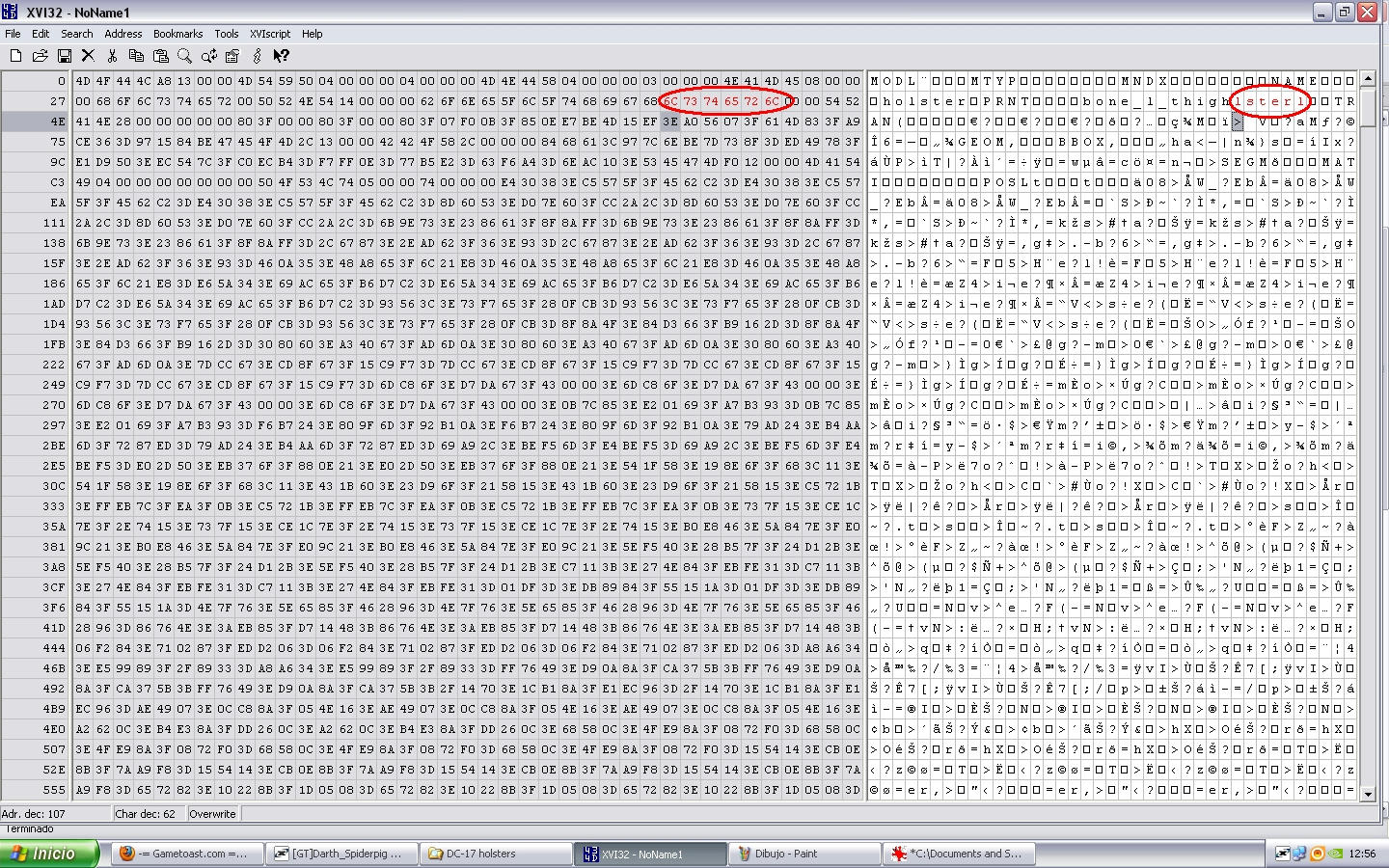
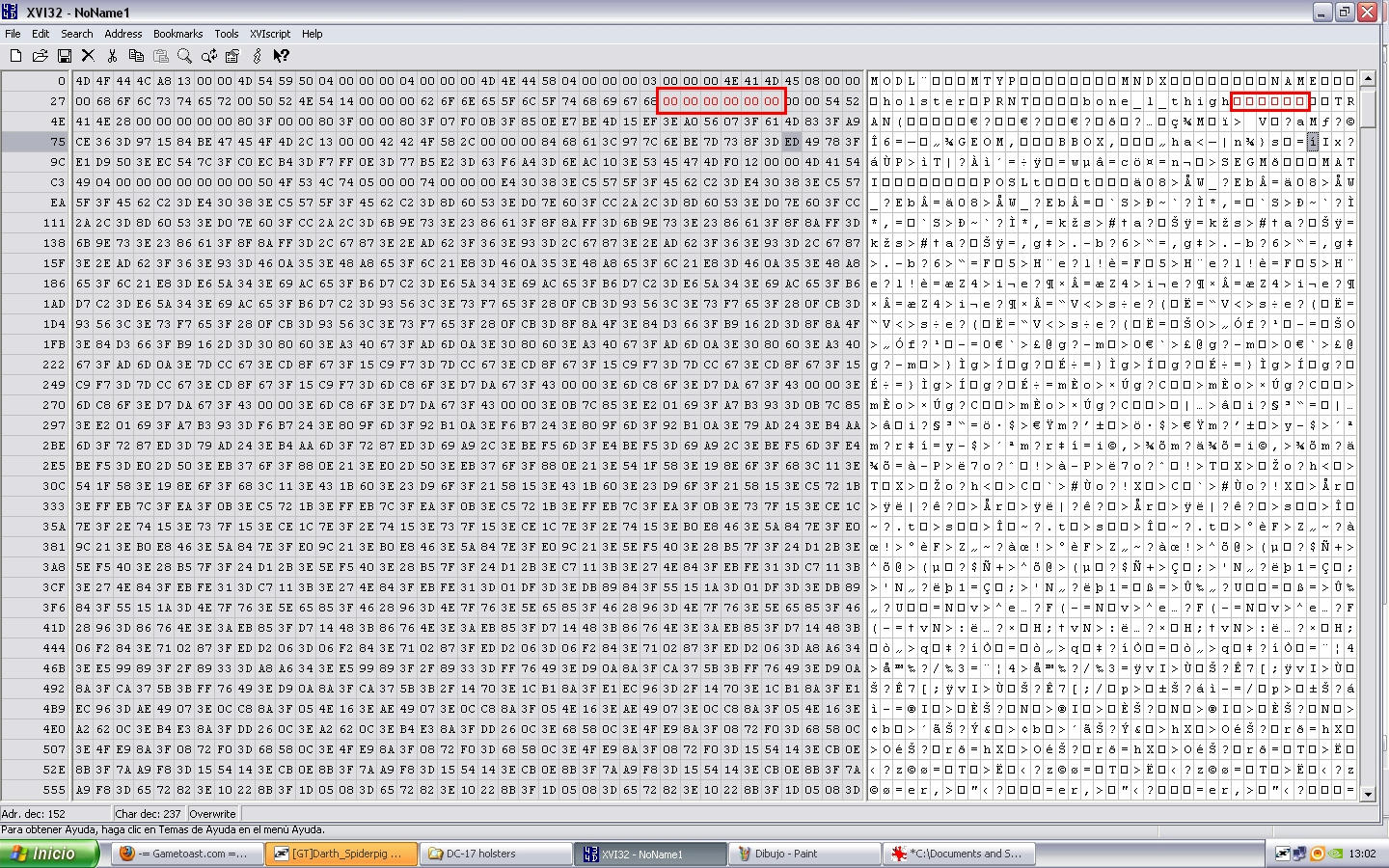
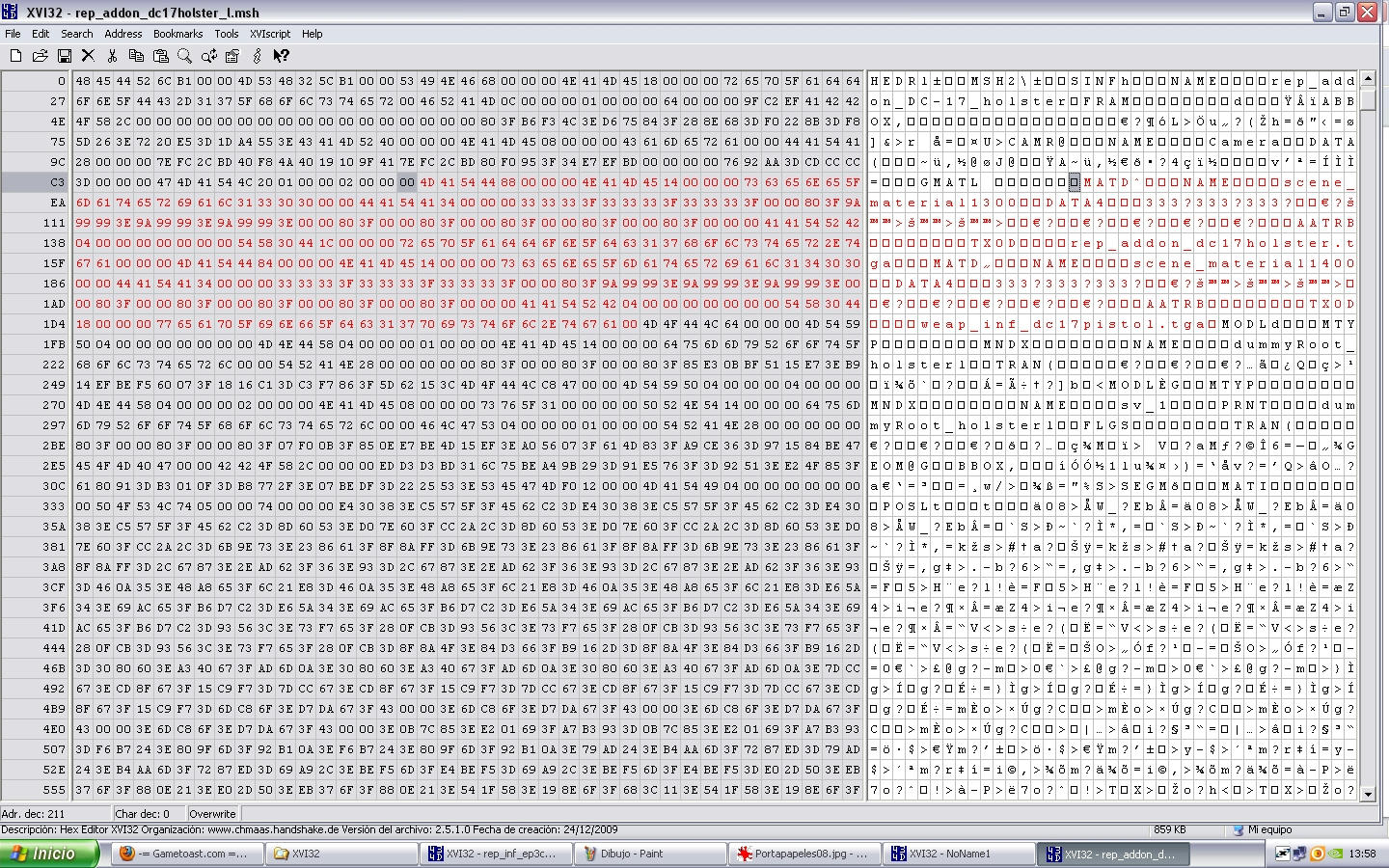
Open the file rep_addon_dc17holster_l.msh using XVI32, now we must find the correct MODL chunks so the First MODL called dummyroot_holster1 he isn't so go to the Second MODL is called SV_1 (this is the shadowvolume of holster for this reason say SV_ ) in this case we only want holster not his shadow so go to the Third MODL called Holster congratulation we found right one xD, but wait search next MODL (fourth MODL) is called Polymsh6 we must hex edit both MODL because MODL holster = holster and MODL polymsh6 = pistol part so we must select since the the M of MODL word of the Third chunk (remember called Holster) until letter previous to CL1L word in this case letter is one square so with Third and Fourth MODLs select (marked in red) press CONTROL + C (copy) and open new window of XVI32 go to FILE - NEW and press CONTROL + V (paste) , into new window where you pasted them go to last letter (one square) and remember the number of Adr. dec. in this case is 26431
Hidden/Spoiler:
Hidden/Spoiler:
Hidden/Spoiler:
B) STEP 2: Putting into our model
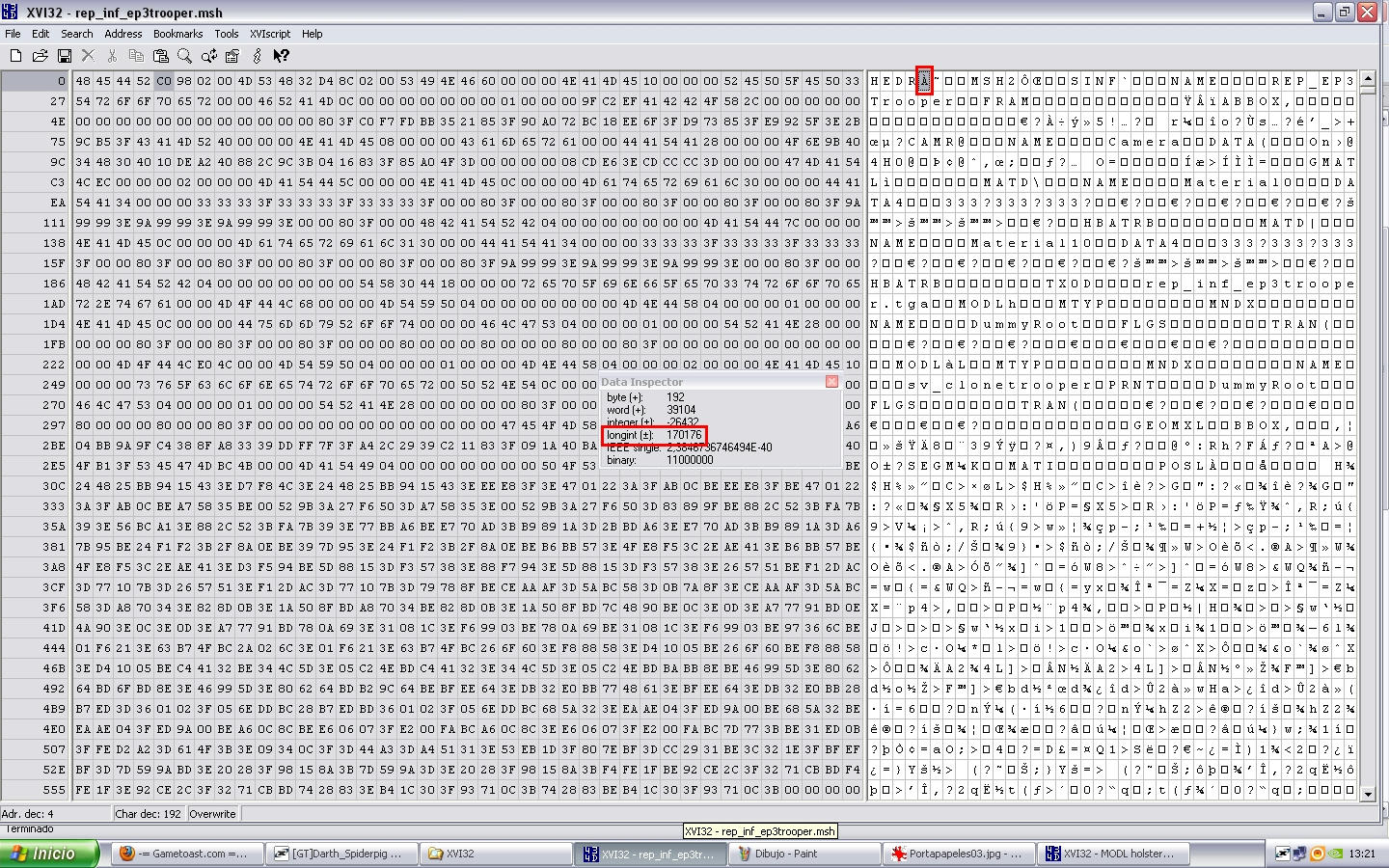
open the file MODL holster 26431.msh (our holster model) using XVI32 as always xD, select all (will appear all in red) and press CONTROL + C(copy) now in other XVI32 window open rep_inf_ep3trooper.msh and search the word bone_l_thigh search that word until you find the last appearing of word and put the cursor on the M of the next MODL chunk to it, (in this case called eff_l_calf) and been on the M press CONTROL + V (paste) so will past our holster model select previouly, now we must rezise encode number of HEDR & MSH2 so go to begin of the file where say HEDR and put the cursor into next letter to it and go to Tools --- Data Inspector pop up little windows so remember his Longint Number (170176)
Hidden/Spoiler:
Hidden/Spoiler:
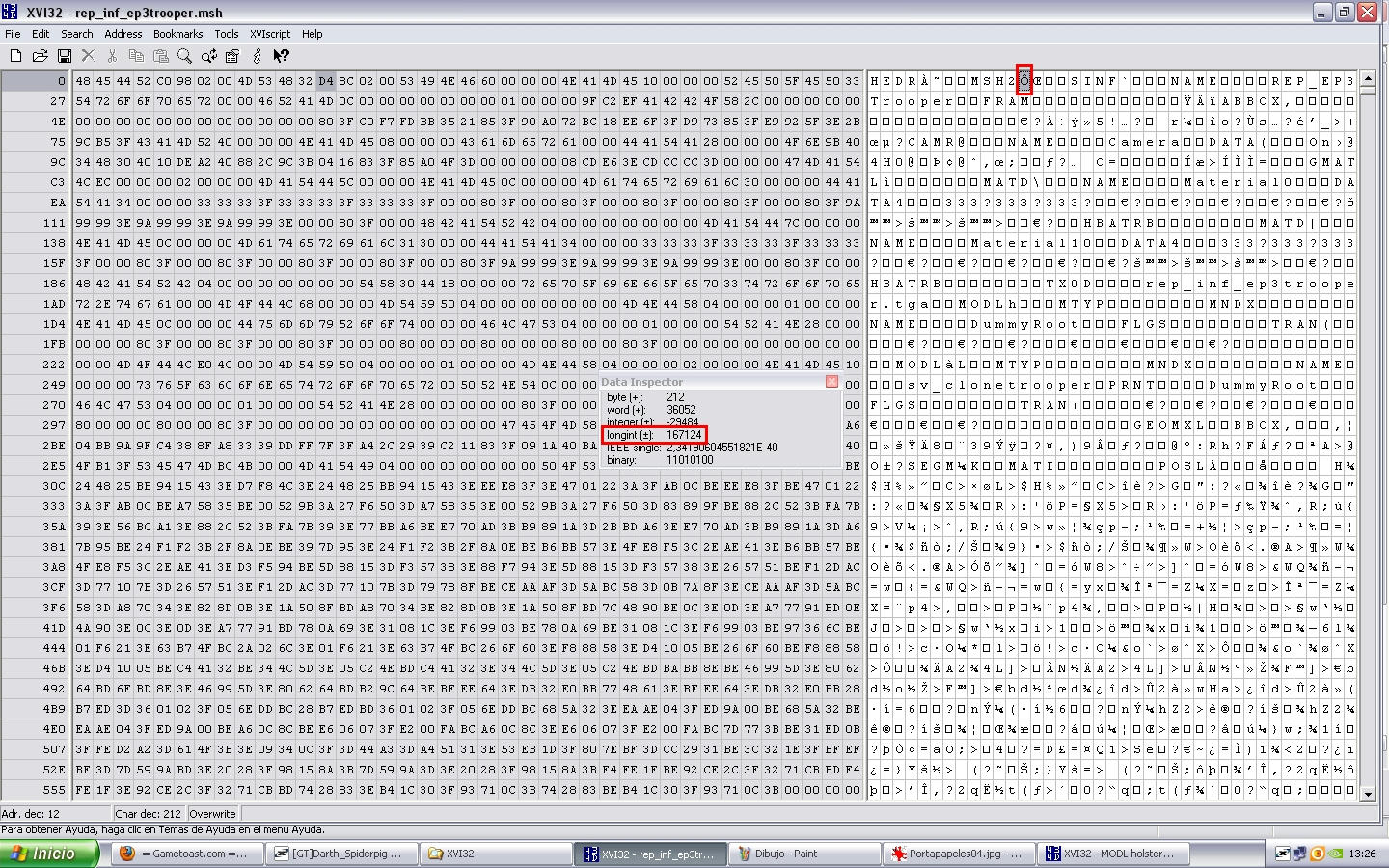
Longint(170176) + Model Number(26431) + 2(becase was 2 MODL chunks, Holster and Polymsh6) = 196609 and press OK
Hidden/Spoiler:
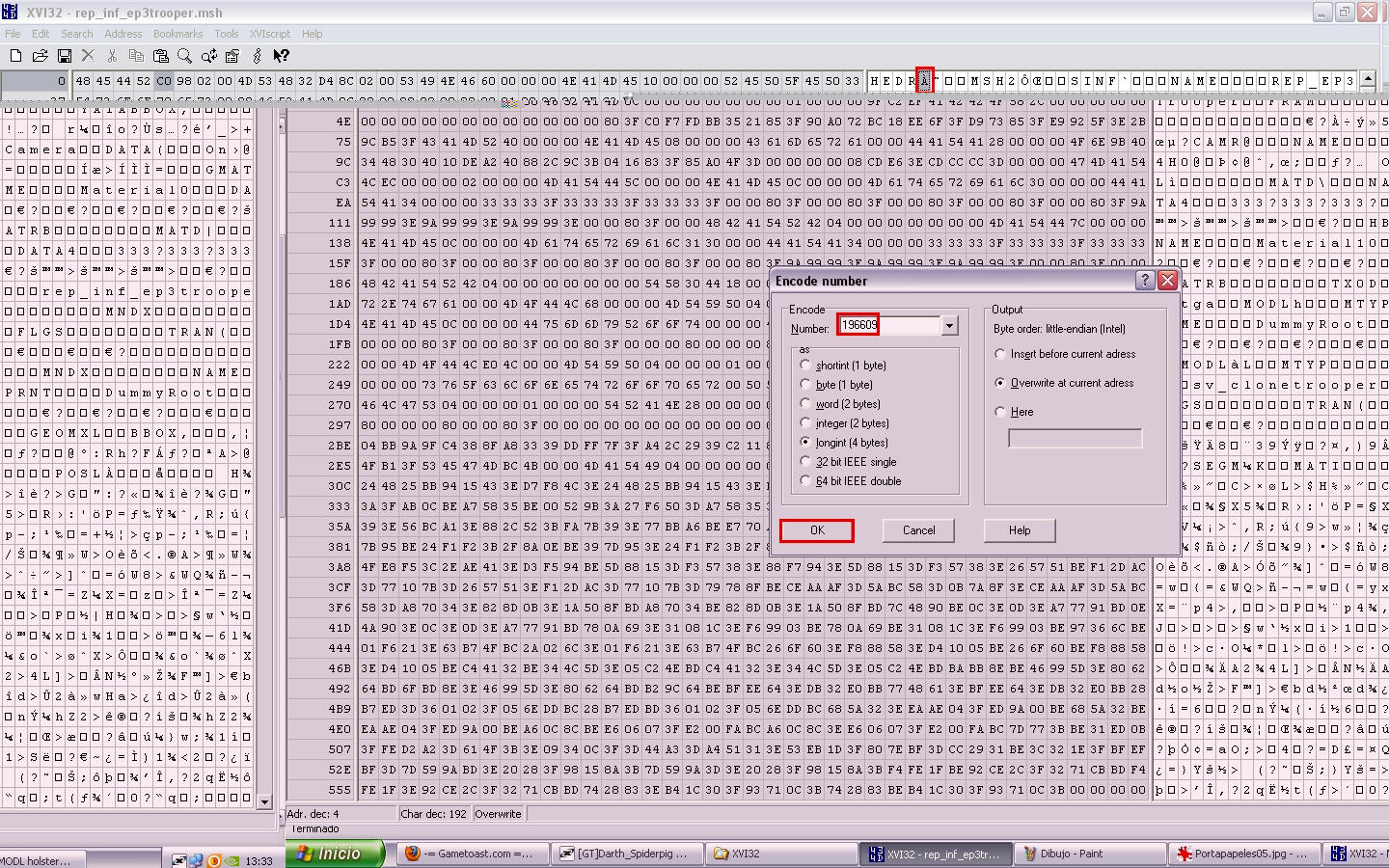
Longint(167124) + Model Number(26431) + 4(2 per each one MODL chunk and we added 2 MODL chunks Holster and polymsh6 and 2x2=4 lol) = 193559
Hidden/Spoiler:
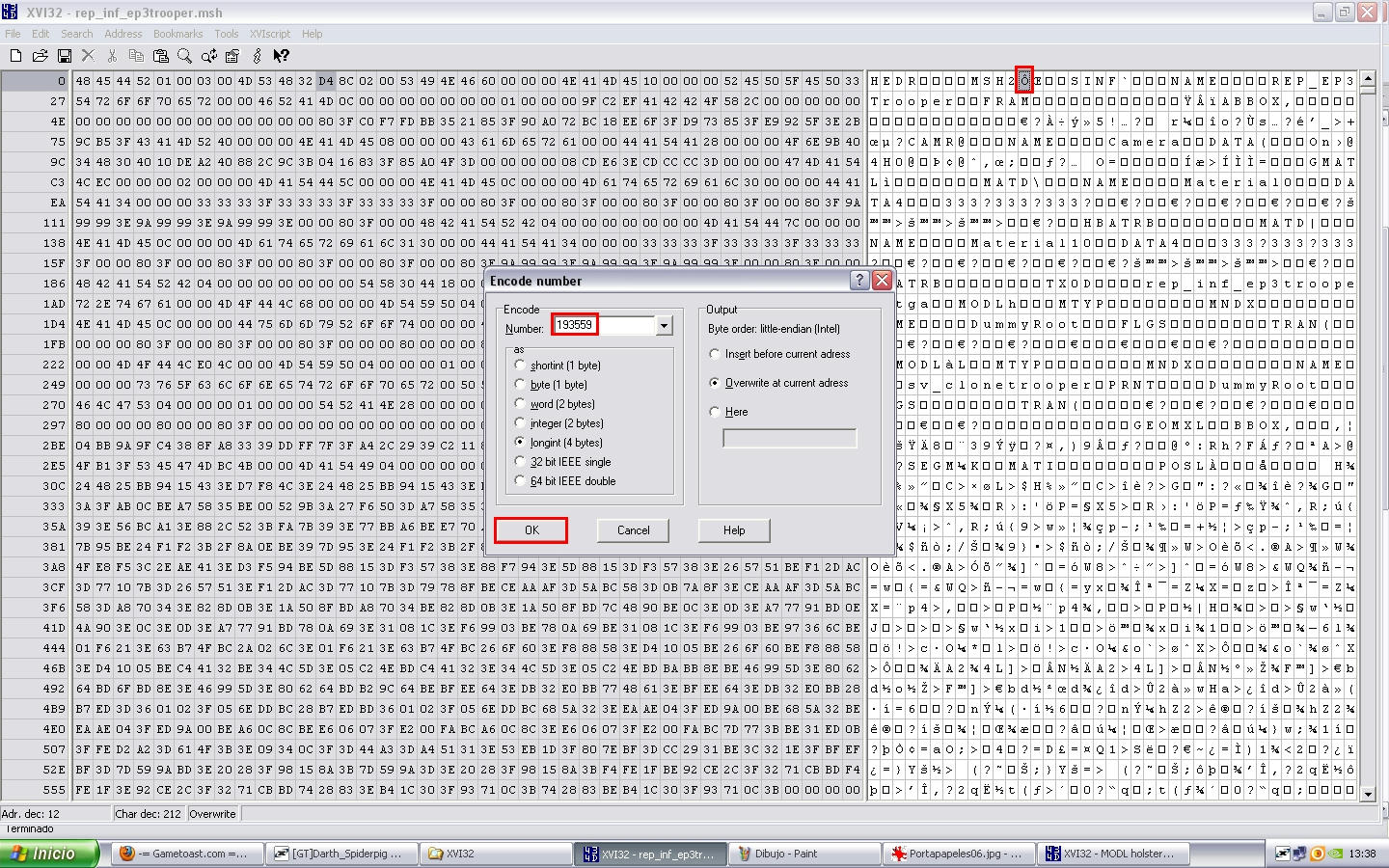
C) STEP 3: Adding Texture for our MODL chunk into new model
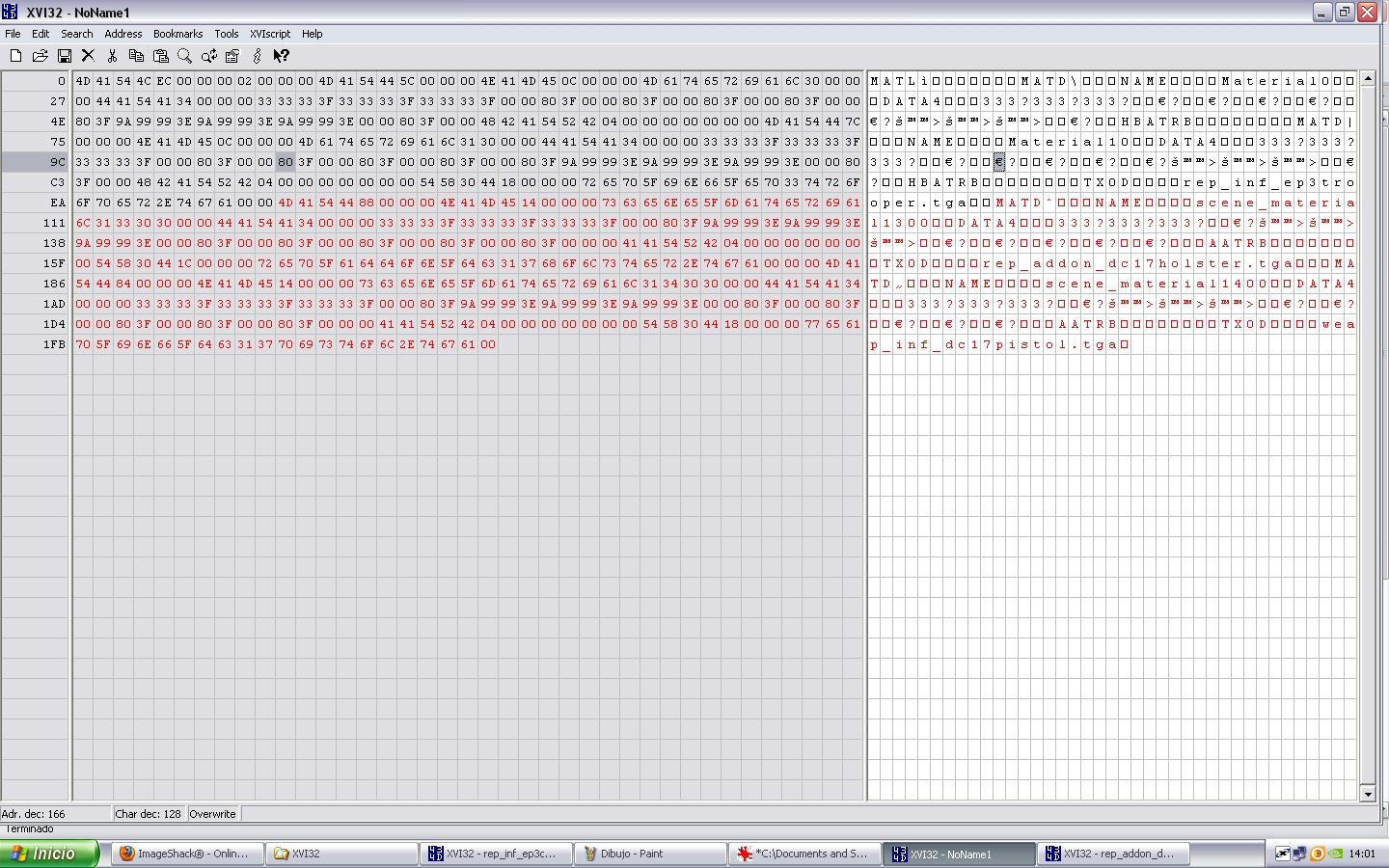
open the file rep_inf_ep3commander.msh using XVI32, put the cursor on M of MATL and select until letter previous to M of the first MODL word like this
Hidden/Spoiler:
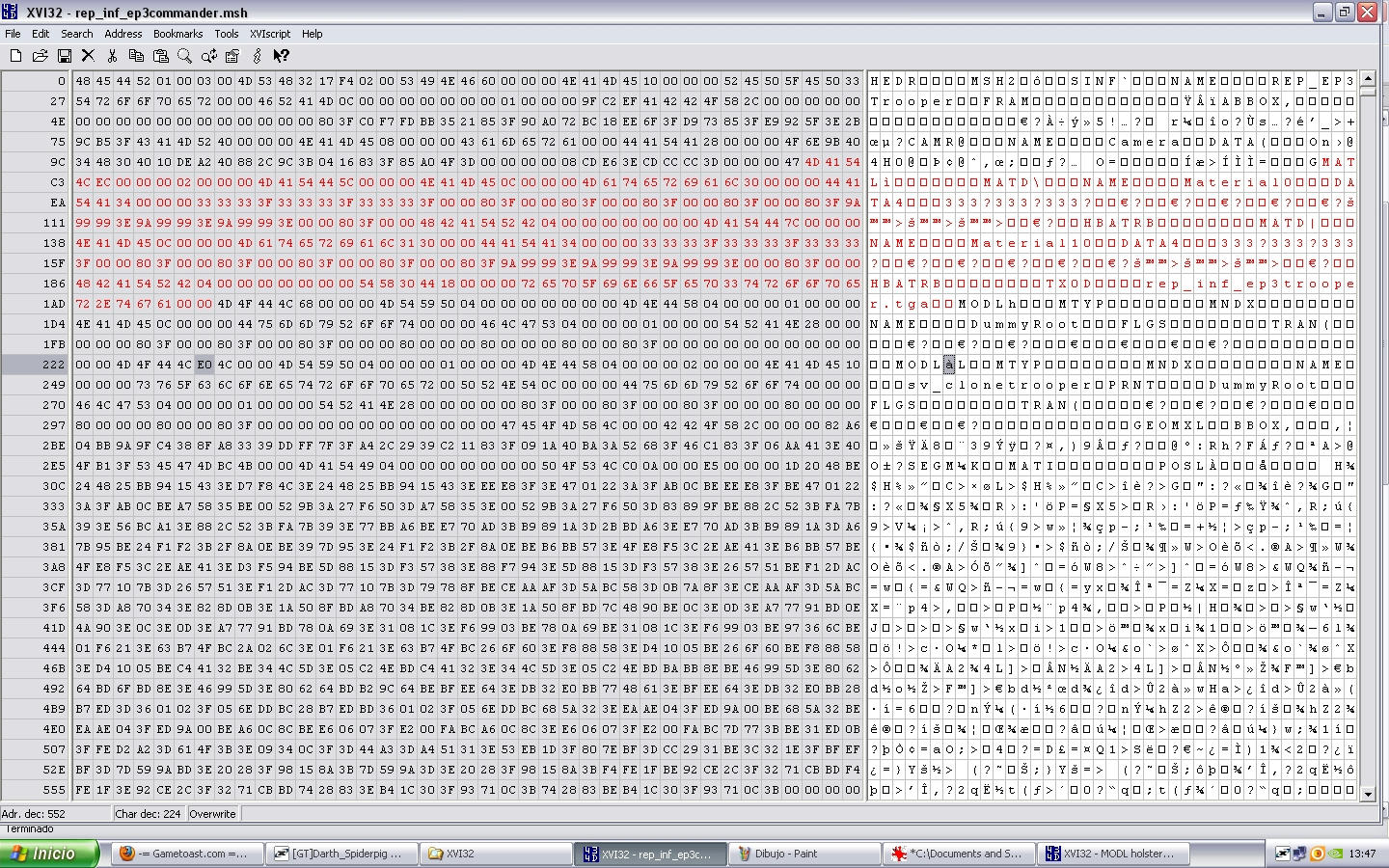
Hidden/Spoiler:
Hidden/Spoiler:
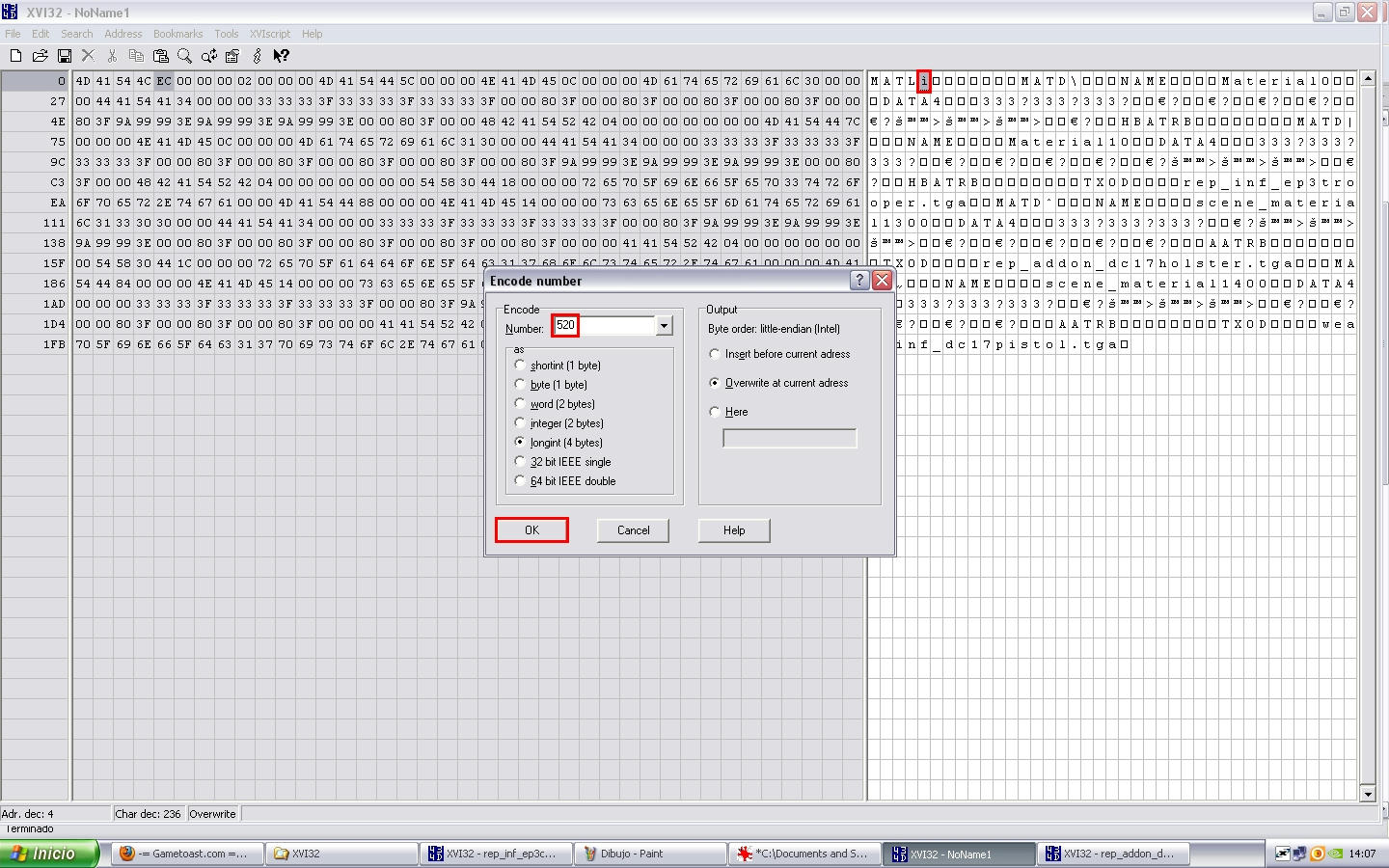
MATL Adr. dec.(527) - 7 (always 7, no reason) = 520 and press OK
Hidden/Spoiler:
Hidden/Spoiler:
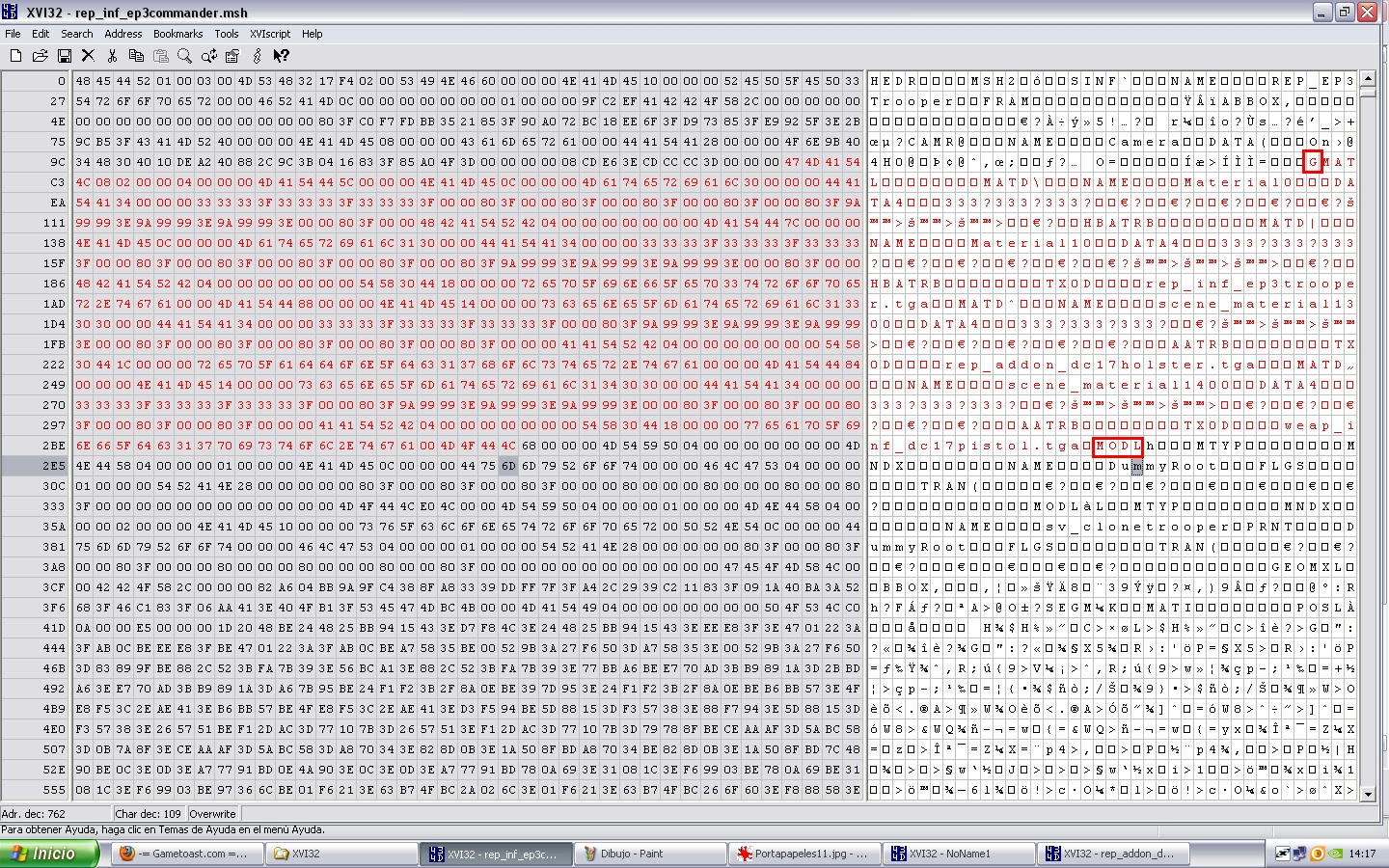
HEDR Longint(196609) - old MATL Adr. dec. (243 + 1) 244 + new MATL Adr. dec. (527 + 1) 528 = 196893
then put the cursor on next letter to MSH2 encode number same as previous we made and put this number:
MSH2 Longint(193559) - old MATL Adr. dec. (243 + 2) 245 + new MATL Adr. dec. (527 + 2) 529 = 193843
now save as rep_inf_ep3commander_ready.msh.
open that new file using XVI32 as always and search the MODL chunk called Holster and after you will find the MATI word and after that appear the next numbers on left window: 04 00 00 00 00 00 00 00 50 change it to 04 00 00 00 02 00 00 00 50 ready now go to search the MODL called polymsh6 and make the same but in this case change 04 00 00 00 01 00 00 00 50 to 04 00 00 00 03 00 00 00 50 save changes because:
ALL DONE MAN!!
NOTE: little exaplain into last part of MATIs
MATL
MATD 0 ---
MATD 1 rep_inf_ep3trooper.tga
MATD 2 rep_addon_dc17holster.tga
MATD 3 weap_inf_dc17pistol.tga
for this reason into Holster MATI i said 02 and into polymsh6 MATI i said 03
Hidden/Spoiler:

CREDITS:
* B.I.G_Cookie
* Darth_Spiderpig
* Delta-1035
* Fiodis
* ThePanda
* RepSharpShooter