How to create models in XSI and other 3D applications and make them work in Battlefront 1 & 2. Post models, tips for application usage and share anything XSI, 3DMax, SketchUp, etc.
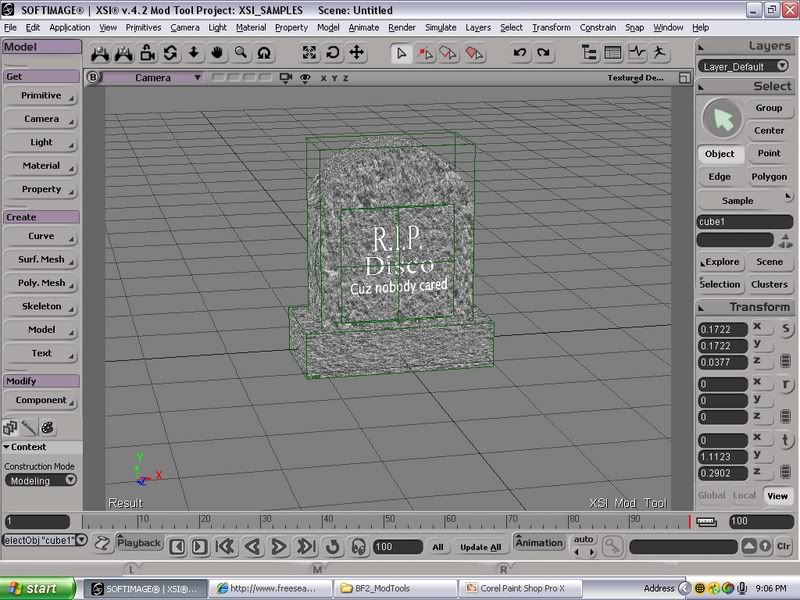
I just lol'd, Nice model.
This is what I like, A simple model that requires not to much effort, but no one else bothered to try and make it.
Thats like my motto.
Simple models, that no one else thought of.
Hmm, now I feel tempted to make KotOR map...
Dantooine in particular, I have a few WIPs in relation to this.
In the texture decal box, you can see the hill/mound, that houses Rattakan ruins and the Dantooine Star Map.
and In the wireframe boxes, you can kindof see the Dantooine cliffs I'm working on.
All I need is MajinRevan's RotE #2 Ground texture, and maybe the grass and sky too.
Or sparing her life making her do as you command and every wish in any way you want it, as only a cat-woman can... :twisted:
Ahh - those times
Snork, I really dislike the texture It's like looking at snow on the screen... Too much contrast. My suggestion? Make sure you've got a basecolor which is that marble-grey or stone-grey as you want it.. Then you can use that... 'pattern' to apply to give it some density or whatever you'd call it Basically I'm saying it's too black/white and is actually annoying to look at..
there should be a .xsi folder. Try make a new project folder- File>NewProject- then move your .scn file to the scene folder there, and export it from the new project. Or export it but export it to somewhere like mydocuments or the C: drive so you know exactly where it will end up.
Caleb1117 wrote:Hmm, now I feel tempted to make KotOR map...
Dantooine in particular, I have a few WIPs in relation to this.
In the texture decal box, you can see the hill/mound, that houses Rattakan ruins and the Dantooine Star Map.
and In the wireframe boxes, you can kindof see the Dantooine cliffs I'm working on.
All I need is MajinRevan's RotE #2 Ground texture, and maybe the grass and sky too.
speaking of KOTOR:
those who played KOTORII and found the secret of the Korriban temple should know what this is. u dont, wont spoil the surprise . anyway, in general it is a sith holocron.
and just so everyone knows: I really need someone to make a texture for me please?
Now that I have Majin's Dantooine ground texture, (Thanks) my models have continued.
Then a few Ingame screenshots later, and I have a nice cliff, and 'tomb'.
Looking good on the KoToR stuff Caleb. One nitpick though is the back of the "Tomb". In the game the rear was buried in the ground much like a bunker and not a separate hill. Maybe you could try to make it a Terrain Cutting object so mappers can blend it in with the ground.












 the ones you get to kill the stupid catwomen at