Texture problem (alpha related)

In this forum you will find and post information regarding the modding of Star Wars Battlefront 2. DO NOT POST MOD IDEAS/REQUESTS.

Moderator: Moderators

Post Reply
User avatar
Eggman
Master Bounty Hunter
Posts: 1516
Joined: Mon Jul 16, 2007 1:30 pm
Projects :: Battlefront Chronicles
Location: Las Vegas

Texture problem (alpha related)

Post by Eggman »

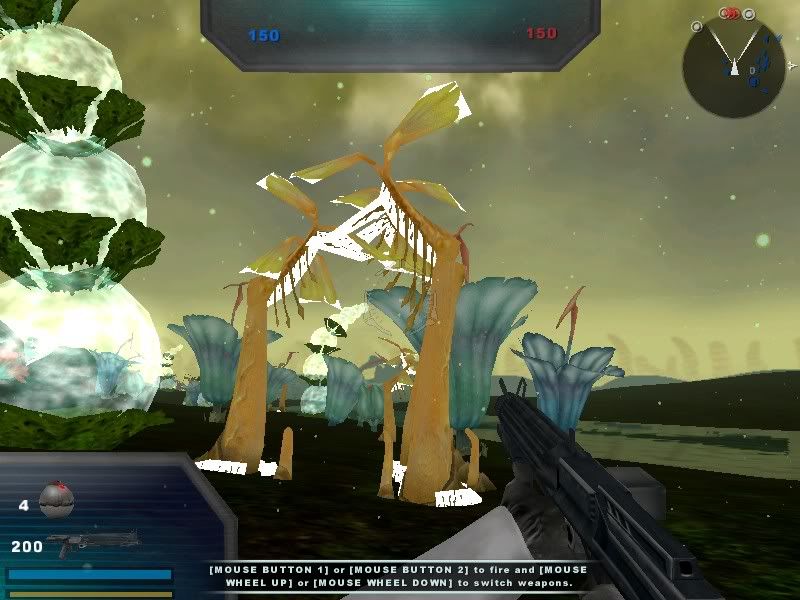
I added the prop fel1_bldg_whisker_clump01 to a map, but in-game it looks like this:
Hidden/Spoiler:
Image
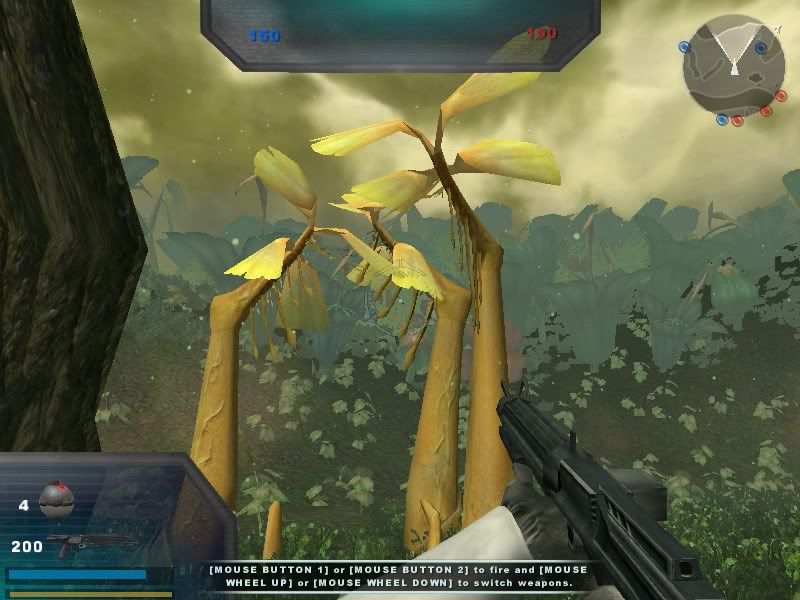
For comparison, here's what it looks like in the shipped Felucia map:
Hidden/Spoiler:
Image
I opened up the texture in GIMP and it has an alpha channel, and the prop fel1_bldg_whisker, which uses the same texture, appears normal. I haven't edited the texture at all, everything is the same as it was when I copied it over from the assets.

Does anybody know why this happens?

User avatar
DarthD.U.C.K.
Master of the Force
Master of the Force
Posts: 6027
Joined: Wed Sep 27, 2006 11:05 am
Location: Duckburg, Germany

Re: Texture problem (alpha related)

Post by DarthD.U.C.K. »

did you try to clean and remunge?
User avatar
Eggman
Master Bounty Hunter
Posts: 1516
Joined: Mon Jul 16, 2007 1:30 pm
Projects :: Battlefront Chronicles
Location: Las Vegas

Re: Texture problem (alpha related)

Post by Eggman »

No luck.
AQT
Gametoast Staff
Gametoast Staff
Posts: 4910
Joined: Sat Nov 03, 2007 4:55 pm
Location: SoCal, USA

Re: Texture problem (alpha related)

Post by AQT »

Try opening up the texture again in GIMP and also open up a new image. Delete the white layer in the new image and copy and paste the texture over. Then save this new image and replace the original with it. I'm not sure how this would help but it's worth a try.
User avatar
Eggman
Master Bounty Hunter
Posts: 1516
Joined: Mon Jul 16, 2007 1:30 pm
Projects :: Battlefront Chronicles
Location: Las Vegas

Re: Texture problem (alpha related)

Post by Eggman »

Yeah, that didn't work either.

Edit: I just noticed that the other prop that uses the same texture doesn't include the leaves and grass (the parts with the missing alpha channel on the other prop), so maybe I just need to give it a new alpha channel as in the tutorial in the FAQ. I'll give that a try later and see if it works.
Post Reply