
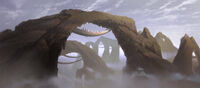
Land bridges / arches [Solved]

In this forum you will find and post information regarding the modding of Star Wars Battlefront 2. DO NOT POST MOD IDEAS/REQUESTS.

Moderator: Moderators

ARC_Commander
High General
High General
Posts: 838
Joined: Tue Feb 06, 2007 7:18 pm
Projects :: No Mod project currently.
Games I'm Playing :: I have not listed any games yet
xbox live or psn: No gamertag set

Land bridges / arches [Solved]

Post by ARC_Commander »

I'm making a Cato Neimoidia map with the bridge cities and etc. I've made a sort of canyon, but I'm puzzled as to how to make the arches over it:

Image

Image

Image

Could anyone help me on this?
Caleb1117
2008 Most Original Avatar
Posts: 3096
Joined: Sun Aug 20, 2006 5:55 pm
Projects :: No Mod project currently.
xbox live or psn: No gamertag set
Location: X-Fire: caleb1117 ಠ_ಠ

RE: Land bridges / arches

Post by Caleb1117 »

I do not think its possable to make an arch (or cave) out of the terrain in ZE, the only way you can do it is with an object.
ARC_Commander
High General
High General
Posts: 838
Joined: Tue Feb 06, 2007 7:18 pm
Projects :: No Mod project currently.
Games I'm Playing :: I have not listed any games yet
xbox live or psn: No gamertag set

RE: Land bridges / arches

Post by ARC_Commander »

Ah, I see. I'll try that.
Caleb1117
2008 Most Original Avatar
Posts: 3096
Joined: Sun Aug 20, 2006 5:55 pm
Projects :: No Mod project currently.
xbox live or psn: No gamertag set
Location: X-Fire: caleb1117 ಠ_ಠ

RE: Land bridges / arches

Post by Caleb1117 »

Well good luck, a Neimoidia map like that would be awsome!
User avatar
trainmaster611
Sith Lord
Sith Lord
Posts: 1779
Joined: Thu Aug 24, 2006 5:22 pm
Projects :: No Mod project currently.
Games I'm Playing :: I have not listed any games yet
xbox live or psn: No gamertag set
Location: Building a railway to Coruscant
Contact:

RE: Land bridges / arches

Post by trainmaster611 »

I know in the BF1 assets there is an arch in the tat1 world that might fit this map but its gonna be kinda small for you :? You would have to model a new one
Caleb1117
2008 Most Original Avatar
Posts: 3096
Joined: Sun Aug 20, 2006 5:55 pm
Projects :: No Mod project currently.
xbox live or psn: No gamertag set
Location: X-Fire: caleb1117 ಠ_ಠ

Post by Caleb1117 »

Wait no you wouldnt! thats it! use Eddie's\Squipple's scale option! let me explain

1 Find the object trainmaster is talking about.
2 in the odf file add this line under [GameObjectClass]

Code: Select all

GeometryScale = 2.0
3 next find the msh file for the object lets pretend its called Tat_bldg_arch1.msh, now make a new text document named Tat_bldg_arch1.msh.option, make sure the file extention is option instead of txt. then open it with note pad and add this line

Code: Select all

-scale 2.0
4 done!

Basicly the GeometryScale = 2.0, and the -scale 2.0, is you telling the game to make the object 2 times bigger. so if you said
GeometryScale = 6.0 it would be 6 times bigger.
Or,
GeometryScale = 0.10 the object would be a tenth of the original size.

But remeber the number that you put into the odf must match what the number in the .msh.option is.
ARC_Commander
High General
High General
Posts: 838
Joined: Tue Feb 06, 2007 7:18 pm
Projects :: No Mod project currently.
Games I'm Playing :: I have not listed any games yet
xbox live or psn: No gamertag set

Post by ARC_Commander »

Thanks guys!

BTW Trainmaster, could you get the name of that arch for me? 3D Object Converter's giving me flak, and only views 1 in 3 objects.
Caleb1117
2008 Most Original Avatar
Posts: 3096
Joined: Sun Aug 20, 2006 5:55 pm
Projects :: No Mod project currently.
xbox live or psn: No gamertag set
Location: X-Fire: caleb1117 ಠ_ಠ

Post by Caleb1117 »

well theres several arches, like...
tat1_bldg_arch_tri.msh
tat1_bldg_arch2.msh

also there canyon walls may be usefull
tat1_canyonwall_01.msh
tat1_canyonwall_02.msh
tat1_canyonwall_03.msh
RC-1290

Post by RC-1290 »

no, they really don't look like they belong at cato neimoidia.
Caleb1117
2008 Most Original Avatar
Posts: 3096
Joined: Sun Aug 20, 2006 5:55 pm
Projects :: No Mod project currently.
xbox live or psn: No gamertag set
Location: X-Fire: caleb1117 ಠ_ಠ

Post by Caleb1117 »

Yea, but you can reskin them.
ARC_Commander
High General
High General
Posts: 838
Joined: Tue Feb 06, 2007 7:18 pm
Projects :: No Mod project currently.
Games I'm Playing :: I have not listed any games yet
xbox live or psn: No gamertag set

Post by ARC_Commander »

Thanks Caleb. I'm gonna reskin them, of course.

A little more about this - I need to rotate the arch. This may sound really nooby, but... HOW THE HECK DO I DO THAT? :evil:
User avatar
AceMastermind
Gametoast Staff
Gametoast Staff
Posts: 3285
Joined: Mon Aug 21, 2006 6:23 am
Contact:

Offer to scale up arch model

Post by AceMastermind »

Scaling an object up to the size that you need will most likely produce odd side effects(disappearing mesh ingame), if you'd like, i could scale it up for you properly in XSI, just give me the odf names of the objects and how large you want them.
RC-1290

Post by RC-1290 »

Z and X (only different when in multi select)
ARC_Commander
High General
High General
Posts: 838
Joined: Tue Feb 06, 2007 7:18 pm
Projects :: No Mod project currently.
Games I'm Playing :: I have not listed any games yet
xbox live or psn: No gamertag set

Post by ARC_Commander »

Err... I'm pretty new when it comes to ZeroEditor. I'm better with skins. So please tell me, where would I find Z and X?
User avatar
AceMastermind
Gametoast Staff
Gametoast Staff
Posts: 3285
Joined: Mon Aug 21, 2006 6:23 am
Contact:

Rotate objects

Post by AceMastermind »

ARC_Commander wrote:So please tell me, where would I find Z and X?
On your keyboard.
Example
Hold down the "z" key and hold middle click on your mouse then move the mouse to rotate.
Caleb1117
2008 Most Original Avatar
Posts: 3096
Joined: Sun Aug 20, 2006 5:55 pm
Projects :: No Mod project currently.
xbox live or psn: No gamertag set
Location: X-Fire: caleb1117 ಠ_ಠ

Post by Caleb1117 »

Yea "x" key moves objects up, down, and the 4 cardnal directions, "z" is for rotateing and changeing angles
ARC_Commander
High General
High General
Posts: 838
Joined: Tue Feb 06, 2007 7:18 pm
Projects :: No Mod project currently.
Games I'm Playing :: I have not listed any games yet
xbox live or psn: No gamertag set

Post by ARC_Commander »

Ahhh... thank you. :oops: I feel dumb. :P
User avatar
trainmaster611
Sith Lord
Sith Lord
Posts: 1779
Joined: Thu Aug 24, 2006 5:22 pm
Projects :: No Mod project currently.
Games I'm Playing :: I have not listed any games yet
xbox live or psn: No gamertag set
Location: Building a railway to Coruscant
Contact:

Post by trainmaster611 »

Yeah I just pushed random buttons until it worked :lol:
Caleb1117 wrote:Wait no you wouldnt! thats it! use Eddie's\Squipple's scale option! let me explain

1 Find the object trainmaster is talking about.
2 in the odf file add this line under [GameObjectClass]

Code: Select all

GeometryScale = 2.0
3 next find the msh file for the object lets pretend its called Tat_bldg_arch1.msh, now make a new text document named Tat_bldg_arch1.msh.option, make sure the file extention is option instead of txt. then open it with note pad and add this line

Code: Select all

-scale 2.0
4 done!

Basicly the GeometryScale = 2.0, and the -scale 2.0, is you telling the game to make the object 2 times bigger. so if you said
GeometryScale = 6.0 it would be 6 times bigger.
Or,
GeometryScale = 0.10 the object would be a tenth of the original size.

But remeber the number that you put into the odf must match what the number in the .msh.option is.
Wow thats amazing!!! :shock: I didn't think that actually worked! Does it mess up the quality of the object? :|

Oh and the name of the object is
tat1_bldg_arch_tri.msh
:)
Penguin
Jedi Admin
Jedi Admin
Posts: 2541
Joined: Sun Mar 05, 2006 12:00 am
Location: Australia

Post by Penguin »

GeometryScale = <FLOAT> is for ZE
-scale <FLOAT> is for ingame, they can be different, they don't need to be the same.

Scaling up messes up the objects LOD and collision so you only use -scale <FLOAT> to shrink something.
Caleb1117
2008 Most Original Avatar
Posts: 3096
Joined: Sun Aug 20, 2006 5:55 pm
Projects :: No Mod project currently.
xbox live or psn: No gamertag set
Location: X-Fire: caleb1117 ಠ_ಠ

Post by Caleb1117 »

So, the collision geometry of the object remains constant? I Don't know alot about the proses I basicly figured it out on my own, based on a few comments made by squipple. I only used it cause one of the squeddies objects was huge ingame, a painting.

As per Penguin's statement about "they can be different, they don't need to be the same." I didn't know that, however it would be sorta pointless to have it show a diffrent size in ZE, from whats ingame.
Post Reply