Ok, so I'm still new to modding.
Please bear with me.
Can you put MSH and ODF files under subfolders in their folders?
Like for hoth_prop_trenchturret.odf could I put it under data_SFM\Worlds\SFM\odf\hoth?
Same question goes for MSH files.
Missing Textures
Hidden/Spoiler:
Ok, so I've implemented three objects so far:
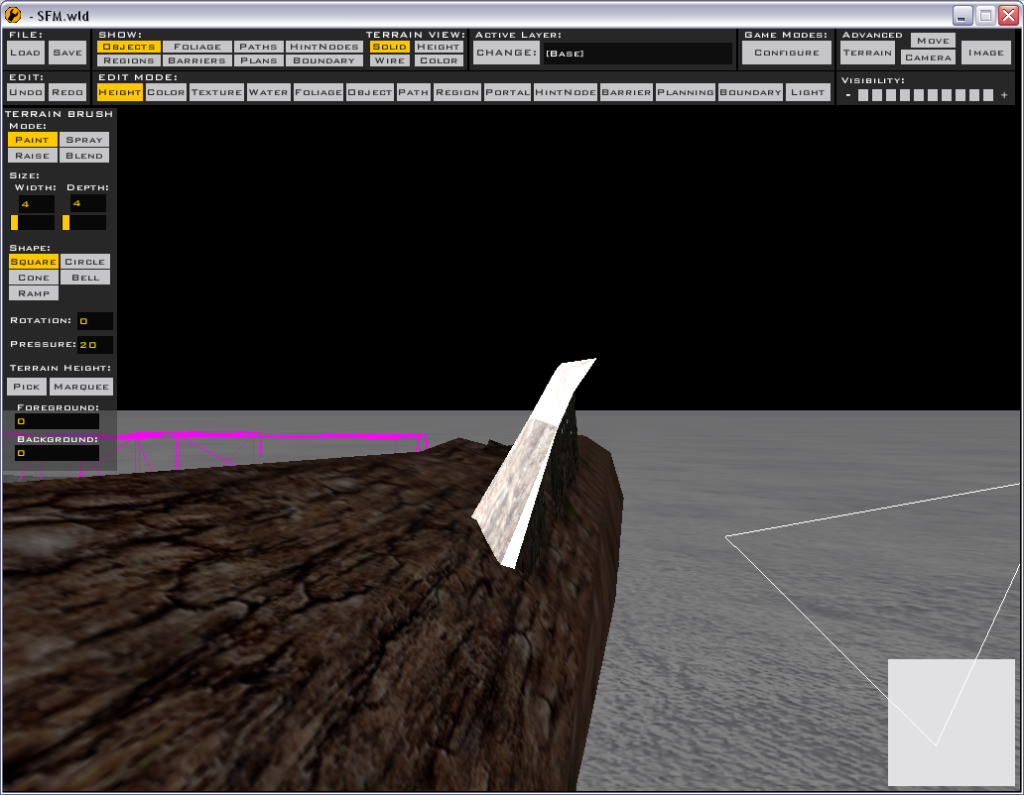
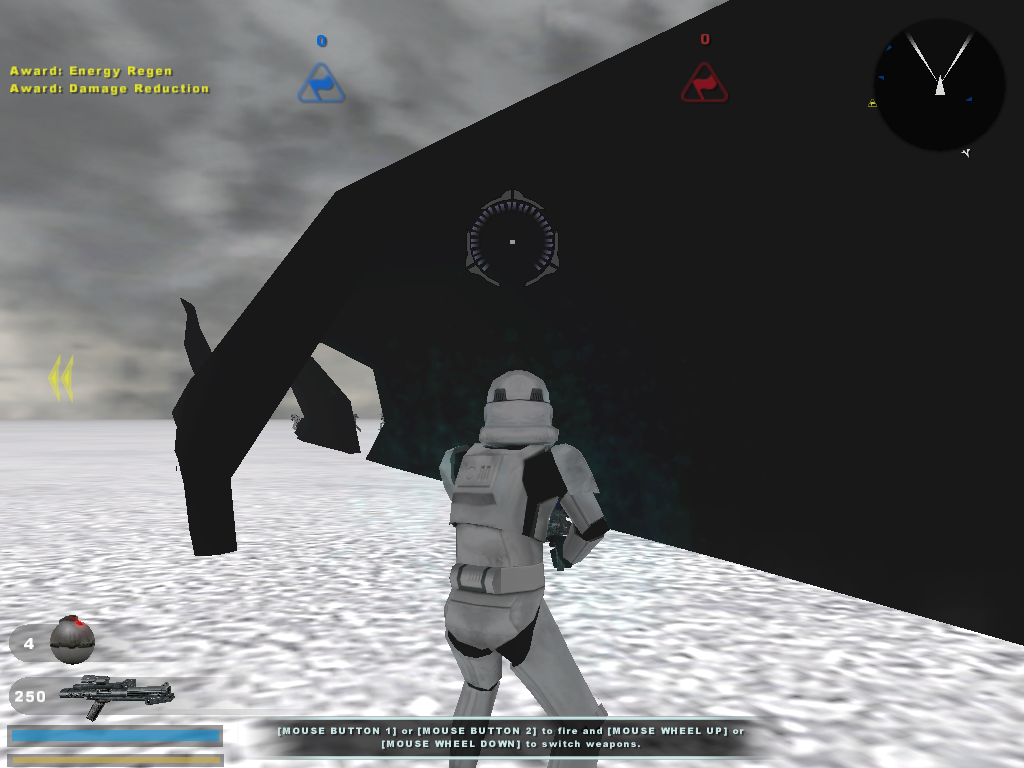
An Endor Fallen Tree trunk (end_prop_trunk4.odf) and Hoth's Turret Trench (hot_prop_trench_turrets.odf?).
I have "end_prop_trunk04.msh" in my data_SFM\Worlds\SFM\msh (Map name is SFM) and I have "hoth_prop_trench_turrets.msh" and "hoth_prop_trench_turrets.msh.option" in data_SFM\Worlds\SFM\msh\PC (because that's where it was in the Hoth folder).
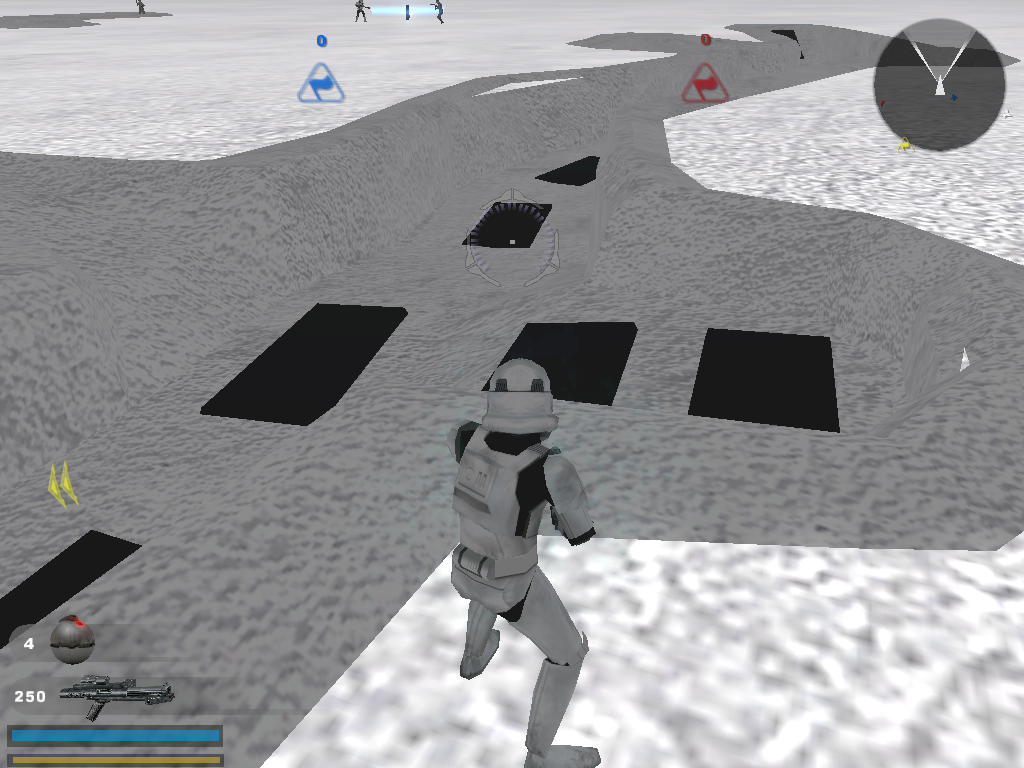
So why's it black?
Solution:
[quote]Anyway the problem is probably that you haven't got the tga files. The msh files are models only, they don't contain textures. Most will have tga (texture) names similar to the msh names. A hex editor (have a look in the 'everything you need' thread) can be useful when you're not sure what texture is being used. Open the msh file with the hex editor, press Ctrl + F and type 'tga'. This can be used to look for all the texture (tga) files the model uses.
The lazy way around this is to just copy all the msh and tga files from the world you want objects from. This leads to bigger map filesizes, so you'll have to (should) cut out the files you don't need before releasing. [/quote]
Changing Textures
Hidden/Spoiler:
Also, is there any way to change the color of the trench?
Right now it's gray and I want it to have a forest color (like Endor) for later.
Solution:
[quote]Oh and to edit the colours of a texture you need to open the tga associated with it in an editing program such as GIMP.[/quote]
Last edited by xSwiftxClawx on Fri Oct 24, 2008 11:51 pm, edited 5 times in total.
Anyway the problem is probably that you haven't got the tga files. The msh files are models only, they don't contain textures. Most will have tga (texture) names similar to the msh names. A hex editor (have a look in the 'everything you need' thread) can be useful when you're not sure what texture is being used. Open the msh file with the hex editor, press Ctrl + F and type 'tga'. This can be used to look for all the texture (tga) files the model uses.
The lazy way around this is to just copy all the msh and tga files from the world you want objects from. This leads to bigger map filesizes, so you'll have to (should) cut out the files you don't need before releasing.
Oh and to edit the colours of a texture you need to open the tga associated with it in an editing program such as GIMP.
BTW those black bits on the trench - pretty sure you need to get 'hoth_frosty_metals.tga' from the hoth assets.
Actully, there's a easier way to find out a msh's tga. Download the mshviewer(you can find it at SWBFII files) and open the msh up with it. After that, click info and you will see what tga it uses.
...and any requisite .tga.options. If you have all those and it still looks odd in Zeroeditor, I would just ignore it. Objects in zeroeditor may be more correct than they appear. Once you munge and check ingame, things should be fine.
xSwiftxClawx wrote:Ok, so I'm still new to modding.
Please bear with me.
Could this thread be left open just in case I have any more problems?
Because, as a new modder, I'm bound to have so many problems...
Topics aren't locked just because they seem solved. When one becomes solved, a (Solved) should be put on it to lets others know they don't have to keep reading it and to help the people searching for solutions to similar problems.
If you have other modding problems, create a new topic for that problem. Putting everything in one thread makes it harder to search through and follow whats going on in that topic. If you want to collect all your problems and solutions to those problems in one place, use a text file.
Can you put MSH and ODF files under subfolders in their folders?
Like for hoth_prop_trenchturret.odf could I put it under data_SFM\Worlds\SFM\odf\hoth?