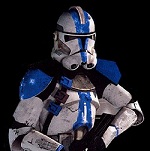
The title explains all. I am working on a Xbox Live DLC Expansion Pack for the PC. It basically is made to make it as similar to the xbox as possible on the PC. I don't know when it will be finished. The only problem standing between me and completing the map pack is munging. I am using a Windows 7 computer, so it can't munge correctly.
Maps:
-Bespin
-Rhen Var Citadel
-Rhen Var Harbor
-Yavin Arena
New Characters:
-Kit Fisto
-Asajj Ventress
P.S. I have already released a topic about this but the topic ended because I was on the modding forum.
Man I wish I could show pics but I can't play the maps yet
1 they arent ready
2 i cant at least show ZE pics because I use fraps for screenies which is a BMP image fromat.
Ill get back to work on that. Any suggestions for a screen recorder?
if you need pics fast all you need to do is simply this, hit the button that says Prt ScrnSysR after you take the pic you hit ctrl+v to paste it onto a painting program export it as JPEG and upload it.
If you are taking ingame pics using x fire what i do is bring the pics up on something like Windows photo viewer and repeat the process. Well good luck with getting all this done
LO65 wrote:if you need pics fast all you need to do is simply this, hit the button that says Prt ScrnSysR after you take the pic you hit ctrl+v to paste it onto a painting program export it as JPEG and upload it.
If you are taking ingame pics using x fire what i do is bring the pics up on something like Windows photo viewer and repeat the process. Well good luck with getting all this done
idk what fraps is but if it is like x fire or Windows Photo viewer it will work all you have to do is view the image hit the Prt Scrn/SysRq button throw it onto a image editor (Paint.net, GIMP, Adobe Photoshop, Photoshop) Export it as a JPEG and upload it with image shack or something that and add the image here glad to help!