
MshEx Beta 2 - much better
Moderator: Moderators
-
theultimat
- Lieutenant General

- Posts: 679
- Joined: Sun Apr 13, 2008 1:39 pm
- Location: UK
Re: MshEx Beta 2 - much better
Yes, I did all that. Question: Does it matter what the NULL is called?
-
Caleb1117
- 2008 Most Original Avatar
- Posts: 3096
- Joined: Sun Aug 20, 2006 5:55 pm
- Projects :: No Mod project currently.
- xbox live or psn: No gamertag set
- Location: X-Fire: caleb1117 ಠ_ಠ
Re: MshEx Beta 2 - much better
Not really to my knowledge, I don't think mshex is capable of limiting you to only the name dummyroot, but go ahead and call it that, better safe then your model exploding, one less problem you'll have to rule out.
-
YouJediJunkie

- Command Sergeant Major

- Posts: 256
- Joined: Mon Mar 10, 2008 4:06 pm
Re: MshEx Beta 2 - much better
Well, I use "GroundDummy" (Of course without the quotation marks), and it works for me.theultimat wrote:Yes, I did all that. Question: Does it matter what the NULL is called?
-
redgroupclan

- High General

- Posts: 867
- Joined: Thu Jan 24, 2008 11:47 pm
- Location: For less cheap gameplay - BF2 v1.1 server "NoEngineersAntiGlitch"
Re: MshEx Beta 2 - much better
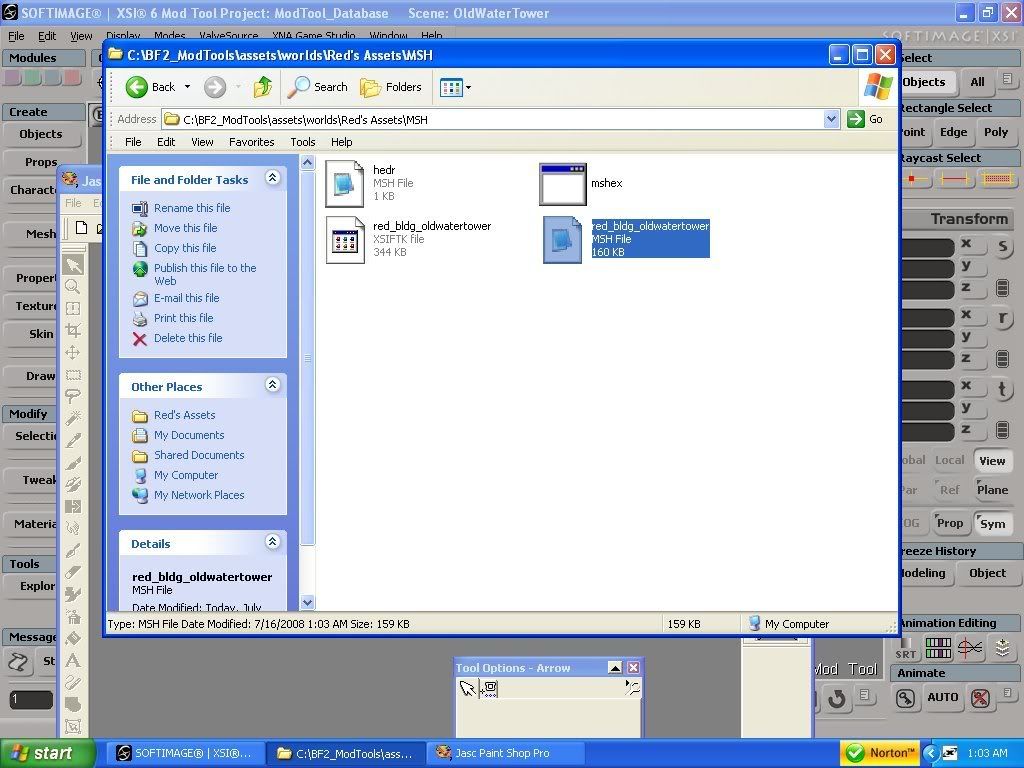
Why am I not able to delete that now?redgroupclan wrote:If you see any flaws that could cause my models to turn out grey, notify me.Hidden/Spoiler:












-
Fluffy_the_ic

- Hoth Battle Chief

- Posts: 3223
- Joined: Thu Jan 24, 2008 7:03 pm
- xbox live or psn: fluffytherc
- Location: she/her
- Contact:
Re: MshEx Beta 2 - much better
If you mean deleting your post, somebody already replied to it. In other words, someone opsted after you did.
If you still wonder why it turned gray, you lack the proper ,tgas.
If you still wonder why it turned gray, you lack the proper ,tgas.
-
redgroupclan
- High General
- Posts: 867
- Joined: Thu Jan 24, 2008 11:47 pm
- Location: For less cheap gameplay - BF2 v1.1 server "NoEngineersAntiGlitch"
Re: MshEx Beta 2 - much better
I thought all I did was create a .msh, assign the ODF, and baddabing baddaboom-place em in the map?
-
Fluffy_the_ic
- Hoth Battle Chief
- Posts: 3223
- Joined: Thu Jan 24, 2008 7:03 pm
- xbox live or psn: fluffytherc
- Location: she/her
- Contact:
Re: MshEx Beta 2 - much better
Nope, Textures and mshes have to be in the same folder.
-
redgroupclan
- High General
- Posts: 867
- Joined: Thu Jan 24, 2008 11:47 pm
- Location: For less cheap gameplay - BF2 v1.1 server "NoEngineersAntiGlitch"
Re: MshEx Beta 2 - much better
So theres more than having the .msh in the MSH folder and the ODF in the ODF folder? 
So from what it sounds like, I place the photos I used for the texture in along with the .msh?
So from what it sounds like, I place the photos I used for the texture in along with the .msh?
-
Fluffy_the_ic
- Hoth Battle Chief
- Posts: 3223
- Joined: Thu Jan 24, 2008 7:03 pm
- xbox live or psn: fluffytherc
- Location: she/her
- Contact:
-
PsYcH0_]-[aMsT3r
- 2nd Lieutenant

- Posts: 405
- Joined: Fri Jan 25, 2008 3:11 pm
- Projects :: No Mod project currently.
- xbox live or psn: No gamertag set
- Location: Location Location.
Re: MshEx Beta 2 - much better
Hmm... When i run MshEx i keep having it come up saying:
Declared Aray
then it stops. Anyone know how to fix this?
Declared Aray
then it stops. Anyone know how to fix this?
-
Silas

- Captain

- Posts: 481
- Joined: Thu Oct 11, 2007 5:30 pm
- Projects :: No Mod project currently.
- xbox live or psn: No gamertag set
- Contact:
Re: MshEx Beta 2 - much better
sigh...i have the exact same munge error as redgroupclan. I followed the instructions exactly, so there's no problem there, but it's the "rules" in the first post that i think are messing me up:
Rules to follow:
The main issue here is with clusters. Any help would be great
Rules to follow:
Hidden/Spoiler:
-
redgroupclan
- High General
- Posts: 867
- Joined: Thu Jan 24, 2008 11:47 pm
- Location: For less cheap gameplay - BF2 v1.1 server "NoEngineersAntiGlitch"
Re: MshEx Beta 2 - much better
Silas wrote:sigh...i have the exact same munge error as redgroupclan. I followed the instructions exactly, so there's no problem there, but it's the "rules" in the first post that i think are messing me up:
Rules to follow:
The main issue here is with clusters. Any help would be greatHidden/Spoiler:
For 2, you make a polymsh by selecting all of your primitives, then you go to Mesh--->Merge, it will create a polymsh. Under polymsh in the Explorer, open Polygon Mesh, then Merge Meshes. When the Merge Meshes window comes up, click Merge under Materials, UVs, VertexColors, WeightMaps. It will texture your polymsh. Once you have done that, click Delete under Inputs. That gets rid of cluster problems.
3, under polymsh in Explorer, you'll see Scene_Material (Scene_Root), just double click on that and when a little window comes up asking if you want to make a local copy, click yes.
6, you select the polymsh and click Modeling under Freeze History.
-
Silas
- Captain
- Posts: 481
- Joined: Thu Oct 11, 2007 5:30 pm
- Projects :: No Mod project currently.
- xbox live or psn: No gamertag set
- Contact:
Re: MshEx Beta 2 - much better
Thanks redgroupclan. I was able to successfully export a simple test object, so now i can start on my bigger objects for the DMI project. 
-
redgroupclan
- High General
- Posts: 867
- Joined: Thu Jan 24, 2008 11:47 pm
- Location: For less cheap gameplay - BF2 v1.1 server "NoEngineersAntiGlitch"
Re: MshEx Beta 2 - much better
I can help others with MshEx, but I cant help myself. 
I think it is just something with my software because Maveritchell did his own thing with an .xsi file of mine and in ZE, it still turns out grey.
I think it is just something with my software because Maveritchell did his own thing with an .xsi file of mine and in ZE, it still turns out grey.
-
RepSharpshooter
- Gametoast Staff

- Posts: 1351
- Joined: Tue Jul 10, 2007 4:10 pm
Re: MshEx Beta 2 - much better
may be the texture you're using, make sure they're referenced as tgas in xsi, else you may have problems.
Oh and I'm fixing the bounding box issue, got it working. I was so sick of the old screwed up boxes. Before I release a patched version, I think I will investigate hiding objects too. Doesn't this mean collision meshes (not primitives) would work? I hope so. Perhaps even shadowvolumes.
Oh and I'm fixing the bounding box issue, got it working. I was so sick of the old screwed up boxes. Before I release a patched version, I think I will investigate hiding objects too. Doesn't this mean collision meshes (not primitives) would work? I hope so. Perhaps even shadowvolumes.
-
redgroupclan
- High General
- Posts: 867
- Joined: Thu Jan 24, 2008 11:47 pm
- Location: For less cheap gameplay - BF2 v1.1 server "NoEngineersAntiGlitch"
Re: MshEx Beta 2 - much better
Yeah I saved them as tga's. Or at least I redid them all to tga's...time to retexture everything lol.
And just a quick question-if u resize a tga being used on a model, does the texture on the model change or look any different?
And just a quick question-if u resize a tga being used on a model, does the texture on the model change or look any different?
-
Caleb1117
- 2008 Most Original Avatar
- Posts: 3096
- Joined: Sun Aug 20, 2006 5:55 pm
- Projects :: No Mod project currently.
- xbox live or psn: No gamertag set
- Location: X-Fire: caleb1117 ಠ_ಠ
Re: MshEx Beta 2 - much better
Sometimes, depends on how radical your change.redgroupclan wrote:Yeah I saved them as tga's. Or at least I redid them all to tga's...time to retexture everything lol.
And just a quick question-if u resize a tga being used on a model, does the texture on the model change or look any different?
Reguardless, it's not advised to change the skin size unless you still have the model in XSI and you can scale the UV's.
-
RepSharpshooter
- Gametoast Staff
- Posts: 1351
- Joined: Tue Jul 10, 2007 4:10 pm
Re: MshEx Beta 2 - much better
As long as you uniformally scale the texture, it will not be messed up.