New Map Error

In this forum you will find and post information regarding the modding of Star Wars Battlefront 2. DO NOT POST MOD IDEAS/REQUESTS.

Moderator: Moderators

User avatar
Ant
Chief Warrant Officer
Posts: 326
Joined: Sat Sep 29, 2012 8:16 am
Projects :: The Clone Wars Mod
Games I'm Playing :: Battlefront Series
Contact:

New Map Error

Post by Ant »

I made a new map (my first attempt at one), and when I go to munge I get this error:

Code: Select all

ERROR[levelpack shell.req]:Input file shell.req does not exist. [continuing]
   1 Errors    0 Warnings
Then when I open up my game, its a plain map, showing none of the objects or terrain textures I have made. It shows up correctly in Zero Editor however. Any help? :)

EDIT: When I add the "dc:" to the LUA files, no errors occur but the game will crash when the map loads.
JimmyAngler
High General
High General
Posts: 837
Joined: Mon Nov 04, 2013 10:37 am
Projects :: Battlefront Halation
Games I'm Playing :: SWBF 1-2-2015
xbox live or psn: none
Location: Area 51

Re: New Map Error

Post by JimmyAngler »

do you have the shell lvl in you Star Wars Battlefront2/GameData/addon/XXX/data/LVL_PC/ folder?
User avatar
Ant
Chief Warrant Officer
Posts: 326
Joined: Sat Sep 29, 2012 8:16 am
Projects :: The Clone Wars Mod
Games I'm Playing :: Battlefront Series
Contact:

Re: New Map Error

Post by Ant »

I have a mission.lvl, core.lvl, and two folders then: a ABC folder with a ABC.lvl, and another folder named SIDE with the sides in there.
JimmyAngler
High General
High General
Posts: 837
Joined: Mon Nov 04, 2013 10:37 am
Projects :: Battlefront Halation
Games I'm Playing :: SWBF 1-2-2015
xbox live or psn: none
Location: Area 51

Re: New Map Error

Post by JimmyAngler »

well it's trying to read a shell file I think so just copy and paste one from the LVL_PC in your data_XXX into the place I mentioned above.
User avatar
Ant
Chief Warrant Officer
Posts: 326
Joined: Sat Sep 29, 2012 8:16 am
Projects :: The Clone Wars Mod
Games I'm Playing :: Battlefront Series
Contact:

Re: New Map Error

Post by Ant »

Nope. Still doesn't work. Here's what I did:

1. Went to C:\BF2_ModTools\data\_BUILD and clicked on "Modtools Visual Munge".
2. Filled in all the info and hit create.
3. Went to C:\BF2_ModTools\data_XXX and opened ZeroEditor
4. Moved "COR" folder from C:\BF2_ModTools\assets\worlds to C:\BF2_ModTools\data_XXX\Worlds so I can use the Coruscant assests.
5. Made a map using ZeroEditor (In the power of two: 128x128)
6. Went back to C:\BF2_ModTools\data_XXX\_BUILD and hit "Modtools Visual Munge".
7. Check marked "Common" and for Sides I check marked "COMMON" since I have no custom sides.
8. Munged it.
9. Went into game and saw a empty map.
JimmyAngler
High General
High General
Posts: 837
Joined: Mon Nov 04, 2013 10:37 am
Projects :: Battlefront Halation
Games I'm Playing :: SWBF 1-2-2015
xbox live or psn: none
Location: Area 51

Re: New Map Error

Post by JimmyAngler »

so all you did was add stuff to your map. You don't move the whole assests COR folder, just the insides of it. Just go into the COR folder and copy and paste all the odf's and msh's and tga's into your worlds folder. then place all the objects in ZE munge and test.
User avatar
Ant
Chief Warrant Officer
Posts: 326
Joined: Sat Sep 29, 2012 8:16 am
Projects :: The Clone Wars Mod
Games I'm Playing :: Battlefront Series
Contact:

Re: New Map Error

Post by Ant »

You sir, deserve a cookie. :D Thanks!!!

Okay, final problem...how do I move the command posts :S .
JimmyAngler
High General
High General
Posts: 837
Joined: Mon Nov 04, 2013 10:37 am
Projects :: Battlefront Halation
Games I'm Playing :: SWBF 1-2-2015
xbox live or psn: none
Location: Area 51

Re: New Map Error

Post by JimmyAngler »

just click on the objects tab, then select objects then click on the cp and move it I think. Don't forget to make sure you have everything selected under visibility and move the cp region and spawn points over the cp.

Offtopic:
I love how I used to watch all you mod videos and now I helping you make them :)
User avatar
Ant
Chief Warrant Officer
Posts: 326
Joined: Sat Sep 29, 2012 8:16 am
Projects :: The Clone Wars Mod
Games I'm Playing :: Battlefront Series
Contact:

Re: New Map Error

Post by Ant »

JimmyAngler wrote:just click on the objects tab, then select objects then click on the cp and move it I think. Don't forget to make sure you have everything selected under visibility and move the cp region and spawn points over the cp.
Hmmm...okay. So on the Visibility bar bellow the "Advanced Buttons" I selected the best visibility. Then I selected "Object" in "Edit Mode:", then under "Edit Object:" I hit "select" and go to move the Command Post, but nothing occurs. :(
Hidden/Spoiler:
Image
JimmyAngler wrote:
Offtopic:
I love how I used to watch all you mod videos and now I helping you make them :)
Haha :P I never realized doing all those gameplay videos how much the authors must of went through, especially the ones who made maps before Mod Tools was released. :faint:
JimmyAngler
High General
High General
Posts: 837
Joined: Mon Nov 04, 2013 10:37 am
Projects :: Battlefront Halation
Games I'm Playing :: SWBF 1-2-2015
xbox live or psn: none
Location: Area 51

Re: New Map Error

Post by JimmyAngler »

found your problem. up top (very top) there is the active layer thingy. click change and in the window that pops up click conquest. then close the window and try again.
User avatar
Ant
Chief Warrant Officer
Posts: 326
Joined: Sat Sep 29, 2012 8:16 am
Projects :: The Clone Wars Mod
Games I'm Playing :: Battlefront Series
Contact:

Re: New Map Error

Post by Ant »

Okay, I got the CP's to move...but, like how do I activate them? Like I moved them into the battlefield but how do I begin to start AI pathing from them? Is their a tutorial for that?
JimmyAngler
High General
High General
Posts: 837
Joined: Mon Nov 04, 2013 10:37 am
Projects :: Battlefront Halation
Games I'm Playing :: SWBF 1-2-2015
xbox live or psn: none
Location: Area 51

Re: New Map Error

Post by JimmyAngler »

did you move the region and spawn nodes?
do you know what the zxc buttons along with the mouse buttons do?
Also, make sure instead of having the objects tab selected, you have to have the regions tab for moving regions, nodes for moving the spawn nodes.
User avatar
Ant
Chief Warrant Officer
Posts: 326
Joined: Sat Sep 29, 2012 8:16 am
Projects :: The Clone Wars Mod
Games I'm Playing :: Battlefront Series
Contact:

Re: New Map Error

Post by Ant »

Okay. I can move the CP's by holding down the "C" key, but only on a vertical axis...I can't raise it's height nor put it on a horizontal axis.
Marth8880
Resistance Leader
Posts: 5042
Joined: Tue Feb 09, 2010 8:43 pm
Projects :: DI2 + Psychosis
Games I'm Playing :: Silent Hill 2
xbox live or psn: Marth8880
Location: Edinburgh, UK
Contact:

Re: New Map Error

Post by Marth8880 »

Left mouse button, right mouse button, and middle mouse button controls each axis individually. I know that MMB controls Y, and LMB and RMB control X and Z - just play around with them.

Also, "vertical axis" is height. ;)
User avatar
Ant
Chief Warrant Officer
Posts: 326
Joined: Sat Sep 29, 2012 8:16 am
Projects :: The Clone Wars Mod
Games I'm Playing :: Battlefront Series
Contact:

Re: New Map Error

Post by Ant »

Awesome! Thanks a lot. I did that, and two more issues occured. :faint: I looked in the docs but I couldn't find much help.
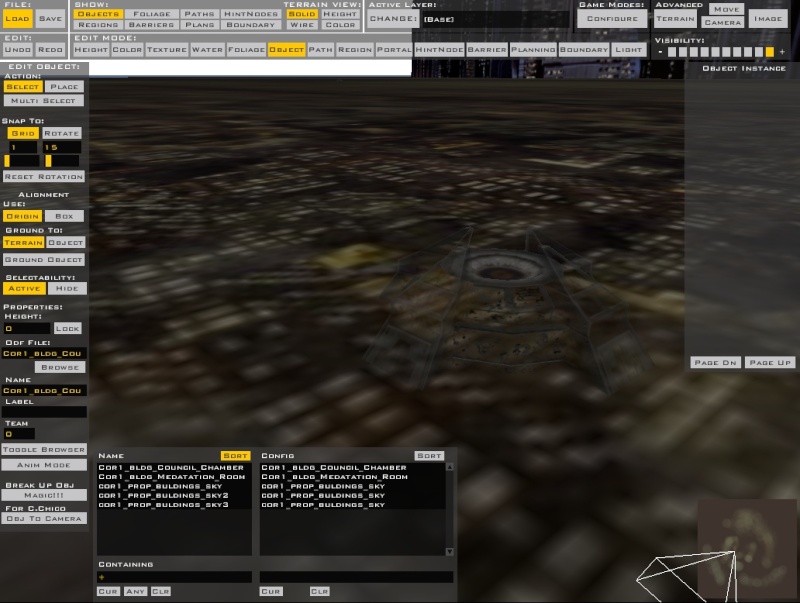
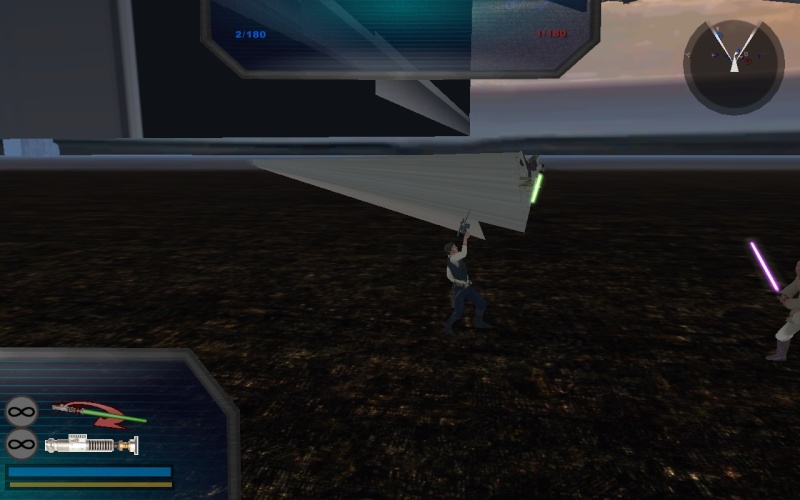
1. Instead of the AI (and myself) always spawning inside the elevated building, we sometimes spawn underneath it. How do I make sure they always spawn in the correct area/height?
Hidden/Spoiler:
Image
2. My other team then is also not spawning correctly. Instead of spawning next to the command post, they spawn in different places within the maps, occasionally underneath the map also. I'm pretty sure it's a easy fix, I just don't know where to go or then what to do within my files to fix it.
JimmyAngler
High General
High General
Posts: 837
Joined: Mon Nov 04, 2013 10:37 am
Projects :: Battlefront Halation
Games I'm Playing :: SWBF 1-2-2015
xbox live or psn: none
Location: Area 51

Re: New Map Error

Post by JimmyAngler »

did you move the spawn nodes?
User avatar
Ant
Chief Warrant Officer
Posts: 326
Joined: Sat Sep 29, 2012 8:16 am
Projects :: The Clone Wars Mod
Games I'm Playing :: Battlefront Series
Contact:

Re: New Map Error

Post by Ant »

I deleted them all and made new ones..I think. :S I deleted all the AI paths and command posts not in use, then put in two more command posts and made some of my own Nodes. Then in the layer of "Eli" in object, I put the new "Spawn Paths" for the two command posts. :)
JimmyAngler
High General
High General
Posts: 837
Joined: Mon Nov 04, 2013 10:37 am
Projects :: Battlefront Halation
Games I'm Playing :: SWBF 1-2-2015
xbox live or psn: none
Location: Area 51

Re: New Map Error

Post by JimmyAngler »

could you post a screenshot of the ZE command post that is having problems? please make everything visible too, (e.g. regions, nodes, barriers etc.)
User avatar
Ant
Chief Warrant Officer
Posts: 326
Joined: Sat Sep 29, 2012 8:16 am
Projects :: The Clone Wars Mod
Games I'm Playing :: Battlefront Series
Contact:

Re: New Map Error

Post by Ant »

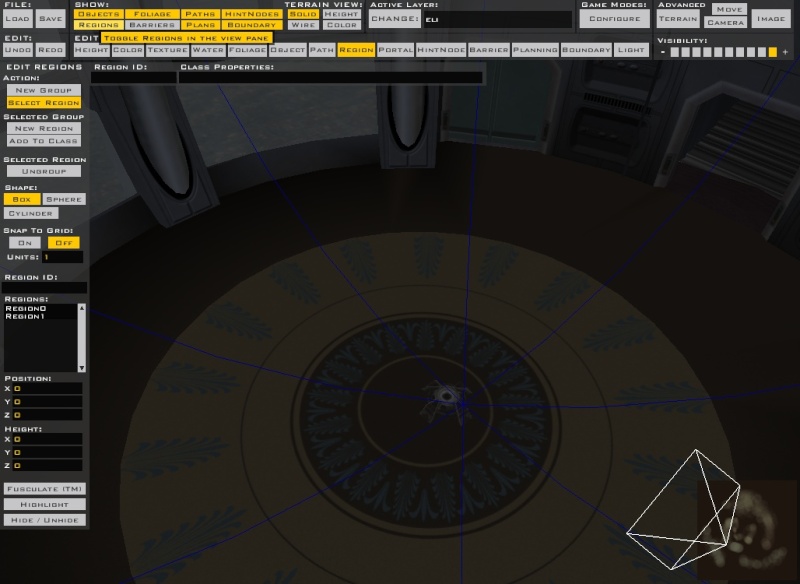
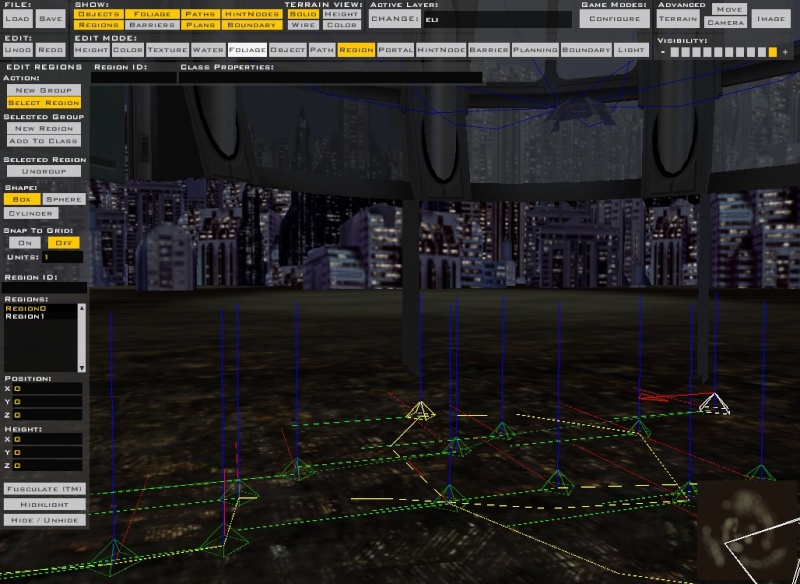
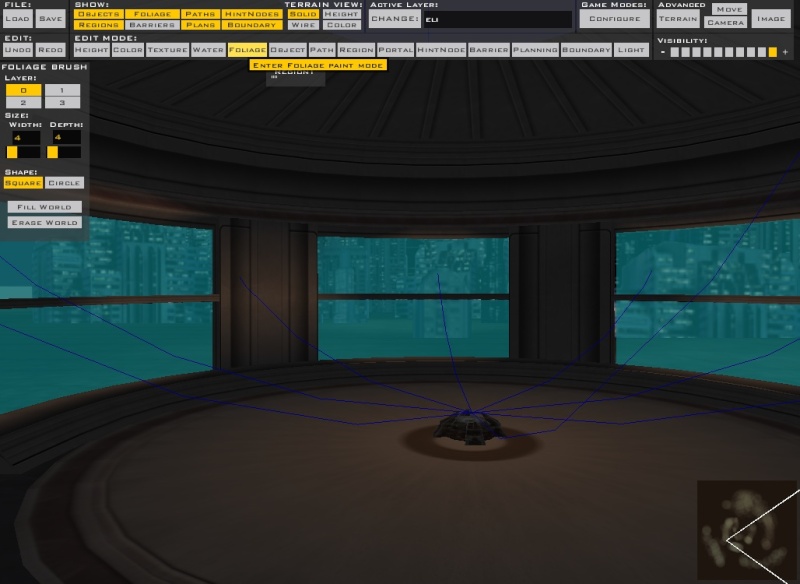
Both are having issues...and I don't have any barriers yet.

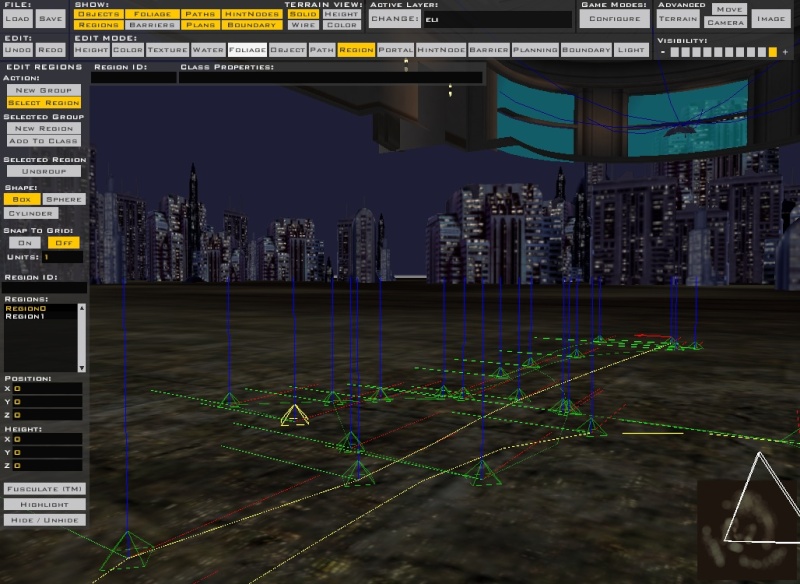
Jedi CP/Region:
Hidden/Spoiler:
Image
Jedi CP Pathing:
Hidden/Spoiler:
Image
Sith CP/Region:
Hidden/Spoiler:
Image
Sith CP/Pathing:
Hidden/Spoiler:
Image
The nodes and such are underneath the map because I don't know how to elevate them.
JimmyAngler
High General
High General
Posts: 837
Joined: Mon Nov 04, 2013 10:37 am
Projects :: Battlefront Halation
Games I'm Playing :: SWBF 1-2-2015
xbox live or psn: none
Location: Area 51

Re: New Map Error

Post by JimmyAngler »

The FAQ has a piece of beautiful information for you.

How to raise nodes/spawn paths
Post Reply