
UV- map scaling question.

How to create models in XSI and other 3D applications and make them work in Battlefront 1 & 2. Post models, tips for application usage and share anything XSI, 3DMax, SketchUp, etc.

Moderator: Moderators

Post Reply
t551
General
General
Posts: 791
Joined: Sat Jul 16, 2005 3:23 pm
Projects :: No Mod project currently.
Games I'm Playing :: I have not listed any games yet
xbox live or psn: No gamertag set

UV- map scaling question.

Post by t551 »

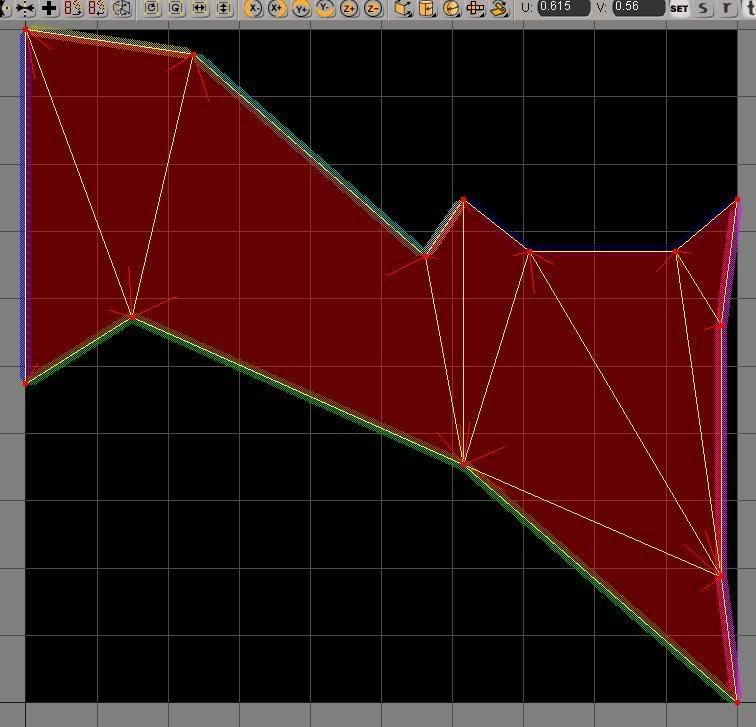
When I select some polygons on my model and choose a subprojection in the UV editor, the polygon's vertices are stretched to the dimensions of the texture:

Image

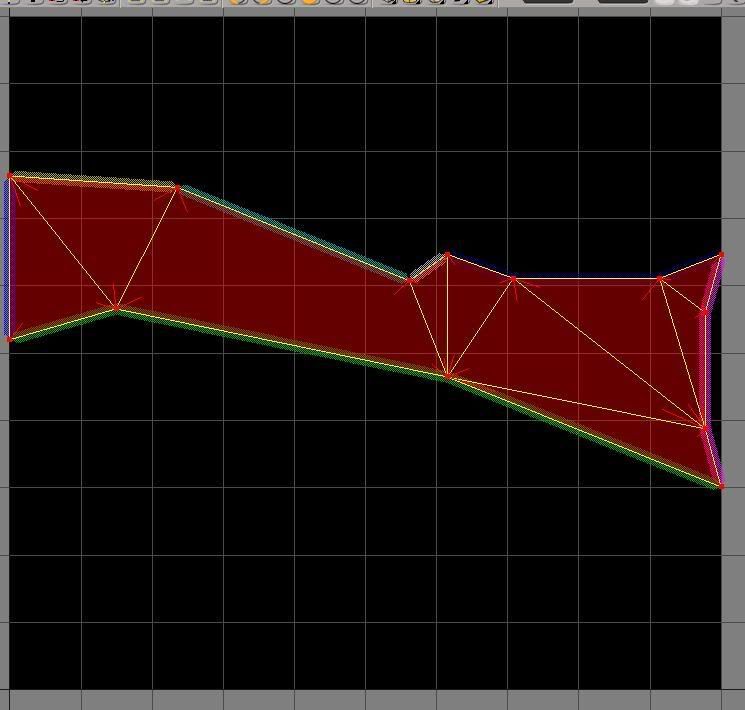
The actual dimensions of the polygons on the model when viewed from the XY orthographic view is this:
Image


Is there a way that I can get the polygons to come in at their actual proportions, instead of having to mess around with scaling them in the UV editor so that the textures won't be badly stretched?
Murdocr

RE: UV- map scaling question.

Post by Murdocr »

umm, i'm not sure what's going on there. Which subprojection are you using? I usually use planar subprojection, which works fine for me. Or does this happen with all subprojections. I probably won't be able to give an answer, as i try to stay far, far away from the texture side of things.
OFF TOPIC: what is the new avatar?
t551
General
General
Posts: 791
Joined: Sat Jul 16, 2005 3:23 pm
Projects :: No Mod project currently.
Games I'm Playing :: I have not listed any games yet
xbox live or psn: No gamertag set

RE: UV- map scaling question.

Post by t551 »

I was using YZ planar (object oriented), and this happens with all subprojections.

OFF-TOPIC: The avatar is hands :) Mine and my girlfriends, at a birthday party.
Rekubot
Jedi
Jedi
Posts: 1080
Joined: Wed Apr 05, 2006 12:34 pm
Projects :: No Mod project currently.
Games I'm Playing :: Shadow Complex
xbox live or psn: Rekubot
Location: UK

RE: UV- map scaling question.

Post by Rekubot »

I'm not sure if this works all the time, but what I do is open up the texture editor, click the cube icon up the top and select 'best fit'. Sometimes though, the polygons will be stretched out all of the way, so you'll have to manually resize it.
Post Reply