
Object is only invisible in ZE [Solved]

How to create models in XSI and other 3D applications and make them work in Battlefront 1 & 2. Post models, tips for application usage and share anything XSI, 3DMax, SketchUp, etc.

Moderator: Moderators

Post Reply
User avatar
Luke
Private First Class
Posts: 75
Joined: Sat Feb 18, 2012 5:36 am
Projects :: Caron Prime - Liberation Action
Games I'm Playing :: SWBF2 SWRC
Location: Germany

Object is only invisible in ZE [Solved]

Post by Luke »

Hey Guys,
today I've a really strange problem. I made a new model in Sculptris (see the picture) textured it and then exported it to .obj to load it into XSI. I also exported the texture from sculptris and converted it to TGA using Photoshop. Then I imported the .obj into XSI, made a new phong and set up the texture, etc. When it was finished I exported it, loaded the model in the meshviewer and everything was alright. But when I'd set up the odf and loaded the model in ZE and placed it somewhere, nothing of it was shown, but it is there because after I munged and started the game the model was right in front of me.
It is only invisible in ZE.
Does anyone know what's the problem? (On the map are also other objects, but they are visible)

The object:
Hidden/Spoiler:
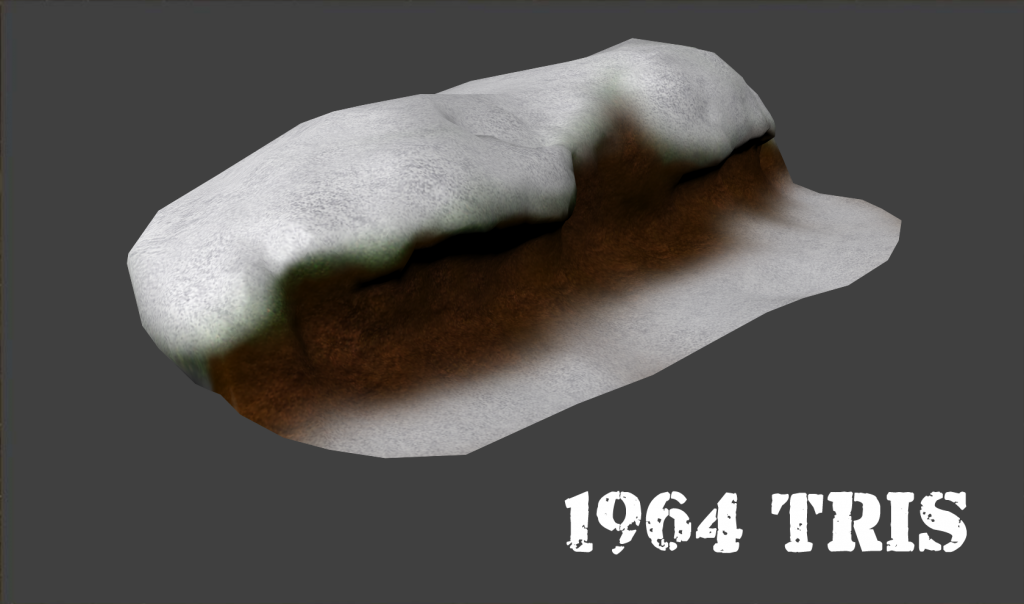
Image
Last edited by Luke on Sun Sep 15, 2013 8:36 am, edited 1 time in total.
Marth8880
Resistance Leader
Posts: 5042
Joined: Tue Feb 09, 2010 8:43 pm
Projects :: DI2 + Psychosis
Games I'm Playing :: Silent Hill 2
xbox live or psn: Marth8880
Location: Edinburgh, UK
Contact:

Re: Object is only in ZE invisible

Post by Marth8880 »

Do you have GeometryName = "meshname.msh" under the GameObjectClass header in the ODF?
User avatar
Luke
Private First Class
Posts: 75
Joined: Sat Feb 18, 2012 5:36 am
Projects :: Caron Prime - Liberation Action
Games I'm Playing :: SWBF2 SWRC
Location: Germany

Re: Object is only invisible in ZE

Post by Luke »

Don't know how or why but I forgot the .msh behind the meshname...

Thanks!
Post Reply