Mysterious darkening [Solved]

In this forum you will find and post information regarding the modding of Star Wars Battlefront 2. DO NOT POST MOD IDEAS/REQUESTS.

Moderator: Moderators

Post Reply
User avatar
Fiodis
Master of the Force
Master of the Force
Posts: 4145
Joined: Wed Nov 12, 2008 9:27 pm
Projects :: Rannoch + Tientia + Tools Programming

Mysterious darkening [Solved]

Post by Fiodis »

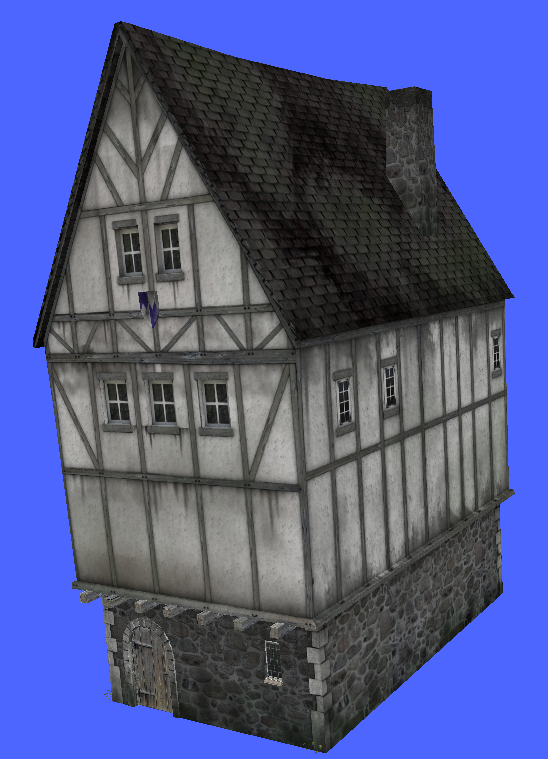
I put a model ingame from obj format. The textures look fine, and in MSHViewer it looks fine, but in-game it's darker than it should be. The only lighting I have is a bright directional light as well as the light settings from the stock Mos Eisley sky file. Here's a pic of the model in MSHViewer, showing what the textures look like and how the model ought to appear:
Hidden/Spoiler:
Image
And here's a screenshot in-game:
Hidden/Spoiler:
Image
The roof is clearly much darker, to the point of loosing detail. The bottom stone section has a similar problem. The walls are ok, but still darker.

How could I solve this strange problem?

RogueKnight
Space Ranger
Posts: 2512
Joined: Sat Nov 22, 2008 1:50 pm
Projects :: Life. Work.
Games I'm Playing :: League of Legends
xbox live or psn: No gamertag set
Location: Washington, US

Re: Mysterious darkening

Post by RogueKnight »

Delete and reapply the texture materials, I saw something strange on them when I exported the models.
User avatar
Fiodis
Master of the Force
Master of the Force
Posts: 4145
Joined: Wed Nov 12, 2008 9:27 pm
Projects :: Rannoch + Tientia + Tools Programming

Re: Mysterious darkening

Post by Fiodis »

That did the trick, thanks.
Post Reply