
Bump mapping terrain? [Solved]
Moderator: Moderators
-
swado95

- Rebel Warrant Officer

- Posts: 304
- Joined: Wed Apr 08, 2009 7:36 am
- Projects :: No Mod project currently.
- xbox live or psn: No gamertag set
- Location: Where I whant to be.
Bump mapping terrain? [Solved]
Is it possible to bumpmap terrain in swbbf2. Like if i was trying to get the sand ripples to pop out how would i do that?
-
Aman/Pinguin
- Jedi

- Posts: 1104
- Joined: Tue Jan 30, 2007 6:04 am
- Projects :: Inactive
- Location: Germany
Re: Bumpmaping terrain?
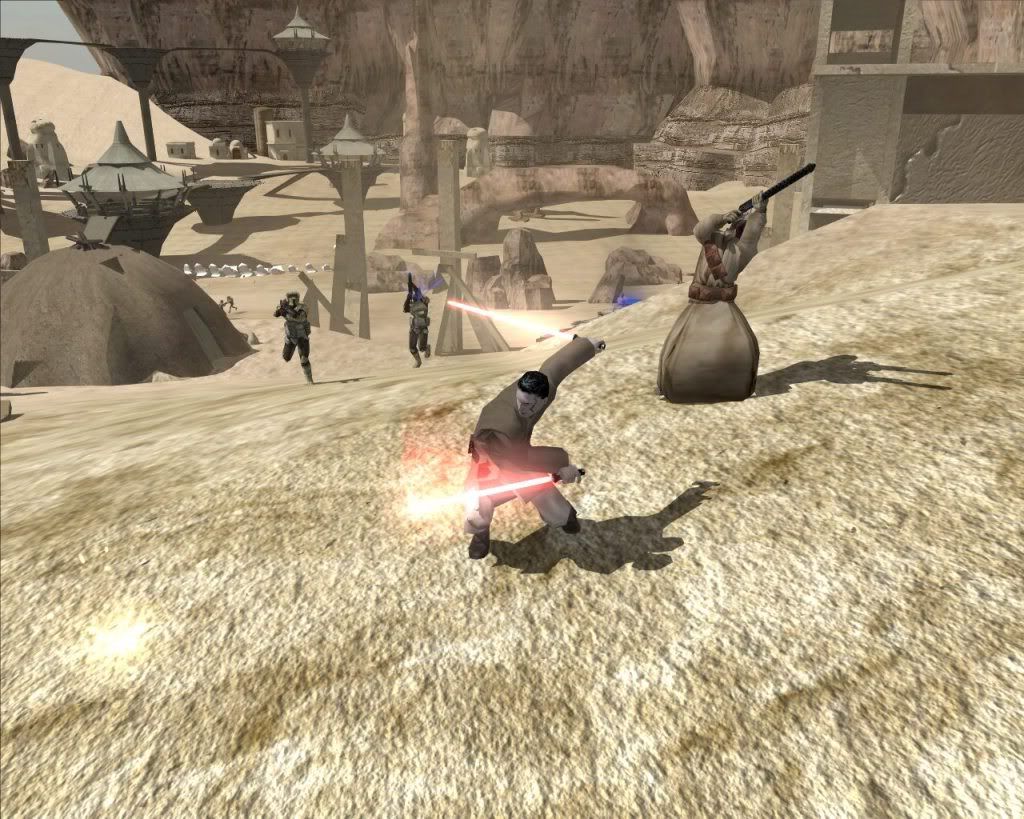
Sure, I used it once for my whole sand:
Just make a bumpmap as always and apply it as a terrain detail texture here:
Hidden/Spoiler:
Hidden/Spoiler:

-
Maveritchell

- Jedi Admin

- Posts: 7366
- Joined: Mon Aug 21, 2006 11:03 pm
Re: Bumpmaping terrain?
A nitpick: that's not a bump map, it's a detail map. You can't apply a bump map to terrain.Aman/Pinguin wrote:Sure, I used it once for my whole sand:
Hidden/Spoiler:
-
Aman/Pinguin
- Jedi
- Posts: 1104
- Joined: Tue Jan 30, 2007 6:04 am
- Projects :: Inactive
- Location: Germany
Re: Bumpmaping terrain?
Still, it works like a bumpmap and basically is one.
-
Maveritchell
- Jedi Admin
- Posts: 7366
- Joined: Mon Aug 21, 2006 11:03 pm
Re: Bumpmaping terrain?
No, it doesn't and it isn't - a bump map creates a raised look to a model and interacts with light. It is representative of the base texture in a 1:1 ratio. A detail map has none of those properties - it's a texture "overlay" that is repeated more often than the base texture, depending on settings (by default the ratio is 16:1::detail:base).Aman/Pinguin wrote:Still, it works like a bumpmap and basically is one.
-
swado95
- Rebel Warrant Officer
- Posts: 304
- Joined: Wed Apr 08, 2009 7:36 am
- Projects :: No Mod project currently.
- xbox live or psn: No gamertag set
- Location: Where I whant to be.
Re: Bumpmaping terrain?
If any of u have played far cry 2 I want the sand to look sortof like that (yes i know far cry is a bad example). It looks raised.  (not from far cry 2)
-
DarthD.U.C.K.

- Master of the Force

- Posts: 6027
- Joined: Wed Sep 27, 2006 11:05 am
- Location: Duckburg, Germany
Re: Bumpmaping terrain?
@mav: how do you apply a bumpmap then?
with a "-terrainbump" in the textures tga.option?
@swado: you wont achieve such an effect with a bumpmap, farcry 2 etc. use normalmaps or parallax maps (better normalmaps)
with a "-terrainbump" in the textures tga.option?
@swado: you wont achieve such an effect with a bumpmap, farcry 2 etc. use normalmaps or parallax maps (better normalmaps)
-
Maveritchell
- Jedi Admin
- Posts: 7366
- Joined: Mon Aug 21, 2006 11:03 pm
Re: Bumpmaping terrain?
Like I said above, I don't think you can apply a bumpmap to terrain. I've seen the munge parameter "-terrainbump," but I assume that it's an unused or unimplemented part of terrain (like terrain decals). I've never seen an example of terrain in a Battlefront game that has a bump map proper.DarthD.U.C.K. wrote:@mav: how do you apply a bumpmap then?
with a "-terrainbump" in the textures tga.option?
-
Fiodis

- Master of the Force
- Posts: 4145
- Joined: Wed Nov 12, 2008 9:27 pm
- Projects :: Rannoch + Tientia + Tools Programming
Re: Bumpmaping terrain?
I thought stock Naboo had bumpmapped terrain? At any rate there's a tga.option for its terrain with bump parameters and it does make the terrain look raised or lowered when light shines on it.
-
myers73
- Lieutenant General

- Posts: 690
- Joined: Fri Apr 03, 2009 11:04 pm
- Projects :: No Mod project currently.
- xbox live or psn: No gamertag set
- Location: Atlanta, GA xfire=myers73 IngameName=mYers
Re: Bumpmaping terrain?
Naboo terrain is bumpmapped
-
Jendo7

- Sith

- Posts: 1304
- Joined: Wed Apr 01, 2009 6:37 pm
- Location: Cambridge, England.
- Contact:
Re: Bumpmaping terrain?
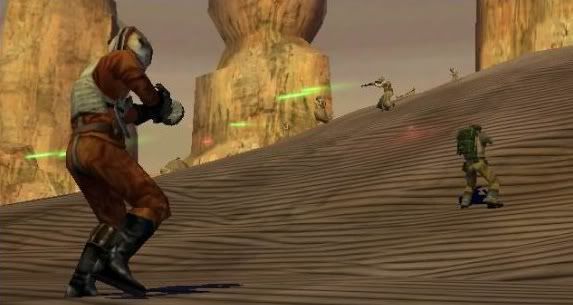
This pic is from the original Battlefront website, so Pandemic may have done something similar in the earlier game development before they changed it for the final release.
-
Maveritchell
- Jedi Admin
- Posts: 7366
- Joined: Mon Aug 21, 2006 11:03 pm
Re: Bumpmaping terrain?
Fiodis wrote:I thought stock Naboo had bumpmapped terrain? At any rate there's a tga.option for its terrain with bump parameters and it does make the terrain look raised or lowered when light shines on it.
I see the bump texture, but the terrain file itself has no reference to the texture. If there's any application of a bump map it's through the parameter (TerrainBumpTexture) in the .sky file. I don't know if it has any effect since I've never noticed a difference. It may just be a distance view modifier, I don't know.myers73 wrote:Naboo terrain is bumpmapped
In any case, that doesn't detract from the point I was trying to make, which is that a detail texture and a bump texture are two entirely different things.
-
Marth8880
- Resistance Leader
- Posts: 5042
- Joined: Tue Feb 09, 2010 8:43 pm
- Projects :: DI2 + Psychosis
- xbox live or psn: Marth8880
- Location: Edinburgh, UK
- Contact:
Re: Bumpmaping terrain?
Would just like to point out and add that bumpmapped terrain is completely possible - I do it all the time. This is probably all in some other thread somewhere, but whatevs, the more the merrier (or something like that).
In the sky file lol:
In the sky file lol:
Code: Select all
PC()
	{
		TerrainBumpTexture("VRM_main_1_bump", 1.0); // <<== this part yo

		DomeModel()
		{
			Geometry("vrc_sky_dome");
		}
		DomeModel()
		{
			Geometry("vrc_sky_clouds");
			Offset(160.0);
			MovementScale(0.992);
			rotationspeed(0.001, 0,1.0,0);
		}
	}