Tordarian (Republic ground attack) - Some help needed

Working on a new map? Have a new mod out for swbf2?! Post an announcement of the up-coming release here.

Moderator: Moderators

Gunjak

Post by Gunjak »

ok in your lua (for conquest) there is a line hold on

ok take a look


--This defines the CPs. These need to happen first
cp1 = CommandPost:New{name = "cp1"}
cp2 = CommandPost:New{name = "cp2"}


--This sets up the actual objective. This needs to happen after cp's are defined
conquest = ObjectiveConquest:New{teamATT = ATT, teamDEF = DEF,
textATT = "game.modes.con",
textDEF = "game.modes.con2",
multiplayerRules = true}

--This adds the CPs to the objective. This needs to happen after the objective is set up
conquest:AddCommandPost(cp1)
conquest:AddCommandPost(cp2)

conquest:Start()

SetUberMode(1)
EnableSPHeroRules()

end


---------------------------------------------------------------------------
-- FUNCTION: ScriptInit
-- PURPOSE: This function is only run once
-- INPUT:
-- OUTPUT:
-- NOTES: The name, 'ScriptInit' is a chosen convention, and each
-- mission script must contain a version of this function, as
-- it is called from C to start the mission.
---------------------------------------------------------------------------
function ScriptInit()

ReadDataFile("ingame.lvl")


SetMaxFlyHeight(300)
SetMaxPlayerFlyHeight (300)

SetMemoryPoolSize ("ClothData",20)
SetMemoryPoolSize ("Combo",50) -- should be ~ 2x number of jedi classes
SetMemoryPoolSize ("Combo::State",650) -- should be ~12x #Combo
SetMemoryPoolSize ("Combo::Transition",650) -- should be a bit bigger than #Combo::State
SetMemoryPoolSize ("Combo::Condition",650) -- should be a bit bigger than #Combo::State
SetMemoryPoolSize ("Combo::Attack",550) -- should be ~8-12x #Combo
SetMemoryPoolSize ("Combo::DamageSample",6000) -- should be ~8-12x #Combo::Attack
SetMemoryPoolSize ("Combo::Deflect",100) -- should be ~1x #combo

ReadDataFile("sound\\yav.lvl;yav1cw")
ReadDataFile("dc:SIDE\\rep.lvl",
"rep_inf_ep3_rifleman",
"rep_inf_ep3_rocketeer",
"rep_inf_ep3_engineer",
"rep_inf_ep3_sniper",
"rep_inf_ep3_officer",
"rep_inf_ep3_jettrooper",
"rep_hover_fightertank",
"rep_hero_anakin",
"rep_hover_barcspeeder")
ReadDataFile("SIDE\\cis.lvl",
"cis_inf_rifleman",
"cis_inf_rocketeer",
"cis_inf_engineer",
"cis_inf_sniper",
"cis_inf_officer",
"cis_inf_droideka",
"cis_hero_darthmaul",
"cis_hover_aat")


ReadDataFile("SIDE\\tur.lvl",
"tur_bldg_laser",
"tur_bldg_tower")

SetupTeams{
rep = {
team = REP,
units = 64,
reinforcements = 150,
soldier = { "rep_inf_ep3_rifleman",9, 56},
assault = { "rep_inf_ep3_rocketeer",1, 4},
engineer = { "rep_inf_ep3_engineer",1, 4},
sniper = { "rep_inf_ep3_sniper",1, 4},
officer = {"rep_inf_ep3_officer",1, 4},
special = { "rep_inf_ep3_jettrooper",1, 4},

},
cis = {
team = CIS,
units = 64,
reinforcements = 150,
soldier = { "cis_inf_rifleman",9, 56},
assault = { "cis_inf_rocketeer",1, 4},
engineer = { "cis_inf_engineer",1, 4},
sniper = { "cis_inf_sniper",1, 4},
officer = {"cis_inf_officer",1, 4},
special = { "cis_inf_droideka",1, 4},
}
}

SetHeroClass(CIS, "cis_hero_darthmaul")
SetHeroClass(REP, "rep_hero_anakin")

notice the SetUberMode(1) this has to be placed as it is above, it allows more than the default amount of AI infantry on the battleground at one time

ive bolded it for you, ive also bolded the set unit amount, the first number is the minimum and the second is the maximum amount of ai infantry , i hope u understand all this :)
Gunjak

Post by Gunjak »

as for your music, i once heard teancum say something about never being able to get custom sounds in the game,
although im not sure
User avatar
Teancum
Jedi Admin
Jedi Admin
Posts: 11080
Joined: Wed Sep 07, 2005 11:42 pm
Projects :: No Mod project currently.
Games I'm Playing :: Destiny
xbox live or psn: No gamertag set
Location: Indiana

Post by Teancum »

Gunjak, STOP double posting. There's an edit button for a reason. That's your first warning.
sawyerdk9

Post by sawyerdk9 »

You really need to work on the texturing of the mountains. There are a lot of good textures other than yavins.
Gunjak

Post by Gunjak »

sorry tean, normally i get the feeling the messages that i edited in dont get read, i wont do it again

what happens if i do it again
JabbaLovesLava
Sith
Sith
Posts: 1396
Joined: Tue Jun 07, 2005 11:50 am

Post by JabbaLovesLava »

On-topic: This map looks great, and i liked the mountains especially :?

Off-topic: Gunjak, i guess if you do it again you'll keep on getting warning till you get banned :/
PvtParts
Jedi
Jedi
Posts: 1001
Joined: Mon Apr 03, 2006 9:12 pm
Projects :: No Mod project currently.
xbox live or psn: No gamertag set
Location: plundering yer booty

Post by PvtParts »

Off-Topic: Yeah, you will get a 2nd Warning, then like a week ban, then a lifetime ban if I remember correctly.

True people often dont notice the edit, but its better than getting on the wrong side of the admin (your going to the ban-stick side).
Tohron

Questions

Post by Tohron »

It was said that you can't get custom sounds in the game - was the option to munge sounds checked? Has anyone found where ambient sounds are stored in the Sound folder?
Tohron

Screenshots and Questions

Post by Tohron »

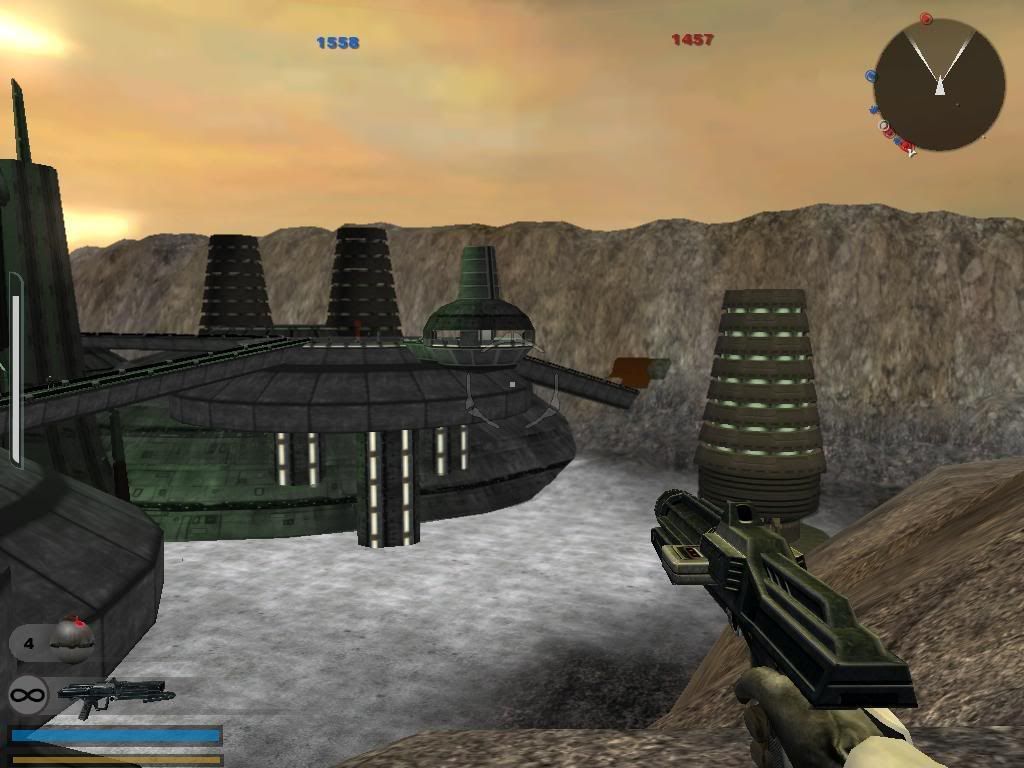
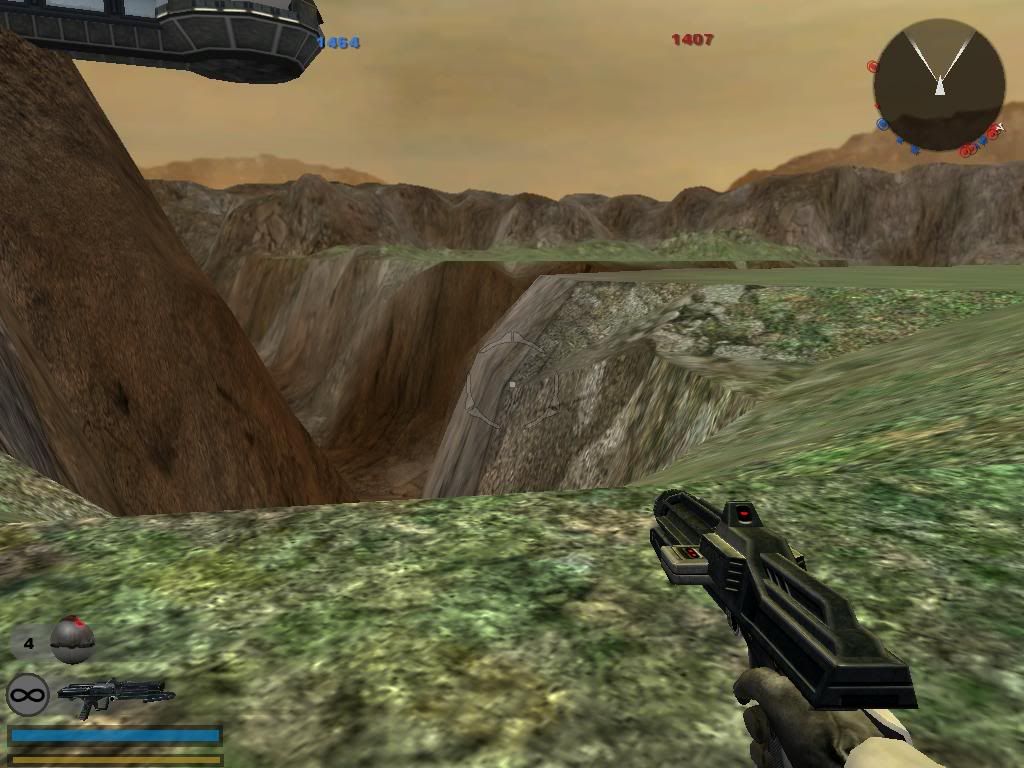
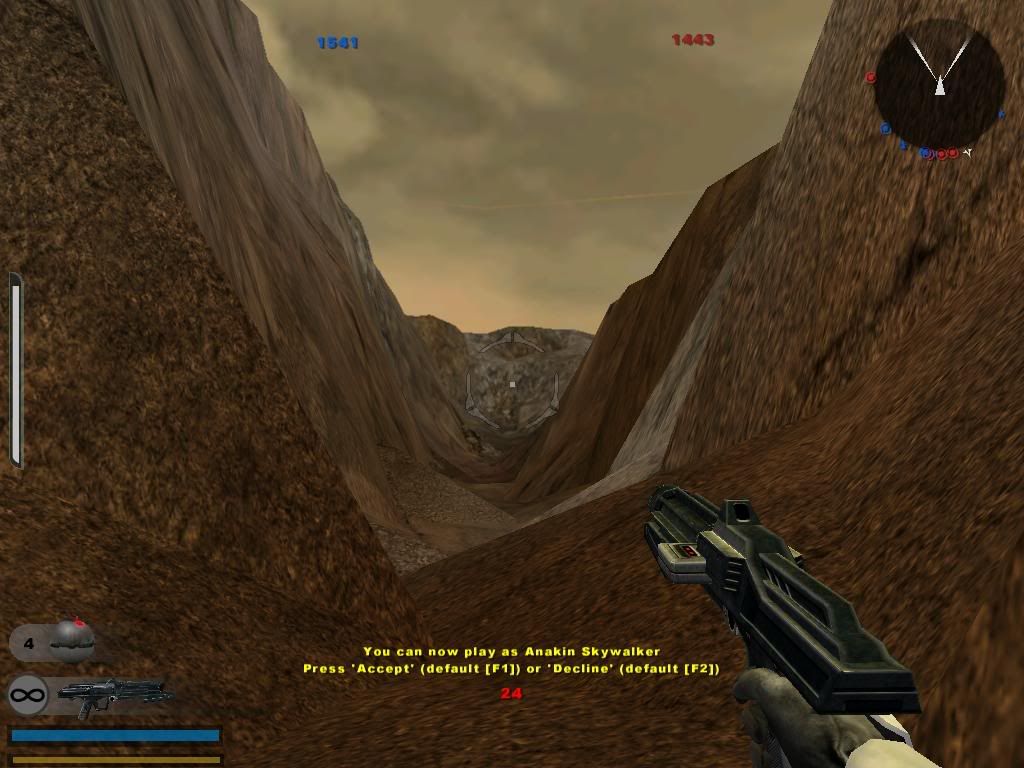
I just retextured the cliff network: here's a few screenshots.

- http://i82.photobucket.com/albums/j252/ ... erview.jpg

- http://i82.photobucket.com/albums/j252/ ... etwork.jpg

- http://i82.photobucket.com/albums/j252/ ... Canyon.jpg

Since many of my questions have gone unmentioned, I'll see if rearranging them in terms of apparent complexity will help.

EASY
-I need to make modifications to (depower) the CIS strike bomber. To do that, will I have to copy the entire CIS side to my map, or just data on "greviousfighter"? Whatever the case, I could use complete instructions, or a link to a BFII tutorial with complete instructions detailing what I need to do.

MEDIUM
-I want to make it so that some of my omnilights will actually be visible as a glowing light in the place they are located. Can this be done? How?
-I still am having no luck with my pathing attempts. Here is TOR.pln

Hub("Overlook 1")
{
Pos(-171.517303, 0.000000, 36.196110);
Radius(4.000000);
BranchWeight("Overlook 2",20.000000,"Overlook 1-2",1);
}

Hub("Overlook 2")
{
Pos(-171.833847, 8.753185, -28.214397);
Radius(4.000000);
}

Hub("Overlook 3")
{
Pos(-139.337234, 20.117739, -27.830799);
Radius(4.000000);
}

Hub("Overlook 4")
{
Pos(-139.633789, 28.629999, 12.847847);
Radius(6.000000);
}

Hub("Overlook Entrance")
{
Pos(-165.576462, 0.000000, 103.558105);
Radius(57.651207);
}

Hub("Overlook Jetstart")
{
Pos(-110.354111, 0.078542, 14.388908);
Radius(27.616404);
BranchWeight("Overlook 4",2.500000,"Overlook Jetroute",1);
}

Connection("Overlook 1-2")
{
Start("Overlook 1");
End("Overlook 2");
Flag(1);
}

Connection("Overlook 2-3")
{
Start("Overlook 2");
End("Overlook 3");
Flag(1);
}

Connection("Overlook 3-4")
{
Start("Overlook 3");
End("Overlook 4");
Flag(1);
}

Connection("Overlook E-1")
{
Start("Overlook Entrance");
End("Overlook 1");
Flag(1);
}

Connection("Overlook Jetroute")
{
Start("Overlook Jetstart");
End("Overlook 4");
Flag(1);
JetJump();
}

Here is the error message I get when I munge:

ERROR[pathplanningmunge world1\TOR.PLN]:Node [Overlook] does not exist
10 Errors 0 Warnings


HARD
-I want to use a music file named tordarian_intro as ambient music. Does anyone know a a tutorial for BFII that tells how to do this?
-I have a landscape renderer that can export elevations in PCX, DXF, and ASCII Z format. Can any of these formats replace or be converted to MSH format without having to use a 3D modeling program like XSI? (The reason I want to do this is because I could use some background terrain.)
User avatar
Teancum
Jedi Admin
Jedi Admin
Posts: 11080
Joined: Wed Sep 07, 2005 11:42 pm
Projects :: No Mod project currently.
Games I'm Playing :: Destiny
xbox live or psn: No gamertag set
Location: Indiana

RE: Screenshots and Questions

Post by Teancum »

Don't use spaces when you name stuff. I bet anything what you see as "Overlook 4" the game only sees as "Overlook". Try "Overlook_4".
Tohron

Re: RE: Screenshots and Questions

Post by Tohron »

Teancum wrote:Don't use spaces when you name stuff. I bet anything what you see as "Overlook 4" the game only sees as "Overlook". Try "Overlook_4".
Thanks, that worked perfectly. The effect of the paths I have up now is rather dramatic, it feels like the AI just became smarter, simply because more of them are fighting at once.

On this topic, I have a new question: is there a way to elevate hubs?
Tuskenjedi

RE: Re: RE: Screenshots and Questions

Post by Tuskenjedi »

hub or hud
yankeefan05
Sith
Sith
Posts: 1288
Joined: Fri Mar 31, 2006 9:02 am
Projects :: No Mod project currently.
Games I'm Playing :: I have not listed any games yet
xbox live or psn: No gamertag set
Location: New York City
Contact:

Post by yankeefan05 »

nice pics. Im looking foward to this map's release.
Tohron

Re: RE: Re: RE: Screenshots and Questions

Post by Tohron »

Tuskenjedi wrote:hub or hud
Hub. I'm asking if there's a way to elevate the hubs used in path planning.
User avatar
jangoisbaddest
Lieutenant General
Lieutenant General
Posts: 661
Joined: Mon Feb 27, 2006 12:10 am
Projects :: No Mod project currently.
Games I'm Playing :: I have not listed any games yet
xbox live or psn: No gamertag set
Location: All Along The Watchtower

RE: Re: RE: Re: RE: Screenshots and Questions

Post by jangoisbaddest »

Hold shift and drag.
Tohron

Re: RE: Re: RE: Re: RE: Screenshots and Questions

Post by Tohron »

jangoisbaddest wrote:Hold shift and drag.
That might work with paths, but it does not work with path-planning hubs. I tried. Does anyone know how to elevate path-planning hubs? As an additional question, does anyone know if you need to do something for new layers to be read for Conquest?

EDIT: Also, how do you elevate Barriers?
Tohron

Post by Tohron »

Well, the beta WOULD be out, but I'm encountering a problem with filefront.

Whenever I try to upload my zipped world file, the site simply says it is "connecting" and keeps refreshing the page. Nothing else happens. Eventually, the site reverts to the "this page cannot be displayed" prompt. Does anyone know what I'm doing wrong?
RєÅpér

Post by RєÅpér »

Tohron

Post by Tohron »

Beta is UP! :bdroid2: (I think)

http://www.savefile.com/files.php?fid=5154366 - Try this link
RєÅpér

Post by RєÅpér »

Major bug on my pc

the game just crashes when i try to play the map

i can play for like 5 sec then it crashes
Post Reply