Backstory wall-of-text (approx. 11.6 times more optional than the rest of this post):
Hidden/Spoiler:
Sometime around last May, I decided to try my hand at 3D graphics programming. Since I like to code with a very specific goal in mind, I cast around for a good challenge, and almost immediately thought of this (the dreaded ZE runtime error). That particular problem has been harrassing me for years now. I used to switch to a laptop that supported ZE, but I don't have access to that anymore, so I basically can't make maps. Fortunately you can edit .ter files pretty successfully (albeit not easily) by hex editing. That, and the release of other tools like Ande's .option creator and ZE tools, inspired me to try to code a replacement for ZE; a GUI for editing terrain.
Since it was a problem that I didn't know any programming language very well at all, and only knew the barest C#, I first spent a while getting mroe familiar with C#. Then ditto with SharpGL, a C# wrapper for OpenGL. Then, when I found SharpGL had some pretty annoying problems with shaders, I switched to freeGLUT and stock OpenGL 3.1. That required me to learn how to write C. Then when I realized that with freeGLUT I'd have to draw every GUI element from scratch and handle font rendering, buttons, tabs, menus, and all sorts of stuff, I asked Ande for advice, and he redirected me to Qt. That required me to get cozy with C++.
Qt's a cross-platform GUI-building framework similar to the .NET framework for Windows. Although Qt isn't the best for drawing complex 3D scenes, I'm finding the handy widget elements somewhat indispensible. If I were making a game I'd ditch it, but since I'm making an editing GUI it's useful to have buttons to click on and text boxes to fill.
So all in all, I've gotten far more familiar with three programming languages (C, C++, and C#) and modern graphics programming. It's been time well spent, and I'm very happy with what I've learned. A couple weeks ago I deemed I finally knew enough to start tackling my ZE problem.
Quickie summary: I wanted to learn 3D programming, and so went ahead and learned a lot. Now I know enough to try a project I've had in mind, to make a replacement GUI for editing world files. Here are my goals with this project, in no particular order:
Support .ter file loading and saving
Support terrain height editing using brushes ZE-style
Support terrain texture editing, same way
Support object placement and rotation
Maybe support regions and paths
Maybe support foliage
Maybe support AI planning
Maybe support water
Probably support lighting
Maybe support layers (I still haven't looked into that one too closely)
I know there's very few people that are in the same position I am, who can't use ZE but who don't have an alternative. Most of you guys are probably reading this and thinking, that's cool, but I could just use ZE for all that. While the main point of this project is for me to get a chance to implement what I've learned, I'd still like for it to be useful to a bunch of people. So, to that end, I think I'll also incorporate a mode for editing .sky files - something ZE lacks. It won't be major, but I think it may be nice to adjust, say, skydome object positions and see results immediately without having to munge.
I've been working on it for approximately a week and a half, planning out the GUI and setting up a lot of the background code. Not very many screenshots at the moment, since not much of that is actually visible, but I've gotten .ter file loading and displaying working properly:
Screenshot in ZE (courtesy of Ande):
Hidden/Spoiler:
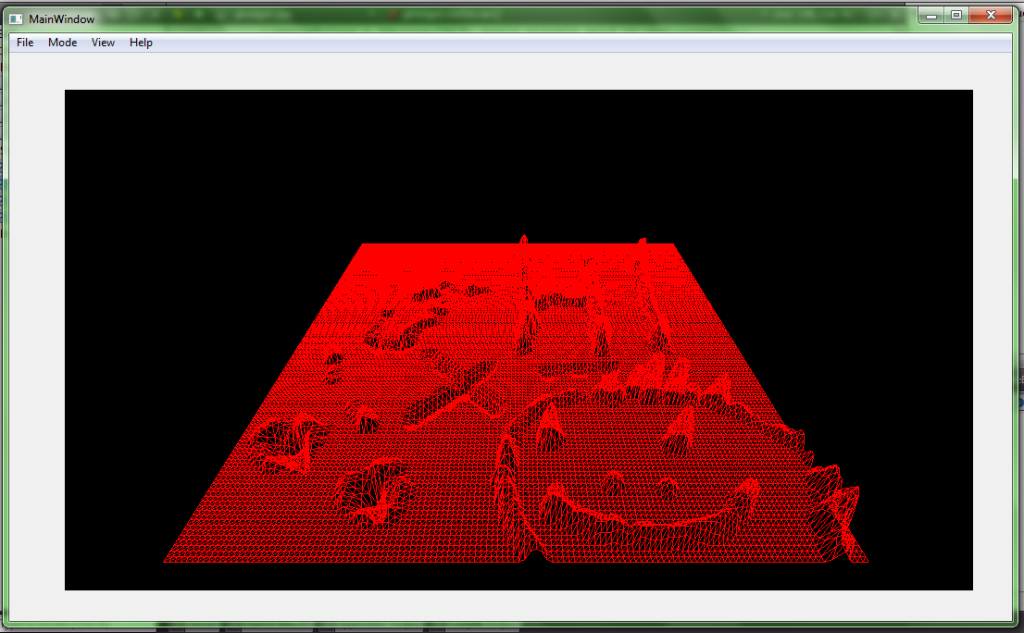
Imported in my OpenGL rendering context:
Hidden/Spoiler:
(Yeah, the height scaling's a bit off. I've fixed that since those screenshots were taken.)
I've also implemented a camera to let you turn up, down, left, right, and move forward, backwards, up, down, and strafe - all with the familiar ZE-style controls. Next up is to implement the terrain height brush.
Once terrain height loading, editing, and saving works, I'll release an alpha version. I'm going to have to heavily rely on the community for testing, since the laptop I'm using to develop it doesn't even have BF2 installed, let alone ZE. Some technical notes:
I'm using OpenGL 3.1. It's a sort of wierd in-between between old-style OpenGL 2.x and the more modern, quite different OpenGL 3.3+. I'm using it since that's the highest version the Intel HD3000 graphics card on my laptop supports. Since Intel is the bottom of the barrel, most NVIDIA or ATI cards younger than, say, ten years will probably support it as well. Also a few of the ZE problems seemed to be tied to incompatible drivers - maybe using something a bit more "recent" will avoid some of those issues.
Though Qt and OpenGL are both technically cross-platform, I'll only be developing with Windows in mind. Most of us don't mod on Macs and Linux anyway, and I have no experience whatsoever with those systems, making it hard to put in all the necessary checks to attain compatibility.
So that's that. I'll update the thread with more screenshots once I get the brushes working.
I'm really interested in seeing what added functionality you could add to this GUI. I love the idea of skydome editing, would it be possible to cut terrain in the editor? It's such a hassle to add a terrain cutter in the modelling phase, and it would be easier if it could be done with a brush or something. Great work so far!
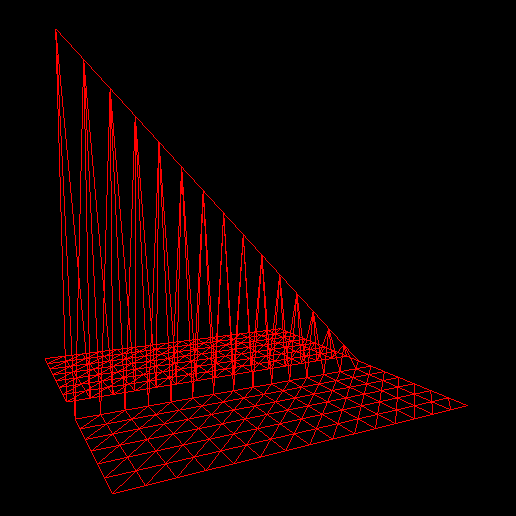
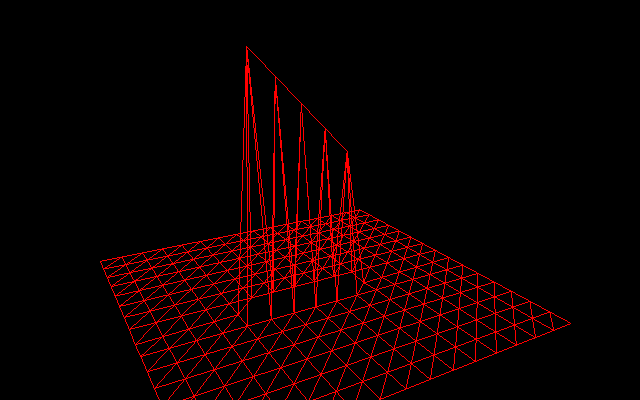
I didn't get very much done over Thanksgiving - my stomach was too full of turkey. I fixed a bug where this:
Hidden/Spoiler:
was loading incorrectly as this:
Hidden/Spoiler:
And in the process Ande and I found that the hedr of a .ter file is 2821 bytes long, rather than the 2820 Riley states. I also started to toy around with buttons and stuff for configuring the brushes:
Hidden/Spoiler:
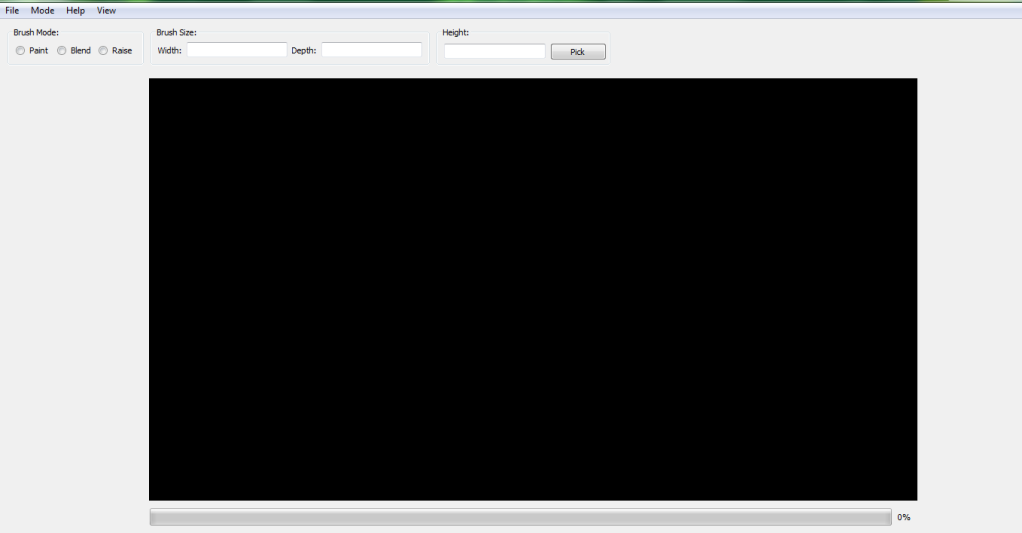
I think the final version will have the viewport expanded over the entire window, and the buttons and text lines embedded over it, semi-transparent, sort of like ZeroEdit has them.
Unfortunately, my IDE (Qt Creator) has suddenly started to slow down my computer terribly, to the point where it's taking fifty times longer to build even the simplest GUI than it used to. What's worse is that the computer stays slowed down even after I close Qt Creator - I'm forced to reboot if I want to open a word document anytime before next century.
So now I'm stuck deciding whether to continue using Qt Creator and hope things get better by some deep magic, or try to port the whole project over to Microsoft's Visual Studio IDE and spend yet more time resolving the bugs and compatibility issues that will inevitably sprout up to plague me.
I'll just open a seance with the gods of Zool and ask that Qt Creator will stop slowing your computer down so that work on this can continue.
What? You did say deep magic.
Hidden/Spoiler:
There must be a logical reason it's doing this somewhere. You've probably tried all the regular stuff though already (defrag, clean with CCleaner, etc). So I don't know.
One more reason to program your UI directly in your code!
If you make any more discoveries about the file format please shoot me a PM or something so I can update the web page.
And as seems to happen so often to me lately, I post about a problem that's been bothering me for days, then solve it in the space of a couple hours. Qt Creator's still a lumbering cow, but I've successfully ported the code over to Visual Studio. It does take longer to compile than it used to; but it's faster than Qt Creator, at least, and it doesn't force me to reboot afterwards.
Can you please make it open-source? Is it in C++? OOP? This should be useful for Comunity Support, if you want this. I think if everyone who is able to programm help, we could start building BF3
Edit: i know that OOP IS NOT A LANGUAGE. but if you do something in c++ and you are not using oop, its hard for other to understand what you did. so, because im interested in c++ (without grapchics) i just ask.
Last edited by LEO on Thu Dec 27, 2012 11:22 pm, edited 1 time in total.
What Marth said. As far as releasing the source code, I haven't made up my mind on that. This isn't BF3 anyway, just an editing tool.
I've been holding off on posting until I have something to show. End-of-term finals have really been sapping my time, but I managed to refine the terrain loading code a bit more and weed out some bugs. Notably, the old code was importing a 16x16 meter map as 16x16 vertices, which meant that a whole row and colum of terrain was missing on the edges. That's fixed now. There's probably still problems occuring near the edges when you try to import a 1024x1024 map, but what kind of errors exactly, I'm not sure - I need more sample .ter files to figure out. Anyway, that's not a big problem; how many people honestly care about the one-meter strip at the edge of a 1-kilometer-wide map?
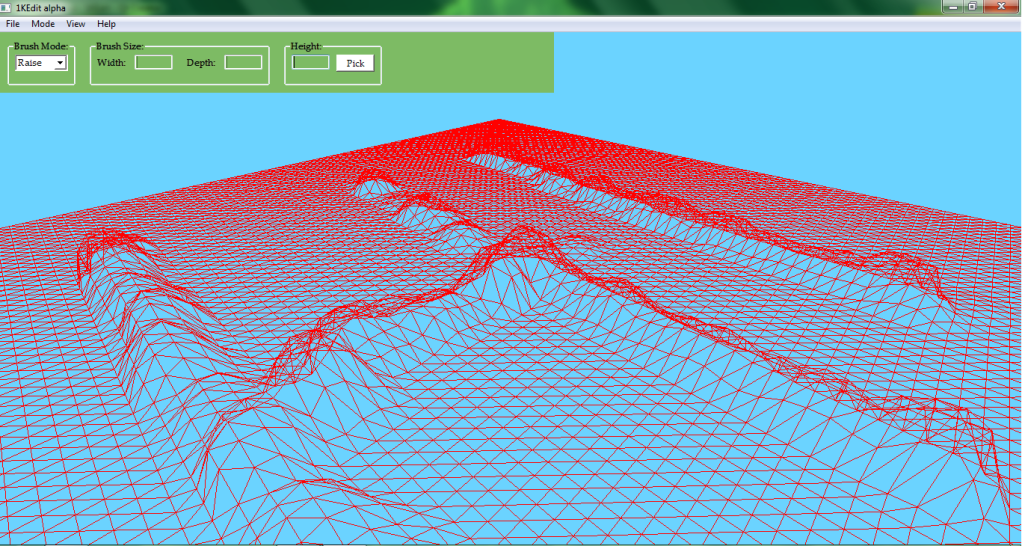
I've also started implementing a brush class, and toyed around with the GUI layout a bit more. It's gone from this:
Hidden/Spoiler:
to this:
Hidden/Spoiler:
I personally like the larger OpenGL viewport. I'm not a very good artist, as you might tell from the color scheme. If anyone has some ideas for what color the buttons and panels and stuff should be, I'd love to hear them. Maybe some kind of gradient? Or even a background image?
Hopefully the pace will pick up once finals are over.
I like it the current color scheme quite a bit. The red and blue contrast nicely, and the green is distinct from the other two colors. Nothing looks too out of place. Nice work, and good luck with finals.
Looks very cool! I think that the color scheme should be blue and green, but thats just cause those are my favorite colors! Also, the panels should be something like gray or black, and the font should be much less old(I don't know how to describe that font any better but it just looks bad) maybe something like arial would be nice, but you don't need to pay attention to those last two suggestions as I know that programming must be very hard. Also, why is the terrain made up of triangles instead of squares? Just wondering...
In 3D graphics pretty much all shapes are made of triangles. It's just much easier to show them than hide them. As for the text, it's really easy to change. I actually chose that font because I thought it looked nice, but eh, I can change it. It's Palatino Linotype.
Noobasaurus wrote:They aresquares you silly willy; they just have lines through them.
Actually they look like parallelograms with lines through them. [funfact]Squares have the same angles on all sides, which are all congruent.[/funfact] And I am a very silly willy!
Marth8880 wrote:Heh, you should use Slider, the Mass Effect font. If you want I'll provide a link once I find it.
No. Terrible idea. Using some crappy fancy font is a great way to ruin a tool. Stick with something sans-serif and common and boring - it's a tool, not a piece of art.



 Fortunately you can edit .ter files pretty successfully (albeit not easily) by hex editing. That, and the release of other tools like Ande's .option creator and ZE tools, inspired me to try to code a replacement for ZE; a GUI for editing terrain.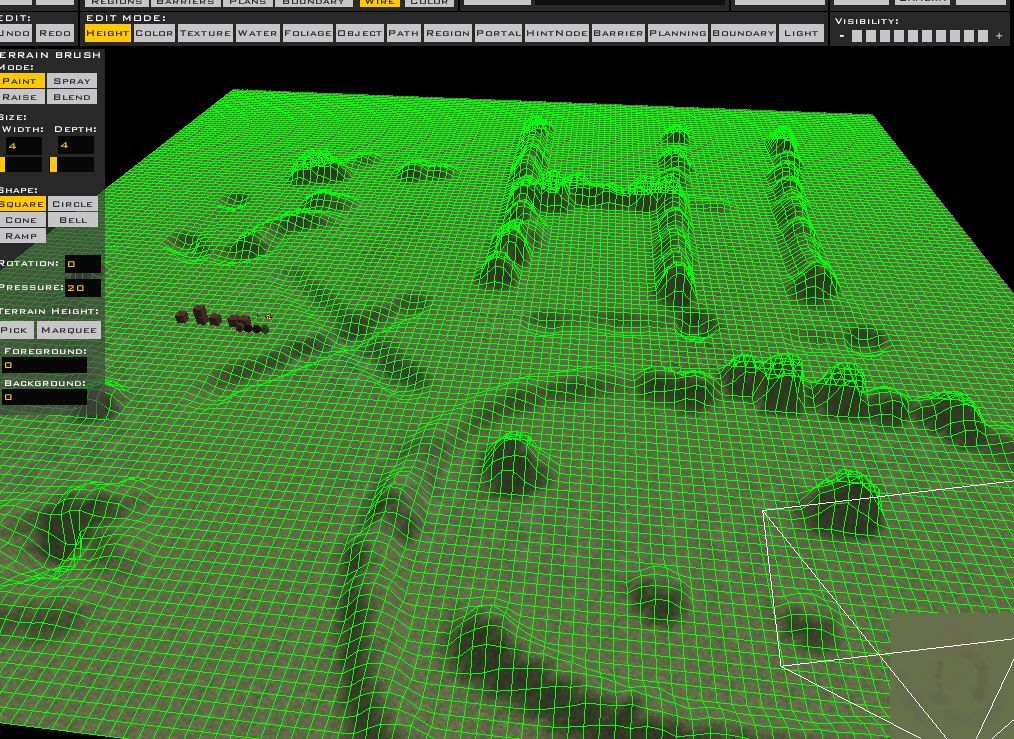








 Maybe some kind of gradient? Or even a background image?



 Also, the panels should be something like gray or black, and the font should be much less old(I don't know how to describe that font any better but it just looks bad) maybe something like arial would be nice, but you don't need to pay attention to those last two suggestions as I know that programming must be very hard. Also, why is the terrain made up of triangles instead of squares? Just wondering...


 If you want I'll provide a link once I find it.