
Put texture on sphere in Blender? [Solved]
Moderator: Moderators
-
linksith

- Command Sergeant Major

- Posts: 284
- Joined: Mon Jul 12, 2010 12:19 pm
- Projects :: Waaay too many projects
- xbox live or psn: me has no xbox
- Location: looking for a wifi connection
Put texture on sphere in Blender? [Solved]
Hi, I've been trying to figure out how to put a texture on a sphere that is supposed to be a planet. I've googled it but it didn't help me as it was for rendering only. Can anyone help me? Thanks.
Last edited by linksith on Sat Nov 20, 2010 1:26 pm, edited 1 time in total.
-
Wonderboy

- Chief Warrant Officer

- Posts: 353
- Joined: Sun Jul 12, 2009 12:54 pm
- Projects :: Making apples into applesauce
- Location: Eastern South Dakota
Re: Put texture on sphere in Blender?
Unwrap it and select TexFace so it uses the UV. Or do you want to just apply a texture through Blender? I've never done that.
-
linksith
- Command Sergeant Major
- Posts: 284
- Joined: Mon Jul 12, 2010 12:19 pm
- Projects :: Waaay too many projects
- xbox live or psn: me has no xbox
- Location: looking for a wifi connection
Re: Put texture on sphere in Blender?
I was hoping my measge was clear... apparently not.
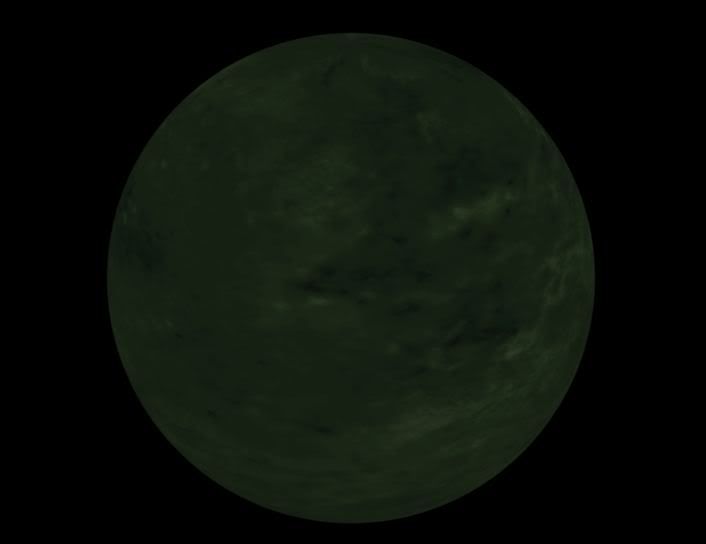
This is the render of what I want.
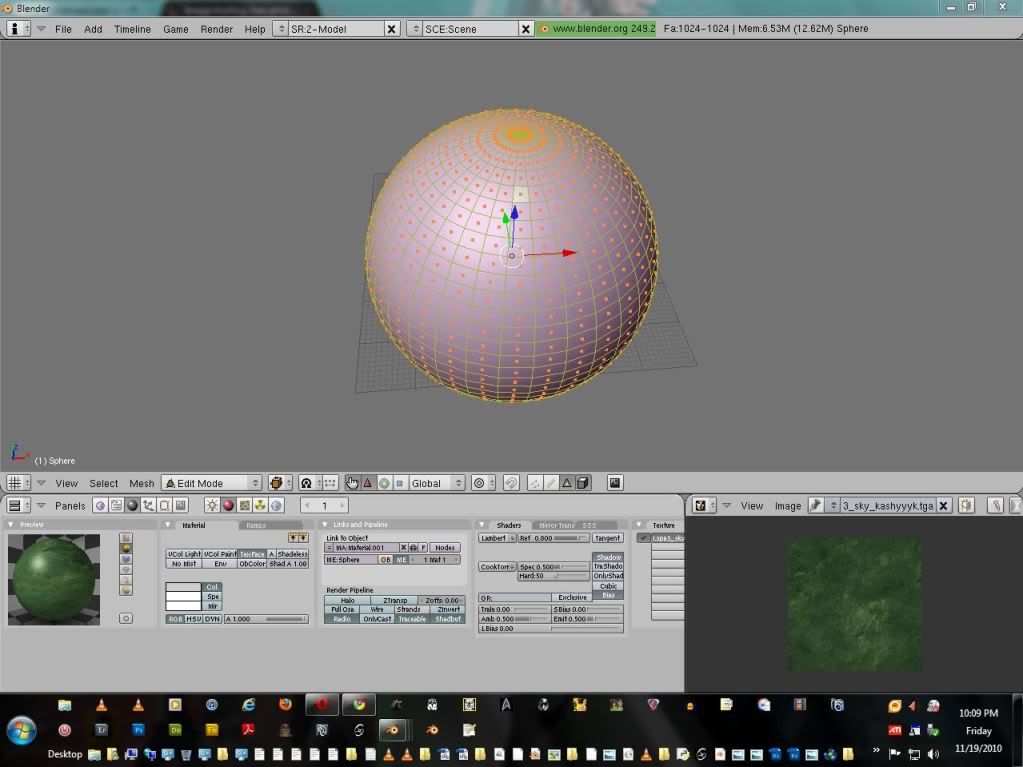
But I can only get this far.
This is the render of what I want.
Hidden/Spoiler:
Hidden/Spoiler:
-
Wonderboy
- Chief Warrant Officer
- Posts: 353
- Joined: Sun Jul 12, 2009 12:54 pm
- Projects :: Making apples into applesauce
- Location: Eastern South Dakota
Re: Put texture on sphere in Blender?
What do you mean I didn't get your message? You wanted to texture it, which you did, but do you want it for SWBF 2? You can't texture it like that. You need to do it the way I said for it to work. But you have a picture of the render with the texture on. I don't see what you are trying to do.
-
linksith
- Command Sergeant Major
- Posts: 284
- Joined: Mon Jul 12, 2010 12:19 pm
- Projects :: Waaay too many projects
- xbox live or psn: me has no xbox
- Location: looking for a wifi connection
Re: Put texture on sphere in Blender?
I guess what I'm trying to do is "wrap" the texture around the sphere and put it in SWBF2. But you said that couldn't be done? O-well. Is there an easy way to make it seem like it is "wrapped" on the sphere?
-
DarthD.U.C.K.

- Master of the Force

- Posts: 6027
- Joined: Wed Sep 27, 2006 11:05 am
- Location: Duckburg, Germany
Re: Put texture on sphere in Blender?
read wonderboys posts again carefully, he told you that you have to unwrap it in his first post.
then you posted a picture of the sphere with the texture applied which makes us assume that you have already managed to apply the texture. that is what wonderboy refers to in the last two sentences.
in his second post he assumed that the first picure you showd was achieved through rendering in blender and said that it didnt work that way in sabw2 and repeated that you had to unwrap it.
i hope this helps you to understand what wonderboy was saying and why he said it.
then you posted a picture of the sphere with the texture applied which makes us assume that you have already managed to apply the texture. that is what wonderboy refers to in the last two sentences.
in his second post he assumed that the first picure you showd was achieved through rendering in blender and said that it didnt work that way in sabw2 and repeated that you had to unwrap it.
i hope this helps you to understand what wonderboy was saying and why he said it.
-
linksith
- Command Sergeant Major
- Posts: 284
- Joined: Mon Jul 12, 2010 12:19 pm
- Projects :: Waaay too many projects
- xbox live or psn: me has no xbox
- Location: looking for a wifi connection
Re: Put texture on sphere in Blender?
Thanks, Duck and Wonderboy. I didn't understand what was being said and I apologize for the confusion. The unwrapping (can be acomplished by u) function has given me quite a few options for this task. Thanks again! 
-
Wonderboy
- Chief Warrant Officer
- Posts: 353
- Joined: Sun Jul 12, 2009 12:54 pm
- Projects :: Making apples into applesauce
- Location: Eastern South Dakota
Re: Put texture on sphere in Blender? [Solved]
Yeah, lol, I apologize, too. I should have been more clear. You mark the seams where you want it to be "cut" so to speak, and under the "U" function, I always use "Unwrap (Smart Projections)." It usually gets the best results. But be sure, like I said, to select "TexFace" so it knows you want the UV map to be the assigned texture. Hope that helps.
-
linksith
- Command Sergeant Major
- Posts: 284
- Joined: Mon Jul 12, 2010 12:19 pm
- Projects :: Waaay too many projects
- xbox live or psn: me has no xbox
- Location: looking for a wifi connection
Re: Put texture on sphere in Blender? [Solved]
Works perfectly in-game. Thanks.