
Gimp - How to delete this unknow thing?

In this forum you will find and post information regarding the modding of Star Wars Battlefront 2. DO NOT POST MOD IDEAS/REQUESTS.

Moderator: Moderators

Post Reply
CdtFox
2nd Lieutenant
2nd Lieutenant
Posts: 379
Joined: Wed Feb 17, 2016 8:51 am
Projects :: BUC and Designated Days
Games I'm Playing :: SWBF2+EAW+Subnautica
xbox live or psn: No gamertag set
Location: France
Contact:

Gimp - How to delete this unknow thing?

Post by CdtFox »

Hello everyone,

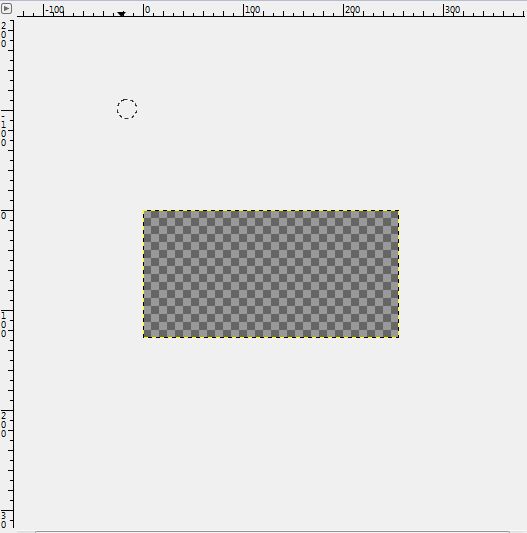
I reinstalled the BF2 Modtool and now I can't edit some stocks files (CIS skins for exemple) I already have this problem, but just with some hud icons.
Image

Anyone knows the solution to delete this grey part? It's quite annoying :o

Thanks :D
User avatar
AnthonyBF2
Sith
Sith
Posts: 1255
Joined: Wed Aug 21, 2013 3:55 pm
Projects :: PS2+PSP Overhaul

Re: Gimp - How to delete this unknow thing?

Post by AnthonyBF2 »

You cannot delete the gray part because it is gimp's way of telling you that the image is transparent. While it appears the whole image is invisible, the game still knows how to read it.
User avatar
Anakin
Master of the Force
Master of the Force
Posts: 4817
Joined: Sat Sep 19, 2009 11:37 am
Projects :: RC Side Mod - Remastered - SWBF3 Legacy
Location: Mos Espa (germany)

Re: Gimp - How to delete this unknow thing?

Post by Anakin »

In PS you can change the color of the squares. Maybe that's possible in gimp, too
Post Reply

