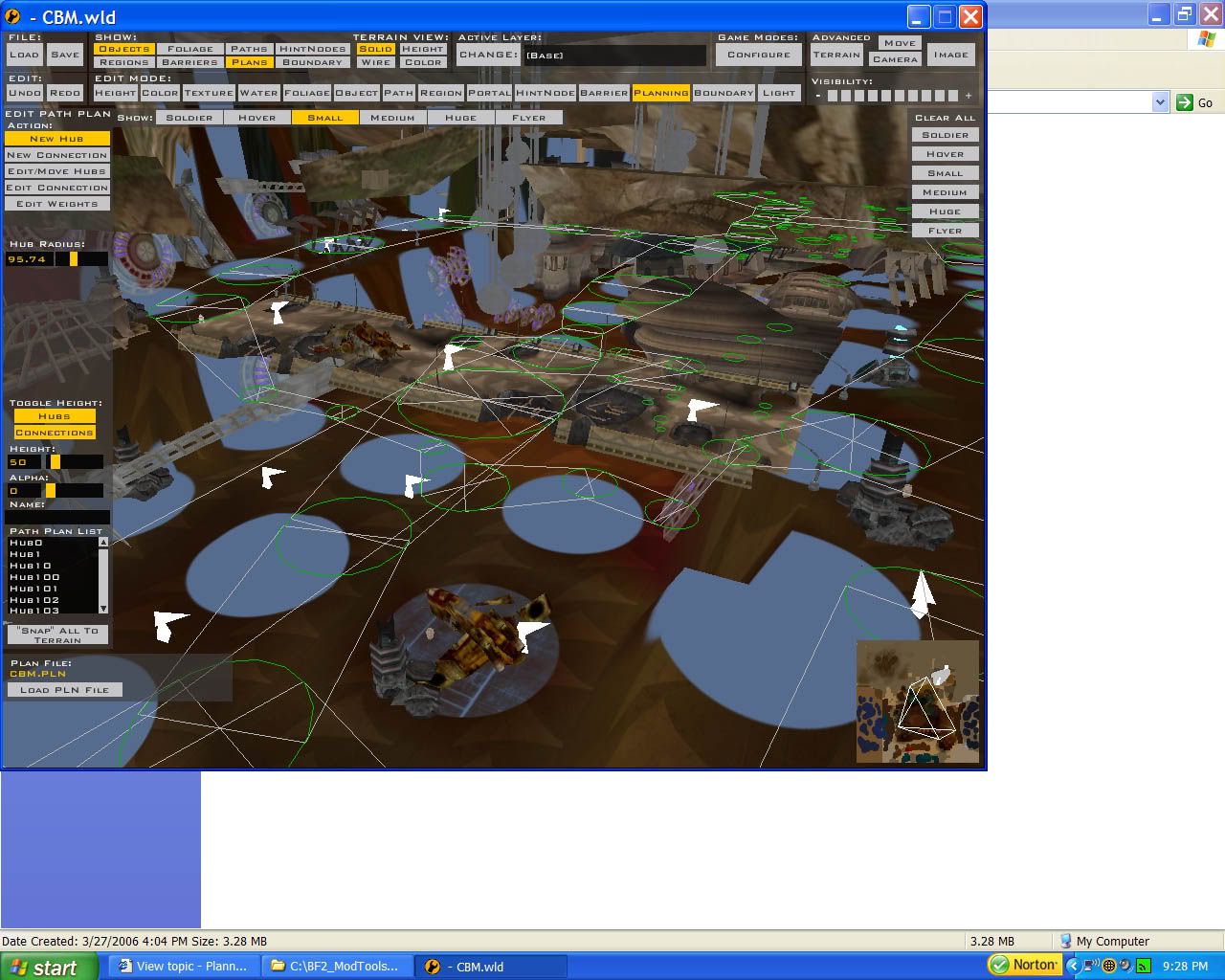
Hmm, now I studied Mos Eisley very much and looked at its planning connections. The connections at the ramp to the sail barge were no different than mine, except when you moved around in the map, the planning hubs looked to stay in the correct position under the ramps, but in my map you can move the screen just a bit and suddenly the hubs look completely displaced and in most cases as if they're not under the ramp at all (since they're see-through with objects).
Anyone able to help out? I did a great job with Anor City's planning but it's been over 2 months since my last mapping project
set the alpha to around 100 and then a white colum will apear, put these colom on the bottom of th rmp/stair.Maybe you will need to set the height to...
The thing that sucks with planning is that you can't raise the hubs. The only way I've heard of is to raise the terrain to certain points on the stairs and ramps then connect the hubs then change back the terrain. It seriously really helps
theres no reason to raise the terrain, as long as the hubs and connections are under the ramps , and u have barriers for the sides of th ramp, the ai will should go up with no problem.
Squirrel7Hunter wrote:theres no reason to raise the terrain, as long as the hubs and connections are under the ramps , and u have barriers for the sides of th ramp, the ai will should go up with no problem.
Yes, but if there is a need for multilevel planning....
it still doesnt matter, as long as the connections on the first and second floor dont connect to the same hubs except for the ramp, the ai will follow the paths you make.
If you look at my map that I'm working on now, There are really high bridges and terrain below it. I'd hate to have the AI not run under the bridge. So it really does matter.
sawyrdk, thanks for the tip, that REALLY helps now
ok, in my map, I also have a bridge that goes over terrain, units going both ways, top to bottom, left to right, the connections can cross and the AI will follow, the only trouble i am having is with barriers, is there a certain height where they stop working?
thnks, the only problem with the bridge is theres no collision geometry on the btoom so u see right through it going under and I dont know how to work xsi to make it complete
yea, i had thought of doing thast but then realized that the light posts connected to it would block the atte from going under it, unless it can pass through them?




 and I dont know how to work xsi to make it complete