How to create models in XSI and other 3D applications and make them work in Battlefront 1 & 2. Post models, tips for application usage and share anything XSI, 3DMax, SketchUp, etc.
No offense, but I didn't remember Kothlis being flat and angular :/
With perfect 90 degree angles? I'm gonna cry now...
Really, just use the Alt+move tool. Make terrain look like terrain. Also, remember how to scale it before converting. Scale to .025 the original size. Plus, make it the right size for a star destroyer, if you're gonna put one there.
Eaol wrote:No offense, but I didn't remember Kothlis being flat and angular :/
With perfect 90 degree angles? I'm gonna cry now...
Really, just use the Alt+move tool. Make terrain look like terrain. Also, remember how to scale it before converting. Scale to .025 the original size. Plus, make it the right size for a star destroyer, if you're gonna put one there.
EDIT: Finally read tiny text. Now I feel bad.
Don't worry I was planning on doing that later I will put the update on later
and for the size this is just a Beta version so ill make everything to scale soon
EDIT:
IndianaJoe wrote:the name is on top of you sketchup window
darn I forgot to get rid of that
EDIT2: ive dediced to "redo" the map on ZE insted of Sketchup look for it on the WIP topic soon
but ill post models i make for the map here not that anyone cares about my map
I wish you would make some maps out of all these models Eaol Then we could really appreciate these models. Also, theres a large square of diferent sized water texture around the island, i'm guessing thats for a more high-rez texture for close up shots?
lucasfart wrote:I wish you would make some maps out of all these models Eaol Then we could really appreciate these models. Also, theres a large square of diferent sized water texture around the island, i'm guessing thats for a more high-rez texture for close up shots?
don't worry he's working on it
EDIT:
Hidden/Spoiler:
WIP quasar fire class bulk cruiser overall progress 62%
lucasfart wrote:I wish you would make some maps out of all these models Eaol Then we could really appreciate these models. Also, theres a large square of diferent sized water texture around the island, i'm guessing thats for a more high-rez texture for close up shots?
don't worry he's working on it
EDIT:
Hidden/Spoiler:
WIP quasar fire class bulk cruiser overall progress 62%
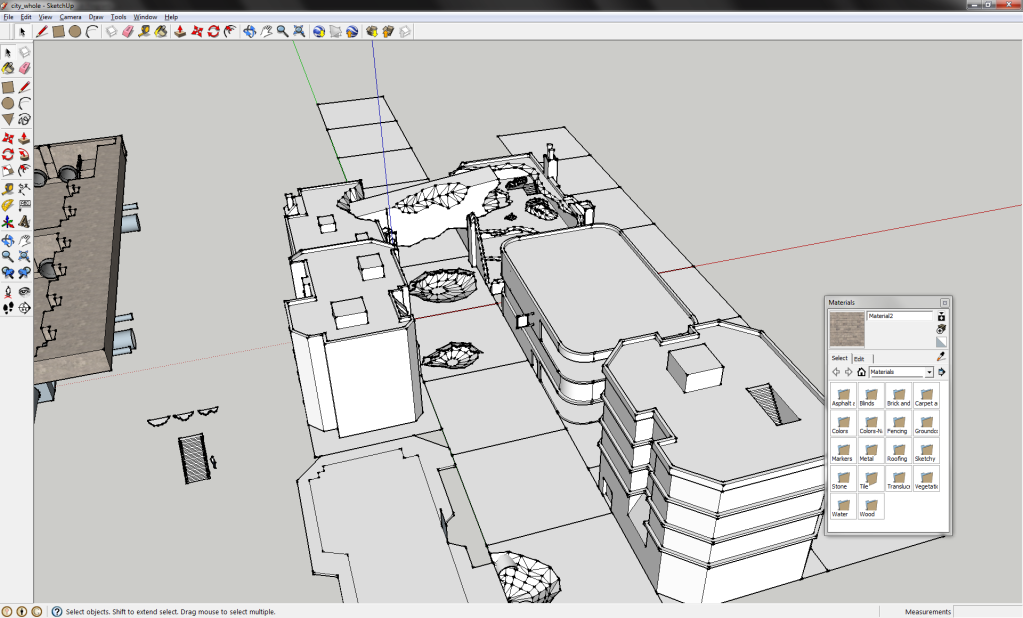
Here's a city I've been working on for the past three days.
And Eaol, those models look pretty nice, but I think they could use a bit more detail, and the textures are way too stretched imo. it means less tiling, but it doesn't look good when it's stretchd that much. By the way, where'd you get that green rock texture in your last pic?
Commander_Fett wrote:And Eaol, those models look pretty nice, but I think they could use a bit more detail, and the textures are way too stretched imo. it means less tiling, but it doesn't look good when it's stretchd that much. By the way, where'd you get that green rock texture in your last pic?
lucasfart wrote:Wow. That would look awesome with the right textures......only problem is, with the buildings, planning for ai wouldn't work on multiple stories
I know, the main reason I added those is to make it look a bit more realistic and give you some good sniping spots in campaign.
The texture is the stock Yavin one. And about stretching, I want the effect to not be too high-poly, and I have not the skill (or maybe just patience) to make a good blend. I felt it looked polished enough to go as background objects.
...
Now that I think of it, there isn't any stretching of textures anywhere, except for the piece of land not visible from the ground.
Eaol wrote:The texture is the stock Yavin one. And about stretching, I want the effect to not be too high-poly, and I have not the skill (or maybe just patience) to make a good blend. I felt it looked polished enough to go as background objects.
...
Now that I think of it, there isn't any stretching of textures anywhere, except for the piece of land not visible from the ground.
What I mean by texture stretching is, the texture is applied so large on the model it becomes blurry. However, if making it a background model is your intention, a lowrez texture is fine.


 I wondered how on earth you managed to get the name right off such a vague environment


 Then we could really appreciate these models. Also, theres a large square of diferent sized water texture around the island, i'm guessing thats for a more high-rez texture for close up shots?
 I gave blueprints a try in Sketchup but i found them pretty confusing....