
Hi, I have a 3d model of a character that I created in blender, but I can't seem to get it into XSI. I have multiple versions of XSI but none of them will either import the model or with the textures. I have tried using multiple formats for importing but they don't seem to do the job. I also reimport the models in blender which will either work perfectly or won't import the textures. Can someone help me solve this? Thanks.
My version of blender is 2.49b
By the way, I would be glad if someone could finish my models skeleton, change a part of the model into a cloth create the combo file and all that other wonderful bunch of stuff.
Problem getting blender character into XSI [unsolved]
Moderator: Moderators
-
linksith

- Command Sergeant Major

- Posts: 284
- Joined: Mon Jul 12, 2010 12:19 pm
- Projects :: Waaay too many projects
- xbox live or psn: me has no xbox
- Location: looking for a wifi connection
Problem getting blender character into XSI [unsolved]
Last edited by linksith on Tue Jul 19, 2011 1:52 pm, edited 1 time in total.
-
ANDEWEGET

- Ancient Force

- Posts: 1266
- Joined: Tue Apr 01, 2008 8:42 am
- Location: Germany
- Contact:
Re: Problem getting blender character into XSI
Did you tried opening the Explorer(8) and checking if the models exist there? They might be so "small" you dont see them in any of the viewports if you dont zoom in.
-
AceMastermind

- Gametoast Staff

- Posts: 3285
- Joined: Mon Aug 21, 2006 6:23 am
- Contact:
Re: Problem getting blender character into XSI
@linksith
There must be something wrong with your object or your method of exporting.
I just exported some textured objects from Blender 2.49 to Softimage Mod Tool 7.5 and XSI Foundation 5.11 as obj without any problems. The wavefront obj format is a very good transfer format for getting assets from one 3d app to another if you need to preserve geometry+UVs.
There must be something wrong with your object or your method of exporting.
I just exported some textured objects from Blender 2.49 to Softimage Mod Tool 7.5 and XSI Foundation 5.11 as obj without any problems. The wavefront obj format is a very good transfer format for getting assets from one 3d app to another if you need to preserve geometry+UVs.
-
linksith
- Command Sergeant Major
- Posts: 284
- Joined: Mon Jul 12, 2010 12:19 pm
- Projects :: Waaay too many projects
- xbox live or psn: me has no xbox
- Location: looking for a wifi connection
Re: Problem getting blender character into XSI
Ok so I got the file to work but when I triedto get it in xsi with texture mode it didn't show the textures. So I tried exporting into msg andit crashed. Blender will recognize everything of the ibm file but not xsi.
-
DarthD.U.C.K.

- Master of the Force

- Posts: 6027
- Joined: Wed Sep 27, 2006 11:05 am
- Location: Duckburg, Germany
Re: Problem getting blender character into XSI
you probably have to reapply the texture in xsi.
-
AceMastermind
- Gametoast Staff
- Posts: 3285
- Joined: Mon Aug 21, 2006 6:23 am
- Contact:
Re: Problem getting blender character into XSI
The obj files exported from Blender are XSI-ready, just import them and make sure you switch the viewport display mode to Textured Decal to see the textures applied to the model.linksith wrote:Ok so I got the file to work but when I triedto get it in xsi with texture mode it didn't show the textures...
Maybe you didn't export from Blender to obj with materials?
You should import the obj file into XSI from the same location that you exported it to from Blender to ensure the obj file can find the matching mtl file which defines the model's textures and their locations so XSI can find them on import.
Transferring formats from one 3d app to another isn't complicated and you shouldn't be experiencing this much trouble unless there is truly something wrong with the model.
Is this a model you made completely or is this a convert/edit project?
What is msg and ibm?linksith wrote:...So I tried exporting into msg andit crashed. Blender will recognize everything of the ibm file but not xsi.
-
THEWULFMAN
- Space Ranger
- Posts: 5557
- Joined: Tue Aug 17, 2010 3:30 pm
- Projects :: Evolved 2
- Location: Columbus, Ohio
- Contact:
Re: Problem getting blender character into XSI
Actually I (in certain circumstances) have a lot of trouble exporting from Blender to OBJ, then importing it to XSI with the textures.
The reason behind this is unclear, but I am going to take a wild guess and say that your model is a kit-bash of at least 2 different stock(or custom)BF models, isnt it?
The reason behind this is unclear, but I am going to take a wild guess and say that your model is a kit-bash of at least 2 different stock(or custom)BF models, isnt it?
-
linksith
- Command Sergeant Major
- Posts: 284
- Joined: Mon Jul 12, 2010 12:19 pm
- Projects :: Waaay too many projects
- xbox live or psn: me has no xbox
- Location: looking for a wifi connection
Re: Problem getting blender character into XSI
Sorry abouth that last message, I was trying to write that on my friends phone instead of my iPod and ended up mistyping stuff. the msg was supposed to be msh and the IBM was supposed to be obj. I got the model from obiwan but I modified it greatly. I made sure when I exported the model into obj that all of the selections that were related to the textures were selected. I didn't however try the textured decal mode so I'll try that when I get back on the computer. I already re-applied the textures to the model which is why blender is finally recognizing the textures when I re-import the model into blender. I am still wondering why XSI crashes when I try to export into msh. In case you guys didn't recognize my new location status ( highly doubt you guys missed it but just thought I'd mention it) I will be writing replies on my iPod most of the time instead of the computer.AceMastermind wrote:The obj files exported from Blender are XSI-ready, just import them and make sure you switch the viewport display mode to Textured Decal to see the textures applied to the model.linksith wrote:Ok so I got the file to work but when I triedto get it in xsi with texture mode it didn't show the textures...
Maybe you didn't export from Blender to obj with materials?
You should import the obj file into XSI from the same location that you exported it to from Blender to ensure the obj file can find the matching mtl file which defines the model's textures and their locations so XSI can find them on import.
Transferring formats from one 3d app to another isn't complicated and you shouldn't be experiencing this much trouble unless there is truly something wrong with the model.
Is this a model you made completely or is this a convert/edit project?
What is msg and ibm?linksith wrote:...So I tried exporting into msg andit crashed. Blender will recognize everything of the ibm file but not xsi.
EDIT: Hmmmm texture decal didn't work
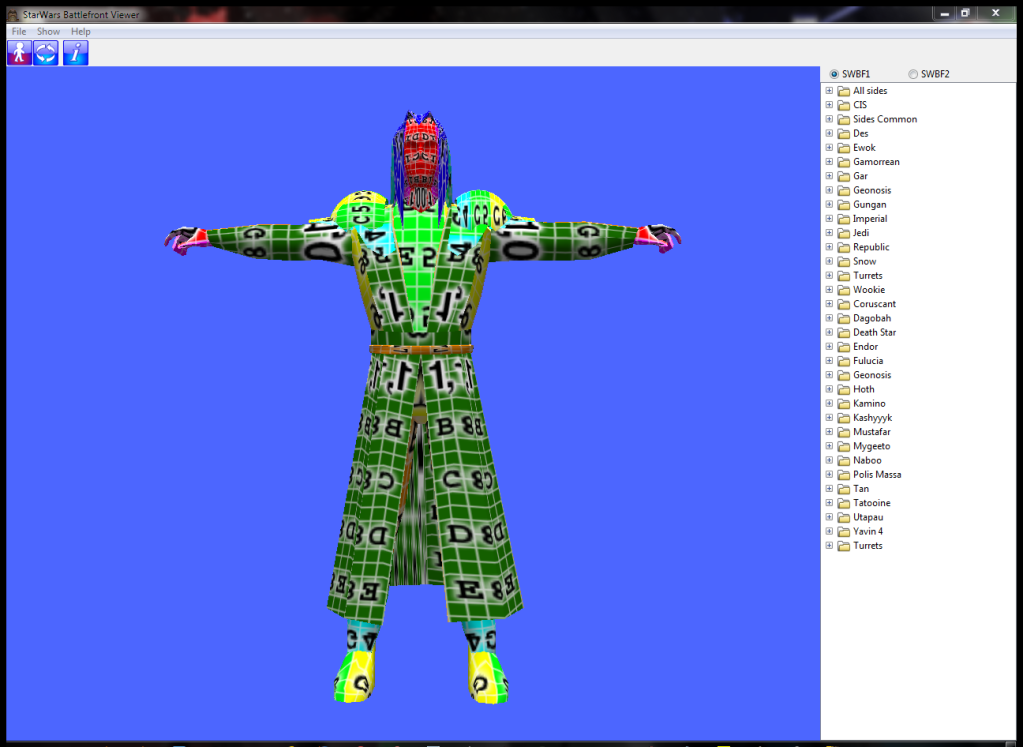
EDIT 2: Ok so i took all of the objects from blender and joined them into one model and then re-named and re-applied the textures. then i exported into .3ds format and imported into XSI. I then figured out the problem with the pandemic addon... i for some reason needed to check the "export selected only" box. the result.......
Hidden/Spoiler:
Hidden/Spoiler:
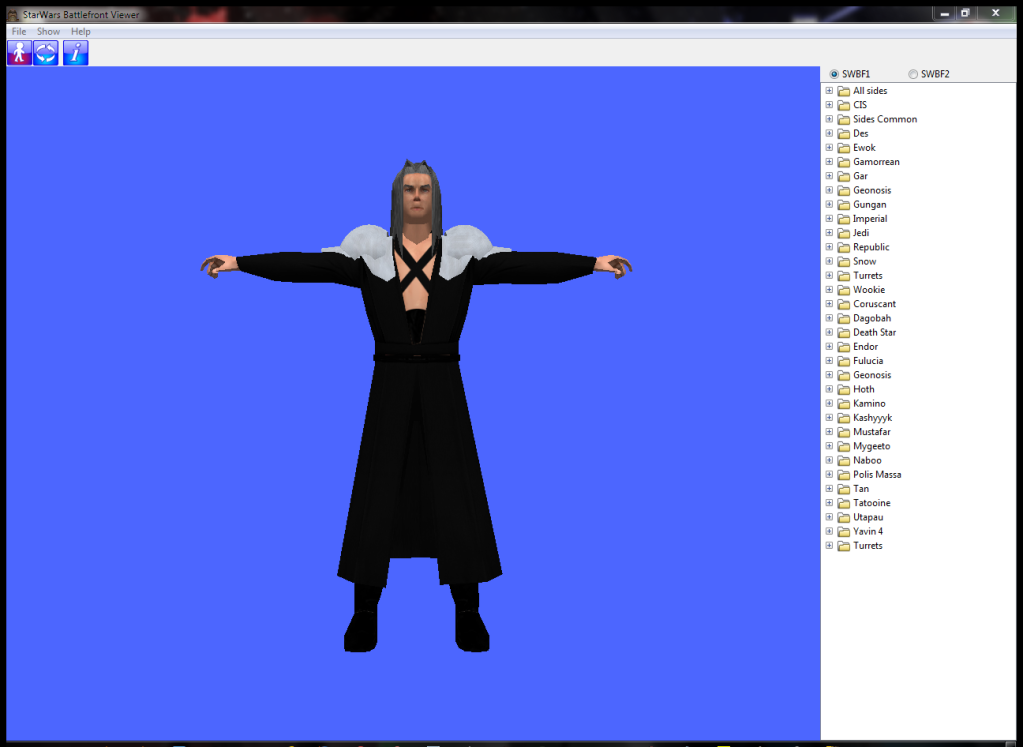
Now i need to figure out how to replace the current texture with my texture before exporting into msh. I will also need to figure out skeletons and combo files and all that good old stuff. Im looking through the documentation right now to learn as much as i can but can someone help me figure out how to replace the texture??????