
Sorry if this seems really noobish....
I am having lots of troubles making a new texture (tga). I am trying to make a single texture for Zeroeditor that is about 50 by 35 blocks (or meters, or whatever each square in ZE stands for), but whenever I place it, it is just gray (as in default). So how do I create a new texture that works in Zeroeditor and BF2?
Sorry, I am having lots of troubles with this (I know it is probably really simple).
Here is my process for creating new TGA:
- Make a pic in photoshop
- Save as TGA (with RLE compression OFF)
- Paste it in my world1 folder
- Place in ZE using the texture tool (I replace Yavin one)
- It comes up in the map as gray, and doesn't work
Help?
Creating new Textures
Moderator: Moderators
-
Fierfek

- High General

- Posts: 805
- Joined: Wed Jul 01, 2009 4:38 pm
- Projects :: No Mod project currently.
- xbox live or psn: No gamertag set
- Location: Somewhere in the Galaxy (Most Likely Scrapping Tinnies)
-
Xavious
- Sith Master

- Posts: 2783
- Joined: Mon Jun 12, 2006 3:46 pm
Re: Creating new Textures
Textures should be powers of two. 32x32, 64x64, 128x128, etc.
-
Fierfek
- High General
- Posts: 805
- Joined: Wed Jul 01, 2009 4:38 pm
- Projects :: No Mod project currently.
- xbox live or psn: No gamertag set
- Location: Somewhere in the Galaxy (Most Likely Scrapping Tinnies)
Re: Creating new Textures
Umm.... think I did that, but let me go check.Xavious wrote:Textures should be powers of two. 32x32, 64x64, 128x128, etc.
-
Xavious
- Sith Master
- Posts: 2783
- Joined: Mon Jun 12, 2006 3:46 pm
Re: Creating new Textures
Didn't you just say it was 50 by 35?
-
DarthD.U.C.K.

- Master of the Force

- Posts: 6027
- Joined: Wed Sep 27, 2006 11:05 am
- Location: Duckburg, Germany
Re: Creating new Textures
maybe hes referring to the area of the terrain that is covered with the new texture...
-
Fierfek
- High General
- Posts: 805
- Joined: Wed Jul 01, 2009 4:38 pm
- Projects :: No Mod project currently.
- xbox live or psn: No gamertag set
- Location: Somewhere in the Galaxy (Most Likely Scrapping Tinnies)
Re: Creating new Textures
Ah, I meant that it was a square with texture on some of it, then blank space to fill up the rest of the square.Xavious wrote:Didn't you just say it was 50 by 35?
Okay, so turns out my texture wasn't a power of 2. Testing now.....
Okay, doesn't work.
Here is what the texture looks like in Zeroeditor:
Hidden/Spoiler:
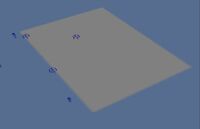
(PS - In photoshop, I told it to make the image 128x128 inches. Would that affect anything? Does it need to be pixels?)
-
Maveritchell

- Jedi Admin

- Posts: 7366
- Joined: Mon Aug 21, 2006 11:03 pm
Re: Creating new Textures
It needs to be measured in pixel units, not inches. 128*128 pixels.Fierfek wrote:(PS - In photoshop, I told it to make the image 128x128 inches. Would that affect anything? Does it need to be pixels?)