How to create models in XSI and other 3D applications and make them work in Battlefront 1 & 2. Post models, tips for application usage and share anything XSI, 3DMax, SketchUp, etc.
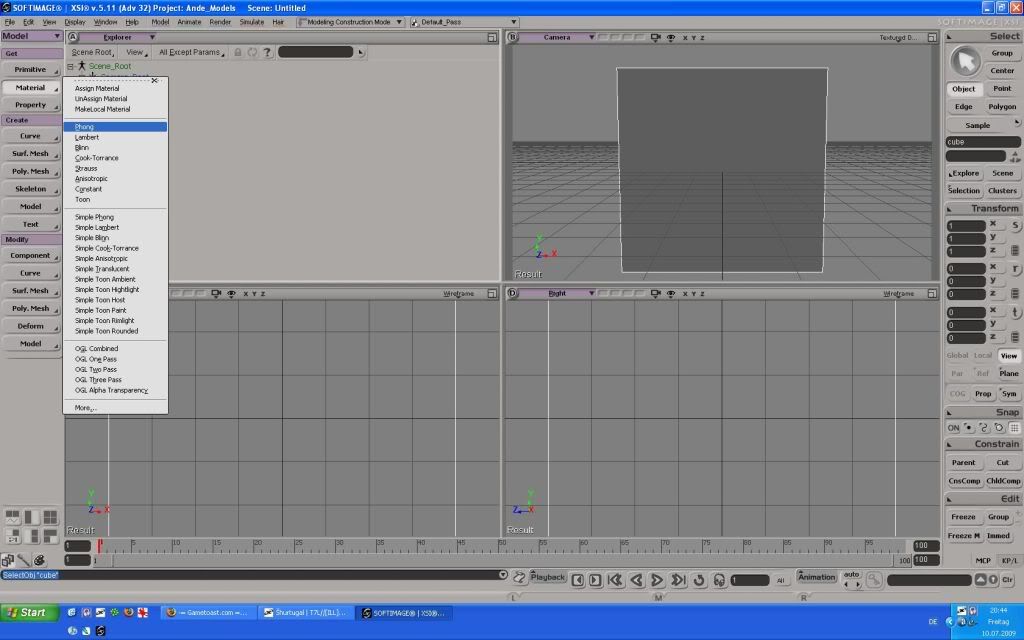
I'm trying to texture my weapon model
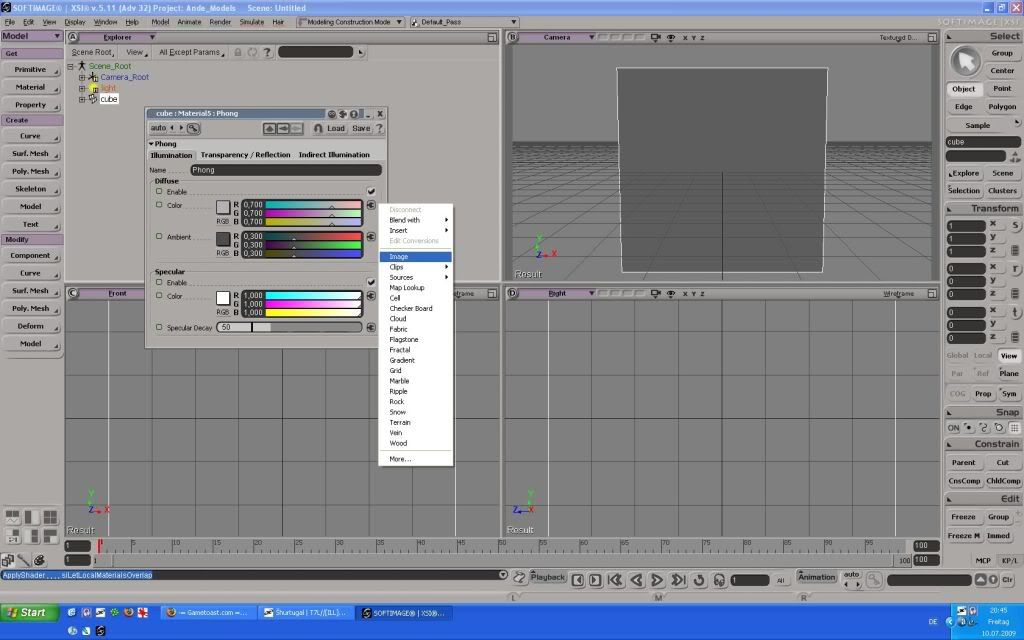
and I can't find the Property section in the drop down menu
because I don't know which menu is the drop down menu?
Here's a quote from one of the tutorials:
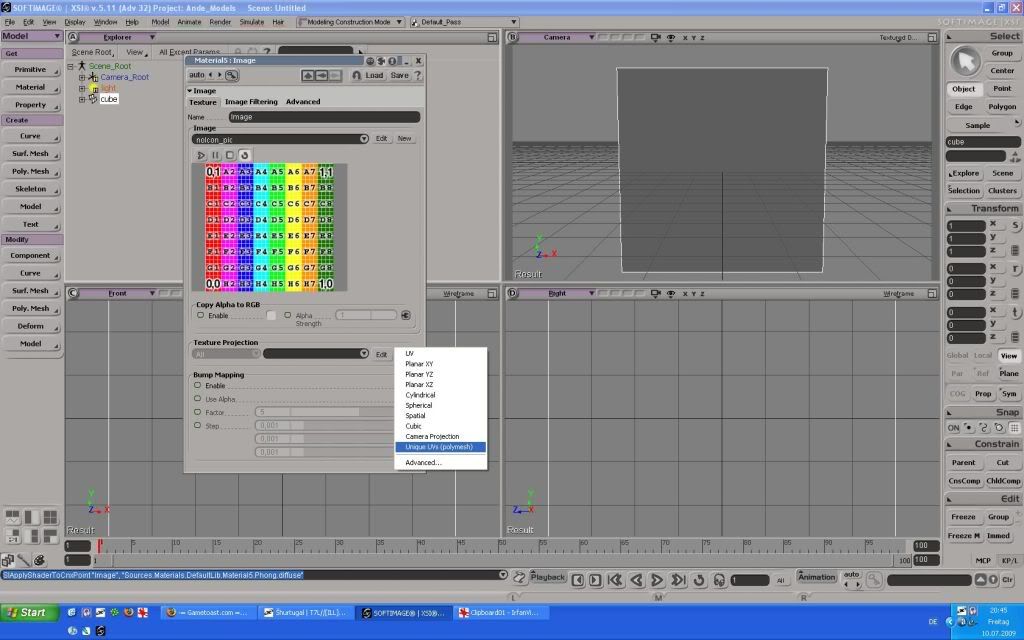
"2. Unique UV's ( in the drop down menu at the top , click on Property> Texture Projection> Unique UV's)"
I'm very sorry to ask this question again (ontop of that it's probably a newb question),
but without a answer I can't get my model ingame!!??
TY for any answers
Last edited by newguy99 on Tue Jul 28, 2009 1:20 pm, edited 3 times in total.
Thanks for the help and answer!
This topic is answered and it can be locked
(off topic: wow, that's hard to find, but once I know how to do it, it should be easy)
(p.s. why would you be breaking my dreams and hopes by saying that?)
Change anyone of the view screens to show texture decal, for example the User one where is says shaded click on that pull down and select Texture Decal.
Another thing, just looking at the picture you haven't selected a texture projection yet either.
Ok, I'll see what the tut says again and try later, but when I exported I got this problem:"image below"
do you think this problem was because of that
Hidden/Spoiler:
TY for the help
p.s. I alread got a texture projection but after pressing "propertys > texture projction > unique uvs" nothing happened and I don't think any popup, poped up like the tut sayed.
You gave it a UV property but still didn't actually UV map it, you need to press Alt+7 to open the texture projection editor and map the parts of the model to the texture. Go read a basic XSI tut before trying to export stuff into the game, it'll be alot easier.
my pc is fine I think:
2.8 ghz processor
2.5 gigs ram
128 mb video card with directX 9
Windows xp sp2
Could be the viedo card?
p.s. I'm not trying to say it not my pc just trying to help narrow the problem
Well anyway if anyone else has any idea of the problem please post!
TY
Last edited by newguy99 on Tue Jul 28, 2009 8:45 am, edited 1 time in total.
@newguy99
I merged your topic with your original texturing topic since it obviously wasn't solved.
I suggest you re-read the tutorial as many times as it takes until you get it right, the process is quite simple, oh and you will need to use the Texture Editor at some point so you'll need to get that working.
Ok, I'll do what I can
TY
p.s. update: I'm moving away from modeling and back toward stock prop usage in map. Also I'll try and use other people assets (giving credit in readme).
So no problems Thanks for all the help all



 I'm very sorry to ask this question again (ontop of that it's probably a newb question),