
Combining Combos?
Moderator: Moderators
-
Hebes24
- Sith Master

- Posts: 2594
- Joined: Sat Jun 03, 2006 5:15 pm
- Projects :: No Mod project currently.
- xbox live or psn: No gamertag set
- Location: In An Epic Space Battle!
- Contact:
Combining Combos?
Would it be possible to combine cetain aspects of a jedi's combo into another? Like, give a Jedi Mace Windu's standing combo, Obi-Wan's sprint move, and Luke's aireal move?

-
Hebes24
- Sith Master
- Posts: 2594
- Joined: Sat Jun 03, 2006 5:15 pm
- Projects :: No Mod project currently.
- xbox live or psn: No gamertag set
- Location: In An Epic Space Battle!
- Contact:
let me see if I undersatand this... (according to mace windu's combo)
State("CATCH_SABRE") - when you catch saber
State("IDLE") - just standing around
State("DEFLECT") - when you are deflecting stuff
State("DEFLECT_JUMP") - deflecting while jumping????
State("DEFLECT_CROUCH") - deflecting while crouching?
State("DEFLECT_ROLL") - ????
State("DEFLECT_SPRINT") - ???
State("BACK_ATTACK") - attack while backpeadling
State("ATTACK1") - first swing of standard combo (standing)
State("RECOVER1") - recover back to "idle"
State("ATTACK2") - second swing of standard combo (standing)
State("RECOVER2") - recover back to "idle"
State("ATTACK3") - third swing of standard combo (standing)
State("ATTACK3_LAND") - finish of attack 3
State("DASHATTACK") - self explanatory
State("DASHATTACK2") - second swing of dash attack
State("JUMPATTACK_FALL") - what the attack looks like when falling
State("JUMPATTACK_LAND") - what attack looks like when land
State("JUMPATTACK_LAND2") - end of jump attack ( + ground explosion)
Are my assumptions correct? If I am going to be compiloing these combos, do i need to make new animations?
(Linus, I knewabout the .combo files, I just wanted to know if it was possible )
)
State("CATCH_SABRE") - when you catch saber
State("IDLE") - just standing around
State("DEFLECT") - when you are deflecting stuff
State("DEFLECT_JUMP") - deflecting while jumping????
State("DEFLECT_CROUCH") - deflecting while crouching?
State("DEFLECT_ROLL") - ????
State("DEFLECT_SPRINT") - ???
State("BACK_ATTACK") - attack while backpeadling
State("ATTACK1") - first swing of standard combo (standing)
State("RECOVER1") - recover back to "idle"
State("ATTACK2") - second swing of standard combo (standing)
State("RECOVER2") - recover back to "idle"
State("ATTACK3") - third swing of standard combo (standing)
State("ATTACK3_LAND") - finish of attack 3
State("DASHATTACK") - self explanatory
State("DASHATTACK2") - second swing of dash attack
State("JUMPATTACK_FALL") - what the attack looks like when falling
State("JUMPATTACK_LAND") - what attack looks like when land
State("JUMPATTACK_LAND2") - end of jump attack ( + ground explosion)
Are my assumptions correct? If I am going to be compiloing these combos, do i need to make new animations?
(Linus, I knewabout the .combo files, I just wanted to know if it was possible
)-
archer01
-
yoyam
-
Hebes24
- Sith Master
- Posts: 2594
- Joined: Sat Jun 03, 2006 5:15 pm
- Projects :: No Mod project currently.
- xbox live or psn: No gamertag set
- Location: In An Epic Space Battle!
- Contact:
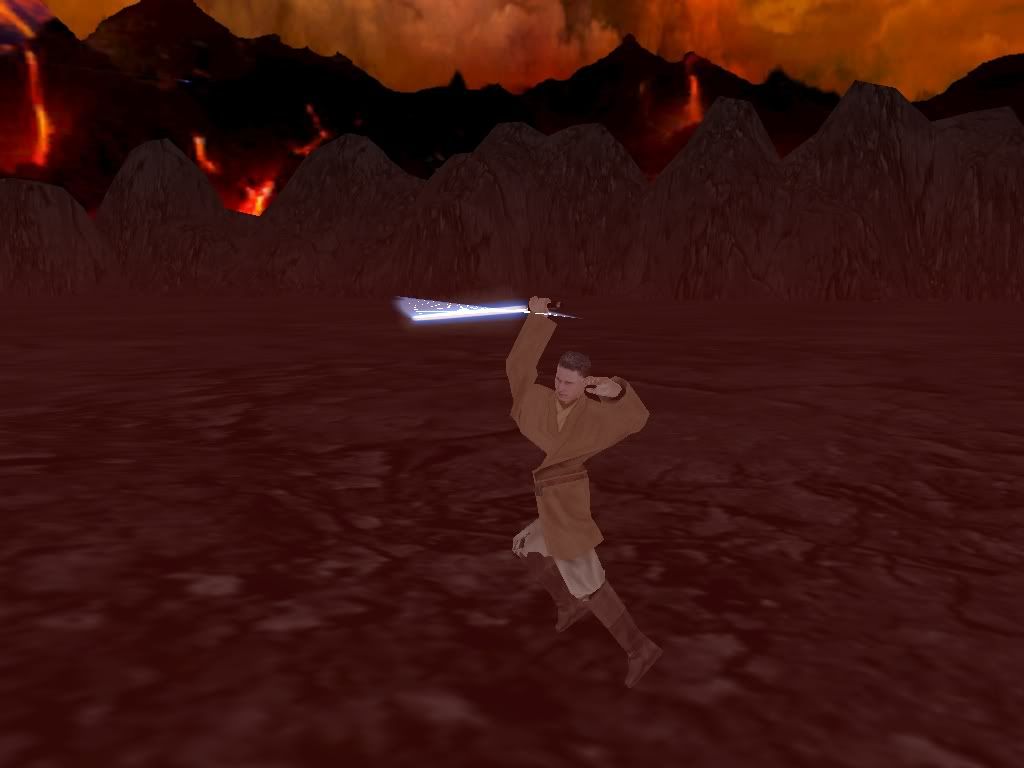
OK, I have a jedi, and his animations working, though for some reason when walking forward only the top half of his body moves. (pretty funny looking actually  ) I also couldn't find luke's animations in the assets\animations\soldieranimationbank folder, is he under another name? also, it seems I don't need a combo file. is this true?? or should I make one? It seems to work fine without it (except for the problem previouslkly mentioned).
) I also couldn't find luke's animations in the assets\animations\soldieranimationbank folder, is he under another name? also, it seems I don't need a combo file. is this true?? or should I make one? It seems to work fine without it (except for the problem previouslkly mentioned). -
Rekubot
- Jedi

- Posts: 1080
- Joined: Wed Apr 05, 2006 12:34 pm
- Projects :: No Mod project currently.
- xbox live or psn: Rekubot
- Location: UK
-
Hebes24
- Sith Master
- Posts: 2594
- Joined: Sat Jun 03, 2006 5:15 pm
- Projects :: No Mod project currently.
- xbox live or psn: No gamertag set
- Location: In An Epic Space Battle!
- Contact:
-
Hebes24
- Sith Master
- Posts: 2594
- Joined: Sat Jun 03, 2006 5:15 pm
- Projects :: No Mod project currently.
- xbox live or psn: No gamertag set
- Location: In An Epic Space Battle!
- Contact:
-
Qdin
- Old School Staff
- Posts: 2059
- Joined: Wed Feb 23, 2005 9:54 am
- Projects :: No Mod project currently.
- xbox live or psn: No gamertag set
-
Hebes24
- Sith Master
- Posts: 2594
- Joined: Sat Jun 03, 2006 5:15 pm
- Projects :: No Mod project currently.
- xbox live or psn: No gamertag set
- Location: In An Epic Space Battle!
- Contact:
-
yoyam
Hebes if you get some new combos worked out I would love to use them for the Swordsmen in the Helm's deep map. Cuz you obviously cant have dude running around with guns at helm's deep. That'd be wierd.
Also idk if this is possible or not but can one make it so the animation is dependent on how long the mouse button is clicked?
i.e.- hold left click .1 sec simple slash
hold left click >.2 sec slash up and then back down again
hold left click >.5 sec power attack
Also idk if this is possible or not but can one make it so the animation is dependent on how long the mouse button is clicked?
i.e.- hold left click .1 sec simple slash
hold left click >.2 sec slash up and then back down again
hold left click >.5 sec power attack
-
DeathRow
- Master Bounty Hunter

- Posts: 1561
- Joined: Fri Feb 24, 2006 5:55 am
- Projects :: None.
- xbox live or psn: No gamertag set
- Location: Aussieland.
-
Hebes24
- Sith Master
- Posts: 2594
- Joined: Sat Jun 03, 2006 5:15 pm
- Projects :: No Mod project currently.
- xbox live or psn: No gamertag set
- Location: In An Epic Space Battle!
- Contact:
-
The_Emperor
- Supreme Galactic Ruler
- Posts: 2118
- Joined: Sat Dec 10, 2005 6:30 am
- Projects :: No Mod project currently.
- xbox live or psn: No gamertag set
- Location: Waaaaay over there.
-
archer01
-
Hebes24
- Sith Master
- Posts: 2594
- Joined: Sat Jun 03, 2006 5:15 pm
- Projects :: No Mod project currently.
- xbox live or psn: No gamertag set
- Location: In An Epic Space Battle!
- Contact:
-
archer01
-
Hebes24
- Sith Master
- Posts: 2594
- Joined: Sat Jun 03, 2006 5:15 pm
- Projects :: No Mod project currently.
- xbox live or psn: No gamertag set
- Location: In An Epic Space Battle!
- Contact:
yup, it has one:
here's the entire attack3 state
Also, when I double click on the munge.bat in the animation folder, it creates "ZenAsset.log" that says:
Code: Select all
AnimatedMove()      // animation controls velocity for entire state
    {
        VelocityZ(0.0);
        VelocityX(0.0);
        VelocityFromThrust(8.0);
        VelocityFromStrafe(3.0);
}Code: Select all
State("ATTACK3")
{
    Posture("Stand");
    Animation("stand_attack1c")
    {
//      SyncType("attack1c", "ByTime");
        AimType("None");
        BlendInTime(0.06);
        BlendOutTime(0.15);
    }
    Sound("saber_attack_three", 10, "Frames");

    //set a duration so we will go to state RECOVER3 before the animation ends
    Duration(18, "Frames");
    AnimatedMove()      // animation controls velocity for entire state
    {
        VelocityZ(0.0);
        VelocityX(0.0);
        VelocityFromThrust(8.0);
        VelocityFromStrafe(3.0);
    }
    AlignedToThrust();

    TurnFactor(0.5);

    InputLock("All", "!Thrust");    // lock all controls for duration of state
    Attack()
    {
        DamageTime(8, 16, "Frames");
        DamageLength(1.5);
        DamageWidth(0.75);
        Damage(600);
	Push(5.0);
    }

    Attack()
    {
	AttackID("MaceA3");
        DamageTime(16, 28, "Frames");
        DamageLength(1.5);
        DamageWidth(0.75);
        Damage(600);
	Push(5.0);
    }


    Transition("ATTACK3_LAND");
}

State("ATTACK3_LAND")
{
    Posture("Stand");
    Animation("stand_attack1c")
    {
//      SyncType("attack1c", "ByTime");
        AimType("None");
        BlendInTime(0.06);
        BlendOutTime(0.15);
    }
    Sound("saber_attack_three");

    //set a duration so we will go to state RECOVER3 before the animation ends
    AnimatedMove()      // animation controls velocity for entire state
    {
        VelocityZ(0.0);
        VelocityX(0.0);
        VelocityFromThrust(0.5);
        VelocityFromStrafe(0.5);
	Until()
	{
	    Break(28, "Frames");
	}
    }
    AlignedToThrust();

    TurnFactor(0.5);

    InputLock("All", "!Thrust");    // lock all controls for duration of state

    Attack()
    {
	AttackID("MaceA3");
        DamageTime(16, 28, "Frames");
        DamageLength(1.5);
        DamageWidth(0.75);
        Damage(600);
	Push(5.0);
    }


    Transition("IDLE");
}
Code: Select all
-- Processing directory C:\BF2_ModTools\data_TST\Animations\SoldierAnimationBank\ultra_jedi
	Processing file basepose.msh, will save in .\\\ultra_jedi.zaf
*** WARNING: Skin model segment 0 has too many/few vert colors?
*** WARNING: Skin model segment 0 has too many/few vert colors?
*** WARNING: Skin model segment 0 has too many/few vert weights?
*** WARNING: Skin model segment 0 has too many/few UVs?
*** WARNING: Skin model segment 0 has too many/few vert colors?
*** WARNING: Skin model segment 0 has too many/few vert weights?
*** WARNING: Skin model segment 0 has too many/few vert colors?
*** WARNING: Skin model segment 0 has too many/few vert weights?
*** WARNING: Skin model segment 0 has too many/few UVs?
*** WARNING: Skin model segment 0 has too many/few vert colors?
*** WARNING: Skin model segment 0 has too many/few vert weights?
*** WARNING: Skin model segment 0 has too many/few vert colors?
*** WARNING: Skin model segment 0 has too many/few vert weights?
*** WARNING: Skin model segment 0 has too many/few vert colors?
.*** WARNING: Animation <ultra_jedi_sabre_jumpattack_end_full> has a framerate <29.970030> that isn't 30fps.  Framerate correction code has not been done yet
.*** WARNING: Animation <ultra_jedi_sabre_jumpattack_fall_full> has a framerate <29.970030> that isn't 30fps.  Framerate correction code has not been done yet
.*** WARNING: Animation <ultra_jedi_sabre_jumpattack_land_full> has a framerate <29.970030> that isn't 30fps.  Framerate correction code has not been done yet
.*** WARNING: Animation <ultra_jedi_sabre_landhard_full> has a framerate <29.970030> that isn't 30fps.  Framerate correction code has not been done yet
.*** WARNING: Animation <ultra_jedi_sabre_landsoft_full> has a framerate <29.970030> that isn't 30fps.  Framerate correction code has not been done yet
.*** WARNING: Animation <ultra_jedi_sabre_stand_attack1a_end_full> has a framerate <29.970030> that isn't 30fps.  Framerate correction code has not been done yet
.*** WARNING: Animation <ultra_jedi_sabre_stand_attack1a_full> has a framerate <29.970030> that isn't 30fps.  Framerate correction code has not been done yet
.*** WARNING: Animation <ultra_jedi_sabre_stand_attack1b_end_full> has a framerate <29.970030> that isn't 30fps.  Framerate correction code has not been done yet
.*** WARNING: Animation <ultra_jedi_sabre_stand_attack1b_full> has a framerate <29.970030> that isn't 30fps.  Framerate correction code has not been done yet
.*** WARNING: Animation <ultra_jedi_sabre_stand_attack1c_full> has a framerate <29.970030> that isn't 30fps.  Framerate correction code has not been done yet
.*** WARNING: Animation <ultra_jedi_sabre_stand_dashattack_full> has a framerate <29.970030> that isn't 30fps.  Framerate correction code has not been done yet
.*** WARNING: Animation <ultra_jedi_sabre_stand_idle_emote_full> has a framerate <29.970030> that isn't 30fps.  Framerate correction code has not been done yet
.*** WARNING: Animation <ultra_jedi_sabre_stand_runforward_full> has a framerate <29.970030> that isn't 30fps.  Framerate correction code has not been done yet
.*** WARNING: Animation <ultra_jedi_sabre_stand_walkforward_full> has a framerate <29.970030> that isn't 30fps.  Framerate correction code has not been done yet

WARNING: IntRangeCheck(): value for "UnitFloatToInt()" out of range. Range is 12 bits [-2048,2047], value is -2123.
WARNING: DiffCompQuat(): out of range value (above) is for anim="ultra_jedi_sabre_stand_attack1c_full", joint="bone_l_clavicle", frame=18, dim=0
WARNING: IntRangeCheck(): value for "UnitFloatToInt()" out of range. Range is 12 bits [-2048,2047], value is -2609.
WARNING: DiffCompQuat(): out of range value (above) is for anim="ultra_jedi_sabre_stand_attack1c_full", joint="bone_l_clavicle", frame=18, dim=2