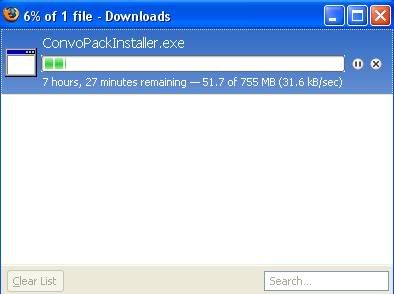
Hey, here are my questions.
1) Is there a way to get rid of the Fake Console that comes with hte Convo Pack 2.0 as I don't like it as some of the commands do not work as they should.
2) When I try and download it from www.starwarsbattlefront.filefront.com then it sends me to filefront and i click download, i have been waiting for 30 minutes but it hasn't given me the option to save or open the file. Please help!?
Par3210 wrote:1) Is there a way to get rid of the Fake Console that comes with hte Convo Pack 2.0 as I don't like it as some of the commands do not work as they should.
I can't recall seeing any commands that don't work as they should. Which ones are you confused by?
The Unending Map command does not work properly, unlimited renifrocements are not added and when all of them are depleted the map ends, and it also ends when someone captures all the cps (which means that the no cp taking command does not work either)
Par3210 wrote:The Unending Map command does not work properly, unlimited renifrocements are not added and when all of them are depleted the map ends, and it also ends when someone captures all the cps (which means that the no cp taking command does not work either)
I've never seen a problem with it; it sounds like there is either a problem with the map you're playing or your install. If you haven't already, I would suggest installing the 2.2 patch.
But I need it for my rpgs....
I wish I could get rid of it somehow.
Another question.
Why is it taking so long!? Last time I downloaded it it took 2 hours and I started downloading at 7, and it is now 8 pm!
You need what for your RPGs? The unending map thing? If you remove Fake Console you'll only get one command, ToggleQOSDisplay, which turns the HUD on/off. If that's all you want then feel free to remove it.
I already have the normal fake console that I downloaded seperatly which is the proper one. What I want to do is get rid of the one that comes with the Convo Pack and then put back in the normal one.
Par3210 wrote:I already have the normal fake console that I downloaded seperatly which is the proper one. What I want to do is get rid of the one that comes with the Convo Pack and then put back in the normal one.
Install the "normal" one over the one that came with the Conversion Pack.
Remember, FC commands must be run by the server for MP games. If its a dedicated server, you must use server side script to call the commands when the map starts. If you run the commands from a connecting client, it may look like it worked, but those changes are only for your screen, not everyone else's. When the server changes an important property, everyone sees it.
If you think a command should work when it doesn't, run mission in bf2_modtools and post the debug log.
The deny CP capture command works by changing the CapturePosts ODF property to zero on all known unit classes.