Addon Msh Troubles [Solved]

How to create models in XSI and other 3D applications and make them work in Battlefront 1 & 2. Post models, tips for application usage and share anything XSI, 3DMax, SketchUp, etc.

Moderator: Moderators

Post Reply
User avatar
elfie
Field Commander
Field Commander
Posts: 931
Joined: Fri Jan 25, 2008 8:26 pm
Games I'm Playing :: no games
xbox live or psn: no live
Location: Coruscant, Jedi Temple
Contact:

Addon Msh Troubles [Solved]

Post by elfie »

Hey guys,
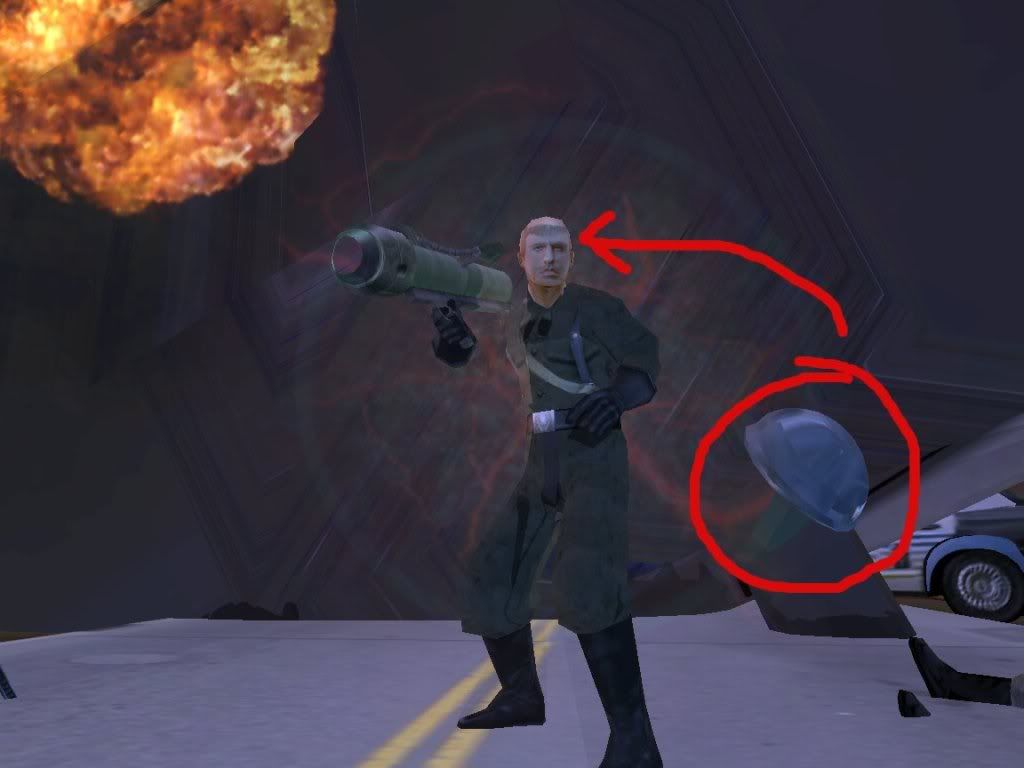
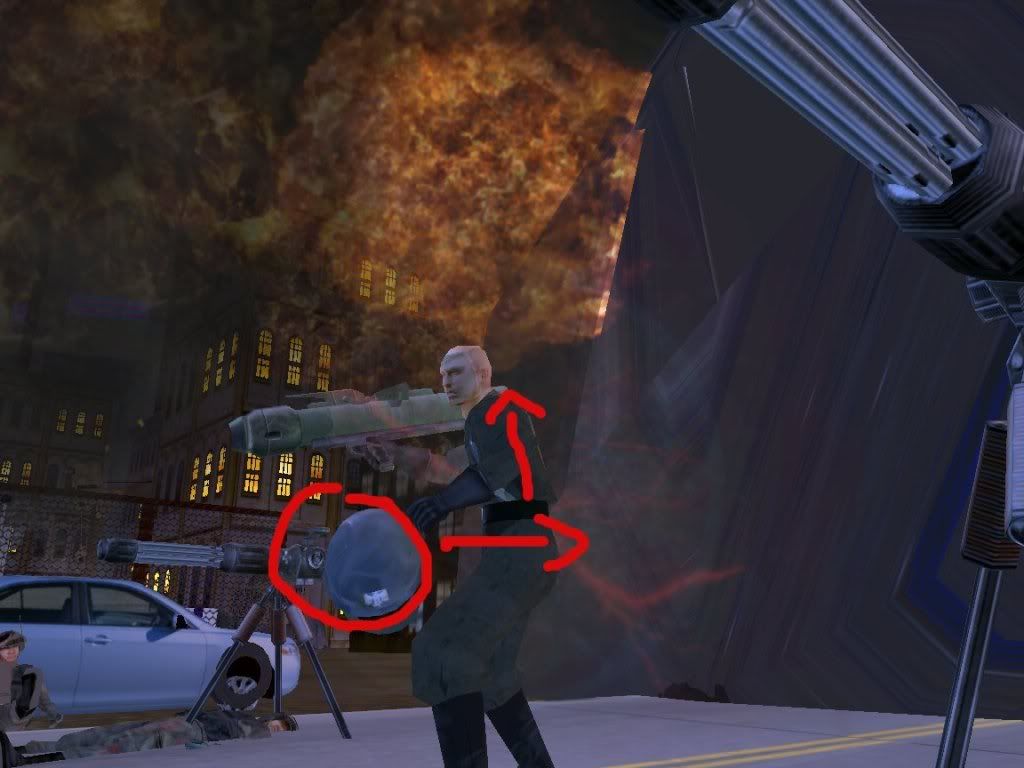
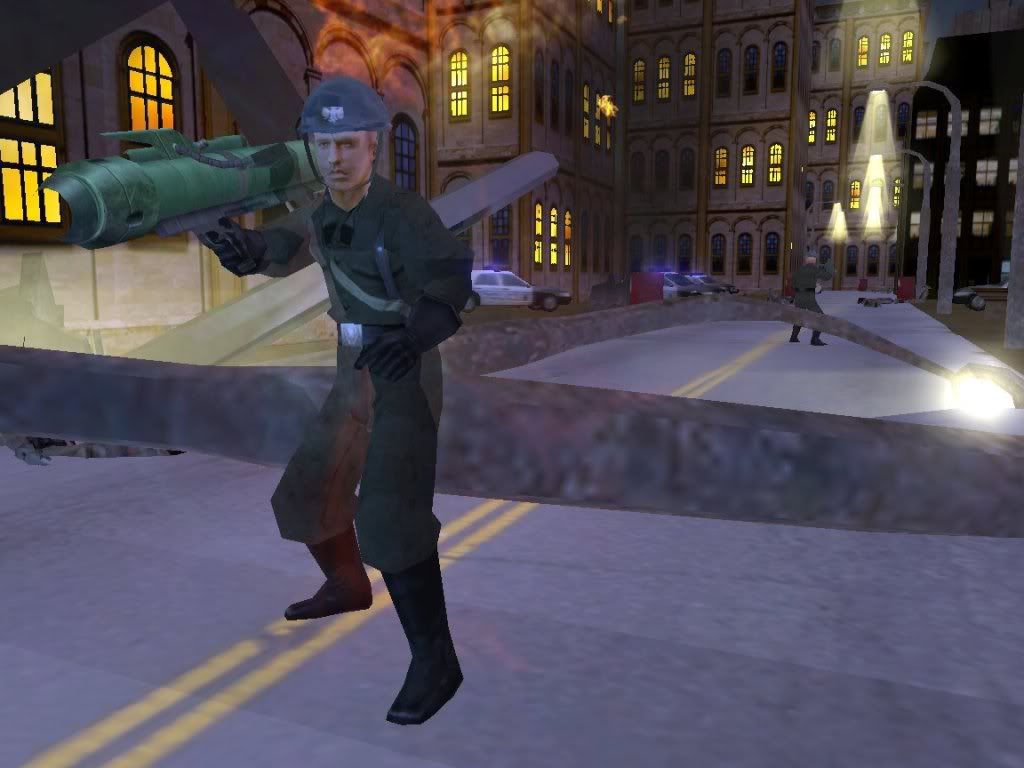
I wanted to make a helmet addon for the jed_inf_sith player model, so I followed MandeRek's tutorial for adding addon mshs and the result wasn't exactly what I had hoped it to be.
Ingame Pics:
Hidden/Spoiler:
Image
Hidden/Spoiler:
Image
I had dummyroot rotated 90, 0, 90 just like the tutorial said and my helmet model is centered over the null at 0, 0, 0. The model also faces the Z axis. Yet for some reason, the model shows up ingame too low on the Y, off to the right on the X, and too far forward on the Z. I would really appreciate any help on this, as I have spent over an hour yesterday re-exporting and munging but it never shows up in the correct position.
Also, before anyone asks here is a portion of my unit odf:
Hidden/Spoiler:
[GameObjectClass]
ClassParent = "all_inf_default"


[Properties]
UnitType = "Trooper"

AnimatedAddon = "HELMET" //this name can be whatever you want it to be
GeometryAddon = "germanhelmetv5" //name of your addon msh (do not append ".msh")
AddonAttachJoint = "bone_head" //this is the bone the addon will attach to

WEAPONSECTION = 1
WeaponName = "all_weap_inf_rocket_launcher2"
WeaponAmmo = 4
Thanks in advanced to anyone who can figure this out! :D
User avatar
Maveritchell
Jedi Admin
Jedi Admin
Posts: 7366
Joined: Mon Aug 21, 2006 11:03 pm

Re: Addon Msh Troubles

Post by Maveritchell »

Did you freeze your transforms, etc?
User avatar
DarthD.U.C.K.
Master of the Force
Master of the Force
Posts: 6027
Joined: Wed Sep 27, 2006 11:05 am
Location: Duckburg, Germany

Re: Addon Msh Troubles

Post by DarthD.U.C.K. »

how to get addonmeshes working correctly in 99,9% of the cases:
1. create your addonmesh and freeze the transforms and the modeling and history of every part
2. import psych0fred's Unit_template_beta
3. create a new null call it dummyroot or whatever
4. select the new dummyroot, click on the Transforms button and select "Match all Transforms" and select bone_head
5. now drag everything addonmesh-related under the dummyroot and export through meshex or the Pandemic Tool
6. put you addonmesh ingame and enjoy it
User avatar
elfie
Field Commander
Field Commander
Posts: 931
Joined: Fri Jan 25, 2008 8:26 pm
Games I'm Playing :: no games
xbox live or psn: no live
Location: Coruscant, Jedi Temple
Contact:

Re: Addon Msh Troubles

Post by elfie »

DarthD.U.C.K. wrote:how to get addonmeshes working correctly in 99,9% of the cases:
1. create your addonmesh and freeze the transforms and the modeling and history of every part
2. import psych0fred's Unit_template_beta
3. create a new null call it dummyroot or whatever
4. select the new dummyroot, click on the Transforms button and select "Match all Transforms" and select bone_head
5. now drag everything addonmesh-related under the dummyroot and export through meshex or the Pandemic Tool
6. put you addonmesh ingame and enjoy it
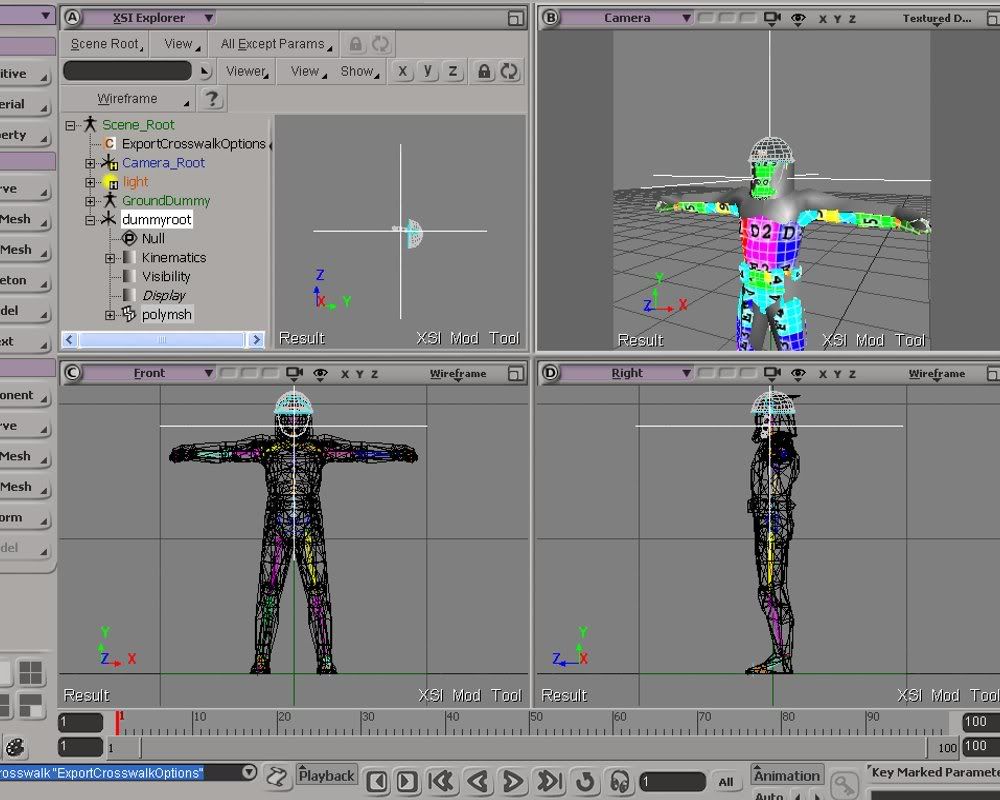
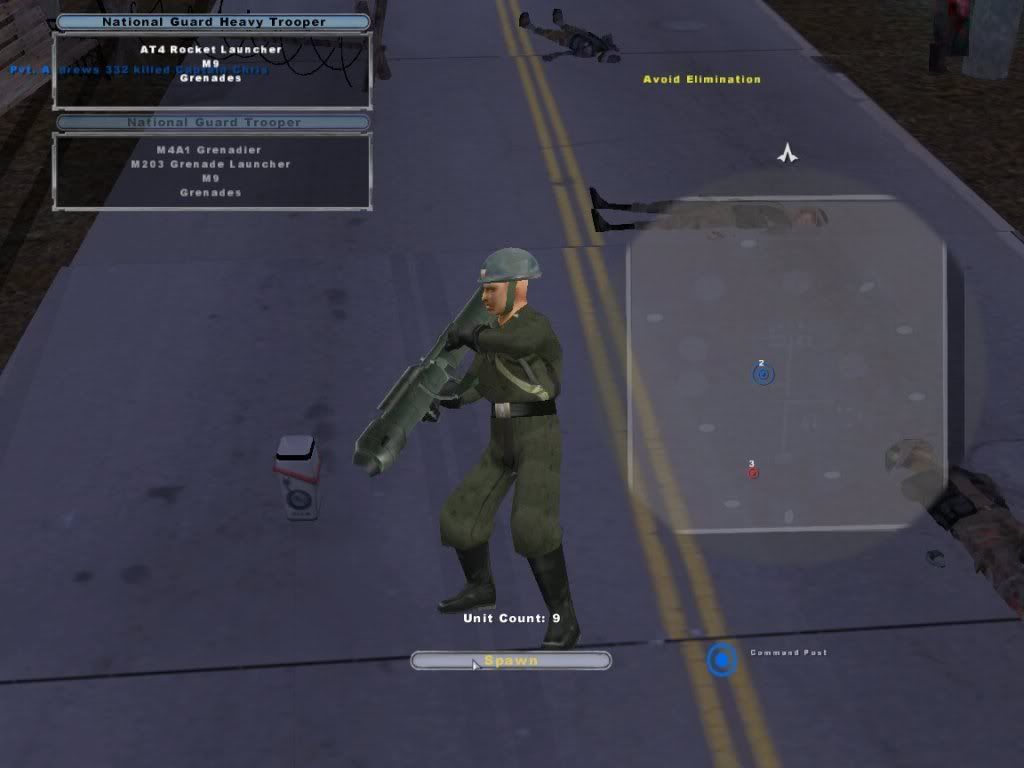
Success! Thanks so much Duck you are brilliant! To anyone else who is trying to figure this out, the trick is to align the addonmesh directly over the null so that it looks like this in your scene:
Hidden/Spoiler:
Image
...And like this ingame:
Hidden/Spoiler:
Image
Image
Thanks again guys, now I'm going to go envmap it with Rep's meshtool!
User avatar
Maveritchell
Jedi Admin
Jedi Admin
Posts: 7366
Joined: Mon Aug 21, 2006 11:03 pm

Re: Addon Msh Troubles

Post by Maveritchell »

elfie wrote:To anyone else who is trying to figure this out, the trick is to align the addonmesh directly over the null so that it looks like this in your scene:
What were you doing before? That's the only way to do it.
User avatar
AceMastermind
Gametoast Staff
Gametoast Staff
Posts: 3285
Joined: Mon Aug 21, 2006 6:23 am
Contact:

Read the tutorials more carefully please

Post by AceMastermind »

Yeah, if he had actually followed the tutorial to begin with then he would've gotten it right the first time and could've avoided yet another topic on this subject.
Hidden/Spoiler:
Universal Addon Setup in XSI (Tutorial by AceMastermind)
This tutorial explains how to setup any kind of addon(e.g. hat, backpack, leg or arm accessory, etc) in XSI that you can attach to any bone ingame, in other words you won't have to figure out how to rotate your addon for it to appear properly attached to the unit because the software tools do most of the work for you.

[list=n]1. Import Unit_Template_Beta into your scene(for position reference)
2. Create your addon mesh(a single object preferably, merge parts if needed)
3. Position the addon on the Unit where you want it
4. Freeze the Transforms on your addon(Transform>Freeze All Transforms)
5. Create a Null and name it dummyroot
6. With dummyroot selected go Transform>Match All Transforms
then select the apropriate bone that you want the addon attached to ingame
(e.g. for a hat select bone_head and this will be your AddonAttachJoint in the ODF code)
7. Select dummyroot and press the / key(forward slash) then left click your addon;
right click to end pick session
8. In the Explorer middle click dummyroot and export.[/list]

And you're done, yes it is that simple and all that's left is for you to setup your unit's odf with the 3 lines of code outlined in MandeRek's tutorial above.
User avatar
Maveritchell
Jedi Admin
Jedi Admin
Posts: 7366
Joined: Mon Aug 21, 2006 11:03 pm

Re: Addon Msh Troubles

Post by Maveritchell »

AceMastermind wrote:Yeah, if he had actually followed the tutorial to begin with then he would've gotten it right the first time and could've avoided yet another topic on this subject.
To be perfectly honest, I have never used the unit template for creating an addonmesh, but my question was more of one surprised that aligning the mesh to the bone (or in my case of use, the dummyroot) was something new.
User avatar
AceMastermind
Gametoast Staff
Gametoast Staff
Posts: 3285
Joined: Mon Aug 21, 2006 6:23 am
Contact:

Unit_Template_Beta is used for positioning reference

Post by AceMastermind »

That's cool but the Unit_Template_Beta is just there to eliminate the guesswork for positioning the addon and makes your life much easier as the remaining steps only take seconds to complete, you don't actually need the Unit_Template_Beta to create your addon mesh.
User avatar
elfie
Field Commander
Field Commander
Posts: 931
Joined: Fri Jan 25, 2008 8:26 pm
Games I'm Playing :: no games
xbox live or psn: no live
Location: Coruscant, Jedi Temple
Contact:

Re: Addon Msh Troubles [Solved]

Post by elfie »

Well somehow I must have accidently missed this step in the tutorial:
addonmshtutorial wrote:3. Position the addon on the Unit where you want it
Sorry about that. Thanks for pointing that out though. :)
Post Reply