
Hidden/Spoiler:
Light On Model
Moderator: Moderators
-
modmaster13
- General

- Posts: 777
- Joined: Wed Aug 18, 2010 4:23 pm
- xbox live or psn: KrypticcElementt
- Location: Twitter @_KrypticElement
- Contact:
Light On Model
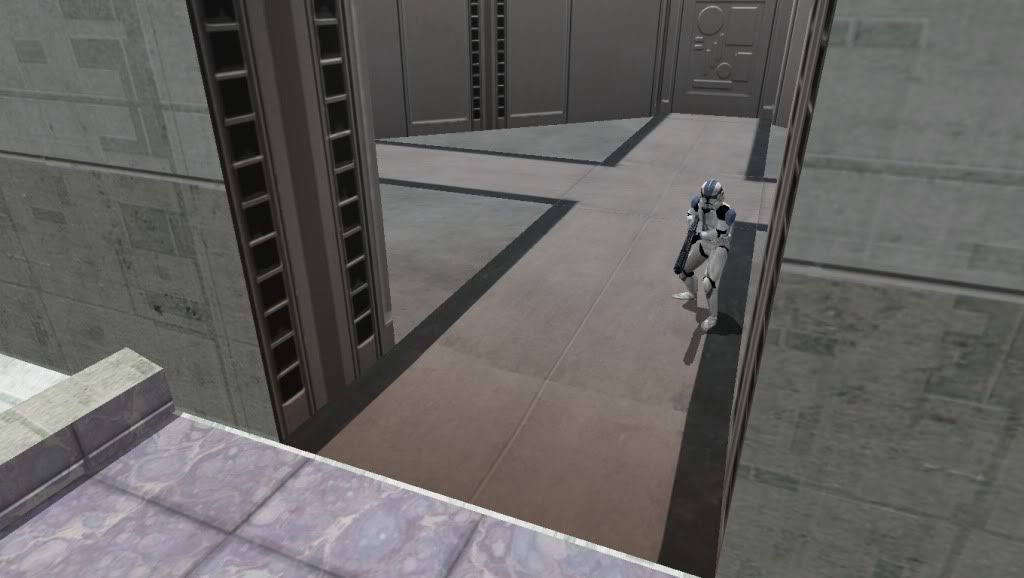
Hey, I was experimenting on a bespin model. I removed the vertexlighting and I noticed that there is a orange color added to the model. Does anyone know how I could remove this?
I checked the interior textures to see if there was added orange lighting and I couldn't find anything.
-
Marvel4

- Rebel Colonel

- Posts: 556
- Joined: Mon Jun 21, 2010 12:57 pm
- Projects :: Marvel4s BF1 Conversion Pack + Era Mod
Re: Light On Model
I think you have to hexedit it and remove the "emissive color": http://www.gametoast.com/forums/viewtop ... 27&t=24851
-
Marth8880
- Resistance Leader
- Posts: 5042
- Joined: Tue Feb 09, 2010 8:43 pm
- Projects :: DI2 + Psychosis
- xbox live or psn: Marth8880
- Location: Edinburgh, UK
- Contact:
Re: Light On Model
The model is most likely being lit by some sort of light source. Check and make sure there aren't any ZE lights lighting the model, or simply put -vertexlighting back in the OPTION file.
-
AQT
- Gametoast Staff

- Posts: 4910
- Joined: Sat Nov 03, 2007 4:55 pm
- Location: SoCal, USA
Re: Light On Model
He has already done that in this topic, and it's not the issue here.Marvel4 wrote:I think you have to hexedit it and remove the "emissive color": http://www.gametoast.com/forums/viewtop ... 27&t=24851
@modmaster and Marth: It is not due to some kind of light at all. It is baked-on color done via XSI, similar to how the problematic building in this thread is darker than other buildings like it, regardless of the lighting and vertex lighting option.
Solution: Reexport this model without those baked-on colors. It can't be fixed using a hex editor.
-
modmaster13
- General
- Posts: 777
- Joined: Wed Aug 18, 2010 4:23 pm
- xbox live or psn: KrypticcElementt
- Location: Twitter @_KrypticElement
- Contact:
Re: Light On Model
What should I use to re-export? XSI or the MSH viewer?AQT wrote:Solution: Reexport this model without those baked-on colors. It can't be fixed using a hex editor.
-
THEWULFMAN
- Space Ranger
- Posts: 5557
- Joined: Tue Aug 17, 2010 3:30 pm
- Projects :: Evolved 2
- Location: Columbus, Ohio
- Contact:
Re: Light On Model
modmaster13 wrote:What should I use to re-export? XSI or the MSH viewer?AQT wrote:Solution: Reexport this model without those baked-on colors. It can't be fixed using a hex editor.
XSI, if you want to re-add a lowrez version to it. Blender and the MSH viewer can't do lowrez (or shadow volumes, or collision, or anything like that).
-
AceMastermind

- Gametoast Staff
- Posts: 3285
- Joined: Mon Aug 21, 2006 6:23 am
- Contact:
Re: Light On Model
You might be able to remove the vertex coloring for that object by locating that particular geometry in the msh(use Unwrap3d to find the name) and deleting the CLRX chunk from it....It can't be fixed using a hex editor.
You'll need to adjust the size of these after removing the data:
- HEDR
MSH2
- and these for that piece of geometry in the msh:
- MODL
GEOM
SEGM
- MODL
- and these for that piece of geometry in the msh:
-
modmaster13
- General
- Posts: 777
- Joined: Wed Aug 18, 2010 4:23 pm
- xbox live or psn: KrypticcElementt
- Location: Twitter @_KrypticElement
- Contact:
Re: Light On Model
So should I remove the line showed in the picture from the model?
-
AQT
- Gametoast Staff
- Posts: 4910
- Joined: Sat Nov 03, 2007 4:55 pm
- Location: SoCal, USA
Re: Light On Model
No...you do that and resize the five things Ace listed. The following three topics will tell you how to do both:
You essentially cut and subtract values.[b][color=#FF8000]The FAQ / Everything You Need Thread Version 2.0[/color][/b] wrote:...
Model (msh)
... ...
