SWBF Series Model Showcase Thread 5th Edition

How to create models in XSI and other 3D applications and make them work in Battlefront 1 & 2. Post models, tips for application usage and share anything XSI, 3DMax, SketchUp, etc.

Moderator: Moderators

Post Reply
User avatar
ANDEWEGET
Ancient Force
Ancient Force
Posts: 1266
Joined: Tue Apr 01, 2008 8:42 am
Location: Germany
Contact:

Re: SWBF Series Model Showcase Thread 5th Edition

Post by ANDEWEGET »

Like the castle...and awesome minigun pose!

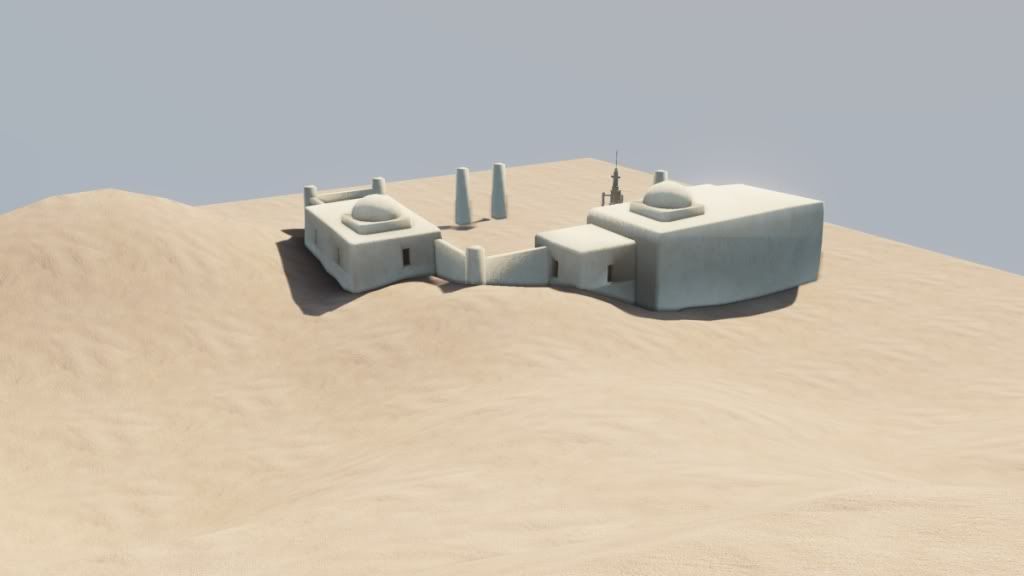
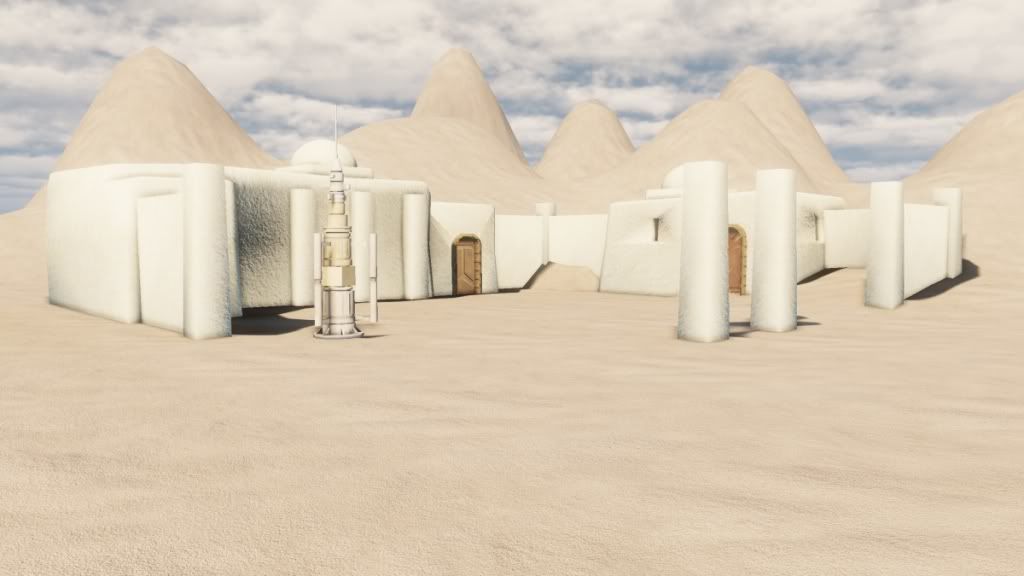
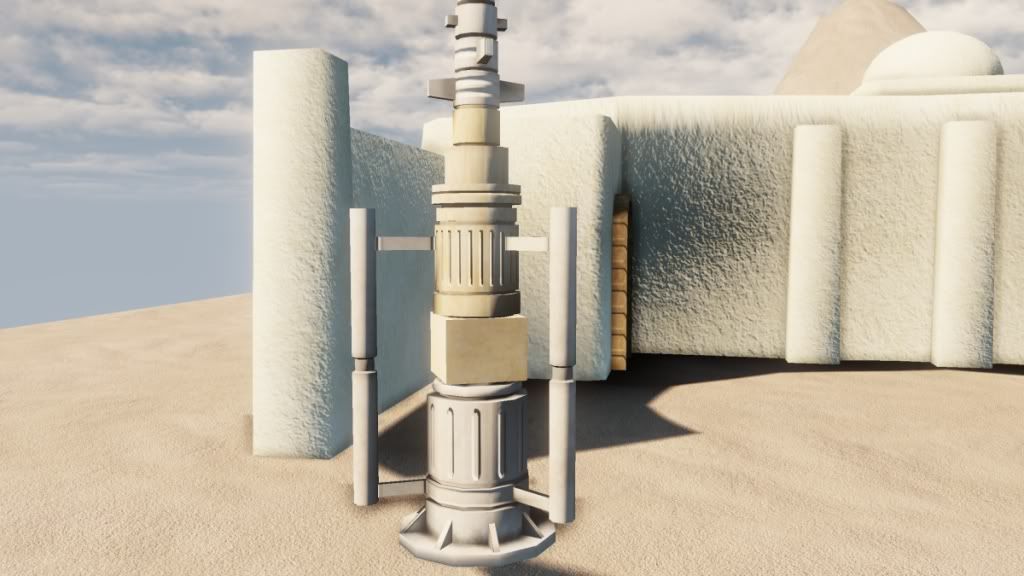
Had some more fun with tatooine buildings, this time UDK though. Marmoset isnt good for bigger environments.
Hidden/Spoiler:
Image
Image
Image
Image
Image
Shadows got messed up a bit, dunno why. Textures are all still WIP.
User avatar
Cerfon Rournes
Master Bounty Hunter
Posts: 1558
Joined: Thu Jul 08, 2010 5:53 pm
Projects :: WIP. I will reveal what it is later on..
Games I'm Playing :: SWBF2-SWRC
xbox live or psn: No gamertag set
Location: New York, USA
Contact:

Re: SWBF Series Model Showcase Thread 5th Edition

Post by Cerfon Rournes »

Fantastic! It looks so real.. :shock:
Any chance of getting any of those models ingame?
kinetosimpetus
Imperial Systems Expert
Posts: 2381
Joined: Wed Mar 25, 2009 4:15 pm
Projects :: A secret project
Games I'm Playing :: Warframe STO

Re: SWBF Series Model Showcase Thread 5th Edition

Post by kinetosimpetus »

Hi.

I have updates.
Hidden/Spoiler:
Image
Image
Kthnxbai
Last edited by kinetosimpetus on Thu Sep 15, 2011 12:38 am, edited 1 time in total.
User avatar
SpartanA259
Captain
Captain
Posts: 498
Joined: Tue Jul 19, 2011 2:47 pm
Projects :: Orion City
xbox live or psn: Steam: [404] Ash
Location: New Reno, Nevada

Re: SWBF Series Model Showcase Thread 5th Edition

Post by SpartanA259 »

Awesome :thumbs:
User avatar
Delta-1035
Sith Master
Sith Master
Posts: 2651
Joined: Mon Aug 04, 2008 10:32 am
Projects :: TOR GCWII GCW1035 BF1035
xbox live or psn: Johnny_Sciroppo
Location: Pizza Land

Re: SWBF Series Model Showcase Thread 5th Edition

Post by Delta-1035 »

It looks more than awesome! :thumbs:
User avatar
ANDEWEGET
Ancient Force
Ancient Force
Posts: 1266
Joined: Tue Apr 01, 2008 8:42 am
Location: Germany
Contact:

Re: SWBF Series Model Showcase Thread 5th Edition

Post by ANDEWEGET »

@kinetos
Looks good, some things you could do to make it look even better:
Make the visor a bit bigger, it looks pretty small from the front view compared to the rest of the helmet.
Paint in some shadows, makes the shapes easilier readable.
Erase the UVs from the top part.
Maybe some edge highlighting in the texture.
Just some suggestions. ;)

@Cerfon
I dont have any plans to export them to SWBF(I assume thats what you mean with "in-game"). If someone could make a good use of them, maybe when the project is finished.
kinetosimpetus
Imperial Systems Expert
Posts: 2381
Joined: Wed Mar 25, 2009 4:15 pm
Projects :: A secret project
Games I'm Playing :: Warframe STO

Re: SWBF Series Model Showcase Thread 5th Edition

Post by kinetosimpetus »

ANDEWEGET wrote:@kinetos
Looks good, some things you could do to make it look even better:
Make the visor a bit bigger, it looks pretty small from the front view compared to the rest of the helmet.do you mean the eyeglass panel, or the sheets of metal that shade the glass? either way, i think the scale is fine.
Paint in some shadows, makes the shapes more easily readable.Ok, I made a small adjustment based on this, and I think it looks better.
Erase the UVs from the top part.I don't understand...
Maybe some edge highlighting in the texture.There are 4 layers in my texture, A layer than defines custom shading, for the darker parts and the manual shadows, which is a smooth white in most places, and flat shades of gray in others. then there is a scratchy texture layer to give it some wear and tear. i don't like this layer as much currently... and the a layer that adds the mouthpiece and eyepiece textures. and then an AO map. i assume you mean i should edge highlight the texture layer, but i think i want to replace that layer anyway.
Just some suggestions. ;)Thanks ;)
User avatar
ANDEWEGET
Ancient Force
Ancient Force
Posts: 1266
Joined: Tue Apr 01, 2008 8:42 am
Location: Germany
Contact:

Re: SWBF Series Model Showcase Thread 5th Edition

Post by ANDEWEGET »

A quick paintover:
Hidden/Spoiler:
Image
Have fun: :P
kinetosimpetus wrote:
ANDEWEGET wrote:@kinetos
Looks good, some things you could do to make it look even better:
Make the visor a bit bigger, it looks pretty small from the front view compared to the rest of the helmet.do you mean the eyeglass panel, or the sheets of metal that shade the glass? either way, i think the scale is fine.Something like in the picture I posted, maybe not as big.
Paint in some shadows, makes the shapes more easily readable.Ok, I made a small adjustment based on this, and I think it looks better.
Erase the UVs from the top part.I don't understand...Marked it in the picture
Maybe some edge highlighting in the texture.There are 4 layers in my texture, A layer than defines custom shading, for the darker parts and the manual shadows, which is a smooth white in most places, and flat shades of gray in others. then there is a scratchy texture layer to give it some wear and tear. i don't like this layer as much currently... and the a layer that adds the mouthpiece and eyepiece textures. and then an AO map. i assume you mean i should edge highlight the texture layer, but i think i want to replace that layer anyway.I mean just taking the brush tool and adding some white lines on top of your texture where hard edges are(not as in hard edge marked on the model but edges which produce hard lighting(shadows). Ive added a layer of those on the paintover, but its only on 10% so you might not notice it. I usually have loads of layers for every pass I do on the texture, just to be able to switch em off and on to see how it looks. A good way to give the model some "structure" is, in my experience, using a high rez dirt/grunge brush, create two layers, one for white, one for black. Then "tip" the brush as long as it needs to cover the parts you want to give some structure(whatever material you want to simulate). Dont make strokes, but tip it, you dont want to cover it completely in black/white. Then adjust the opacity depending on which material you want to create(lower for cloth if at all, higher for metal, highest for stone). You could use photos, too. Then I usually add another layer for "real" dirt, which I dont apply as broadly, but just in some areas. This layer has a higher opacity, because it should be noticeable. The "structure" is just something you would not notice as actual "detail" of the texture.
Just some suggestions. ;)Thanks ;) Glad to be somehow useful. ;)
User avatar
Cerfon Rournes
Master Bounty Hunter
Posts: 1558
Joined: Thu Jul 08, 2010 5:53 pm
Projects :: WIP. I will reveal what it is later on..
Games I'm Playing :: SWBF2-SWRC
xbox live or psn: No gamertag set
Location: New York, USA
Contact:

Re: SWBF Series Model Showcase Thread 5th Edition

Post by Cerfon Rournes »

Impetus: Great job dude. :thumbs:
@ANDE; Ok. :)
Lephenix
Captain
Captain
Posts: 497
Joined: Tue Jul 12, 2011 6:46 am
Projects :: Becoming a Concept Artist-Illustrator
Contact:

Re: SWBF Series Model Showcase Thread 5th Edition

Post by Lephenix »

New Wip model from me, my first attempt at hard surface/high detailed mesh, i am proud to present you my TOR smuggler blaster pistol:
Hidden/Spoiler:
Image
And a ambient occlusion render of phase 3
Hidden/Spoiler:
Image
User avatar
Maveritchell
Jedi Admin
Jedi Admin
Posts: 7366
Joined: Mon Aug 21, 2006 11:03 pm

Re: SWBF Series Model Showcase Thread 5th Edition

Post by Maveritchell »

Looks nice; did you use either of the Softimage Mod Tool tools (Ultimapper/Render Map)? I can never get quite that (LOD) quality with them.
THEWULFMAN
Space Ranger
Posts: 5557
Joined: Tue Aug 17, 2010 3:30 pm
Projects :: Evolved 2
Location: Columbus, Ohio
Contact:

Re: SWBF Series Model Showcase Thread 5th Edition

Post by THEWULFMAN »

Might be 3DS Max. Regardless of what you used, it looks nice Lephenix.
Lephenix
Captain
Captain
Posts: 497
Joined: Tue Jul 12, 2011 6:46 am
Projects :: Becoming a Concept Artist-Illustrator
Contact:

Re: SWBF Series Model Showcase Thread 5th Edition

Post by Lephenix »

Maveritchell wrote:Looks nice; did you use either of the Softimage Mod Tool tools (Ultimapper/Render Map)? I can never get quite that (LOD) quality with them.
I used softimage and i selected my models and gone into create-material-ambient occlusion, i choose 300 for samples, i exit the window and i opened a render window by pressing the q key and i draged the window over the model and with AA on highest and waited for the model to be rendered and i saved the pic.

Thanks for your comments :thumbs: .
User avatar
Cerfon Rournes
Master Bounty Hunter
Posts: 1558
Joined: Thu Jul 08, 2010 5:53 pm
Projects :: WIP. I will reveal what it is later on..
Games I'm Playing :: SWBF2-SWRC
xbox live or psn: No gamertag set
Location: New York, USA
Contact:

Re: SWBF Series Model Showcase Thread 5th Edition

Post by Cerfon Rournes »

It looks very good, great job. :thumbs:
User avatar
naru1305
Major General
Major General
Posts: 657
Joined: Fri Jan 07, 2011 4:57 pm
Games I'm Playing :: SWBF2
Location: Germany
Contact:

Re: SWBF Series Model Showcase Thread 5th Edition

Post by naru1305 »

wow this is an awesome work and it is:
HIGH POLY :yes:

btw i planned to make a TOR smuggler unit in xsi, lets talk tomorrow via xfire about it :wink:
User avatar
Delta-1035
Sith Master
Sith Master
Posts: 2651
Joined: Mon Aug 04, 2008 10:32 am
Projects :: TOR GCWII GCW1035 BF1035
xbox live or psn: Johnny_Sciroppo
Location: Pizza Land

Re: SWBF Series Model Showcase Thread 5th Edition

Post by Delta-1035 »

@Lephenix: I think I have a really good use for that awesome gun! :thumbs:
Lephenix
Captain
Captain
Posts: 497
Joined: Tue Jul 12, 2011 6:46 am
Projects :: Becoming a Concept Artist-Illustrator
Contact:

Re: SWBF Series Model Showcase Thread 5th Edition

Post by Lephenix »

naru1305 wrote:btw i planned to make a TOR smuggler unit in xsi, lets talk tomorrow via xfire about it :wink:
Well, it is not really for a mod, it is high poly/hard surface modeling practice and baking high details on a low poly, but thanks for the offer.
Delta-1035 wrote:@Lephenix: I think I have a really good use for that awesome gun! :thumbs:
Thanks, but i have done like 30% of the entire work for the gun and i don't release my assets, but i'll think about it, maybe when finished :wink: .

Btw i have 2 models WIPs at the same, but i have shown the 1st one only on my forum, but i decided to show it here too now, it is my first attempt at head modeling (yeah lot of first attempts for practicing :P ), here it is:
Hidden/Spoiler:
Image
User avatar
Maveritchell
Jedi Admin
Jedi Admin
Posts: 7366
Joined: Mon Aug 21, 2006 11:03 pm

Re: SWBF Series Model Showcase Thread 5th Edition

Post by Maveritchell »

Aircraft model I've been working on:
Hidden/Spoiler:
Image
Image
User avatar
Fiodis
Master of the Force
Master of the Force
Posts: 4145
Joined: Wed Nov 12, 2008 9:27 pm
Projects :: Rannoch + Tientia + Tools Programming

Re: SWBF Series Model Showcase Thread 5th Edition

Post by Fiodis »

Looks pretty nice and accurate. That's a lot of guns it has, though - is it going to have room for more than one pilot?
User avatar
DarthD.U.C.K.
Master of the Force
Master of the Force
Posts: 6027
Joined: Wed Sep 27, 2006 11:05 am
Location: Duckburg, Germany

Re: SWBF Series Model Showcase Thread 5th Edition

Post by DarthD.U.C.K. »

that looks really good!
is this the beginning of a highpoly-wave? :P
Post Reply