AI Attacking own CP
Moderator: Moderators
-
myers73
- Lieutenant General

- Posts: 690
- Joined: Fri Apr 03, 2009 11:04 pm
- Projects :: No Mod project currently.
- xbox live or psn: No gamertag set
- Location: Atlanta, GA xfire=myers73 IngameName=mYers
AI Attacking own CP
Hidden/Spoiler:
-
501st_commander
- Master Bounty Hunter

- Posts: 1570
- Joined: Wed Dec 10, 2008 7:48 pm
Re: AI Attacking own CP
Do you use hub and connections? They might try going to and past there own cp to get to others. Hubs and connections will guide the Al to where you want them to go.
- DarthD.U.C.K.
- Master of the Force

- Posts: 6027
- Joined: Wed Sep 27, 2006 11:05 am
- Location: Duckburg, Germany
Re: AI Attacking own CP
you could have to place hubs all around the cp
and if its captured by the enemys the clones wouldnt capture it i think (because they are constantly running into the the hubs..)
did you change the ai-goals anyhow?
and if its captured by the enemys the clones wouldnt capture it i think (because they are constantly running into the the hubs..)
did you change the ai-goals anyhow?
-
myers73
- Lieutenant General

- Posts: 690
- Joined: Fri Apr 03, 2009 11:04 pm
- Projects :: No Mod project currently.
- xbox live or psn: No gamertag set
- Location: Atlanta, GA xfire=myers73 IngameName=mYers
Re: AI Attacking own CP
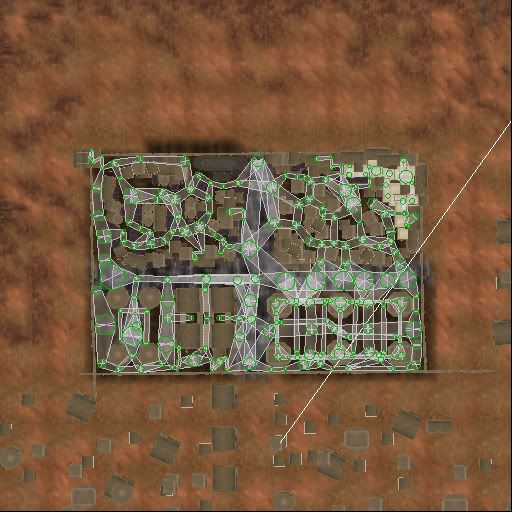
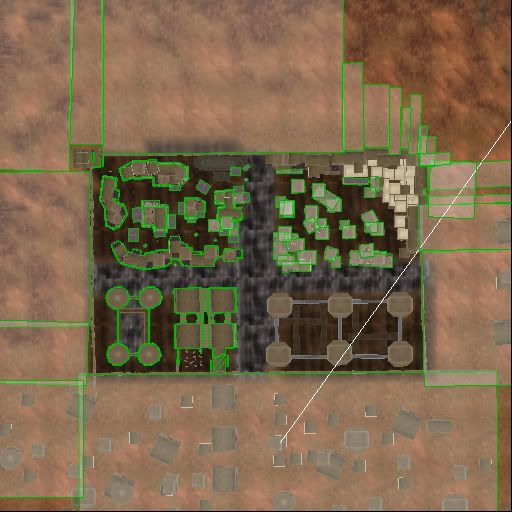
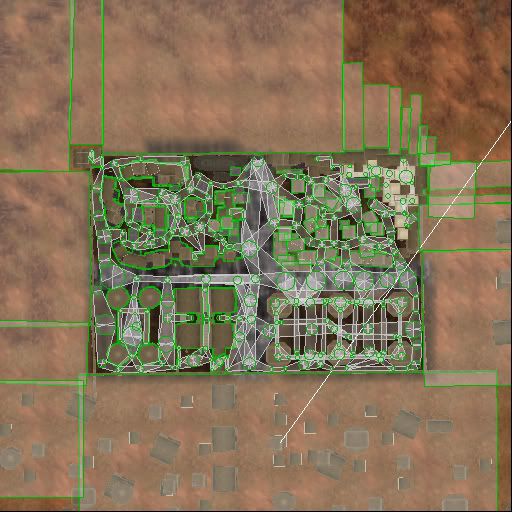
Yes, I did add planning, and barriers.
planning
barriers
plans and barriers
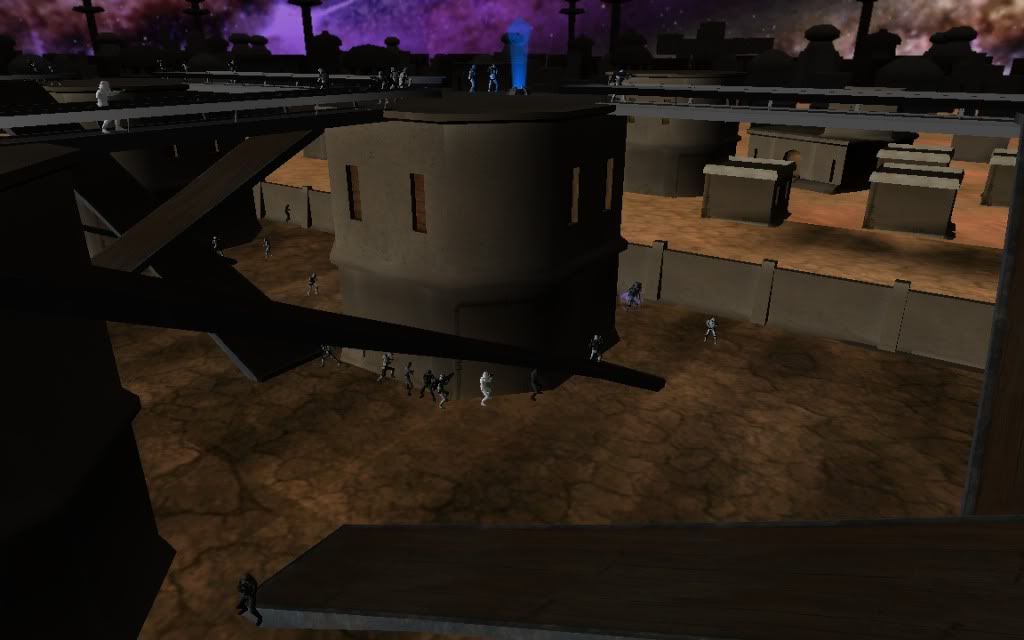
in the pic in my first post, the AI are attacking the cp that is on top of the middle-bottom of the six platforms in the lower left hand corner of the pictures.
and no, i have not changed the AI goals, do i need to? and if so, is that in the lua somewhere?
planning
Hidden/Spoiler:
Hidden/Spoiler:
Hidden/Spoiler:
and no, i have not changed the AI goals, do i need to? and if so, is that in the lua somewhere?
-
RepSharpshooter
- Gametoast Staff

- Posts: 1351
- Joined: Tue Jul 10, 2007 4:10 pm
Re: AI Attacking own CP
It looks like some of your connections are overlapping, which is not good I dont think.
Remember that planning is only in 2D, so I'd recommend putting a hub where the planning crosses.
If that's not the case, check your bf2log, it often has statements about hubs and planning if something is going wrong.
Remember that planning is only in 2D, so I'd recommend putting a hub where the planning crosses.
If that's not the case, check your bf2log, it often has statements about hubs and planning if something is going wrong.
- Teancum
- Jedi Admin

- Posts: 11080
- Joined: Wed Sep 07, 2005 11:42 pm
- Projects :: No Mod project currently.
- xbox live or psn: No gamertag set
- Location: Indiana
Re: AI Attacking own CP
Yep, you can't have planning on top of other planning or AI will get stuck/go crazy/stand there (depending on the situation)RepSharpshooter wrote:It looks like some of your connections are overlapping, which is not good I dont think.
-
FragMe!
- Gametoast Staff

- Posts: 2244
- Joined: Sat May 13, 2006 12:34 am
- Projects :: Not sure keep changing my mind.
- xbox live or psn: No gamertag set
- Location: Origin name GT_FragMe
- Contact:
Re: AI Attacking own CP
What both Rep and Teancum said plus the planning paths you have between the platforms is basically a straight line which means yes if there is a ramp or bridge between the the AI (if up top) will follow it, the thing is though is the AI that is on the ground will also follow it. And since it goes through the middle of the platform that is where they will try to go. And of course you cannot put barriers around them because that will stop everyone (ai) from getting there.
-
myers73
- Lieutenant General

- Posts: 690
- Joined: Fri Apr 03, 2009 11:04 pm
- Projects :: No Mod project currently.
- xbox live or psn: No gamertag set
- Location: Atlanta, GA xfire=myers73 IngameName=mYers
Re: AI Attacking own CP
Thanks guys, I will redo all my planning with all of this in mind. Are there any other limitations to planning that i should know about?
EDIT: my BFront2.log is empty, is it in the right place: C:\Program Files\LucasArts\Star Wars Battlefront II\GameData
- [RDH]Zerted
- Gametoast Staff

- Posts: 2982
- Joined: Sun Feb 26, 2006 7:36 am
- Projects :: Bos Wars AI - a RTS game
- xbox live or psn: No gamertag set
- Location: USA
- Contact:
Re: AI Attacking own CP
It shouldn't be empty. Are you running the debug version of the game (the one with the green screen?). Only that version generates the debug log. If you are, is your hard drive full (very unlikely)? Does that file only have read-only permissions thus the game can't write to it? Are you using Windows Vista?
-
myers73
- Lieutenant General

- Posts: 690
- Joined: Fri Apr 03, 2009 11:04 pm
- Projects :: No Mod project currently.
- xbox live or psn: No gamertag set
- Location: Atlanta, GA xfire=myers73 IngameName=mYers
Re: AI Attacking own CP
im using vista, and how do you run the dubugging version of the game?
-
501st_commander
- Master Bounty Hunter

- Posts: 1570
- Joined: Wed Dec 10, 2008 7:48 pm
Re: AI Attacking own CP
you put the bfront2_modtools.exe in C:\Program Files\LucasArts\Star Wars Battlefront II\GameData
then play you map with the bfront2_modtools.exe
now go to C:\Program Files\LucasArts\Star Wars Battlefront II\GameData and click the "compatibility files" at the top, then open you bfront2.log and post it.

then play you map with the bfront2_modtools.exe
now go to C:\Program Files\LucasArts\Star Wars Battlefront II\GameData and click the "compatibility files" at the top, then open you bfront2.log and post it.