
Hidden/Spoiler:
Painful crash..
Moderator: Moderators
-
destos

- Chief Warrant Officer

- Posts: 349
- Joined: Sat Sep 22, 2007 10:37 pm
Painful crash..
well after editing the imperial engineer to be the stormtrooper but with a diffrent skin that the original trooper my game crashed, i looked for some obvious error but this was all that caught my eye
-
Teancum

- Jedi Admin

- Posts: 11080
- Joined: Wed Sep 07, 2005 11:42 pm
- Projects :: No Mod project currently.
- xbox live or psn: No gamertag set
- Location: Indiana
Re: painful crash..
Post the whole log. Don't guess at what's wrong. Always the whole log.
-
destos
- Chief Warrant Officer
- Posts: 349
- Joined: Sat Sep 22, 2007 10:37 pm
Re: painful crash..
sry bout that
Hidden/Spoiler:
-
Null_1138
- Jedi

- Posts: 1192
- Joined: Thu Oct 16, 2008 4:05 pm
Re: painful crash..
I cut down most of the stuff at least I know does not make a map crash.destos wrote:sry bout thatHidden/Spoiler:
-
Frisbeetarian

- Jedi
- Posts: 1233
- Joined: Wed Sep 12, 2007 3:13 pm
Re: painful crash..
Does anyone check the sticky thread that explains these? Everything you commented on is explained in there except the Severity: 3 error, which I can't say I know about, and the localization errors, which won't crash a map. Thus, if someone recognizes the Severity: 3 and knows how to fix it, his problem will be solved.
-
destos
- Chief Warrant Officer
- Posts: 349
- Joined: Sat Sep 22, 2007 10:37 pm
Re: painful crash..
i read it....
its just sometimes severity 2 errors can cause crashes or cover up a crash its happened to me b4, i had to clear several severity 2's b4 i got to the real cause of the issue.
its just sometimes severity 2 errors can cause crashes or cover up a crash its happened to me b4, i had to clear several severity 2's b4 i got to the real cause of the issue.
-
Frisbeetarian
- Jedi
- Posts: 1233
- Joined: Wed Sep 12, 2007 3:13 pm
Re: painful crash..
I'm more annoyed at Null_1138 for having not read it and relied on memory to only erase some errors. If it says that you can ignore certain errors, then you can truly ignore them. It should be noted that this is not the case for all Severity: 2 errors.
Wrong, the most this can be is an unfilled memory pool, though I'm not completely convinced that upping the number would fix it.Null_1138 wrote:Hidden/Spoiler:
DarthD.U.C.K. from BFront2.log errors explained wrote:both are no serious errors to fix the first, search for this inyour lua:and set the number higherCode: Select all
SetMemoryPoolSize ("ClothData",20)
Plainly dismissed and explainedNull_1138 wrote:Hidden/Spoiler:
DarthD.U.C.K. from BFront2.log errors explained wrote:this is battlefronts way to complain about "too" high-rez textures, if anybody wants to knowCode: Select all
Message Severity: 2
C:\Battlefront2\main\RedEngineFL\Graphics\PC\pcRedTexture.cpp(553)
Texture 'e11s' [0f20e71f] uses 1.33 MB
(it doesnt crash a map)
To cover this, the previous comment you made, and an error you didn't comment on.Null_1138 wrote:Hidden/Spoiler:
As for the Severity: 3 error, a quick SEARCH (which I should have done earlier) shows that errors similar, but never the same, have shown up in past maps with little to no success at fixing it. Only Mav's fixed it, and he found it was a spelling error.Frisbeetarian from BFront2.log errors explained wrote:As suggested, here are some errors I stumbled across from others' logs that seem to not make a map crash (meaning that I found at least two cases where they were ignored and the crashing was solved).Code: Select all
Message Severity: 2
.\Source\SkyManager.cpp(122)
Skyfile FarSceneRange is in old format

Message Severity: 2
C:\Battlefront2\main\Battlefront2\Source\EntitySoldier.cpp(10471)
Soldier imp_inf_darktrooper has geometry collision

Message Severity: 2
C:\Battlefront2\main\RedEngineFL\Graphics\PC\pcRedTexture.cpp(553)
Texture 'e11s' [0f20e71f] uses 1.33 MB
-
Null_1138
- Jedi
- Posts: 1192
- Joined: Thu Oct 16, 2008 4:05 pm
Re: painful crash..
All I did was take out the ones that I knew didn't cause a crash, for example, any and all "VO" or "InVehicle" can be ignored. Then I added comments that I found in my previous experiences. I didn't say they were all correct, I only based it off experience. The cloth thing, I had that before and it caused a crash, and I fixed it. I was just giving suggestions as to what is or is not the problem.
-
destos
- Chief Warrant Officer
- Posts: 349
- Joined: Sat Sep 22, 2007 10:37 pm
Re: painful crash..
i figured out which unit was causing the annoyance, and it was the one i least expected... the stormtrooper that i never touched except to change the skin
and heres the weirdest thing ever! i made the stormtrooper go back to its original form but now it has the updated skin that was in my custom side but its bright like the conversion pack stormtrooper was. heres what i mean its like it merged the original skin from the convopack and my updated skin....
no i havent found the true cause of the crash (looking through everything stormtrooper related as we speak
and heres the weirdest thing ever! i made the stormtrooper go back to its original form but now it has the updated skin that was in my custom side but its bright like the conversion pack stormtrooper was. heres what i mean
Hidden/Spoiler:
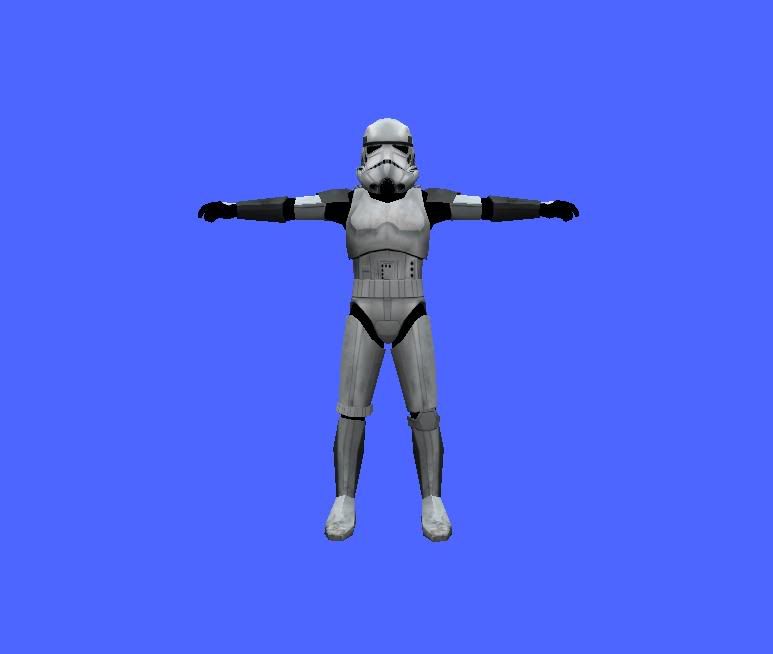

no i havent found the true cause of the crash (looking through everything stormtrooper related as we speak
-
Null_1138
- Jedi
- Posts: 1192
- Joined: Thu Oct 16, 2008 4:05 pm
Re: painful crash..
Wow, that is an odd occurrence. Did you try a clean? I'm talking about the skin, not what I said earlier.destos wrote:i figured out which unit was causing the annoyance, and it was the one i least expected... the stormtrooper that i never touched except to change the skin
and heres the weirdest thing ever! i made the stormtrooper go back to its original form but now it has the updated skin that was in my custom side but its bright like the conversion pack stormtrooper was. heres what i meanits like it merged the original skin from the convopack and my updated skin....Hidden/Spoiler:
no i havent found the true cause of the crash (looking through everything stormtrooper related as we speak
-
destos
- Chief Warrant Officer
- Posts: 349
- Joined: Sat Sep 22, 2007 10:37 pm
Re: painful crash..
no not yet.... this map just got a hole lot weirder since i removed the stormtrooper. i gave the T-21 to the heavytrooper but it wants to keep the original weapon layout( it has pistol instead of T-21) ad to top it all off i wanted to find out why and i saw the same error as before.
Message Severity: 3
..\PebbleFL\Common\PblConfig.h(65)
PblConfig: Data cf49a8d4 expected more than 1 argsi < m_uiNumArgs
im going to try a clean now... i think it will help.
Message Severity: 3
..\PebbleFL\Common\PblConfig.h(65)
PblConfig: Data cf49a8d4 expected more than 1 argsi < m_uiNumArgs
im going to try a clean now... i think it will help.
-
Frisbeetarian
- Jedi
- Posts: 1233
- Joined: Wed Sep 12, 2007 3:13 pm
Re: painful crash..
If you read the linked post HERE and the two following it, it will explain what is wrong with your skin. It in no way "merged" with the 1.2 patches' skin, it instead just is being affected the same way.Null_1138 wrote: Wow, that is an odd occurrence. Did you try a clean? I'm talking about the skin, not what I said earlier.
-
Null_1138
- Jedi
- Posts: 1192
- Joined: Thu Oct 16, 2008 4:05 pm
Re: painful crash..
So there's no fix? That's a shame. Destos, maybe you could darken your skin, Idk. Its just a suggestion, worth a try.Frisbeetarian wrote:If you read the linked post HERE and the two following it, it will explain what is wrong with your skin. It in no way "merged" with the 1.2 patches' skin, it instead just is being affected the same way.Null_1138 wrote: Wow, that is an odd occurrence. Did you try a clean? I'm talking about the skin, not what I said earlier.
-
destos
- Chief Warrant Officer
- Posts: 349
- Joined: Sat Sep 22, 2007 10:37 pm
Re: painful crash..
its not the fact that my stormtrooper is bright, i could care less... its the fact that i removed the stormtrooper from the lua and went back to the original unaltered version of the stormtrooper. but it is showing a skin that i made when it should be showing the plain white stormie...
also i decided to restart on my map. ever since that odd crash things change while some changes i make dont change ingame.... so i decided its best to just start over with a clean slate and hope for the best this time...
thanks for your help guys this topic can be closed unless you feel there is more need for this topic to be open...
also i decided to restart on my map. ever since that odd crash things change while some changes i make dont change ingame.... so i decided its best to just start over with a clean slate and hope for the best this time...
thanks for your help guys this topic can be closed unless you feel there is more need for this topic to be open...