Multi-Primitive model not texturing nicely

How to create models in XSI and other 3D applications and make them work in Battlefront 1 & 2. Post models, tips for application usage and share anything XSI, 3DMax, SketchUp, etc.

Moderator: Moderators

Post Reply
User avatar
Superm9
Second Lance Corporal
Posts: 104
Joined: Thu Aug 23, 2007 8:41 am
Projects :: No Mod project currently.
Games I'm Playing :: I have not listed any games yet
xbox live or psn: No gamertag set

Multi-Primitive model not texturing nicely

Post by Superm9 »

I'm trying to texture a model in XSI for export that uses multiple (several dozen) modified primitives. I can only use one texture projection, as I intend to export the model via Repsharpshooter's meshexporter. Also, all transforms have been frozen. I tried applying the texture (following the "how to texture an object in xsi" tutorial written by wazmol) in three different ways (most involving different heirarchal arrangements):

1.) Middle-mouse clicking a null, which was parent to all of the primitives (it stated that it couldn't apply the texture to the null, and didn't allow me to apply the texture)

2.) Middle-mouse clicking one primitive, which was parent to all of the other primitives (the texture was only applied to the parent primitive)

3.) Individually selecting all of the primitives, with absolutely no heiarchy involved (with the exception of the scene_root)(this only applyed the texture to the first primitive to be selected)

How should I arrange the individual objects, heiarchy or otherwise, in order to get a texture projection arranged accross all of them (I have sucessfully textured (and exported) test one-primitive models before, so I know that I should be texturing the model correctly).

Thanks in advance! :cpu:
User avatar
Frisbeetarian
Jedi
Jedi
Posts: 1233
Joined: Wed Sep 12, 2007 3:13 pm

Re: Multi-Primitive model not texturing nicely

Post by Frisbeetarian »

If you want to texture multiple at once, then you (ostensibly) have no need for them to be separate polymeshs anymore, so just merge them. If you want, you can also texture each of them individually, and while merging them later, they will keep their texture projections.
User avatar
Superm9
Second Lance Corporal
Posts: 104
Joined: Thu Aug 23, 2007 8:41 am
Projects :: No Mod project currently.
Games I'm Playing :: I have not listed any games yet
xbox live or psn: No gamertag set

Re: Multi-Primitive model not texturing nicely

Post by Superm9 »

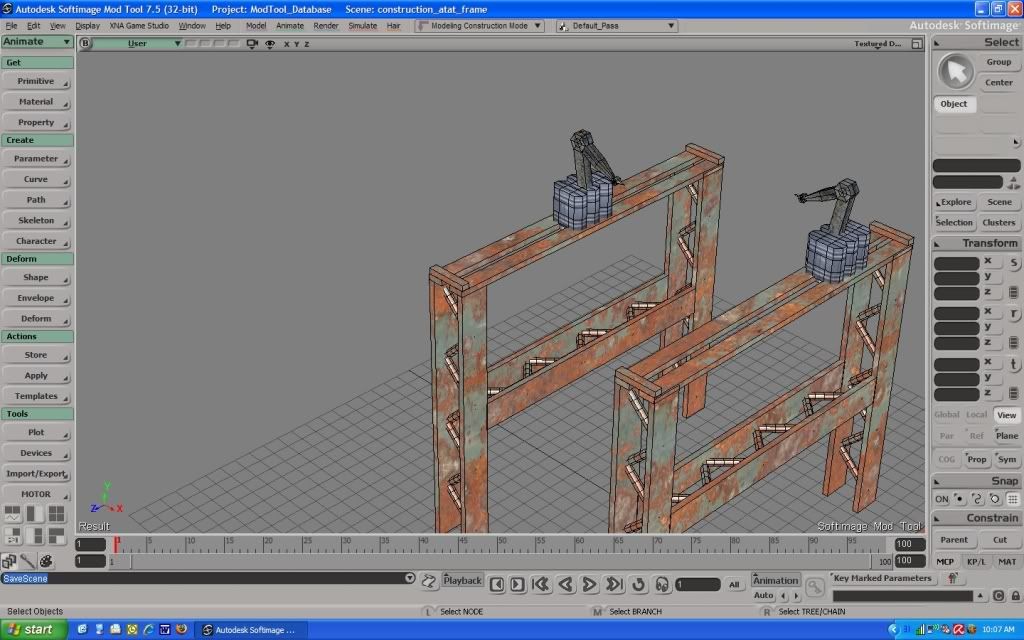
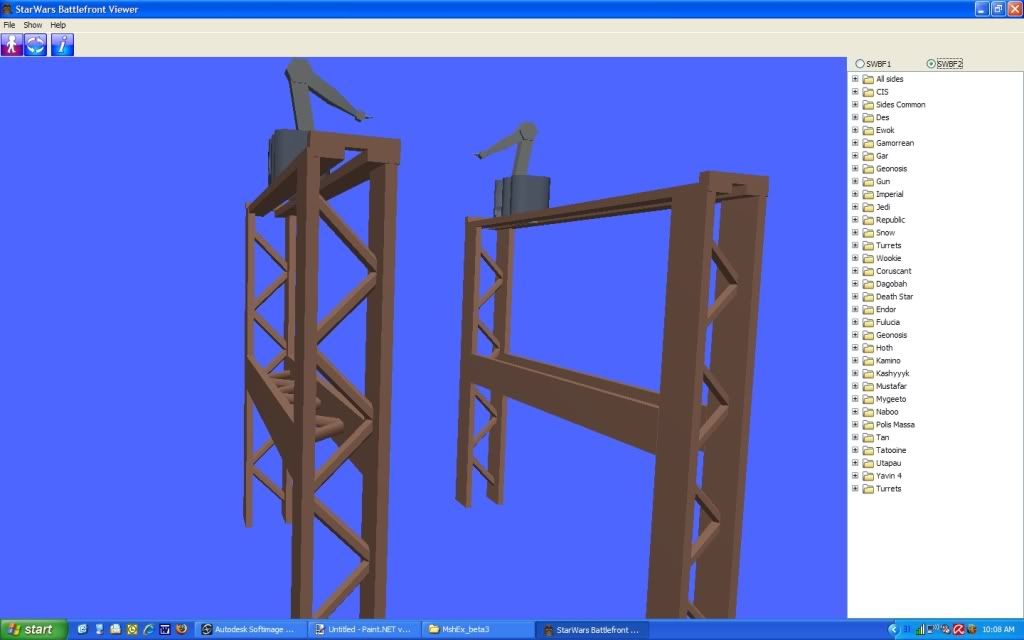
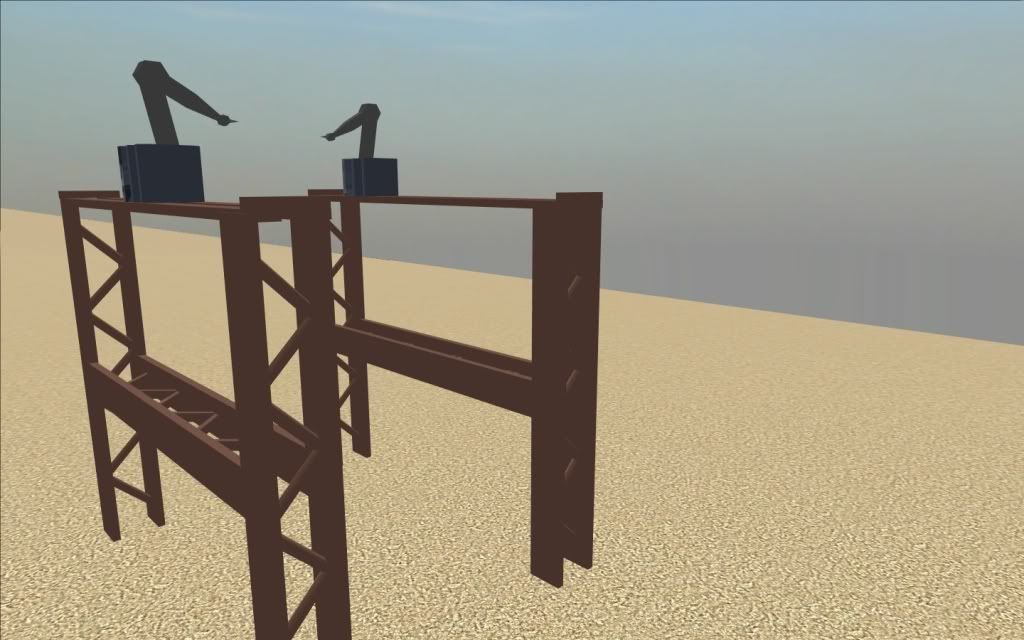
Well, I did what you suggested and textured them individually, then merged them into one polymesh, then exported it. I got it ingame - but with one problem: all of the textures are... blan?

See what I mean: (1st pic is a shot from in XSI Mod Tool 7.5, 2nd pic is from SWBF MSH Viewer, 3rd is ingame)
Hidden/Spoiler:
Image
Image
Image
Any idea what might have caused this? All of the textures used were either 512 x 512 or 256 x 256 TGA's. I did admittedly use cubic subprojections on most of the objects before I merged them into one polymesh, could that have caused the problem?

Thanks!
User avatar
Frisbeetarian
Jedi
Jedi
Posts: 1233
Joined: Wed Sep 12, 2007 3:13 pm

Re: Multi-Primitive model not texturing nicely

Post by Frisbeetarian »

When you merge them, did you select the "Merge" button under "Materials, UVs, VertexColors, WeightMaps"?
User avatar
Superm9
Second Lance Corporal
Posts: 104
Joined: Thu Aug 23, 2007 8:41 am
Projects :: No Mod project currently.
Games I'm Playing :: I have not listed any games yet
xbox live or psn: No gamertag set

Re: Multi-Primitive model not texturing nicely

Post by Superm9 »

Umm.... I think I did, why? Is that good or bad?
User avatar
DarthD.U.C.K.
Master of the Force
Master of the Force
Posts: 6027
Joined: Wed Sep 27, 2006 11:05 am
Location: Duckburg, Germany

Re: Multi-Primitive model not texturing nicely

Post by DarthD.U.C.K. »

you have to do that otherwise it wont preserve the tetxure projection make shure you freeze all models before exporting
Post Reply