
Model is a bit too big...

How to create models in XSI and other 3D applications and make them work in Battlefront 1 & 2. Post models, tips for application usage and share anything XSI, 3DMax, SketchUp, etc.

Moderator: Moderators

Post Reply
MetallicA
Private Recruit
Posts: 22
Joined: Mon Sep 29, 2008 11:35 pm

Model is a bit too big...

Post by MetallicA »

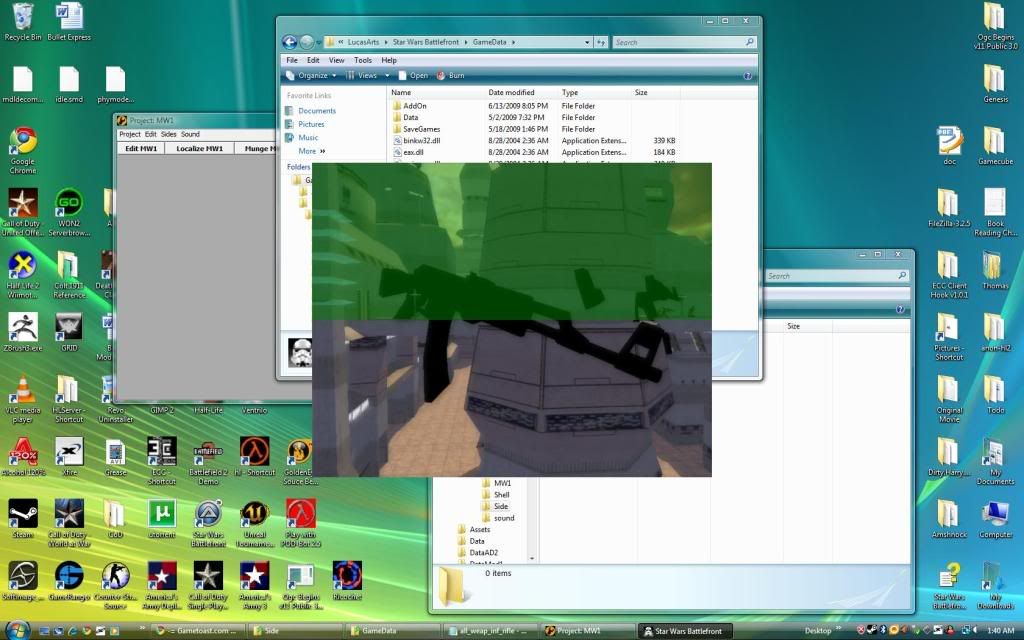
I'm new to XSI but this problem is fairly simple. I need a correct ratio (I have no idea what it is/where that is documented).

This is my AK47 when I exported via MeshEx (whatever it's called):
Image

Besides the fact that the texture isn't showing, I'm going to need to know how resize it correctly. I'll deal with the texture another time.

Any help is appreciated.

Thomas
User avatar
ANDEWEGET
Ancient Force
Ancient Force
Posts: 1266
Joined: Tue Apr 01, 2008 8:42 am
Location: Germany
Contact:

Re: Model is a bit too big...

Post by ANDEWEGET »

you could import a stock rifle model to see how you have to scale it. and did you turn the rle compression of for the texture?
teetie
Recruit Womprat Killer
Posts: 13
Joined: Mon Jul 14, 2008 4:11 am

Re: Model is a bit too big...

Post by teetie »

You can also scale by making a .option file

see THIS for scaling down with a option file
User avatar
jango
Command Sergeant Major
Posts: 272
Joined: Mon Jan 19, 2009 8:05 pm
Projects :: too many
Games I'm Playing :: Black Ops
Location: A galaxy far far away...

Re: Model is a bit too big...

Post by jango »

I scale by importing a clone trooper as an obj file. thats a nice looking ak47.
MetallicA
Private Recruit
Posts: 22
Joined: Mon Sep 29, 2008 11:35 pm

Re: Model is a bit too big...

Post by MetallicA »

Thanks! I was able to convert the MSH to OBJ. Now I don't know what to do from there...

EDIT: Nevermind, found it...
Post Reply
