Textures Problems! [solved]

In this forum you will find and post information regarding the modding of Star Wars Battlefront 2. DO NOT POST MOD IDEAS/REQUESTS.

Moderator: Moderators

Post Reply
Recon Trooper
Command Sergeant Major
Posts: 285
Joined: Fri Sep 11, 2009 5:36 am
Projects :: No Mod project currently.
Games I'm Playing :: I have not listed any games yet
xbox live or psn: No gamertag set
Location: Muhamid Ant Farm ???
Contact:

Textures Problems! [solved]

Post by Recon Trooper »

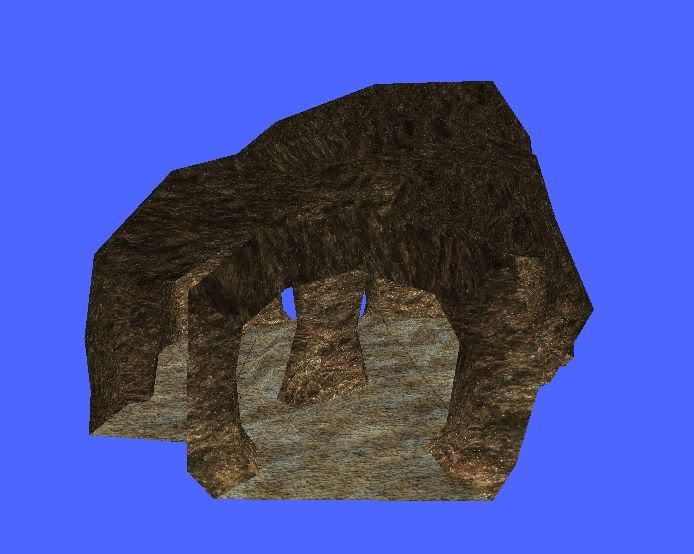
I downloaded sky's bare hoth tunnels and I made a new texture for them by useing some textures on the internet. Then I saved them as tga's and replaced them with my original hoth textures.

It looks fine in mshviewer:
Image

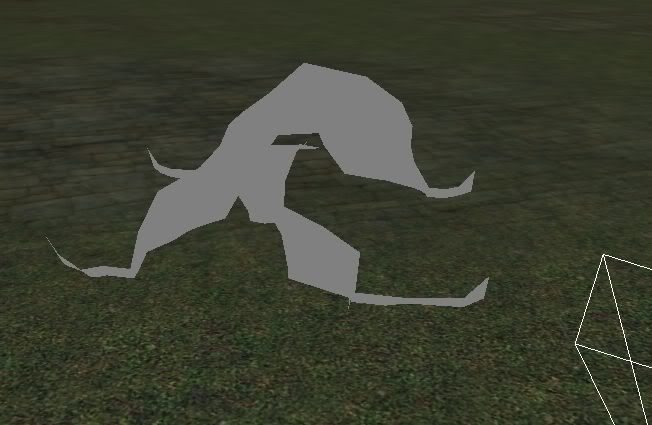
But in ze it has that grey look:

Image

Then I munge and it turns black in game and has these errors:
Hidden/Spoiler:
ERROR[PC_texturemunge world1\HOTH_Tunnels_01.tga]:TextureMunge(hoth_tunnels_01:1068x1368x1): Must have power of two dimensions!
[continuing]
ERROR[PC_texturemunge world1\HOTH_Tunnels_02.tga]:TextureMunge(hoth_tunnels_02:375x375x1): Must have power of two dimensions!
[continuing]
Must have power of two demensions?
Last edited by Recon Trooper on Tue Nov 03, 2009 6:03 pm, edited 1 time in total.
Darth_Squoobus
General
General
Posts: 760
Joined: Mon Aug 03, 2009 3:21 am
Projects :: No Mod project currently.
Location: over the hills and far away

Re: Textures Problems!

Post by Darth_Squoobus »

It must be an even number, like 512x512 or something. If it's something like 137x129 it won't work.
Recon Trooper
Command Sergeant Major
Posts: 285
Joined: Fri Sep 11, 2009 5:36 am
Projects :: No Mod project currently.
Games I'm Playing :: I have not listed any games yet
xbox live or psn: No gamertag set
Location: Muhamid Ant Farm ???
Contact:

Re: Textures Problems!

Post by Recon Trooper »

How do I do that, I can't use snipping tool?
biohazard
Command Sergeant Major
Posts: 268
Joined: Sun Oct 18, 2009 8:20 am
Projects :: No Mod project currently.
Games I'm Playing :: I have not listed any games yet
xbox live or psn: No gamertag set
Location: http://www.youtube.com/watch?v=jWFk0XasQmE
Contact:

Re: Textures Problems!

Post by biohazard »

I see you used the same texture I did on Korriban :wink:

Ok, the best way to do this:

Get a calculator. Whether on your computer's accessories menu, or a nice handheld one, doesn't matter.

Open up MS Paint and paste the image.

Now, determine your desired resolution. This should be no bigger than the size of your texture, but don't make it too small. A good idea might be to actually enlarge it to something like 512x512 and touch it up with filters in the image program of your choice. 256x256 might turn out to be your best bet, though, if you don't want to have to retouch it.

Use your calculator and divide your desired resolution (IE 256 pixels) by what your download texture's size is (IE something like 350 pixels)

Hit CTRL W in paint (shortcut for stretch/skew image) and put the number from your calculator * 100, no decimal places, rounded up even if it's 6.000001 in the stretch boxes. If your texture is rectangular you will need to use a separate percentage for each dimension.

This will rarely give you a pixel-perfect result. Repeat the process with the new size as necessary to achieve the desired size.

Hit CTRL A (select all) and copy, then paste in the image program of your choice which is capable as saving as .tga, and overwrite old texture.

acceptable sizes for width or height:
2
4
8
16
32
64
128
256
512
1024
2048
(sense the pattern yet?)
4096
8192
...
...


Hope this helps
Recon Trooper
Command Sergeant Major
Posts: 285
Joined: Fri Sep 11, 2009 5:36 am
Projects :: No Mod project currently.
Games I'm Playing :: I have not listed any games yet
xbox live or psn: No gamertag set
Location: Muhamid Ant Farm ???
Contact:

Re: Textures Problems!

Post by Recon Trooper »

biohazard wrote:
Hidden/Spoiler:
I see you used the same texture I did on Korriban :wink:

Ok, the best way to do this:

Get a calculator. Whether on your computer's accessories menu, or a nice handheld one, doesn't matter.

Open up MS Paint and paste the image.

Now, determine your desired resolution. This should be no bigger than the size of your texture, but don't make it too small. A good idea might be to actually enlarge it to something like 512x512 and touch it up with filters in the image program of your choice. 256x256 might turn out to be your best bet, though, if you don't want to have to retouch it.

Use your calculator and divide your desired resolution (IE 256 pixels) by what your download texture's size is (IE something like 350 pixels)

Hit CTRL W in paint (shortcut for stretch/skew image) and put the number from your calculator * 100, no decimal places, rounded up even if it's 6.000001 in the stretch boxes. If your texture is rectangular you will need to use a separate percentage for each dimension.

This will rarely give you a pixel-perfect result. Repeat the process with the new size as necessary to achieve the desired size.

Hit CTRL A (select all) and copy, then paste in the image program of your choice which is capable as saving as .tga, and overwrite old texture.

acceptable sizes for width or height:
2
4
8
16
32
64
128
256
512
1024
2048
(sense the pattern yet?)
4096
8192
...
...


Hope this helps
Did I use your textures? :D

Lol, I just typed in 'rock texture'.

Anyway, thanks for the advice.
I thought it worker because I saw it worked in ZE.

But, When I munge it has these errors...
Hidden/Spoiler:
ERROR[levelpack DSC.req]:Expecting bracket, but none was found.
File : munged\pc\hoth_tunnels_03.texture.req(1)...

ucft <--
ERROR[levelpack DSC.req]:Expecting bracket, but none was found.
File : munged\pc\hoth_tunnels_03.texture.req(1)...

ucft <--
[continuing]
2 Errors 0 Warnings

ERROR[levelpack DSC.req]:Expecting bracket, but none was found.
File : munged\pc\hoth_tunnels_03.texture.req(1)...

ucft <--
ERROR[levelpack DSC.req]:Expecting bracket, but none was found.
File : munged\pc\hoth_tunnels_03.texture.req(1)...

ucft <--
[continuing]
2 Errors 0 Warnings
Then when I play I can't spawn?
AQT
Gametoast Staff
Gametoast Staff
Posts: 4910
Joined: Sat Nov 03, 2007 4:55 pm
Location: SoCal, USA

Re: Textures Problems!

Post by AQT »

1.) Make sure to save your .tgas with RLE compression off/unchecked. 2.) Get an error log and determine from the output what is causing you to not be able to spawn.
Recon Trooper
Command Sergeant Major
Posts: 285
Joined: Fri Sep 11, 2009 5:36 am
Projects :: No Mod project currently.
Games I'm Playing :: I have not listed any games yet
xbox live or psn: No gamertag set
Location: Muhamid Ant Farm ???
Contact:

Re: Textures Problems!

Post by Recon Trooper »

I always uncheck RLE. My error log is something to do with the Hoth_tunnel_corner_bare req?
AQT
Gametoast Staff
Gametoast Staff
Posts: 4910
Joined: Sat Nov 03, 2007 4:55 pm
Location: SoCal, USA

Re: Textures Problems!

Post by AQT »

I suggest you post the error log. The spawning error usually happens when the names of your CPs in your conquest LUA do not match the names assigned in ZE. Double check that they are the same if you have recently added/removed any CPs.
Recon Trooper
Command Sergeant Major
Posts: 285
Joined: Fri Sep 11, 2009 5:36 am
Projects :: No Mod project currently.
Games I'm Playing :: I have not listed any games yet
xbox live or psn: No gamertag set
Location: Muhamid Ant Farm ???
Contact:

Re: Textures Problems!

Post by Recon Trooper »

Recon Trooper wrote:
biohazard wrote:
Hidden/Spoiler:
I see you used the same texture I did on Korriban :wink:

Ok, the best way to do this:

Get a calculator. Whether on your computer's accessories menu, or a nice handheld one, doesn't matter.

Open up MS Paint and paste the image.

Now, determine your desired resolution. This should be no bigger than the size of your texture, but don't make it too small. A good idea might be to actually enlarge it to something like 512x512 and touch it up with filters in the image program of your choice. 256x256 might turn out to be your best bet, though, if you don't want to have to retouch it.

Use your calculator and divide your desired resolution (IE 256 pixels) by what your download texture's size is (IE something like 350 pixels)

Hit CTRL W in paint (shortcut for stretch/skew image) and put the number from your calculator * 100, no decimal places, rounded up even if it's 6.000001 in the stretch boxes. If your texture is rectangular you will need to use a separate percentage for each dimension.

This will rarely give you a pixel-perfect result. Repeat the process with the new size as necessary to achieve the desired size.

Hit CTRL A (select all) and copy, then paste in the image program of your choice which is capable as saving as .tga, and overwrite old texture.

acceptable sizes for width or height:
2
4
8
16
32
64
128
256
512
1024
2048
(sense the pattern yet?)
4096
8192
...
...


Hope this helps
Did I use your textures? :D

Lol, I just typed in 'rock texture'.

Anyway, thanks for the advice.
I thought it worker because I saw it worked in ZE.

But, When I munge it has these errors...
Hidden/Spoiler:
ERROR[levelpack DSC.req]:Expecting bracket, but none was found.
File : munged\pc\hoth_tunnels_03.texture.req(1)...

ucft <--
ERROR[levelpack DSC.req]:Expecting bracket, but none was found.
File : munged\pc\hoth_tunnels_03.texture.req(1)...

ucft <--
[continuing]
2 Errors 0 Warnings

ERROR[levelpack DSC.req]:Expecting bracket, but none was found.
File : munged\pc\hoth_tunnels_03.texture.req(1)...

ucft <--
ERROR[levelpack DSC.req]:Expecting bracket, but none was found.
File : munged\pc\hoth_tunnels_03.texture.req(1)...

ucft <--
[continuing]
2 Errors 0 Warnings
Then when I play I can't spawn?
This is my ownly error log that comes up now?
biohazard
Command Sergeant Major
Posts: 268
Joined: Sun Oct 18, 2009 8:20 am
Projects :: No Mod project currently.
Games I'm Playing :: I have not listed any games yet
xbox live or psn: No gamertag set
Location: http://www.youtube.com/watch?v=jWFk0XasQmE
Contact:

Re: Textures Problems!

Post by biohazard »

Not my texture, just the same google search as I :)

I would suggest looking at the .req file it's having issues with, and posting that.
I'd also suggest what AQT said. Go to your C:\Program Files\Lucasarts\Star Wars Battlefront II\Gamedata\ and open Bfront2.log with Notepad, and post its contents. Before you do that though, try to play on your map with BF2 Modtools.
User avatar
Fiodis
Master of the Force
Master of the Force
Posts: 4145
Joined: Wed Nov 12, 2008 9:27 pm
Projects :: Rannoch + Tientia + Tools Programming

Re: Textures Problems!

Post by Fiodis »

biohazard wrote:...Open up MS Paint and paste the image....

acceptable sizes for width or height:
2
4
8
16
32
64
128
256
512
1024
2048
(sense the pattern yet?)
4096
8192
...
...
I'd reccomend GIMP or Paint.NET for texture editing. They're free and a lot better than MS Paint.

Also,
BF2 Limitations Thread wrote:Maximum texture size is 4096x4096
I also think something above a certain size (may be anything above 2048x2048) crashes ZE, though not the game.

Not sure if there's any lower limit.

EDIT - Just tested a texture of 2x2. It works.
AQT
Gametoast Staff
Gametoast Staff
Posts: 4910
Joined: Sat Nov 03, 2007 4:55 pm
Location: SoCal, USA

Re: Textures Problems!

Post by AQT »

biohazard wrote:I'd also suggest what AQT said. Go to your C:\Program Files\Lucasarts\Star Wars Battlefront II\Gamedata\ and open Bfront2.log with Notepad, and post its contents. Before you do that though, try to play on your map with BF2 Modtools.
Yep, and that's been covered in the FAQ.
Hidden/Spoiler:
[quote]Question - I have the CD version of SWBF2 and I get a binkw32.dll error when trying to launch the BF2_modtools.exe, what's wrong?
Answer - The BF2_modtools.exe is the debug executable, copy it from the main BF2_modtools folder and paste it in the same folder as your battlefront2.exe, usually:
C:\Program Files\LucasArts\Star Wars Battlefront II\GameData
then you can launch BF2_modtools.exe and play your map to get a BFront2.log located in that same folder.
If you have the DVD version check THIS LINK for a DVD version of BF2_modtools.exe

Note to Vista users:
If you can't find your BFront2.log it may be saved to this location:
C:\Users\<username>\AppData\Local\VirtualStore\Program Files\LucasArts\Star Wars Battlefront II\GameData[/quote]
Recon Trooper
Command Sergeant Major
Posts: 285
Joined: Fri Sep 11, 2009 5:36 am
Projects :: No Mod project currently.
Games I'm Playing :: I have not listed any games yet
xbox live or psn: No gamertag set
Location: Muhamid Ant Farm ???
Contact:

Re: Textures Problems!

Post by Recon Trooper »

Ok. I solved the problem.

I found out after the texture problem that AQT was right about my naming the cps wrong.

Anyway thanks to all :thumbs:
Post Reply