Hex Editing Glow Problem [Solved]

In this forum you will find and post information regarding the modding of Star Wars Battlefront 2. DO NOT POST MOD IDEAS/REQUESTS.

Moderator: Moderators

Post Reply
User avatar
yuke5
Field Commander
Field Commander
Posts: 945
Joined: Wed Jun 29, 2011 10:42 pm
Games I'm Playing :: SWBF2 TF2 RC KOTOR
xbox live or psn: My steam is yuke5.
Location: Vermont

Hex Editing Glow Problem [Solved]

Post by yuke5 »

Hidden/Spoiler:
Image
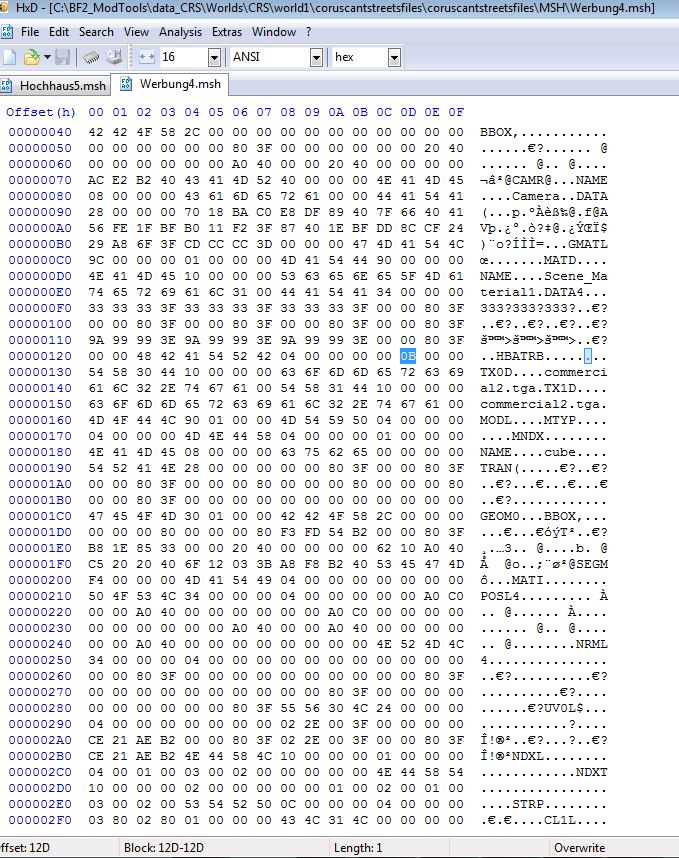
I went in to hex-edit a material to have glow. The value I was going to edit is highlighted in the screenshot above.
[color=#FF8040]AceMastermind[/color] wrote: 0B = Emissive, Glow, Doublesided
The weird things was that the object didn't really glow all the strongly. Then I remembered what AQT wrote on my WIP thread. (Although posted by AQT the original post was made by AceMastermind again)
AQT wrote:
[color=#FF8040]AceMastermind[/color] wrote:List of unknown hex found 5 places after ATRB in various msh files:

Hex/My best guess
...
49 = ?
...
That value combines transparency with glow. It's found in the stock CTF vortex model. Or you can do 48; it works either way.
So then I looked up what 49 meant.
[color=#FF8040]AceMastermind[/color] wrote:49 = Emissive, Doublesided, Additive
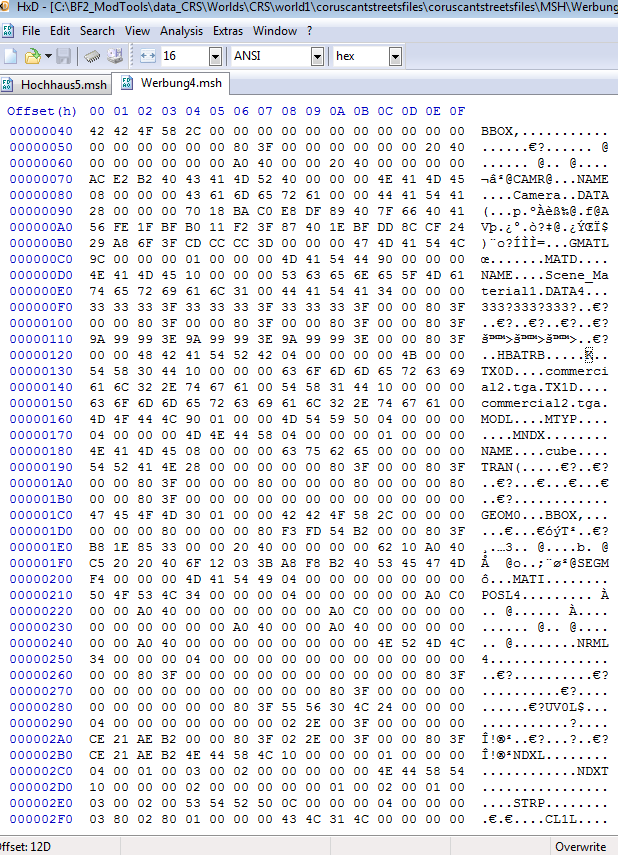
So I though, okay, well we want to find a hex edit value with both properties, right? We need a value which is Emissive, Doublesided, Additive, and provides Glow, as well. So I looked up the value for that, which turned out to be 4B. So I went into a hex editor, changed the value to 4B, which lead to this:
Hidden/Spoiler:
Image
I then saved file as an msh, and munged. However, when I munged, I got the error "ModelMunge.exe has stopped working." and then an error box with a bunch of stuff. From that point I figured, "Well, I guess I did something wrong." and tried again with just 49 instead of 4B. However, that also resulted in a crash. I then changed the value back to 0B, and munged, and everything worked out. I must be doing something, wrong but I can't figure out what. Am I using the wrong values, or is there a step in the process I am missing? Please help.

Thanks in advance.
User avatar
AceMastermind
Gametoast Staff
Gametoast Staff
Posts: 3285
Joined: Mon Aug 21, 2006 6:23 am
Contact:

Re: Hex Editing Glow Problem

Post by AceMastermind »

You need to enter it one byte to the left of where you have it now.
It should look like this:

Code: Select all

41 54 52 42 04 00 00 00 4B
Those first 8 bytes are just the chunk header[4] and chunk length[4].

EDIT
It looks like you were just getting 5th and 6th place flags mixed up.
User avatar
yuke5
Field Commander
Field Commander
Posts: 945
Joined: Wed Jun 29, 2011 10:42 pm
Games I'm Playing :: SWBF2 TF2 RC KOTOR
xbox live or psn: My steam is yuke5.
Location: Vermont

Re: Hex Editing Glow Problem

Post by yuke5 »

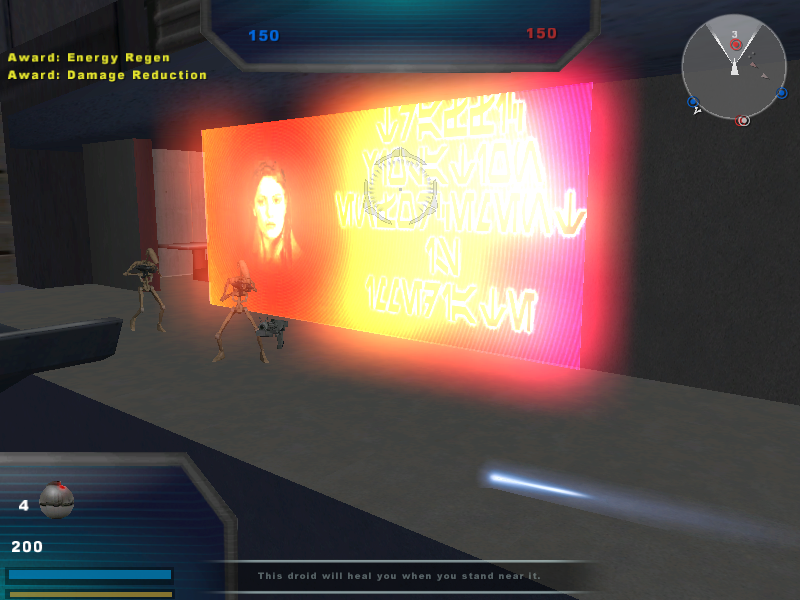
It works now.

Image

Thanks a bunch, AceMastermind!
User avatar
AceMastermind
Gametoast Staff
Gametoast Staff
Posts: 3285
Joined: Mon Aug 21, 2006 6:23 am
Contact:

Re: Hex Editing Glow Problem

Post by AceMastermind »

Isn't that Rend's wife in the image? :) I think he requested no one use that image since it was left in the released assets by accident.

Yep
http://www.gametoast.com/forums/viewtop ... 29#p109029

If you could paint her out of the image I think that would be fine.
User avatar
yuke5
Field Commander
Field Commander
Posts: 945
Joined: Wed Jun 29, 2011 10:42 pm
Games I'm Playing :: SWBF2 TF2 RC KOTOR
xbox live or psn: My steam is yuke5.
Location: Vermont

Re: Hex Editing Glow Problem

Post by yuke5 »

Oh my. :oops: I wasn't aware. I'll take care of that right away! Thanks for the heads up.
Post Reply