Lighting Problem After Triangulating Models [Solved]
Moderator: Moderators
- GAB
- 1st Lieutenant

- Posts: 431
- Joined: Sun Jul 03, 2011 8:56 pm
- Location: Somewhere around the world
- Contact:
Lighting Problem After Triangulating Models [Solved]
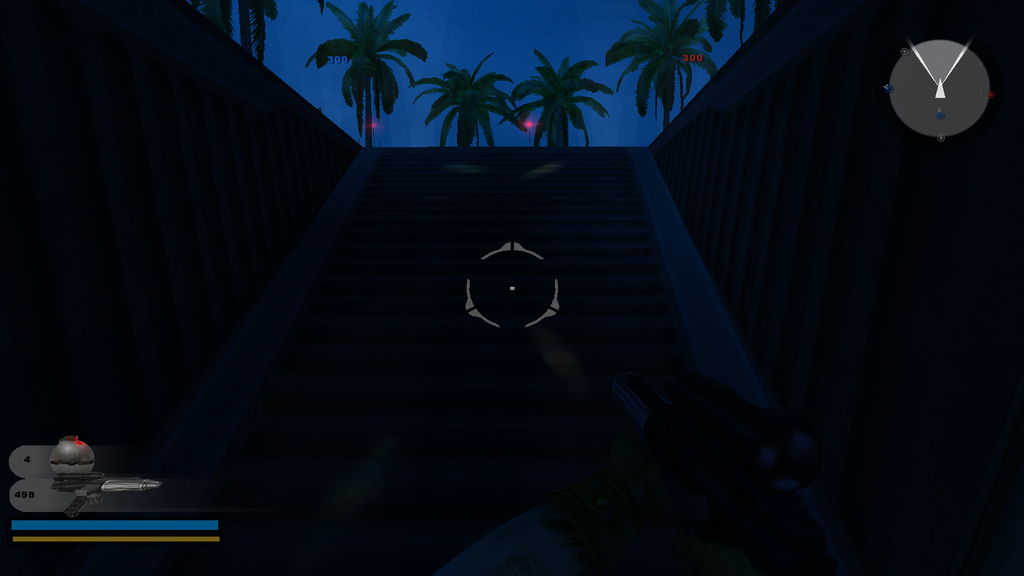
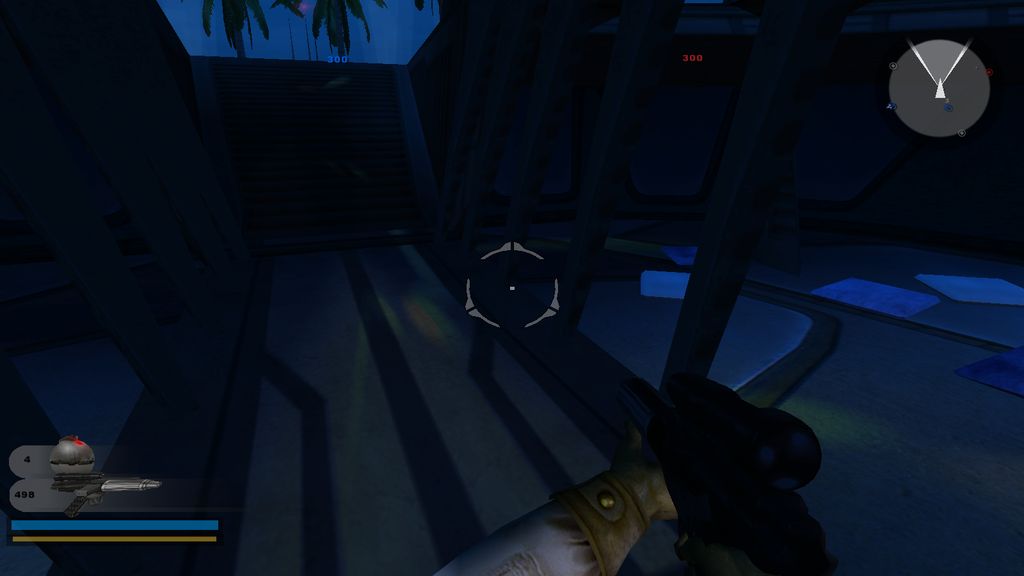
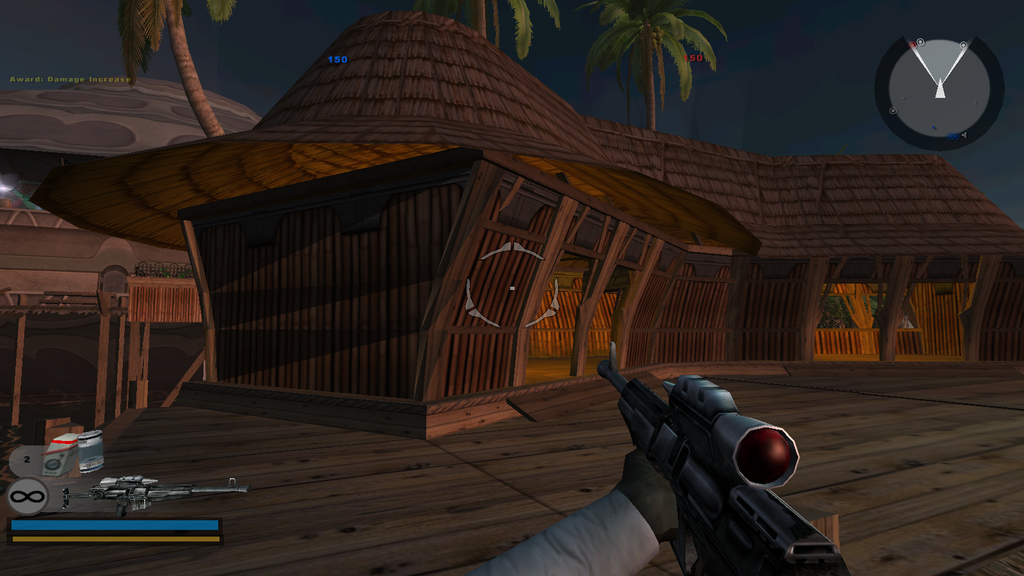
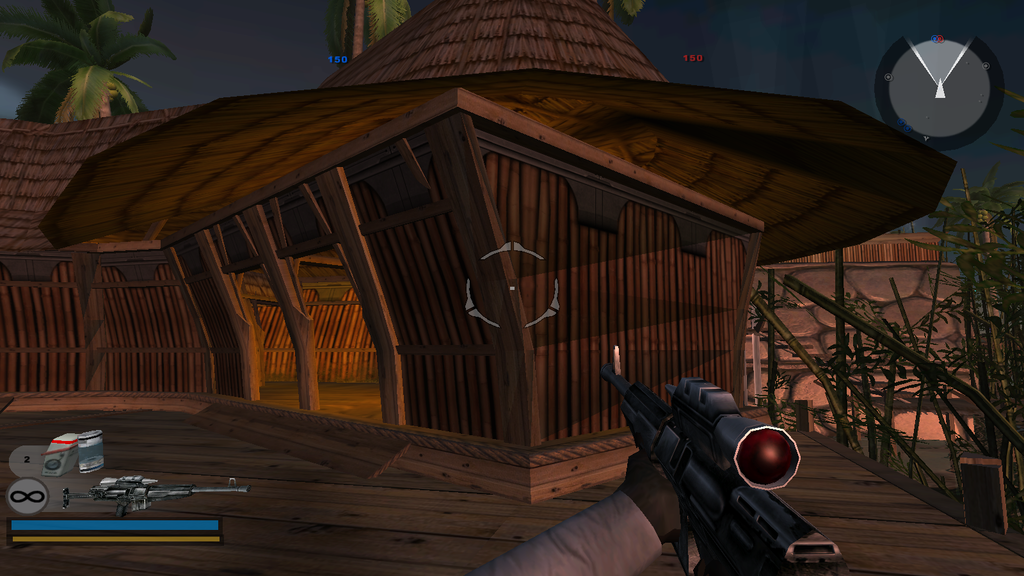
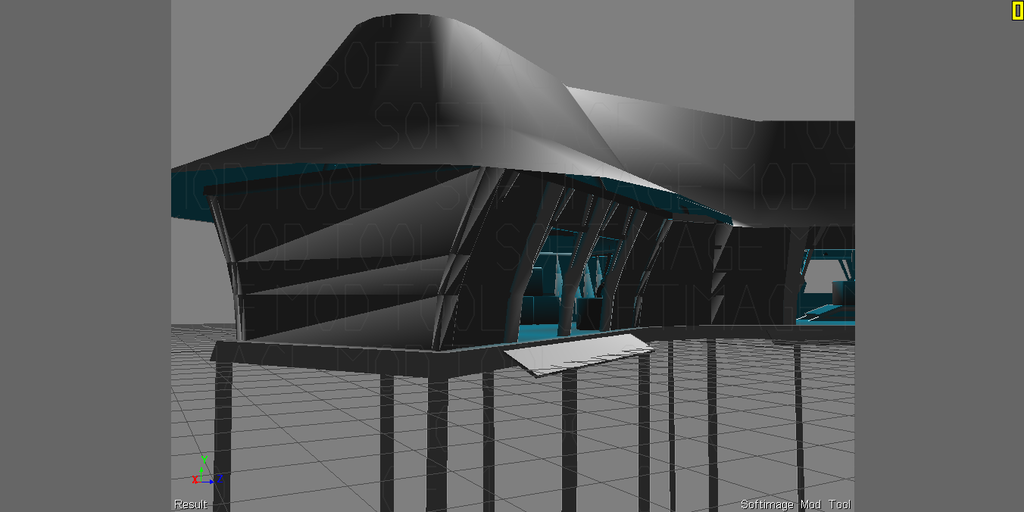
Several months ago, it was recommended for me in this topic that I should triangulate all my models before exporting them in XSI. I did that, however, some of them started to have some triangular dark spots in them:
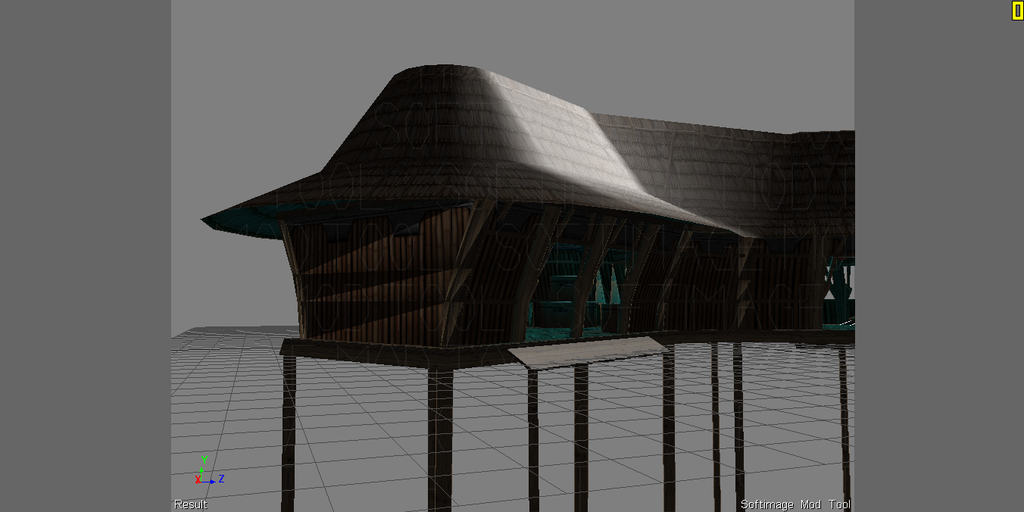
Later I found out that in XSI they look like this in shaded and textured view modes:
I'm having this issue to varying degrees in several models that I triangulated prior to export. So, my question is, why is this happening and how can I correct it?
Hidden/Spoiler:
Hidden/Spoiler:
Last edited by GAB on Fri Jul 17, 2015 10:05 am, edited 1 time in total.
-
jojo3450
- Rebel Warrant Officer

- Posts: 317
- Joined: Fri Jul 18, 2014 12:29 am
- Projects :: No Mod project currently.
- xbox live or psn: No gamertag set
Re: Lighting Problem After Triangulating Models
i dont know why they told u to triangulate it I find the quads work much better
- GAB
- 1st Lieutenant

- Posts: 431
- Joined: Sun Jul 03, 2011 8:56 pm
- Location: Somewhere around the world
- Contact:
Re: Lighting Problem After Triangulating Models
I was actually told to triangulate only before exporting, not while I work with the model.
THEWULFMAN wrote:always triangulate your models before exporting it to msh. Working in quads is the standard, just don't export that way.
-
jojo3450
- Rebel Warrant Officer

- Posts: 317
- Joined: Fri Jul 18, 2014 12:29 am
- Projects :: No Mod project currently.
- xbox live or psn: No gamertag set
Re: Lighting Problem After Triangulating Models
oh, I export quads since it gets covert to triangles
- GAB
- 1st Lieutenant

- Posts: 431
- Joined: Sun Jul 03, 2011 8:56 pm
- Location: Somewhere around the world
- Contact:
Re: Lighting Problem After Triangulating Models
OK, but this is not exactly the subject of the topic. Could anyone else help me with the problem on my first post?
- AceMastermind
- Gametoast Staff

- Posts: 3285
- Joined: Mon Aug 21, 2006 6:23 am
- Contact:
Re: Lighting Problem After Triangulating Models
What is the name of the msh?
Did you import this asset into Softimage with ZETools? If so, what version of ZETools?
Did you notice the shading artifacts only after triangulating?
Did you perform any operations to this model other than triangulation?
I would say something you did could have disturbed the vertex color information on those polygons or there may be some additional nodes in the material that need to go. Can you upload the problem msh so I can take a look in Softimage?
Did you import this asset into Softimage with ZETools? If so, what version of ZETools?
Did you notice the shading artifacts only after triangulating?
Did you perform any operations to this model other than triangulation?
I would say something you did could have disturbed the vertex color information on those polygons or there may be some additional nodes in the material that need to go. Can you upload the problem msh so I can take a look in Softimage?
- GAB
- 1st Lieutenant

- Posts: 431
- Joined: Sun Jul 03, 2011 8:56 pm
- Location: Somewhere around the world
- Contact:
Re: Lighting Problem After Triangulating Models
It's original name was kas1_bldg_hut_L. It is a model from the Kashyyyk Islands map in Battlefront.AceMastermind wrote:What is the name of the msh?
Yes. Version 1.2.0007AceMastermind wrote:Did you import this asset into Softimage with ZETools? If so, what version of ZETools?
Yes, only after triangulating.AceMastermind wrote:Did you notice the shading artifacts only after triangulating?
Yes. I applied some vertex colors.AceMastermind wrote:Did you perform any operations to this model other than triangulation?
SureAceMastermind wrote:Can you upload the problem msh so I can take a look in Softimage?
- AceMastermind
- Gametoast Staff

- Posts: 3285
- Joined: Mon Aug 21, 2006 6:23 am
- Contact:
Re: Lighting Problem After Triangulating Models
The objects Walls7 and Walls9 have the shading artifacts. If you delete the ZETools-NormalsProperty for these objects the artifacts disappear.
Copy and paste this python code into the script editor and run it:
Code: Select all
Application.SelectObj("Walls7", "", True)
Application.SelectObj("Walls7.polymsh.cls.sample.clslist.Sample.ZETools-NormalsProperty", "", "")
Application.DeleteObj("Walls7.polymsh.cls.sample.clslist.Sample.ZETools-NormalsProperty")
Application.SelectObj("Walls9", "", True)
Application.SelectObj("Walls9.polymsh.cls.sample.clslist.Sample.ZETools-NormalsProperty", "", "")
Application.DeleteObj("Walls9.polymsh.cls.sample.clslist.Sample.ZETools-NormalsProperty")
- GAB
- 1st Lieutenant

- Posts: 431
- Joined: Sun Jul 03, 2011 8:56 pm
- Location: Somewhere around the world
- Contact:
Re: Lighting Problem After Triangulating Models
It solved it. Thanks! But now I have some questions:
1. What is that ZETools-NormalsProperty used for?
2. I've noticed that some models have it and others don't. Why is that?
3. I have some other models with parts that seemingly aren't interacting with light correctly. Should I delete the ZETools-NormalsProperty thing for them too?
4. Can I delete it for everything as an effort to eliminate any sort of lighting aberration? How harmful would that be?

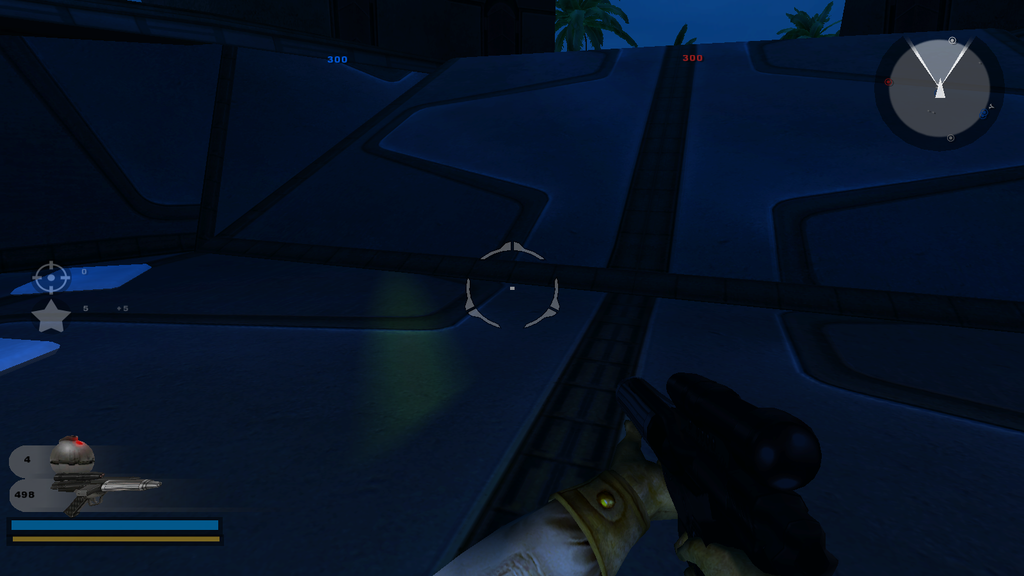
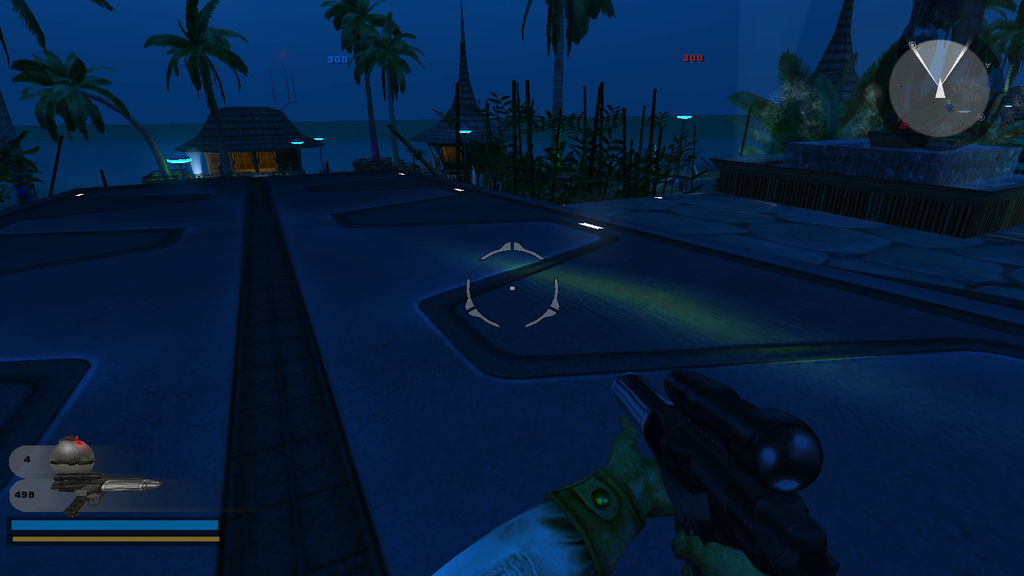
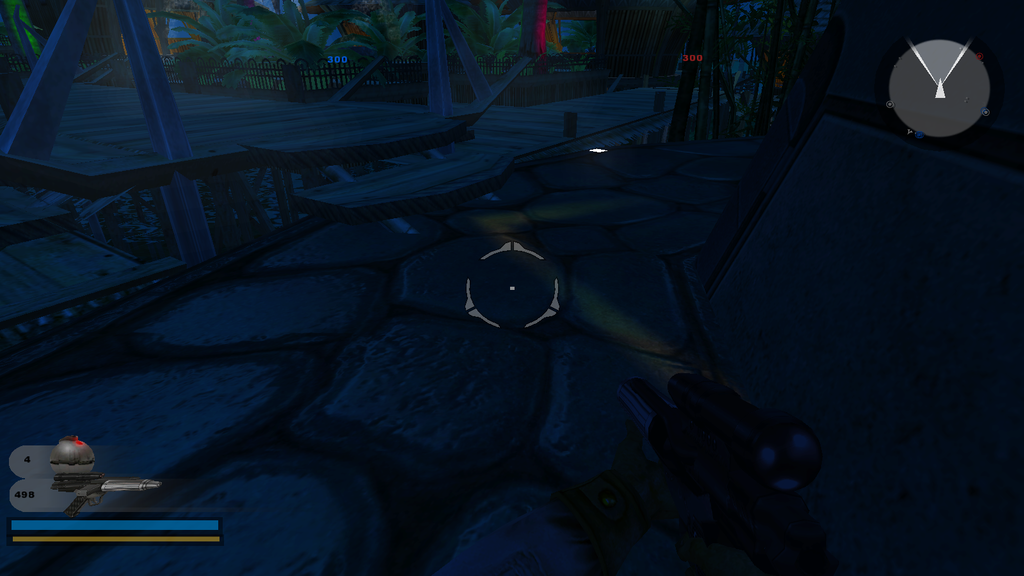
And just another issue that I think might be related, after I triangulated my models, these weird spots of cyan light (which is the color of the light of the surrounding light pillars) started to appear on models with bumpmap applied:
I've only seen them on polygons with bumpmap applied. Sometimes the specular effect on these surfaces also looks like that (stretched and weird). Is this problem related to the ZETools-NormalsProperty or is it related something else?
1. What is that ZETools-NormalsProperty used for?
2. I've noticed that some models have it and others don't. Why is that?
3. I have some other models with parts that seemingly aren't interacting with light correctly. Should I delete the ZETools-NormalsProperty thing for them too?
4. Can I delete it for everything as an effort to eliminate any sort of lighting aberration? How harmful would that be?
And just another issue that I think might be related, after I triangulated my models, these weird spots of cyan light (which is the color of the light of the surrounding light pillars) started to appear on models with bumpmap applied:
Hidden/Spoiler:
-
Marth8880
- Resistance Leader
- Posts: 5042
- Joined: Tue Feb 09, 2010 8:43 pm
- Projects :: DI2 + Psychosis
- xbox live or psn: Marth8880
- Location: Edinburgh, UK
- Contact:
Re: Lighting Problem After Triangulating Models
1. It stores any custom user normals the object has. More on user normals: http://softimage.wiki.softimage.com/xsi ... Meshes.htm & https://www.youtube.com/watch?v=nyHZ--qIDK8GAB wrote:1. What is that ZETools-NormalsProperty used for?
2. I've noticed that some models have it and others don't. Why is that?
3. I have some other models with parts that seemingly aren't interacting with light correctly. Should I delete the ZETools-NormalsProperty thing for them too?
4. Can I delete it for everything as an effort to eliminate any sort of lighting aberration? How harmful would that be?
2. I believe it only shows up if you modify an object's normals in any way.
3. Yeah, I mean I've personally found that to be a solution that's worked various times in the past.
4. Well seeing as how it stores an object's user normals, if that object's user normals have been specifically set by the artist for a purpose, deleting it renders that purpose gone and changes the way the model is shaded. With that said, deleting it doesn't inherently break anything, so the answer to the question is yes, but I would only do so for objects that have unwanted shading anomalies.
- ANDEWEGET
- Ancient Force

- Posts: 1266
- Joined: Tue Apr 01, 2008 8:42 am
- Location: Germany
- Contact:
Re: Lighting Problem After Triangulating Models
Every normal object in a .msh file imported with ZETools should have a normals cluster. Generally it should be safe to delete those though. You might lose some hard edges here and there (or get some unwanted ones in edge cases) but those should be easy to find and fix. It's not like SWBF used normal maps or similar (which depend on normals a lot to work correctly).
- AceMastermind
- Gametoast Staff

- Posts: 3285
- Joined: Mon Aug 21, 2006 6:23 am
- Contact:
Re: Lighting Problem After Triangulating Models
Stop triangulating your models.GAB wrote:... after I triangulated my models, these weird spots of cyan light started to appear on models with bumpmap applied:
I never ever triangulate anything unless its a curved surface that has shading problems in-game or an edge needs to be turned a specific way.
I have no idea. It could be one thing or a combination of things causing it. Remove the ZETools-NormalsProperty/bumpmapping/specular/lighting and see if the problem goes away and work them back in one at a time to pinpoint the source.GAB wrote:I've only seen them on polygons with bumpmap applied. Sometimes the specular effect on these surfaces also looks like that (stretched and weird). Is this problem related to the ZETools-NormalsProperty or is it related something else?
- GAB
- 1st Lieutenant

- Posts: 431
- Joined: Sun Jul 03, 2011 8:56 pm
- Location: Somewhere around the world
- Contact:
Re: Lighting Problem After Triangulating Models
All right, I've managed to eliminate the lighting spots by quadrangulating the problematic parts. Problems solved. Thanks a lot to everyone for all the help and information.