NVIDIA CARDS: Ambient Occlusion in SWBF2
Posted: Fri Mar 14, 2014 5:36 pm
SWBF2's graphics obviously haven't aged well ,but this neat little trick can give a slight visual boost in SWBF2.
You'll need a semi decent rig to get this to work without disrupting the gameplay (It'll cause a visible decrease in the fps in-game). Also you'll need to have a nvidia gpu with a Geforce driver installed for this to work.
First install nvidia inspector, you can get that here: http://www.guru3d.com/files_details/nvi ... nload.html
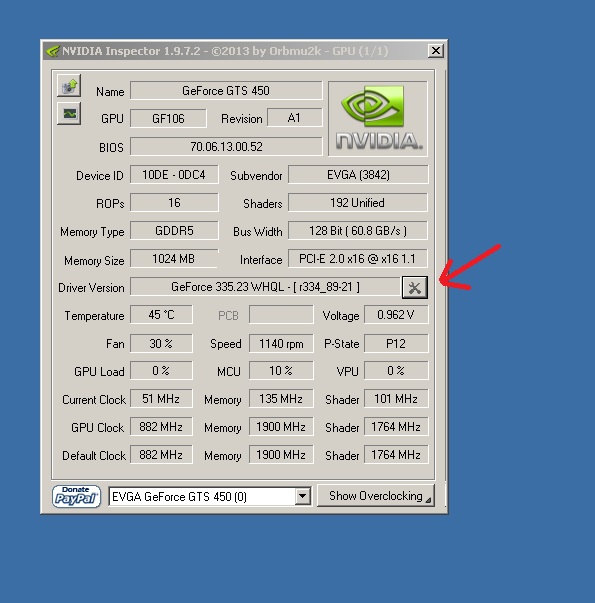
Fire it up after after extracting and click on the wrench and screwdriver icon:
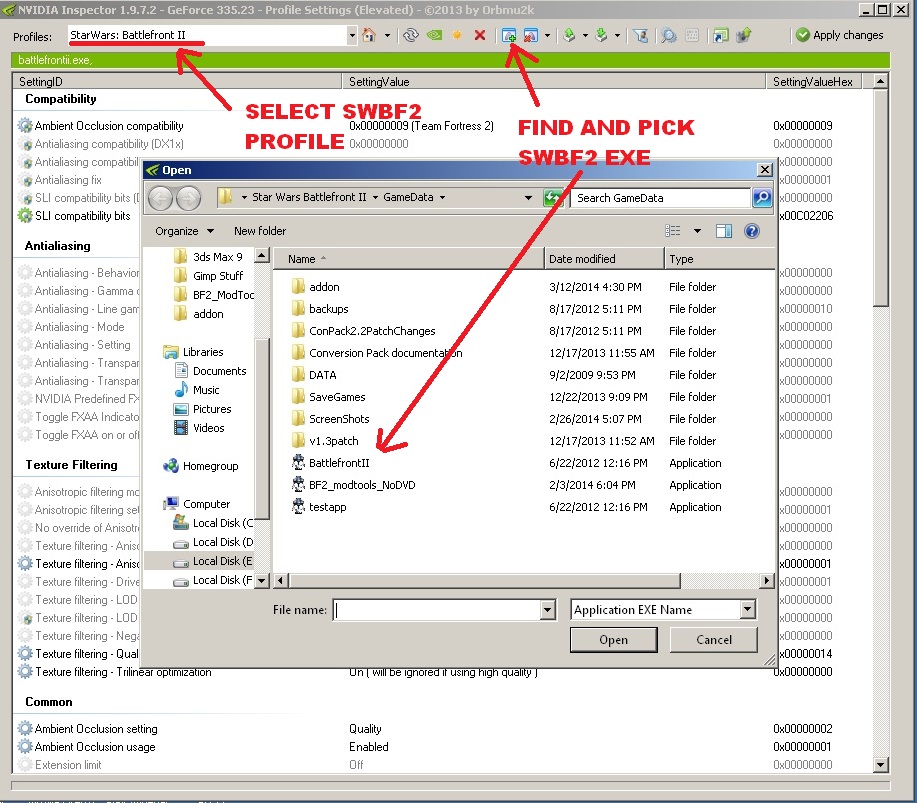
Now pick "StarWars:Battlefront II" from the listed profiles.
Once that's done, click the "Add application" icon in the center right, the one with the green plus sign. Head towards your SWBF2 directory and click on BattlefrontII.exe, and press "Open"
Now set up your profile as indicated by the red arrows:
Ambient Occlusion compatability: Team Fortress 2
Ambient Occlusion setting: High Quality (lower it to "Quality" or "Performance" if you are have performance issues)
Ambient Occlusion: Enabled
CLICK APPLY CHANGES AT THE TOP RIGHT
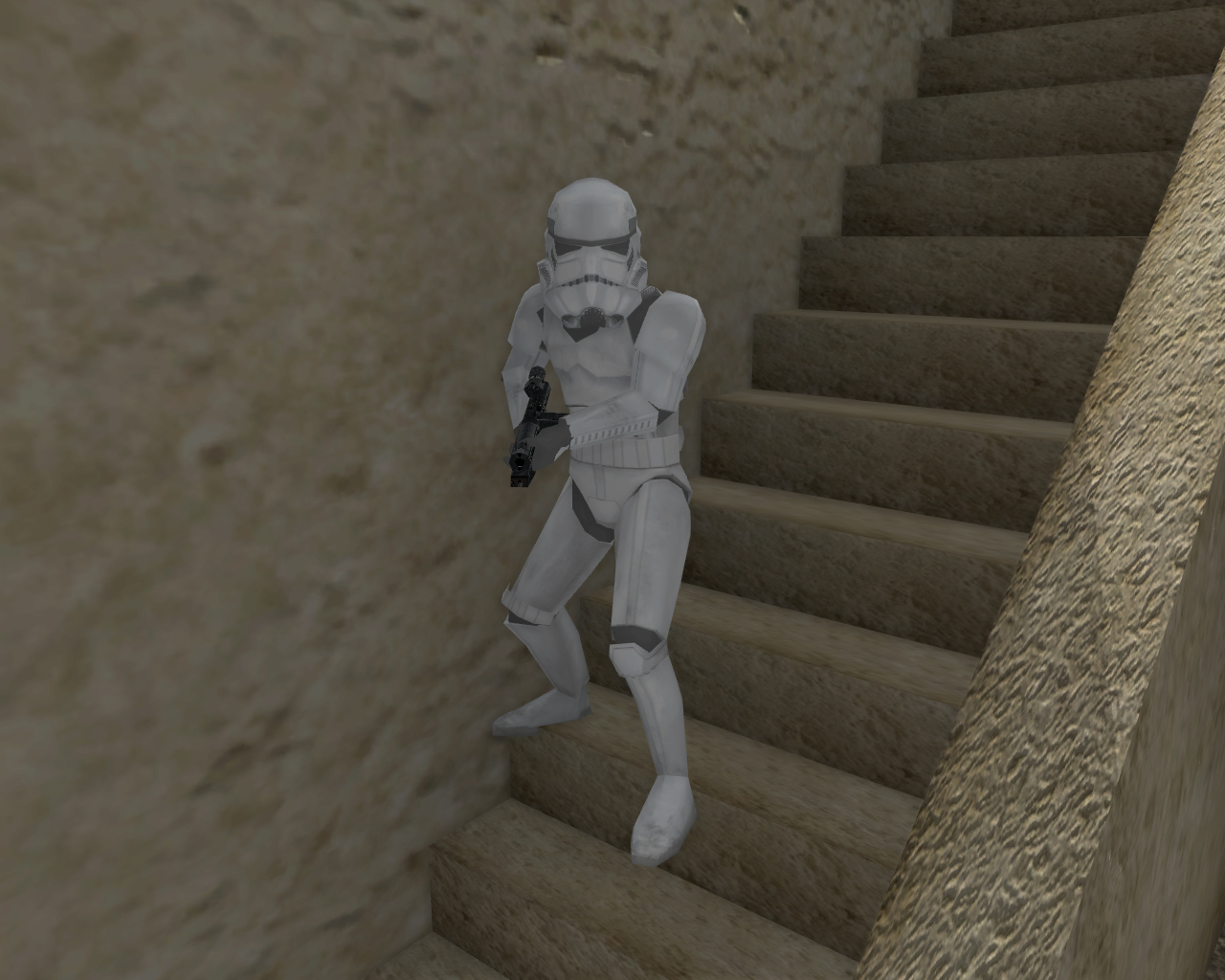
Now ambient occlusion has been injected to SWBF2! The difference might be subtle, but its still worth appreciating.
Top: AA on
Bottom: AA off
You'll need a semi decent rig to get this to work without disrupting the gameplay (It'll cause a visible decrease in the fps in-game). Also you'll need to have a nvidia gpu with a Geforce driver installed for this to work.
First install nvidia inspector, you can get that here: http://www.guru3d.com/files_details/nvi ... nload.html
Fire it up after after extracting and click on the wrench and screwdriver icon:
Hidden/Spoiler:
Hidden/Spoiler:
Now set up your profile as indicated by the red arrows:
Hidden/Spoiler:
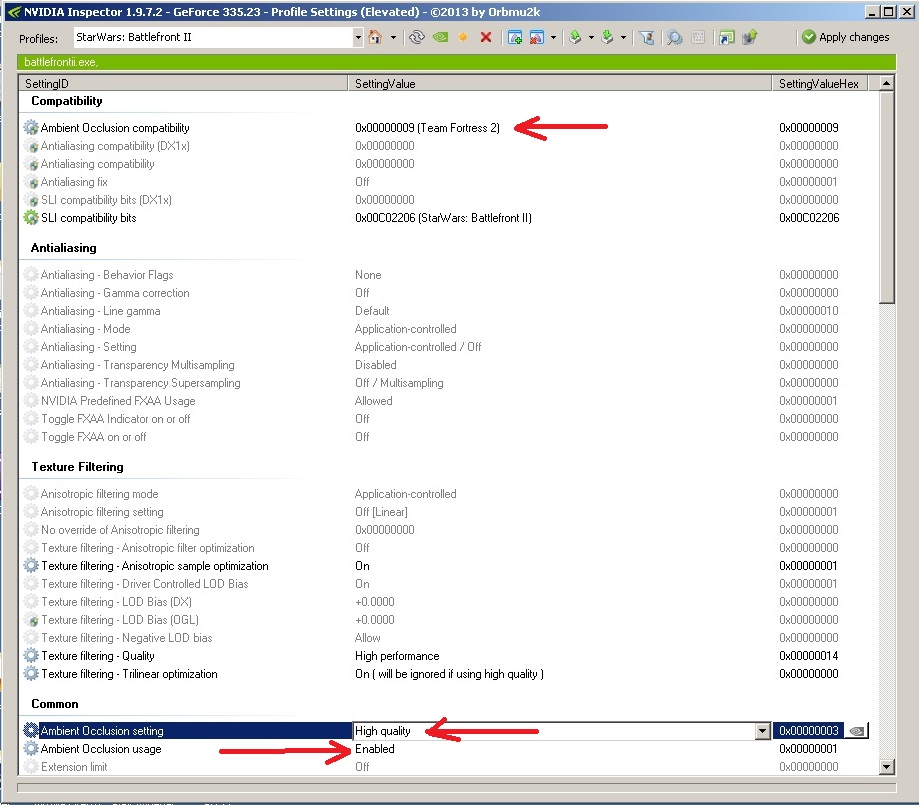
Ambient Occlusion setting: High Quality (lower it to "Quality" or "Performance" if you are have performance issues)
Ambient Occlusion: Enabled
CLICK APPLY CHANGES AT THE TOP RIGHT
Now ambient occlusion has been injected to SWBF2! The difference might be subtle, but its still worth appreciating.
Hidden/Spoiler:
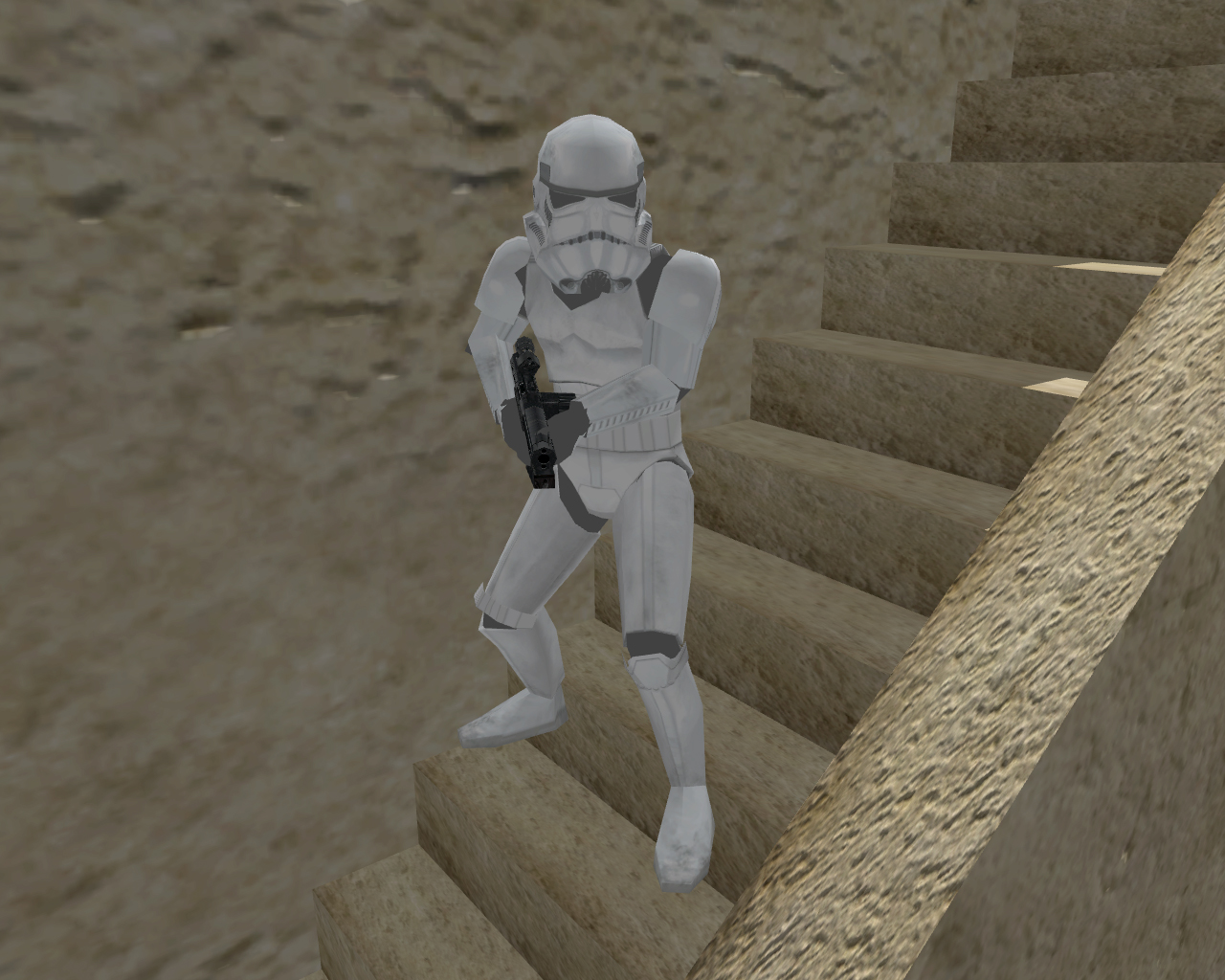
Bottom: AA off
