
Does the Zero engine have support for multiple UV sets in one object? For example, I have one UV set that has UV's that share space to have tiling textures, whilst I have another UV set that each UV has unique space and has a lightmap multiplying the diffuse texture.
If this is possible, how would I set up the UV's / material for this kind of thing?
PS: I would be using the Pandemic exporter for this, of course.
Question about UV sets.....
Moderator: Moderators
-
The Nasal Abyss

- 1st Lieutenant

- Posts: 428
- Joined: Sun Sep 14, 2008 12:55 pm
- Projects :: Currently Working on an Indie Game
- xbox live or psn: Stm: Tight Verbage
-
AceMastermind

- Gametoast Staff

- Posts: 3285
- Joined: Mon Aug 21, 2006 6:23 am
- Contact:
Re: Question about UV sets.....
Yes, a lot of stock objects in the assets have multiple UV sets.The Nasal Abyss wrote:Does the Zero engine have support for multiple UV sets in one object?
You would set it up using clusters.The Nasal Abyss wrote:...how would I set up the UV's / material for this kind of thing?
-
The Nasal Abyss
- 1st Lieutenant
- Posts: 428
- Joined: Sun Sep 14, 2008 12:55 pm
- Projects :: Currently Working on an Indie Game
- xbox live or psn: Stm: Tight Verbage
Re: Question about UV sets.....
I'm sorry, but I am literally clueless with XSI's material system. How would I make one UV set call for the diffuse texture(s), and then the other call for the lightmap and make it multiply the diffuse?
PS: I'm sure you know what I'm saying, but just to clarify, these UV sets are of the same polygons, on the same object (for example; polygon "x" has one UV assignment that takes up the whole space, utilizing a tiling texture. Polygon "x" also has another UV assignment that takes up a much smaller space in the UV, and has it's own unique space, utilizing a part of a lightmap). The textures/UV's will be overlaying/multiplying each other. So will there be any clipping/messing up of textures?
PS: I'm sure you know what I'm saying, but just to clarify, these UV sets are of the same polygons, on the same object (for example; polygon "x" has one UV assignment that takes up the whole space, utilizing a tiling texture. Polygon "x" also has another UV assignment that takes up a much smaller space in the UV, and has it's own unique space, utilizing a part of a lightmap). The textures/UV's will be overlaying/multiplying each other. So will there be any clipping/messing up of textures?
-
AceMastermind
- Gametoast Staff
- Posts: 3285
- Joined: Mon Aug 21, 2006 6:23 am
- Contact:
Re: Question about UV sets.....
You don't need multiple UV sets just to multiply the diffuse and a lightmap texture; this is what the Edit Flag shader system is meant for.The Nasal Abyss wrote:...How would I make one UV set call for the diffuse texture(s), and then the other call for the lightmap and make it multiply the diffuse?
You said you also wanted another UV assignment with its own unique space utilizing only a part of a lightmap, you would need another cluster for that.
There is too much information about this to explain from the beginning, just do the best you can and let us know what problems (if any) you run into and we'll work through it together.
-
The Nasal Abyss
- 1st Lieutenant
- Posts: 428
- Joined: Sun Sep 14, 2008 12:55 pm
- Projects :: Currently Working on an Indie Game
- xbox live or psn: Stm: Tight Verbage
Re: Question about UV sets.....
With all due respect, I don't think we are on the same page here. I'm looking for a solution to use your typical lightmap like the ones used in Unreal Engine games etc. etc. They utilize unique UV space and show light that is hitting the objects. Not to make an object glow (which is usually what the term is used for around here) They typically look something like this:
On the other hand, I want to utilize tiling textures for the floors and walls etc. etc. Much like the ones used in the stock assets.
I don't want to duplicate any objects or polygons (but I will if push comes to shove) so how would I utilize clusters and the Edit Flags to get the effect I am looking for? Is there an option that can do multiply the lightmap with the diffuse?
Hidden/Spoiler:
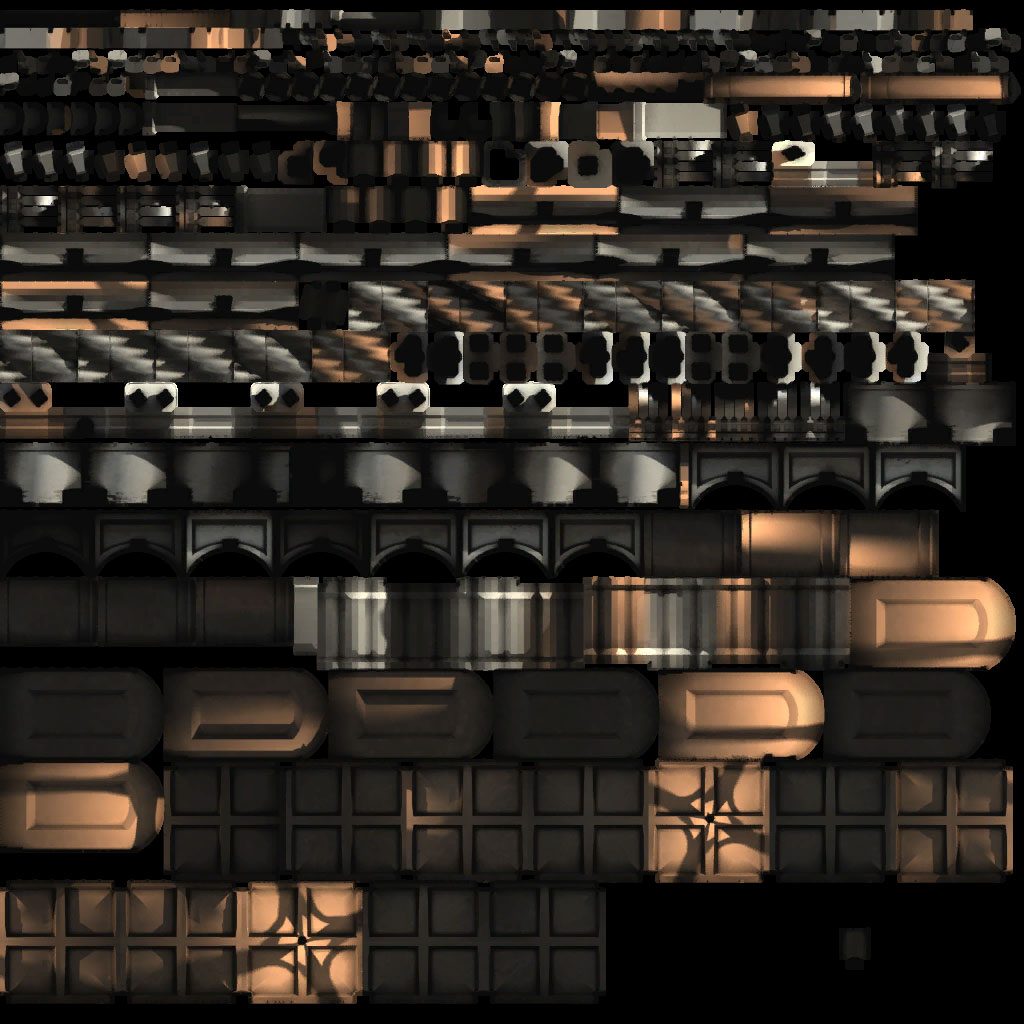
I don't want to duplicate any objects or polygons (but I will if push comes to shove) so how would I utilize clusters and the Edit Flags to get the effect I am looking for? Is there an option that can do multiply the lightmap with the diffuse?
-
AceMastermind
- Gametoast Staff
- Posts: 3285
- Joined: Mon Aug 21, 2006 6:23 am
- Contact:
Re: Question about UV sets.....
Apparently we aren't on the same page.
Are you trying to multiply images in XSI or ingame?
Have you made attempts to research any of the keywords I gave you so far? It is difficult to help with a problem when you have nothing to show for lack of experimentation. Edit Flags is about a lot more than just glow.
The image you are showing there can be achieved in XSI with the RenderMap tools, this is where you can bake the scene lighting, shaders etc to a texture using the UVs of the object, the resulting image can then be assigned to the object and will work in game engines.
Are you trying to multiply images in XSI or ingame?
Have you made attempts to research any of the keywords I gave you so far? It is difficult to help with a problem when you have nothing to show for lack of experimentation. Edit Flags is about a lot more than just glow.
The image you are showing there can be achieved in XSI with the RenderMap tools, this is where you can bake the scene lighting, shaders etc to a texture using the UVs of the object, the resulting image can then be assigned to the object and will work in game engines.
-
The Nasal Abyss
- 1st Lieutenant
- Posts: 428
- Joined: Sun Sep 14, 2008 12:55 pm
- Projects :: Currently Working on an Indie Game
- xbox live or psn: Stm: Tight Verbage
Re: Question about UV sets.....
Ingame. Hopefully using a render flag.AceMastermind wrote:Apparently we aren't on the same page.
Are you trying to multiply images in XSI or ingame?
Yes I have, but I can't get two materials to export if they are applied to the same polygons, no matter if they are in separate clusters and have different UV assignments.AceMastermind wrote: Have you made attempts to research any of the keywords I gave you so far? It is difficult to help with a problem when you have nothing to show for lack of experimentation. Edit Flags is about a lot more than just glow.
I know how to get the Render Map, but I'm just trying to get it to show up without duplicating geometry and the like. Is there any way to have this lightmap and tiling textures all on one object, on the same polygons?AceMastermind wrote: The image you are showing there can be achieved in XSI with the RenderMap tools, this is where you can bake the scene lighting, shaders etc to a texture using the UVs of the object, the resulting image can then be assigned to the object and will work in game engines.
-
AceMastermind
- Gametoast Staff
- Posts: 3285
- Joined: Mon Aug 21, 2006 6:23 am
- Contact:
Re: Question about UV sets.....
Can you please provide screenshots and explain in detail what you've done so far? You don't want 2 materials on the same polygons, this is what Edit Flags are for. Your tiling texture and your lightmap texture will both be tiled and multiplied ingame when using Edit Flags. If you want specific polygons mapped to a near identical-but-slightly-edited-and-not-tiled image then those polygons will need to be in another cluster and that cluster will be assigned to that other image.The Nasal Abyss wrote:... I can't get two materials to export if they are applied to the same polygons, no matter if they are in separate clusters and have different UV assignments.
-
The Nasal Abyss
- 1st Lieutenant
- Posts: 428
- Joined: Sun Sep 14, 2008 12:55 pm
- Projects :: Currently Working on an Indie Game
- xbox live or psn: Stm: Tight Verbage
Re: Question about UV sets.....
I just figured out that what I want to accomplish seems impossible in Zero Engine (I've done some tests that I were sure would work, but they didn't). I'll have to jump through some hoops to get it to do what I want. Essentially, I'm going to have to duplicate the geometry and give the lightmap additive transparency. This gives the effect that I want, but it doubles the tri count. Which isn't nearly as bad as I was planning before, which was baking all of the light into vertex colors on a heavily tessellated mesh.
Oh well, thanks for your help, Ace. It's great having people like you around.
I'll edit in the image maps and the like later on, to give you a better idea of what I want to accomplish!
Oh well, thanks for your help, Ace. It's great having people like you around.
I'll edit in the image maps and the like later on, to give you a better idea of what I want to accomplish!
-
DarthD.U.C.K.

- Master of the Force

- Posts: 6027
- Joined: Wed Sep 27, 2006 11:05 am
- Location: Duckburg, Germany
Re: Question about UV sets.....
i hope i understand the conversation/issue right: you want to have two different UVs, one for the normal texture and one for the lightmap and because thats not possible in swbf2 you duplicated the model and put on the copy the lightmap and apply it through additive transparency.
my suggestion is that you bake the tiled texture on the UVlayout of the lightmap. then you can either compose one texture out of both or use the lightmap as diffuse and apply the real texture with the pandemictool as detailtxture with one/no repetition.
my suggestion is that you bake the tiled texture on the UVlayout of the lightmap. then you can either compose one texture out of both or use the lightmap as diffuse and apply the real texture with the pandemictool as detailtxture with one/no repetition.
-
The Nasal Abyss
- 1st Lieutenant
- Posts: 428
- Joined: Sun Sep 14, 2008 12:55 pm
- Projects :: Currently Working on an Indie Game
- xbox live or psn: Stm: Tight Verbage
Re: Question about UV sets.....
Well, these are the effects that I have been able to achieve doing this. Things like global illumination and ambient occlusion are easily done.
(Note that the diffuse textures were hastily and sloppily tiled because I was getting tired of sitting at the computer)
Should I post a new thread detailing my discoveries?
EDIT: Also, the effect here isn't very strong. I could multiply it even more. I'm totally digging the effects I have been getting!
Hidden/Spoiler:
Should I post a new thread detailing my discoveries?
EDIT: Also, the effect here isn't very strong. I could multiply it even more. I'm totally digging the effects I have been getting!
-
Fiodis

- Master of the Force
- Posts: 4145
- Joined: Wed Nov 12, 2008 9:27 pm
- Projects :: Rannoch + Tientia + Tools Programming
Re: Question about UV sets.....
Didn't Rep do this in Battle Arena 2.0?The Nasal Abyss wrote:Should I post a new thread detailing my discoveries?
-
The Nasal Abyss
- 1st Lieutenant
- Posts: 428
- Joined: Sun Sep 14, 2008 12:55 pm
- Projects :: Currently Working on an Indie Game
- xbox live or psn: Stm: Tight Verbage
Re: Question about UV sets.....
Yes, but he never discovered how to get darkness/shadows to "function." Simply making a lightmap and then slapping it on top of your model with the correct transparency option will only lighten it, and darkness wasn't possible (shadows, ambient occlusion in corners etc. etc.). I overcame this by simply vertex lighting the mesh a (very) dark shade of grey. So Whenever the lightmap added, the lighter areas added to it (creating the appearance of light), and the darker areas stayed dark.Fiodis wrote:Didn't Rep do this in Battle Arena 2.0?The Nasal Abyss wrote:Should I post a new thread detailing my discoveries?
I decided not to make a thread because my next map incorporates this heavily and gives a stunning lighting solution in the Zero Engine. I'll probably detail the method in my WIP thread I'm going to post soon, and then a tutorial will come shortly after.