Page 1 of 2
Planning bots to use stairs and ramps
Posted: Sun Jun 18, 2006 12:55 pm
by Captain_Mazda
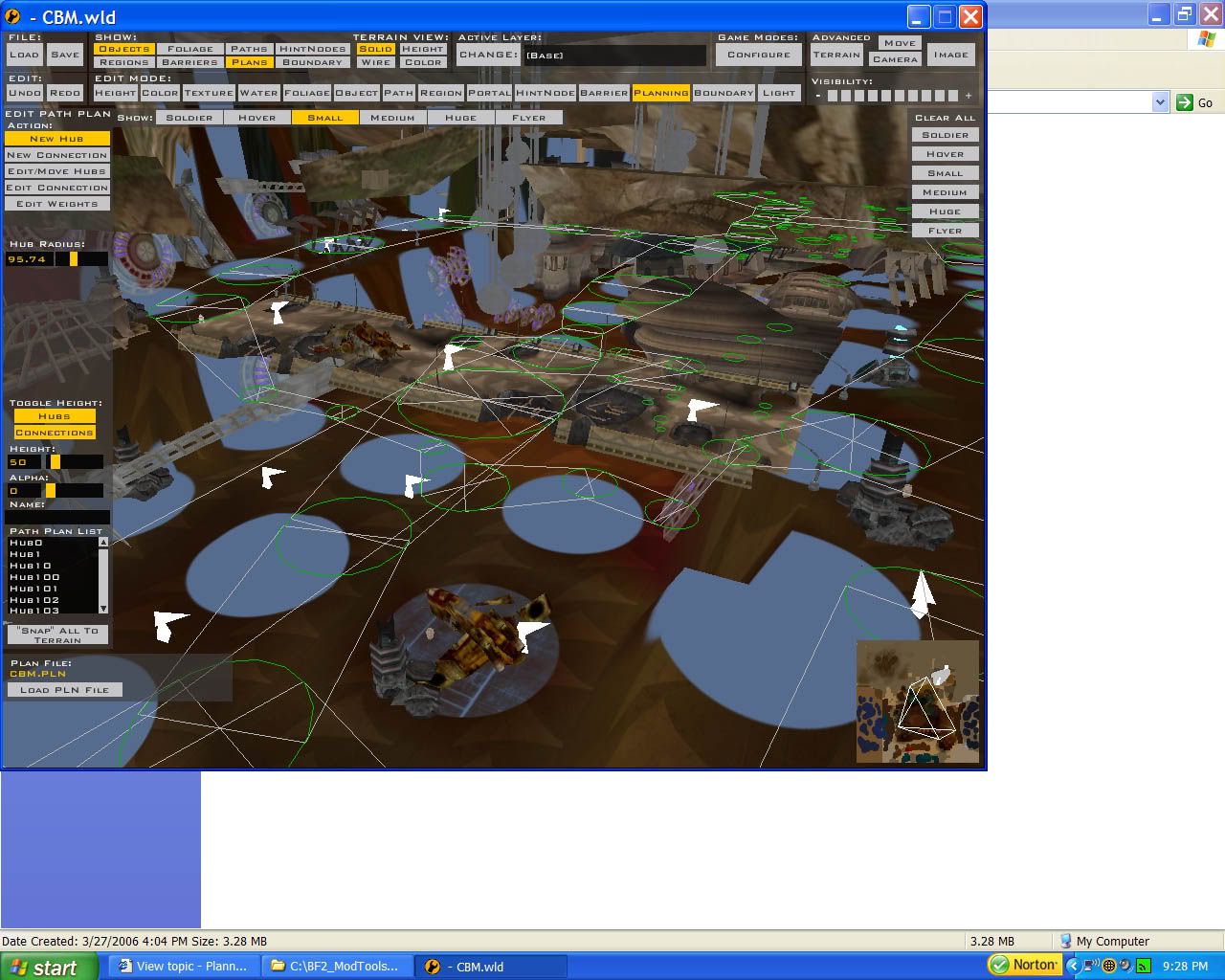
Hmm, now I studied Mos Eisley very much and looked at its planning connections. The connections at the ramp to the sail barge were no different than mine, except when you moved around in the map, the planning hubs looked to stay in the correct position under the ramps, but in my map you can move the screen just a bit and suddenly the hubs look completely displaced and in most cases as if they're not under the ramp at all (since they're see-through with objects).
Anyone able to help out? I did a great job with Anor City's planning but it's been over 2 months since my last mapping project

RE: Planning bots to use stairs and ramps
Posted: Sun Jun 18, 2006 2:11 pm
by Yocki
set the alpha to around 100 and then a white colum will apear, put these colom on the bottom of th rmp/stair.Maybe you will need to set the height to...
RE: Planning bots to use stairs and ramps
Posted: Sun Jun 18, 2006 2:53 pm
by Captain_Mazda
Will do, thank you.
RE: Planning bots to use stairs and ramps
Posted: Sun Jun 18, 2006 3:03 pm
by sawyerdk9
The thing that sucks with planning is that you can't raise the hubs. The only way I've heard of is to raise the terrain to certain points on the stairs and ramps then connect the hubs then change back the terrain. It seriously really helps
Posted: Sun Jun 18, 2006 3:07 pm
by Squirrel7Hunter
theres no reason to raise the terrain, as long as the hubs and connections are under the ramps , and u have barriers for the sides of th ramp, the ai will should go up with no problem.
Posted: Sun Jun 18, 2006 3:38 pm
by Captain_Mazda
Yep, working on barriers at the moment. Turning the alpha up really helped - got the white box bases lined up perfectly.
Posted: Sun Jun 18, 2006 7:10 pm
by sawyerdk9
Squirrel7Hunter wrote:theres no reason to raise the terrain, as long as the hubs and connections are under the ramps , and u have barriers for the sides of th ramp, the ai will should go up with no problem.
Yes, but if there is a need for multilevel planning....
Posted: Sun Jun 18, 2006 7:13 pm
by Squirrel7Hunter
it still doesnt matter, as long as the connections on the first and second floor dont connect to the same hubs except for the ramp, the ai will follow the paths you make.
Posted: Sun Jun 18, 2006 7:40 pm
by fat_walrus
If you look at my map that I'm working on now, There are really high bridges and terrain below it. I'd hate to have the AI not run under the bridge. So it really does matter.
sawyrdk, thanks for the tip, that REALLY helps now

Posted: Sun Jun 18, 2006 8:08 pm
by sawyerdk9
no problem
Posted: Sun Jun 18, 2006 9:32 pm
by Squirrel7Hunter
ok, in my map, I also have a bridge that goes over terrain, units going both ways, top to bottom, left to right, the connections can cross and the AI will follow, the only trouble i am having is with barriers, is there a certain height where they stop working?
Posted: Sun Jun 18, 2006 10:19 pm
by fat_walrus
no. Not in any way I know. I have always hoped there was, that would've made life so much easier. If someone knew how to stop that they'd be my hero.
Posted: Sun Jun 18, 2006 10:40 pm
by sawyerdk9
There is a setting for barriers. It's around where it says alpha. It probably dosn't work for ingame just for editing but it's worth a shot
Posted: Sun Jun 18, 2006 10:52 pm
by fat_walrus
I doubt it, ya you could try it, I probably won't get around to it though
Posted: Mon Jun 19, 2006 2:55 am
by Captain_Mazda
That's amazing - my ZE minimaps only show texture.
Posted: Mon Jun 19, 2006 4:43 am
by Talibanman
nice reskin of the mygeeto bridge

Posted: Mon Jun 19, 2006 7:01 am
by Squirrel7Hunter
thnks, the only problem with the bridge is theres no collision geometry on the btoom so u see right through it going under

and I dont know how to work xsi to make it complete
Posted: Mon Jun 19, 2006 7:06 am
by Talibanman
put another bridge under it, just flip it 180 o sidewards. that should work
Posted: Mon Jun 19, 2006 9:25 am
by Squirrel7Hunter
yea, i had thought of doing thast but then realized that the light posts connected to it would block the atte from going under it, unless it can pass through them?
Posted: Mon Jun 19, 2006 11:35 am
by Captain_Mazda
Only if it's large enough for the AT-TE's collision box. Then you can have a connection through the posts.