Page 1 of 1
Problems Deleting in XSI
Posted: Wed Dec 17, 2014 7:54 pm
by willinator
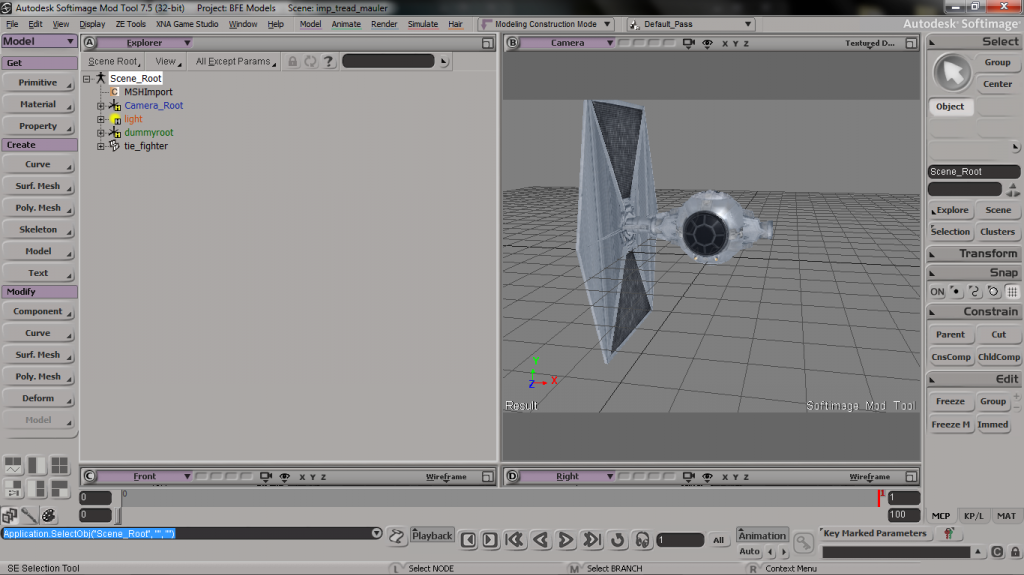
Hey GT, it's me again. I'm trying to modify the stock tie fighter model, but I keep running into a problem I can't solve. I'll start with the model shown below...
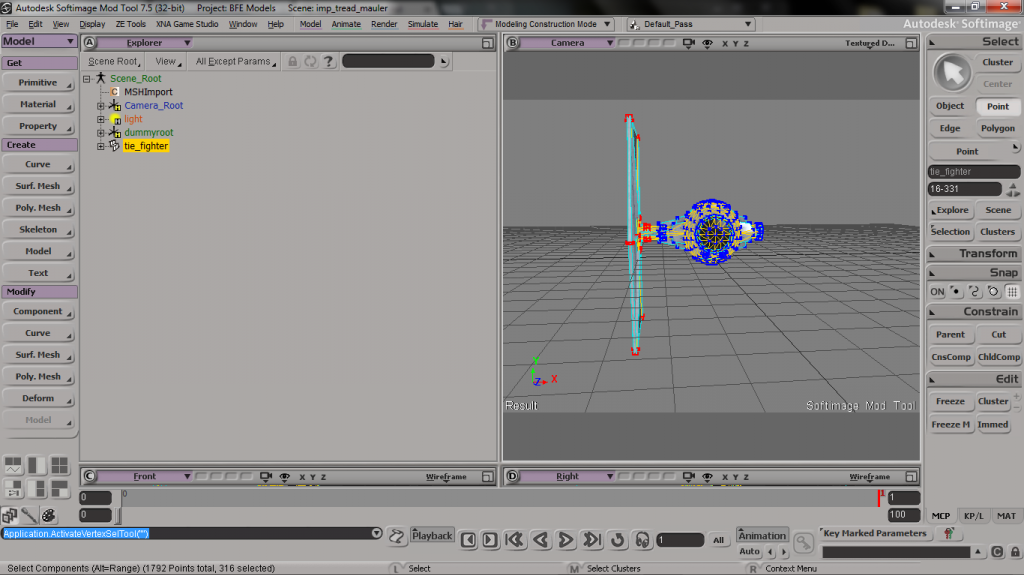
then, I try to delete the following vertices...
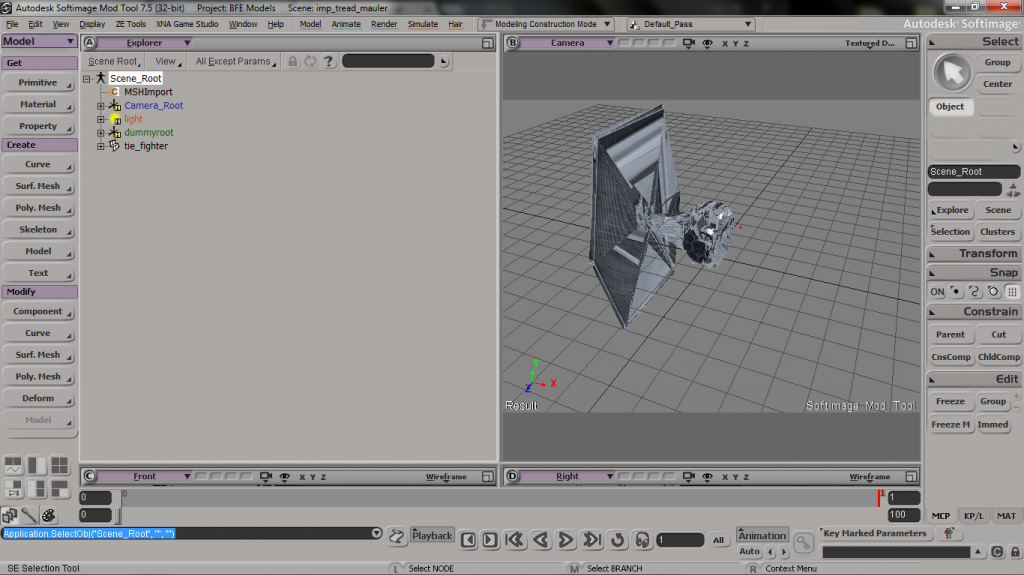
but instead of cleanly deleting, it messes up the uvs and geometry across the whole model, not just at where I selected.
I get the feeling it has something to do with the clusters, since the sections I already deleted were in different clusters, and didn't affect this. However, any help/knowledge is appreciated.
Re: Problems Deleting in XSI
Posted: Wed Dec 17, 2014 9:02 pm
by AceMastermind
You would generally delete polygons instead of points or edges when the model is already UVed.
Re: Problems Deleting in XSI
Posted: Wed Dec 17, 2014 9:30 pm
by willinator
I tried doing that, deleting by polygons does not work either. It almost seems like whenever I delete a part of the model, the points just rearrange and reattach at other points on the model.
EDIT:
Ok now this is weird. So I'll delete the parts, and looks all messed up in XSI. If I reopen the file without closing XSI, it looks the same. However, if I restart XSI and reopen the model, it looks fine and the changes I wanted have been applied. I mean, I guess I've solved the problem, but I wish I knew what was happening to cause the utter shenanigans in XSI.
Re: Problems Deleting in XSI
Posted: Wed Dec 17, 2014 10:17 pm
by AceMastermind
Do you have your graphical settings for Antialiasing set to Application-controlled?
Re: Problems Deleting in XSI
Posted: Wed Dec 17, 2014 10:23 pm
by willinator
If you're saying that this is due to a setting with the graphics card, that could very well be the case. I don't know how I would access it though, since xsi is running on my 6 year old laptop with onboard graphics.
Re: Problems Deleting in XSI
Posted: Thu Dec 18, 2014 4:44 pm
by AceMastermind
XSI is picky when it comes to graphics, if this happens with other objects too then your integrated graphics is likely the problem here.