How to create models in XSI and other 3D applications and make them work in Battlefront 1 & 2. Post models, tips for application usage and share anything XSI, 3DMax, SketchUp, etc.
Well the title says it all. It crashes when I try to open it up in ZE.
Here are some pictures. I think it is because of all the polymeshes but I don't know any way to fix this.
Rendered
Hidden/Spoiler:
Wireframe
Hidden/Spoiler:
Last edited by JimmyAngler on Wed Jan 08, 2014 10:05 pm, edited 1 time in total.
Double check every object in your scene to see if it falls within the guidelines set by the developer of ZETools. Use the process of elimination to find any possibly corrupt object/s in your scene (ex: remove collision mesh from hierarchy and export). Try merging objects and see if it helps.
I removed the collision and re-exported and opened it up in ZE.
It allowed me to put down the object after it took several minutes to load the model up.
I munged and the munger stops responding at the part where it tries to build the models collision.
The munge log is this:
Hidden/Spoiler:
ERROR[levelpack SKN_conquest.mrq]:Expecting bracket, but none was found.
File : munged\pc\underpass.model.req(1)...
ucft <--
ERROR[levelpack SKN_conquest.mrq]:Expecting bracket, but none was found.
File : munged\pc\underpass.model.req(1)...
ucft <--
[continuing]
2 Errors 0 Warnings
ERROR[levelpack SKN.req]:Expecting bracket, but none was found.
File : munged\pc\skn_conquest.lvl.req(1)...
ucft <--
ERROR[levelpack SKN.req]:Expecting bracket, but none was found.
File : munged\pc\skn_conquest.lvl.req(1)...
ucft <--
[continuing]
2 Errors 0 Warnings
And there are no command posts for me to spawn at anymore:
BF2 Log:
Hidden/Spoiler:
Opened logfile BFront2.log 2014-01-07 1818
shell_interface: Entered
shell_interface: gPlatformStr, gOnlineServiceStr, gLangStr, gLangEnum: PC GameSpy english 0
ifs_era_handler - Entered
ifs_era_handler - Exited
shell_interface: No custom_gc_0.lvl
shell_interface: No custom_gc_1.lvl
shell_interface: No custom_gc_2.lvl
shell_interface: No custom_gc_3.lvl
shell_interface: No custom_gc_4.lvl
shell_interface: No custom_gc_5.lvl
shell_interface: No custom_gc_6.lvl
shell_interface: No custom_gc_7.lvl
shell_interface: No custom_gc_8.lvl
shell_interface: No custom_gc_9.lvl
shell_interface: Found custom_gc_10.lvl
custom_gc_10: Entered
custom_gc_10: Found custom_gc_11.lvl
custom_gc_11: Entered
ifs_freeform_init_dt.lua
ifs_freeform_start_dt.lua
custom_gc_11: Taking control of custom_GetGCButtonList()...
custom_gc_11: Taking control of custom_PressedGCButton()...
custom_gc_11: Exited
custom_gc_10: No custom_gc_12.lvl. Will stop searching for any more cGC scripts.
custom_gc_10: Exited
custom_EraButtonList(): Finished building era button table Known eras buttons: 28
custom_GetGMapEras(): Finished building era table Known eras: 28
custom_GetGMapModes(): Finished building game mode table Known Modes: 39
custom_GetMPGameModeList(): Finished building game mode list table List Length: 40
custom_SetMovieLocation()
custom_gc_11: custom_GetGCButtonList(): Entered
custom_GetGCButtonList()
custom_gc_11: custom_GetGCButtonList(): Exited
custom_SetMovieLocation()
custom_GetFreeformBattleModeList(): Finished building freeform battle mode list Known Modes: 39
ingame stream movies\crawl.mvs
shell_interface: Opening movie: movies\shell.mvs
shell_interface: Leaving
Mission Checker: Entered addme
Mission Checker: addme: Now listening in on AddDownloadableContent() calls
Mission Checker: Exited addme
Found ..\..\addon\BDT\data\_LVL_PC\SIDE\lead.lvl. Adding ETR's extra Dark Times missions
Cannot find ..\..\addon\BF1\data\_LVL_PC\SIDE\sen.lvl. Skipping ETR's extra Dark Times + Conversion Pack missions
ME5_ConfigCheck: Checking configuration parameters...
ME5_ConfigCheck: Custom GUI is ENABLED
ME5_ConfigCheck: Mass Effect: Unification is ENABLED
ME5_ConfigCheck: Checking configuration parameters... Done!
prev = none iLastPage = nil
prev = texture iLastPage = 1
prev = texture iLastPage = 2
prev = texture iLastPage = 3
ifs_legal.Exit
Message Severity: 2
C:\Battlefront2\main\Battlefront2\Source\GameMovie.cpp(399)
Unable to find open movie segment shell_main
ifs_saveop_DoOps LoadFileList
ifs_saveop_DoOps LoadFileList
ifs_saveop_DoOps LoadProfile
ifs_saveop_DoOps LoadProfile
ifs_sp_campaign: Input_Accept(): Entered: _tab_instant
missionlist_ExpandMapList()
ifs_missionselect_pcMulti_fnSetMapPreview(): Defaulting index to 1
Checkbox for check_era3 clicked
this.CurButton = check_era3
cur_button = nil
this.CurButton = check_mode1
cur_button = nil
custom_AddMapNew()
custom_printTable(): table: 0561A2C0
The key, value is: era_c 1
The key, value is: mode_con_c 1
The key, value is: isModLevel 1
The key, value is: bSelected 1
The key is mapluafile, the formated value is: SKN<A>_<B>
custom_printTable(): Returning
custom_printTable(): table: 05207B4C
The key, value is: key mode_con
The key, value is: subst con
The key, value is: showstr modename.name.con
The key, value is: descstr modename.description.con
The key, value is: icon mode_icon_con
custom_printTable(): Returning
gMapEras.key = era_c Era = era_c subst = c
Adding map: SKNc_con idx: 1
this.CurButton = _map_add
cur_button = nil
this.CurButton = Launch
cur_button = nil
Message Severity: 2
C:\Battlefront2\main\Battlefront2\Source\HUDItem.cpp(772)
HUD Element unable to find event player1.weapon1.mesh
Message Severity: 2
C:\Battlefront2\main\Battlefront2\Source\HUDItem.cpp(772)
HUD Element unable to find event player1.weapon2.mesh
Message Severity: 2
C:\Battlefront2\main\Battlefront2\Source\HUDItem.cpp(772)
HUD Element unable to find event player1.weapon1.mesh
Message Severity: 2
C:\Battlefront2\main\Battlefront2\Source\HUDItem.cpp(772)
HUD Element unable to find event player1.weapon1.mesh
Message Severity: 2
C:\Battlefront2\main\Battlefront2\Source\HUDItem.cpp(772)
HUD Element unable to find event player1.weapon2.mesh
Message Severity: 2
C:\Battlefront2\main\Battlefront2\Source\HUDItem.cpp(772)
HUD Element unable to find event player1.weapon2.mesh
Message Severity: 2
C:\Battlefront2\main\Battlefront2\Source\HUDElementBitmap.cpp(380)
HUD BitmapElement unable to find texture btn_directional_pad_LR
game_interface: Entered
utility_functions2: Listening on AddUnitClass() calls
utility_functions2: Listening on SetHeroClass() calls
utility_functions2: Listening on ReadDataFile() calls
game_interface: Reading in custom strings
game_interface: No user_script_0.lvl
game_interface: No user_script_1.lvl
game_interface: No user_script_2.lvl
game_interface: No user_script_3.lvl
game_interface: No user_script_4.lvl
game_interface: No user_script_5.lvl
game_interface: No user_script_6.lvl
game_interface: No user_script_7.lvl
game_interface: No user_script_8.lvl
game_interface: No user_script_9.lvl
game_interface: Found user_script_10.lvl
user_script_10: Entered
user_script_10: Replacing v1.3 (r117)'s AddUnitClass as it should've had a return value. This fixes the Leia bug.
user_script_10: No user_script_11.lvl. Will stop searching for any more user scripts.
user_script_10: Exited
ifs_sideselect_fnBuildScreen()
game_interface: Exited
Message Severity: 2
C:\Battlefront2\main\RedEngineFL\Memory\RedMemoryPool.cpp(317)
Memory pool "ClothData" set item count after being allocated
Message Severity: 3
C:\Battlefront2\main\Battlefront2\Source\Aimer.cpp(684)
Aimer "any_fly_rocket_sc BODY WEAPON1" mount node "hp_fire_01" not found
Message Severity: 3
C:\Battlefront2\main\Battlefront2\Source\Aimer.cpp(684)
Aimer "(null)" mount node "hp_fire_02" not found
Message Severity: 3
C:\Battlefront2\main\Battlefront2\Source\Aimer.cpp(684)
Aimer "any_fly_rocket_sc BODY WEAPON2" mount node "hp_fire_01" not found
Message Severity: 3
C:\Battlefront2\main\Battlefront2\Source\Aimer.cpp(684)
Aimer "(null)" mount node "hp_fire_02" not found
Message Severity: 2
C:\Battlefront2\main\Battlefront2\Source\FLEffect.cpp(214)
FLEffect::Read: duplicate effect class name (1cfe2346)!
Message Severity: 3
C:\Battlefront2\main\Battlefront2\Source\Weapon.cpp(2076)
Weapon "rep_weap_inf_dc15e_launcher" missing high res geometry "rewp_weap_dc15marine"
Message Severity: 2
C:\Battlefront2\main\Battlefront2\Source\FLEffect.cpp(214)
FLEffect::Read: duplicate effect class name (b643b4f4)!
Message Severity: 2
C:\Battlefront2\main\Battlefront2\Source\FLEffect.cpp(214)
FLEffect::Read: duplicate effect class name (8907f3cb)!
Message Severity: 2
C:\Battlefront2\main\Battlefront2\Source\GameModel.cpp(221)
Model "com_inv_mesh" already loaded in ather level file
Message Severity: 2
C:\Battlefront2\main\Battlefront2\Source\CollisionBody.cpp(250)
Duplicate collisionbodyprimitive exists in another level file: e4e0b19e
Message Severity: 3
C:\Battlefront2\main\Battlefront2\Source\HUDManager.cpp(619)
HUD unable to find HUD element type 0x16ce484a
Message Severity: 2
C:\Battlefront2\main\Battlefront2\Source\FLEffect.cpp(214)
FLEffect::Read: duplicate effect class name (d6c288e8)!
Message Severity: 2
C:\Battlefront2\main\Battlefront2\Source\FLEffect.cpp(214)
FLEffect::Read: duplicate effect class name (6616778a)!
Message Severity: 2
C:\Battlefront2\main\Battlefront2\Source\FLEffect.cpp(214)
FLEffect::Read: duplicate effect class name (ef255e37)!
Message Severity: 2
C:\Battlefront2\main\Battlefront2\Source\FLEffect.cpp(214)
FLEffect::Read: duplicate effect class name (c3a9860f)!
Message Severity: 2
C:\Battlefront2\main\RedEngineFL\Memory\RedMemoryPool.cpp(170)
Memory pool "ParticleTransformer::SizeTransf" is full; raise count to at least 1027
Message Severity: 2
C:\Battlefront2\main\RedEngineFL\Memory\RedMemoryPool.cpp(170)
Memory pool "ParticleTransformer::SizeTransf" is full; raise count to at least 1030
Message Severity: 2
C:\Battlefront2\main\RedEngineFL\Memory\RedMemoryPool.cpp(170)
Memory pool "ParticleTransformer::SizeTransf" is full; raise count to at least 1033
Message Severity: 2
C:\Battlefront2\main\RedEngineFL\Memory\RedMemoryPool.cpp(170)
Memory pool "ParticleTransformer::SizeTransf" is full; raise count to at least 1036
Message Severity: 2
C:\Battlefront2\main\RedEngineFL\Memory\RedMemoryPool.cpp(170)
Memory pool "ParticleTransformer::SizeTransf" is full; raise count to at least 1039
Message Severity: 2
C:\Battlefront2\main\RedEngineFL\Memory\RedMemoryPool.cpp(170)
Memory pool "ParticleTransformer::SizeTransf" is full; raise count to at least 1042
Message Severity: 2
C:\Battlefront2\main\RedEngineFL\Memory\RedMemoryPool.cpp(170)
Memory pool "ParticleTransformer::SizeTransf" is full; raise count to at least 1045
Message Severity: 2
C:\Battlefront2\main\RedEngineFL\Memory\RedMemoryPool.cpp(170)
Memory pool "ParticleTransformer::SizeTransf" is full; raise count to at least 1048
Message Severity: 2
C:\Battlefront2\main\RedEngineFL\Memory\RedMemoryPool.cpp(170)
Memory pool "ParticleTransformer::ColorTrans" is full; raise count to at least 1538
Message Severity: 2
C:\Battlefront2\main\RedEngineFL\Memory\RedMemoryPool.cpp(170)
Memory pool "ParticleTransformer::SizeTransf" is full; raise count to at least 1051
Message Severity: 2
C:\Battlefront2\main\RedEngineFL\Memory\RedMemoryPool.cpp(170)
Memory pool "ParticleTransformer::ColorTrans" is full; raise count to at least 1540
Message Severity: 2
C:\Battlefront2\main\RedEngineFL\Memory\RedMemoryPool.cpp(170)
Memory pool "ParticleTransformer::ColorTrans" is full; raise count to at least 1542
Message Severity: 2
C:\Battlefront2\main\RedEngineFL\Memory\RedMemoryPool.cpp(170)
Memory pool "ParticleTransformer::ColorTrans" is full; raise count to at least 1544
Message Severity: 2
C:\Battlefront2\main\Battlefront2\Source\FLEffect.cpp(214)
FLEffect::Read: duplicate effect class name (5f518933)!
Message Severity: 2
C:\Battlefront2\main\Battlefront2\Source\FLEffect.cpp(214)
FLEffect::Read: duplicate effect class name (3f2ed166)!
Message Severity: 2
C:\Battlefront2\main\RedEngineFL\Memory\RedMemoryPool.cpp(170)
Memory pool "ParticleTransformer::SizeTransf" is full; raise count to at least 1054
Message Severity: 2
C:\Battlefront2\main\RedEngineFL\Memory\RedMemoryPool.cpp(170)
Memory pool "ParticleTransformer::ColorTrans" is full; raise count to at least 1546
Message Severity: 2
C:\Battlefront2\main\RedEngineFL\Memory\RedMemoryPool.cpp(170)
Memory pool "ParticleTransformer::ColorTrans" is full; raise count to at least 1548
Message Severity: 2
C:\Battlefront2\main\RedEngineFL\Memory\RedMemoryPool.cpp(170)
Memory pool "ParticleTransformer::ColorTrans" is full; raise count to at least 1550
Message Severity: 2
C:\Battlefront2\main\RedEngineFL\Memory\RedMemoryPool.cpp(170)
Memory pool "ParticleTransformer::SizeTransf" is full; raise count to at least 1057
Message Severity: 2
C:\Battlefront2\main\RedEngineFL\Memory\RedMemoryPool.cpp(170)
Memory pool "ParticleTransformer::ColorTrans" is full; raise count to at least 1552
Message Severity: 2
C:\Battlefront2\main\RedEngineFL\Memory\RedMemoryPool.cpp(170)
Memory pool "ParticleTransformer::ColorTrans" is full; raise count to at least 1554
Message Severity: 2
C:\Battlefront2\main\RedEngineFL\Memory\RedMemoryPool.cpp(170)
Memory pool "ParticleTransformer::SizeTransf" is full; raise count to at least 1060
Message Severity: 2
C:\Battlefront2\main\RedEngineFL\Memory\RedMemoryPool.cpp(170)
Memory pool "ParticleTransformer::ColorTrans" is full; raise count to at least 1556
Message Severity: 2
C:\Battlefront2\main\RedEngineFL\Memory\RedMemoryPool.cpp(170)
Memory pool "ParticleTransformer::ColorTrans" is full; raise count to at least 1558
Message Severity: 2
C:\Battlefront2\main\Battlefront2\Source\FLEffect.cpp(214)
FLEffect::Read: duplicate effect class name (5f518933)!
Message Severity: 2
C:\Battlefront2\main\RedEngineFL\Memory\RedMemoryPool.cpp(170)
Memory pool "ParticleTransformer::ColorTrans" is full; raise count to at least 1560
Message Severity: 2
C:\Battlefront2\main\Battlefront2\Source\FLEffect.cpp(214)
FLEffect::Read: duplicate effect class name (3f2ed166)!
Message Severity: 2
C:\Battlefront2\main\RedEngineFL\Memory\RedMemoryPool.cpp(170)
Memory pool "ParticleTransformer::SizeTransf" is full; raise count to at least 1063
Message Severity: 2
C:\Battlefront2\main\RedEngineFL\Memory\RedMemoryPool.cpp(170)
Memory pool "ParticleTransformer::ColorTrans" is full; raise count to at least 1562
Message Severity: 2
C:\Battlefront2\main\RedEngineFL\Memory\RedMemoryPool.cpp(170)
Memory pool "ParticleTransformer::ColorTrans" is full; raise count to at least 1564
Message Severity: 2
C:\Battlefront2\main\RedEngineFL\Memory\RedMemoryPool.cpp(170)
Memory pool "ParticleTransformer::ColorTrans" is full; raise count to at least 1566
Message Severity: 2
C:\Battlefront2\main\RedEngineFL\Memory\RedMemoryPool.cpp(170)
Memory pool "ParticleTransformer::SizeTransf" is full; raise count to at least 1066
Message Severity: 2
C:\Battlefront2\main\RedEngineFL\Memory\RedMemoryPool.cpp(170)
Memory pool "ParticleTransformer::ColorTrans" is full; raise count to at least 1568
Message Severity: 2
C:\Battlefront2\main\RedEngineFL\Memory\RedMemoryPool.cpp(170)
Memory pool "ParticleTransformer::SizeTransf" is full; raise count to at least 1069
Message Severity: 2
C:\Battlefront2\main\RedEngineFL\Memory\RedMemoryPool.cpp(170)
Memory pool "ParticleTransformer::ColorTrans" is full; raise count to at least 1570
Message Severity: 2
C:\Battlefront2\main\RedEngineFL\Memory\RedMemoryPool.cpp(170)
Memory pool "ParticleTransformer::ColorTrans" is full; raise count to at least 1572
Message Severity: 2
C:\Battlefront2\main\RedEngineFL\Memory\RedMemoryPool.cpp(170)
Memory pool "ParticleTransformer::ColorTrans" is full; raise count to at least 1574
Message Severity: 2
C:\Battlefront2\main\Battlefront2\Source\FLEffect.cpp(214)
FLEffect::Read: duplicate effect class name (5f518933)!
Message Severity: 2
C:\Battlefront2\main\RedEngineFL\Memory\RedMemoryPool.cpp(170)
Memory pool "ParticleTransformer::ColorTrans" is full; raise count to at least 1576
Message Severity: 2
C:\Battlefront2\main\RedEngineFL\Memory\RedMemoryPool.cpp(170)
Memory pool "ParticleTransformer::SizeTransf" is full; raise count to at least 1072
Message Severity: 2
C:\Battlefront2\main\RedEngineFL\Memory\RedMemoryPool.cpp(170)
Memory pool "ParticleTransformer::ColorTrans" is full; raise count to at least 1578
Message Severity: 2
C:\Battlefront2\main\RedEngineFL\Memory\RedMemoryPool.cpp(170)
Memory pool "ParticleTransformer::ColorTrans" is full; raise count to at least 1580
Message Severity: 2
C:\Battlefront2\main\RedEngineFL\Memory\RedMemoryPool.cpp(170)
Memory pool "ParticleTransformer::ColorTrans" is full; raise count to at least 1582
Message Severity: 2
C:\Battlefront2\main\RedEngineFL\Memory\RedMemoryPool.cpp(170)
Memory pool "ParticleTransformer::SizeTransf" is full; raise count to at least 1075
Message Severity: 2
C:\Battlefront2\main\RedEngineFL\Memory\RedMemoryPool.cpp(170)
Memory pool "ParticleTransformer::ColorTrans" is full; raise count to at least 1584
Message Severity: 2
C:\Battlefront2\main\RedEngineFL\Memory\RedMemoryPool.cpp(170)
Memory pool "ParticleTransformer::ColorTrans" is full; raise count to at least 1586
Message Severity: 2
C:\Battlefront2\main\RedEngineFL\Memory\RedMemoryPool.cpp(170)
Memory pool "ParticleTransformer::SizeTransf" is full; raise count to at least 1078
Message Severity: 2
C:\Battlefront2\main\RedEngineFL\Memory\RedMemoryPool.cpp(170)
Memory pool "ParticleTransformer::ColorTrans" is full; raise count to at least 1588
Message Severity: 2
C:\Battlefront2\main\Battlefront2\Source\FLEffect.cpp(214)
FLEffect::Read: duplicate effect class name (5f518933)!
Message Severity: 3
C:\Battlefront2\main\Battlefront2\Source\LoadUtil.cpp(1010)
Data in C:\Program Files (x86)\LucasArts\Star Wars Battlefront II\GameData\AddOn\SKN\Data\_lvl_pc\SKN\SKN.lvl is not a binary UCF file.
Message Severity: 3
C:\Battlefront2\main\Battlefront2\Source\LoadUtil.cpp(829)
Unable to find level chunk SKN_conquest in C:\Program Files (x86)\LucasArts\Star Wars Battlefront II\GameData\AddOn\SKN\Data\_lvl_pc\SKN\SKN.lvl
Message Severity: 3
C:\Battlefront2\main\Battlefront2\Source\LoadUtil.cpp(1019)
Unable to find level chunk in dc:SKN\SKN.lvl
Message Severity: 2
C:\Battlefront2\main\Battlefront2\Source\LuaCallbacks_Mission.cpp(3776)
Command Post "cp1" not found
Message Severity: 3
C:\Battlefront2\main\Battlefront2\Source\LuaHelper.cpp(312)
CallProc failed: (none):0: attempt to perform arithmetic on a nil value
stack traceback:
(none): in function `AddCommandPost'
(none): in function `ScriptPostLoad'
ifs_sideselect_fnEnter(): Map does not support custom era teams
ifs_sideselect_fnEnter(): The award settings file does not exist
Edit: Process of elimination did it.
It was the sv_underpass. I don't know why it made the munger stop working.
Edit2: Well it is working in-game but I can't add anything else in ZE but it because it takes up all the space. The shadowvolume HAS to be in the game and so does a bunch of other stuff.
Needless to say it still is technically crashing ZE. It takes 13 minutes for it to load into it(ZE).
Your model looks fairly simple, if it takes 13 minutes to load that in ZE then something is definitely wrong there. I don't know what your modeling workflow is like but I would just remodel it with fewer parts and see if it works better for you.
Several pieces of your model look identical (legs), you could just create one full leg section then UV it, duplicate and translate.
so what you're saying is to remodel the whole thing from a cube and just duplicate, sub-divide, and move points so it is all one msh?
And any help on UV-ing would help. The only way I know how to texture is by Render/Texture/Image/new from file/ my.tga/planar (xy)(yz)(xz)
I quote from the tutorial I used to learn, by rhoffman:
"Now, under the Texture Projection section click the new button, and then click cubic. ( for this demonstration cubic should work best, planarxy would also work. Some choices are self explanatory. Others are not. If you have a very complex item then you would select UniqueUV’s ( polymesh ).
Now if you didn’t merge the objects then the texture would be applied to each box independently.
. From the left tool pane under the Get section is material, select it then select Phong. A properties box will now show up. Under the diffuse section you will see a little plug icon to the right of color. Click it, then image. The properties window will change. Under the image section click the new button, then from file. Browse to your selected file"
You may also want to consider checking if the model crashes in-game as well. Do this by changing the ZE geometry to something harmless, but leaving the in-game geometry as your desired model.
Use the check button on the exporter and make sure you have the newest version installed
If theres something displayed in the Check button (i think its called Check sel (check selection)) so select your model check it and post what the exporter shows you
What I have done that I think might be the problem is cube modeling. I took a cube and added sides and walls and leg things all from one cube. Do I have to keep every polygon four/five sided?
Yikes, all those errors will definitely crash ZE/the game. Let fix them!
First, a note. Your polygon's faces should never be more than 4 sided. Some of yours are 6 or 8 and as much as 16 sided.
Onto the fixing, select your model, and on the left hand side in XSI go to modify > Poly. Mesh > triangulate. Your model will now have triangles throughout the entire thing, removing the 68 polygons with bad faces. It may look odd, but it shouldn't affect your UV's too much.
Now, you should always freeze your model before export. To do this, select your model, go to the top of XSI, select edit > Operator > Freeze operator stack. That will remove the texture support error. On that note, make sure you freeze transforms and have all your objects a child of a null before export. If you need a complete guide to exporting with ZETools, I can write one.



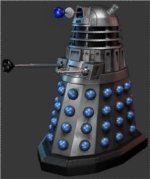


 Well here it is.


