
I have been searching around but didn't find anything related to this.
I would like to know how to change the size of the terrain grid. I first saw the difference when I used terrains from both templates: Space and for default maps. If you open ZeroEditor and enable Grid View in top of your screen you should see a green grid. You also should see the huge difference between space and ground terrains. The grid size of space maps is much bigger. I don't know if this would affect the terrain size (e.g. 512x512, 256x256...) or just reduces the amount of squares you have for each edge (of the terrain at all).
Anyways I would like to know how to configure the size. Would I need to hex edit the .ter file or is there any way to do this through zero editor?
Thanks in advance.
Changing the grid size of a terrain [Solved]
Moderator: Moderators
-
thelegend
- Sith

- Posts: 1433
- Joined: Thu Jan 23, 2014 6:01 am
- Projects :: Star Wars - Battlefront III Legacy
- xbox live or psn: El_Fabricio#
- Location: Right behind you :)
Changing the grid size of a terrain [Solved]
Last edited by thelegend on Tue Dec 29, 2015 4:33 pm, edited 1 time in total.
-
AceMastermind

- Gametoast Staff

- Posts: 3285
- Joined: Mon Aug 21, 2006 6:23 am
- Contact:
Re: Changing the grid size of a terrain
http://www.gametoast.com/viewtopic.php?p=241816#p241816
Also, the terrain size represents how many 8x8 meter tiles there are in X and Z
A 256x256 terrain grid would be 2048x2048 meters or 2.048x2.048 kilometers
Also, the terrain size represents how many 8x8 meter tiles there are in X and Z
A 256x256 terrain grid would be 2048x2048 meters or 2.048x2.048 kilometers
-
thelegend
- Sith
- Posts: 1433
- Joined: Thu Jan 23, 2014 6:01 am
- Projects :: Star Wars - Battlefront III Legacy
- xbox live or psn: El_Fabricio#
- Location: Right behind you :)
Re: Changing the grid size of a terrain
I already read your link, but I was more refering to one single square size.
I am sorry if I was not clear enough:

I would like to create a more detailed terrain with more squares.
I am sorry if I was not clear enough:

I would like to create a more detailed terrain with more squares.
-
AceMastermind
- Gametoast Staff
- Posts: 3285
- Joined: Mon Aug 21, 2006 6:23 am
- Contact:
Re: Changing the grid size of a terrain
I don't know, tga2ter can supposedly get around the default 8x8 meter grid tile size:
viewtopic.php?f=64&t=29691
viewtopic.php?f=64&t=29691
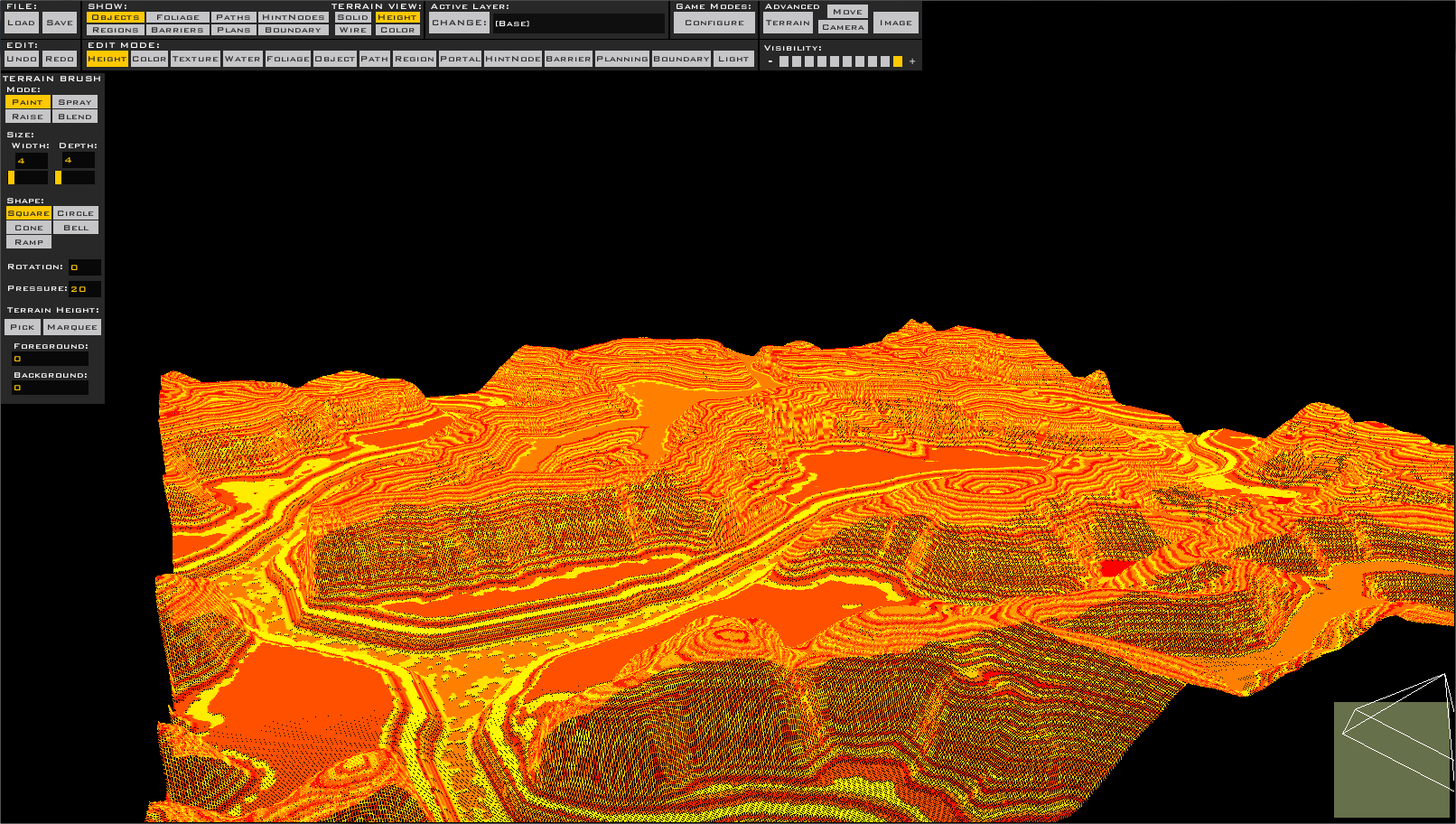
-g or --grid - sets the terrain's grid size. If not set, defaults to 8.0.
Also, a note about the grid size. If you set this to lower, the mesh will appear smaller in game, but will also look higher quality. Because of this, if you want to use a smaller grid size, use a larger heightmap to compensate for the change. A problem with changing the grid size is that it makes ZE extremely laggy, at least on my machine, but it doesn't appear to have much of an fps hit in game. Here's a picture of a 1024x1024 terrain with a grid size of 1.0:Hidden/Spoiler:
-
thelegend
- Sith
- Posts: 1433
- Joined: Thu Jan 23, 2014 6:01 am
- Projects :: Star Wars - Battlefront III Legacy
- xbox live or psn: El_Fabricio#
- Location: Right behind you :)
Re: Changing the grid size of a terrain
This looks beatiful. Alright I will do my best to change it to 2.0 instead of 8.0 at least. Thanks for the tip Ace.
Edit: Yeah it worked. Got a better resolution of the terrain now. Let's get some 100Mb .ter files
Edit: Yeah it worked. Got a better resolution of the terrain now. Let's get some 100Mb .ter files