Page 1 of 1
Help on the Carbon Freezing Chamber
Posted: Sun May 22, 2011 5:21 pm
by modmaster13
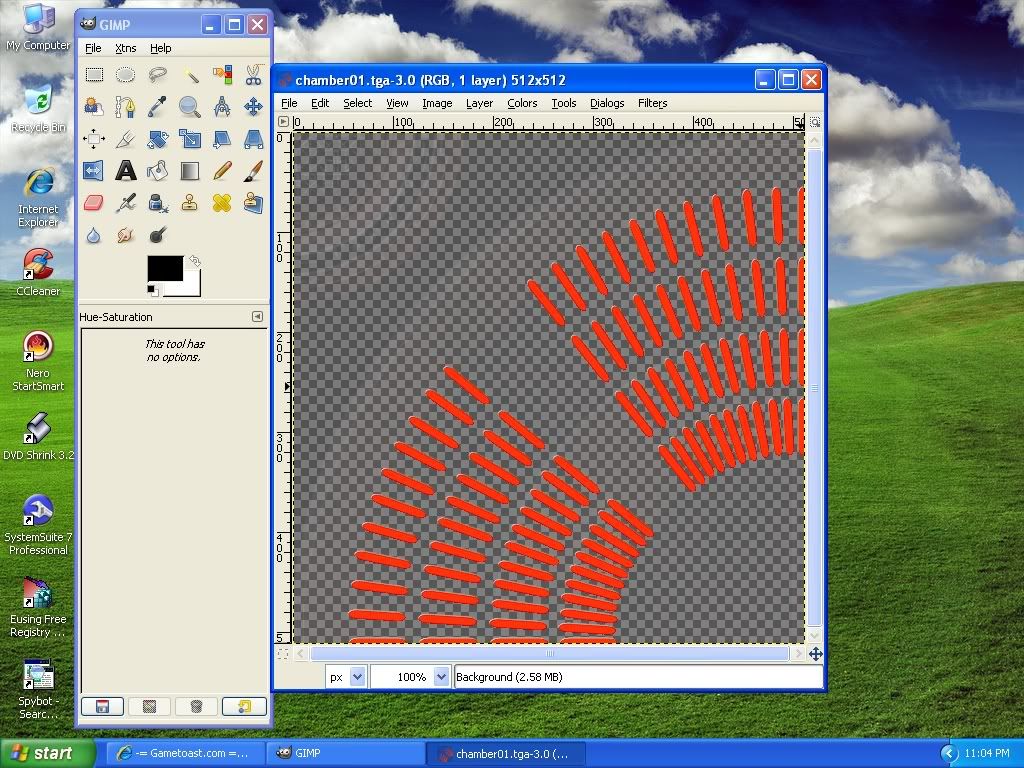
Hey I am trying to edit the Carbon Freezing Chamber textures to make every part darker
exept the orange lights, I tried darkening selected areas but I would have to do that repeatedly. Is there an easier way to do that?
Re: Help on the Carbon Freezing Chamber
Posted: Mon May 23, 2011 9:34 am
by DarthD.U.C.K.
so you are asking how to edit parts of an image to be darker? i have no idea what program you are using but you should try brightness/contrast, controls for that should be present in most image editing programs.
Re: Help on the Carbon Freezing Chamber
Posted: Mon May 23, 2011 6:00 pm
by modmaster13
I am using gimp. Sorry.

To clarify: I would like to darken the parts of the texture that have been colored to alpa (the squares).

Re: Help on the Carbon Freezing Chamber
Posted: Mon May 23, 2011 6:56 pm
by AQT
And hint: The alpha channel has already conveniently "seperated" the orange parts from the rest of the texture. Use this to your advantage with what DarthD.U.C.K. suggested.
Re: Help on the Carbon Freezing Chamber
Posted: Tue May 24, 2011 2:37 am
by Jaspo
GIMP & Photoshop: The best easy way to lighten or darken an image while maintaining it's proper contrast is to make a new layer(s) where the mode for the new layer is set to multiply (to darken) or screen (to lighten)...if one layer makes it too dark or too light, simply reduce the opacity of the new layer.
And to exclude part of the image, select it and then find the option to "select inverse", then copy and paste what is selected into a new layer.
When things look right, flatten and save.
Who ever said college doesn't teach you anything these days?
Re: Help on the Carbon Freezing Chamber
Posted: Tue May 24, 2011 8:56 pm
by modmaster13
AQT wrote:The alpha channel has already conveniently "seperated" the orange parts from the rest of the texture. Use this to your advantage with what DarthD.U.C.K. suggested.
I tried separating the orange parts, but it took too long to do it for every single orange part. Is there any way I can darken just the alpha/d part of the skin?

Re: Help on the Carbon Freezing Chamber
Posted: Tue May 24, 2011 9:40 pm
by FragMe!
Since you are using Gimp, try using color picker (right beside the scissors on the default tool box)
Or just press Shift O and click on one of the orange bits, then invert selection and darken away.
Just tried it, works like a charm
Re: Help on the Carbon Freezing Chamber
Posted: Wed May 25, 2011 2:19 am
by AQT
modmaster13 wrote:I tried separating the orange parts, but it took too long to do it for every single orange part. Is there any way I can darken just the alpha/d part of the skin?
Yes, I just wrote it out to you.
AQT wrote:The alpha channel has already conveniently "seperated" the orange parts from the rest of the texture.
And I gave you the links on how to remove the alpha layer for a reason:
1. Remove the alpha layer.
2. Darken your newly composed RGB image to however dark you want it to be.
3. Copy and paste the original image with the alpha channel over the darkened image.
4. Reapply the alpha layer.
Carefully read over this. You're making it a lot harder than it is.