Page 1 of 1
Correct usage of the Terrain textures???
Posted: Fri Jan 28, 2005 1:28 pm
by Lord-Bandu
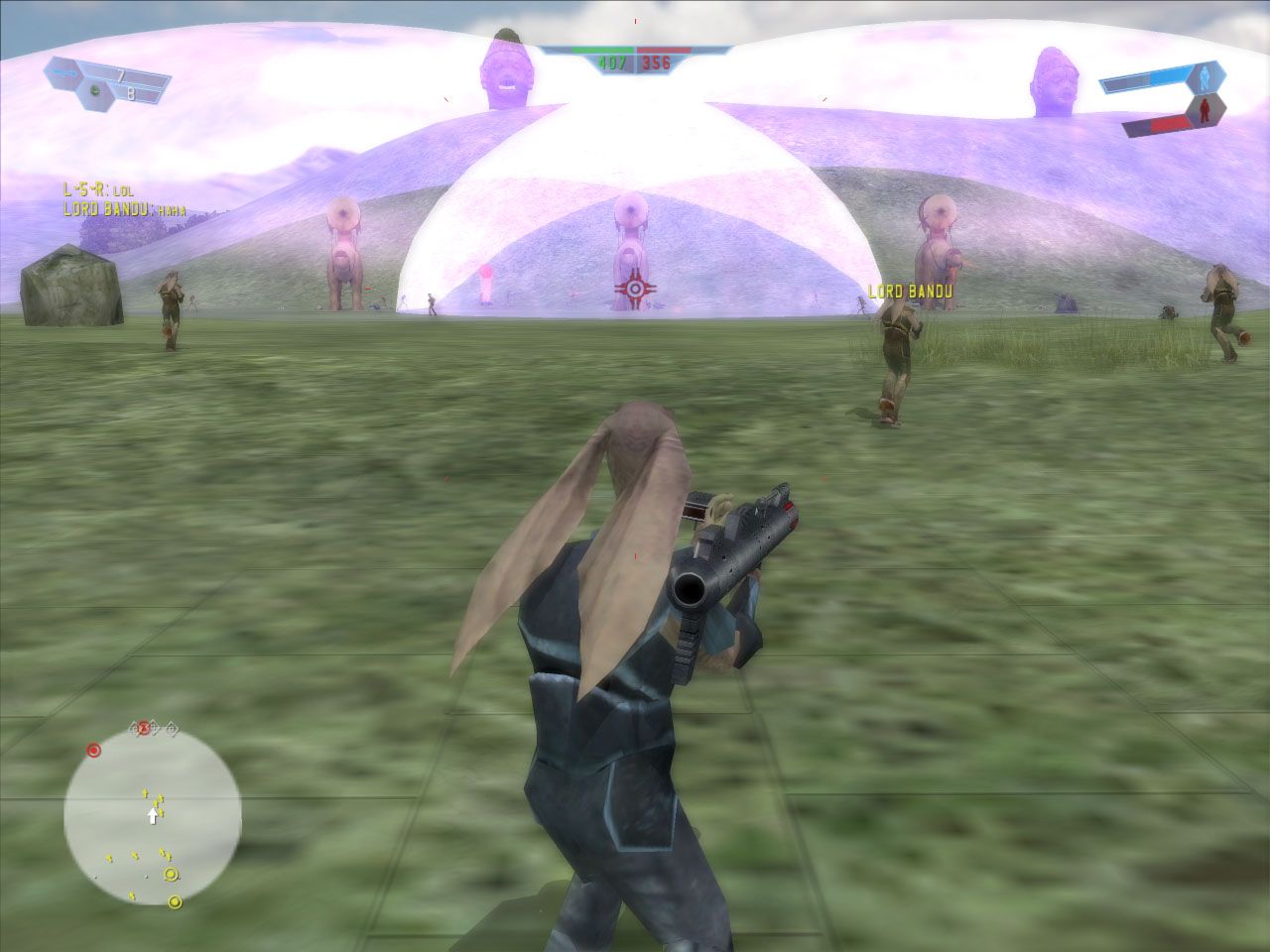
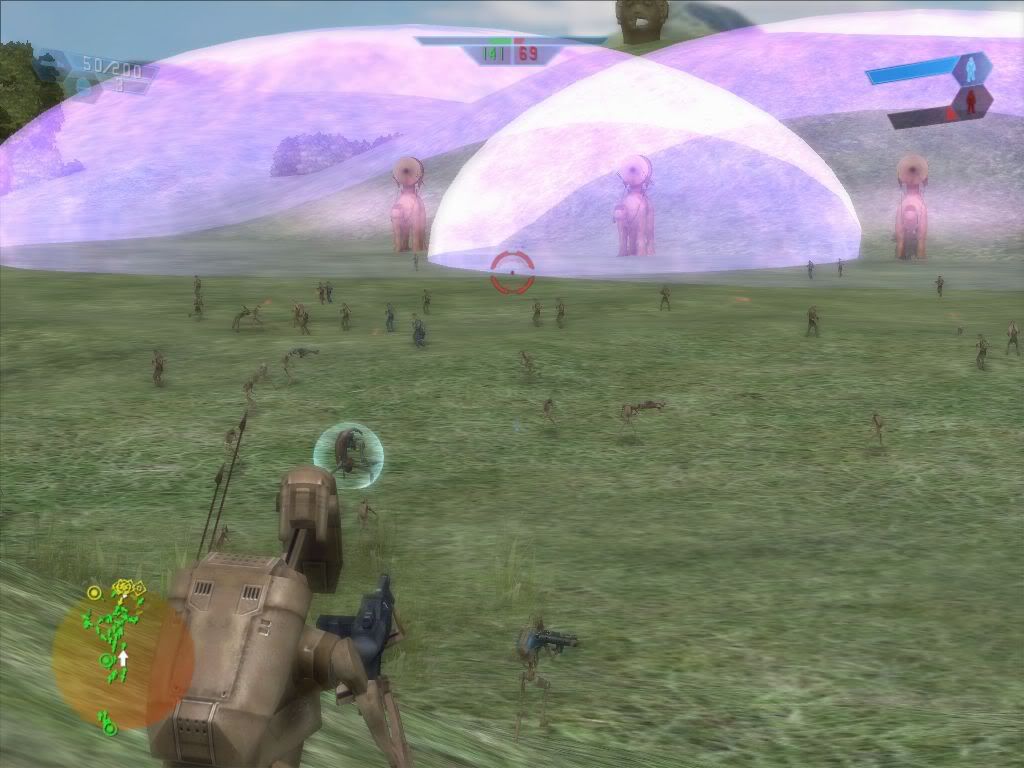
im havin trouble with keepin my textures constant in game . heres a few screenies of whats happening :
this 1 has all the settings on high with bumpmapping on -
http://img.photobucket.com/albums/v510/ ... dutest.jpg
a grid appears in a circle around the player......the further terrain is fine tho.
if bumpmapping is off it looks like this (which is right ) -
http://img.photobucket.com/albums/v326/ ... t_0421.jpg
-but then i lose the bumpmapping effect.
any ideas?
RE: Correct usage of the Terrain textures???
Posted: Fri Jan 28, 2005 1:35 pm
by Lord-Bandu
heres part of my sky lua ...maybe itl help.
DomeInfo()
{
Texture("SKY_Naboo1.tga");
Angle(190.000005);
Ambient(128.000038, 128.000038, 128.000038);
Filter(1);
Threshold(150);
Intensity(50);
Softness(1);
SoftnessParam(60);
PC()
{
TerrainBumpTexture("nab2_bump_1", 1.0);
}
DomeModel()
{
Geometry("naboo1_sky_dome");
}
iv used all the naboo 1 things but iv used the naboo 2 bump setting as i couldnt find one for naboo 1 (infact the naboo1 lua doesnt even have the terrainbumptexture option )
Posted: Fri Jan 28, 2005 2:01 pm
by Foxsta1
Not sure, but now you've said you used nab2 bump map instead of nab1, and the grid design looks like a city street pattern - is this from the Theed map? Looks like you'll have to find nab1 bump map (which presumably will be grassy).
Foxsta1
Posted: Fri Jan 28, 2005 2:07 pm
by Rends
from your first image i would say that you use a bespin or theed city grid bumpmap.tga file in your details texture entries. You should change it to a grass bumpmap.tga file l.
Posted: Fri Jan 28, 2005 2:28 pm
by Lord-Bandu
rends, how do you mean?
should i change the lua to grass bumpmap ?
and where do i find this grass bumpmap?
Posted: Fri Jan 28, 2005 2:42 pm
by Lord-Bandu
ok i sorted it by just getting rid of the nab2 bumpmapping in my lua .
but what does grass bumpmapping do?
Posted: Fri Jan 28, 2005 3:11 pm
by Rends
bumpmaps give flat textures some kind of virtual depth because they change their look on painted edges depending on light source directions.
Bandu make suret if you select texture tile 0 in the editor that you set a bumpmap.tga in the texture detail box.
Not only you can set the correct bumbpmap image here. It also prevents you from running into the black area around player bug.
Posted: Fri Jan 28, 2005 3:21 pm
by Saturn_V
Bandu, I'll help you get a grass bump map if you contact me on MSN.