[WIP] Myrkr: Outpost
Posted: Fri Mar 08, 2013 5:00 am
Hello, there!
First, a quick introduction of myself: I am new to the BF modding community, but I guess it's always cool to have new faces around - it keeps the game alive. I have moderate experience with WC3 modding, CivIII modding, and map editing for several games - however, apart from WC3 (which I never mastered), BFII will be the first more complex game that I edit.
Now, on to my first map:
Myrkr: Smuggler's Outpost
[hide]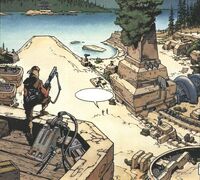 [/hide]
Background
Though situated in the inner rim of the galaxy, Myrkr has remained a planet overlooked by jedi, sith, republic and imperial forces throughout the eras. The reason is simple, yet curious - one of the native animals - Ysalamr, repel the force and render the planet useless for jedi interests. But while no serious colonization efforts were ever made, this made Myrkr the perfect place for smugglers, pirates and mercenaries. The famous information broker Talon Karde once made Myrkr his home base until the Empire of Thrawn decided to take over his base.
This map is situated in a small outpost village run by pirates and mercenaries. In the clone wars era, republic forces are invading the mercenaries for their cooperation with CIS forces. In Galactic Civil War era, Imperial forces had enough with mercenaries wrecking havoc in nearby systems and sends forces to deal once and for all with the problem.
Layout
The layout of this map is inspired by Rhen Var: Harbor map. You have two bases - the mercenary village and the landing of invading forces. They are interconnected with a cavern, and by land. Walkers will be invading from land, while infantry forces will be pushing through the caverns. However, there is also a spot in the middle of the map, perfect for defending against the walkers. Also, as Myrkr is a forest world, the center of the map will resemble an Endor-inspired forest.
Environment
I am using Tatooine assets for the village, Endor assets for the forest, and Sky's assets for the caverns and smaller props. I'm in the process of figuring out how to reskin ODF models, since my reskins of Tatooine buildings do not show in ZeroEditor or in-game. However, the map does blend very well with the ordinary textures as well, and does not look too much like Mos Eisley.
Ground textures are custom-made.
Sides
My first goal is to create a playable map with no custom side modding. However, if I manage to complete this goal, I plan to change the CIS/rebels side to mercenaries, with new units/skins, and maybe even a mission-driven campaign like story. However, MY FIRST goal is to create a playable map, as that is the most important thing.
Progress
I already did the mercenaries village and the caverns, though there is a problem with one of the entrances and I might have to rebuild parts of them. I'll try to fix those until the end of the week and move on with forest/water, and then try to fix the reskinning problem. Then are the planning, vehicles, barriers and boundaries, and I guess the playable map will be done by the end of May.
Progress table (proximate): ~55-60%
Terraining: ~90%
Skinning: ~80%
Objects: ~70%
Planning & Hubs: ~70%
Barriers: ~40%
Conquest: ~40%
Vehicles: ~20%
CTF: 0%
Sides: 0%
Modes
Conquest and 2CTF for beginning. Might add hunt as well, but we'll see.
Screenshots
Check newer posts for more screenshots.
Credits
Sky for his amazing assets.
Fierfek for the good tutorial.
The whole community for keeping the game alive.
First, a quick introduction of myself: I am new to the BF modding community, but I guess it's always cool to have new faces around - it keeps the game alive. I have moderate experience with WC3 modding, CivIII modding, and map editing for several games - however, apart from WC3 (which I never mastered), BFII will be the first more complex game that I edit.
Now, on to my first map:
[hide]
[/hide]Background
Though situated in the inner rim of the galaxy, Myrkr has remained a planet overlooked by jedi, sith, republic and imperial forces throughout the eras. The reason is simple, yet curious - one of the native animals - Ysalamr, repel the force and render the planet useless for jedi interests. But while no serious colonization efforts were ever made, this made Myrkr the perfect place for smugglers, pirates and mercenaries. The famous information broker Talon Karde once made Myrkr his home base until the Empire of Thrawn decided to take over his base.
This map is situated in a small outpost village run by pirates and mercenaries. In the clone wars era, republic forces are invading the mercenaries for their cooperation with CIS forces. In Galactic Civil War era, Imperial forces had enough with mercenaries wrecking havoc in nearby systems and sends forces to deal once and for all with the problem.
Layout
The layout of this map is inspired by Rhen Var: Harbor map. You have two bases - the mercenary village and the landing of invading forces. They are interconnected with a cavern, and by land. Walkers will be invading from land, while infantry forces will be pushing through the caverns. However, there is also a spot in the middle of the map, perfect for defending against the walkers. Also, as Myrkr is a forest world, the center of the map will resemble an Endor-inspired forest.
Environment
I am using Tatooine assets for the village, Endor assets for the forest, and Sky's assets for the caverns and smaller props. I'm in the process of figuring out how to reskin ODF models, since my reskins of Tatooine buildings do not show in ZeroEditor or in-game. However, the map does blend very well with the ordinary textures as well, and does not look too much like Mos Eisley.
Ground textures are custom-made.
Sides
My first goal is to create a playable map with no custom side modding. However, if I manage to complete this goal, I plan to change the CIS/rebels side to mercenaries, with new units/skins, and maybe even a mission-driven campaign like story. However, MY FIRST goal is to create a playable map, as that is the most important thing.
Progress
I already did the mercenaries village and the caverns, though there is a problem with one of the entrances and I might have to rebuild parts of them. I'll try to fix those until the end of the week and move on with forest/water, and then try to fix the reskinning problem. Then are the planning, vehicles, barriers and boundaries, and I guess the playable map will be done by the end of May.
Progress table (proximate): ~55-60%
Terraining: ~90%
Skinning: ~80%
Objects: ~70%
Planning & Hubs: ~70%
Barriers: ~40%
Conquest: ~40%
Vehicles: ~20%
CTF: 0%
Sides: 0%
Modes
Conquest and 2CTF for beginning. Might add hunt as well, but we'll see.
Screenshots
Check newer posts for more screenshots.
Hidden/Spoiler:


Sky for his amazing assets.
Fierfek for the good tutorial.
The whole community for keeping the game alive.


