Page 1 of 1
Mirroring objects(How can I make them show up in zeroeditor)
Posted: Fri Jun 09, 2006 3:31 pm
by xwingguy
I've discovered that you can make a mirrored version of a mesh by placing "-lefthanded" (minus quotes) in the mesh's option file. For making my interiors this extremely useful but I don't know what to put in my odf to make it visible in zeroeditor!
Posted: Fri Jun 09, 2006 3:47 pm
by Squirrel7Hunter
well what you could do is make a duplicate object , name it differently , open up the mesh. and flip it around, wouldnt that work?
Posted: Fri Jun 09, 2006 4:00 pm
by xwingguy
Squirrel7Hunter wrote:well what you could do is make a duplicate object , name it differently , open up the mesh. and flip it around, wouldnt that work?
It's not that easy. Allow me to provide a visual aid:
This is what it looks like in zero editor
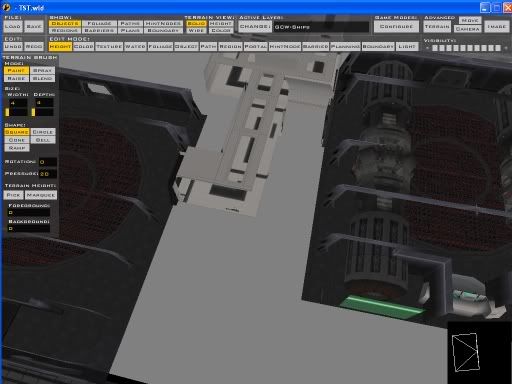
Now because I've mirrored it, in the actual game that turn you see in the hall sticks out to the right, not the left shown in zeroeditor.
Posted: Fri Jun 09, 2006 4:25 pm
by Teancum
ZeroEdit ignores .option files, so you're probably outta luck.
Posted: Fri Jun 09, 2006 7:41 pm
by Exploderman
How to you make it so there is no terrain?
Posted: Fri Jun 09, 2006 7:57 pm
by xwingguy
WOW that's random.
Start of with the space template.