
I've tried a little bit at BF mapping (or, to be more specific BF2 mapping) and so far I'm stuck. At least two things stop me: One, despite what it says in Fierfek's tutorial, when I click on either right or left mouse button on a Terrain-Height mode, the ground neither rises or lowers, but stays the same. Also, once I place an object, I can't seem to move it around. (Oh wait. The tutorial says if you press and hold "C," you can move an object. I think I'll try it.) This is bad, as it prevents me from finagling object's positions to exactly where I want them.
So, well, it seems my editor has at least one problem. What am I to do?
Is my copy of ZeroEditor broken or...
Moderator: Moderators
-
X-Wing Pilot 5

- Posts: 2
- Joined: Fri Jun 05, 2009 11:35 pm
-
Eggman

- Master Bounty Hunter

- Posts: 1516
- Joined: Mon Jul 16, 2007 1:30 pm
- Projects :: Battlefront Chronicles
- Location: Las Vegas
Re: Is my copy of ZeroEditor broken or...
For changing terrain height: you're on the right track, but you need to make sure to enter the height you want to move the terrain to in the text boxes at the bottom of the window. For example, if you want to change the height of a section from 0 to 10, enter 10 in the upper text box, then press the left mouse button over the area of terrain you want to raise.
For moving objects, you're on the right track again. After you place the object, switch to 'select' mode. Left-click on the object, hold down 'C', and move the mouse while holding down the mouse button that corresponds to the axis you want to move the object along (left = x axis, right = y axis, middle = z axis).
For moving objects, you're on the right track again. After you place the object, switch to 'select' mode. Left-click on the object, hold down 'C', and move the mouse while holding down the mouse button that corresponds to the axis you want to move the object along (left = x axis, right = y axis, middle = z axis).
-
Maveritchell

- Jedi Admin

- Posts: 7366
- Joined: Mon Aug 21, 2006 11:03 pm
Re: Is my copy of ZeroEditor broken or...
Most times it's usually easier to just use the "raise" tool instead of the "paint" tool, though. With the raise tool, clicking left raises terrain (based on the "Pressure" and raise type) and clicking right lowers terrain.Eggman wrote:For changing terrain height: you're on the right track, but you need to make sure to enter the height you want to move the terrain to in the text boxes at the bottom of the window. For example, if you want to change the height of a section from 0 to 10, enter 10 in the upper text box, then press the left mouse button over the area of terrain you want to raise.
-
Jendo7

- Sith

- Posts: 1304
- Joined: Wed Apr 01, 2009 6:37 pm
- Location: Cambridge, England.
- Contact:
Re: Is my copy of ZeroEditor broken or...
I thought I'd post here as I have a related question.Maveritchell wrote:Most times it's usually easier to just use the "raise" tool instead of the "paint" tool, though. With the raise tool, clicking left raises terrain (based on the "Pressure" and raise type) and clicking right lowers terrain.
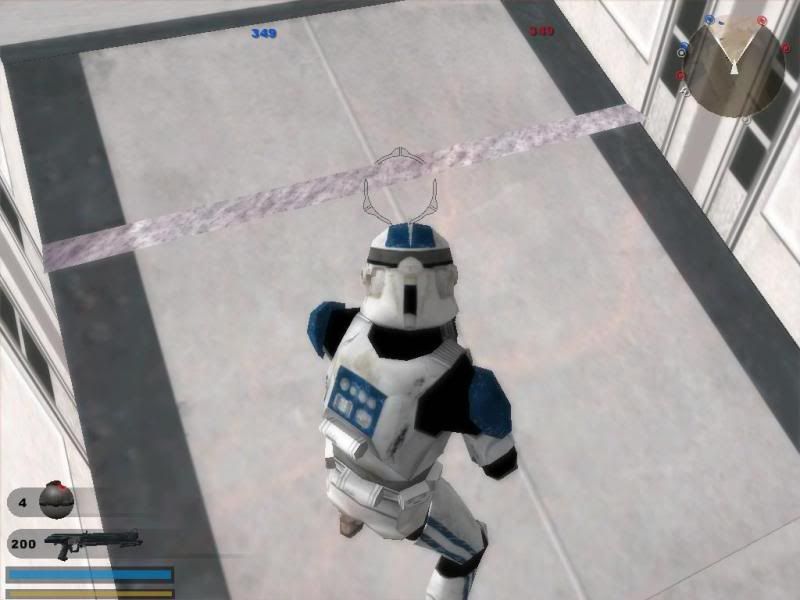
I have recently used the raise tool to try and hide a part of the ground texture that shows through the terrain cutter on my map by lowering it with the right mouse button. The only problem is the changes I make in the editor after saving and munging don't appear in game. See screens below.
Hidden/Spoiler:
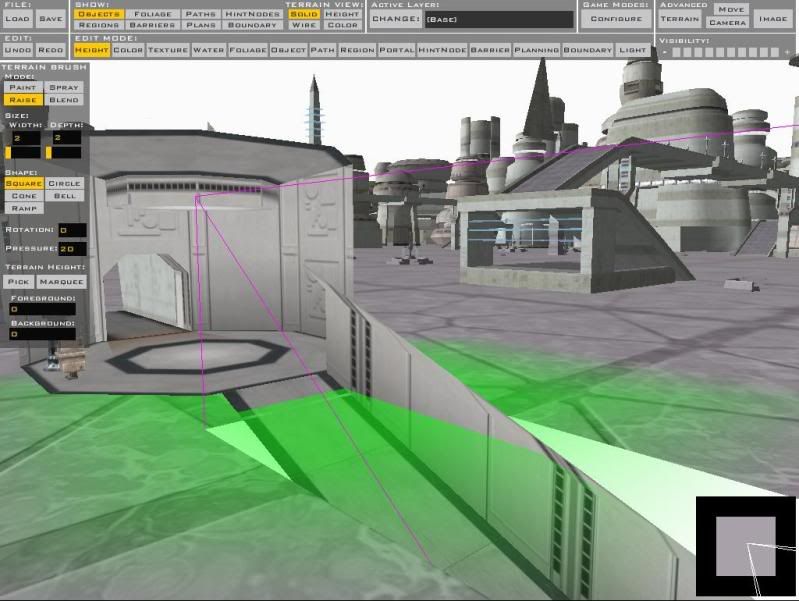
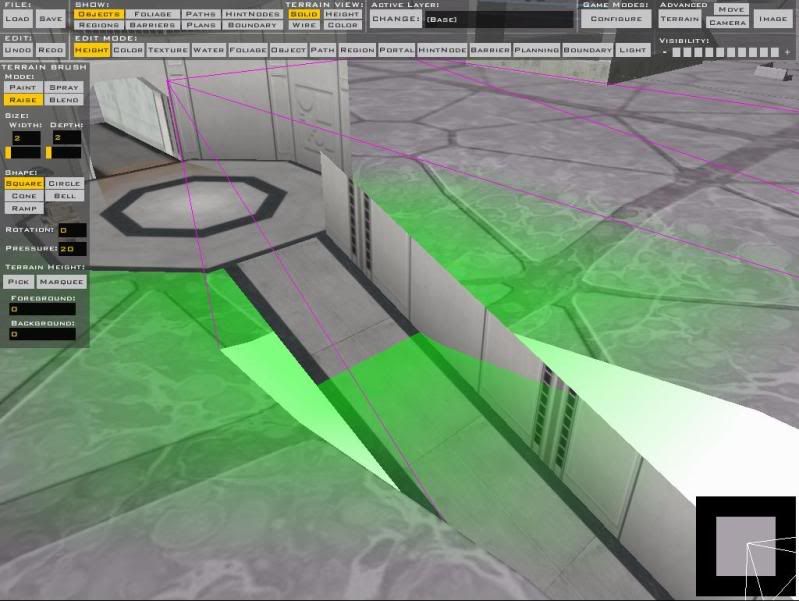
Thanks for any help.
-
Xavious
- Sith Master

- Posts: 2783
- Joined: Mon Jun 12, 2006 3:46 pm
Re: Is my copy of ZeroEditor broken or...
Yeah, that has to do with the terrain cutter. Your height changes are working just as they should ingame. Try lowering it further back as well to remove that bit of terrain peeking through.
-
Jendo7
- Sith
- Posts: 1304
- Joined: Wed Apr 01, 2009 6:37 pm
- Location: Cambridge, England.
- Contact:
Re: Is my copy of ZeroEditor broken or...
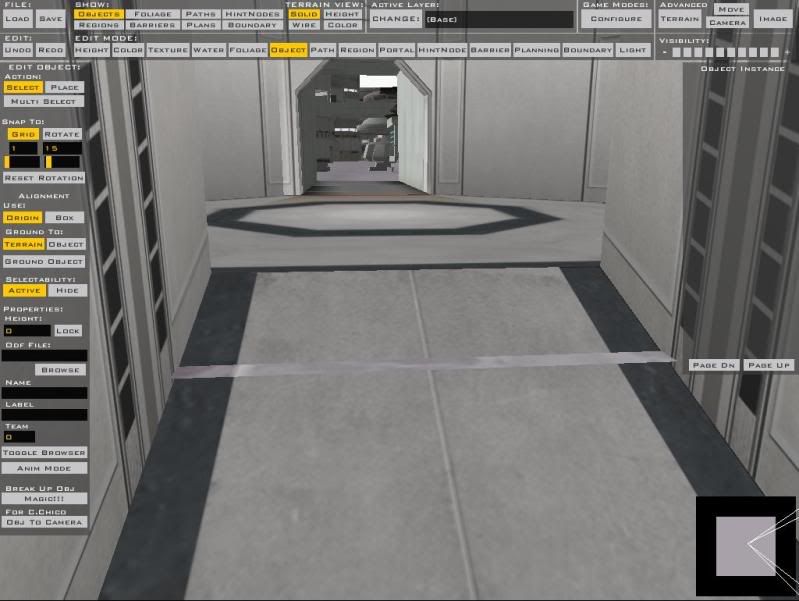
That bit of the terrain that's showing through was exactly the same as it was before I lowered it.
So it hadn't lowered at all. Sorry, I didn't explain properly.
This is what it looked like before in the editor, and after lowering it in game:
So it hadn't lowered at all. Sorry, I didn't explain properly.
This is what it looked like before in the editor, and after lowering it in game:
-
Xavious
- Sith Master
- Posts: 2783
- Joined: Mon Jun 12, 2006 3:46 pm
Re: Is my copy of ZeroEditor broken or...
Ah, wait, I misspoke. You should either raise the terrain to a height above the tunnels or lower it completely below the tunnels, or you'll get that type of problem.
Actually, you should to open up the shipped Bespin: Cloud City map first and check out how they did it.
Actually, you should to open up the shipped Bespin: Cloud City map first and check out how they did it.
-
Jendo7
- Sith
- Posts: 1304
- Joined: Wed Apr 01, 2009 6:37 pm
- Location: Cambridge, England.
- Contact:
Re: Is my copy of ZeroEditor broken or...
Thanks  , I'll have a look at the shipped bespin.
, I'll have a look at the shipped bespin.