
I have been trying to find information here but with no luck with the search function. I only found this topic on adding custom modes or eras to the stock maps. But there seems to be nothing else.
I am trying to do a 'soft mod', where I change textures, lighting and effects on the existing sides. But I don't know how to go about doing that.
I would like to know if it's possible to modify the terrain texture and lighting as well. Including the FX AND SKY files for each map.
I want this all to also take effect in the STOCK MULTIPLAYER MAPS too.
So for instance, I have the mod on my PC, the textures and lighting are modified. But the other people on the same sever, without the mod, are looking at the regular stock textures and fx's through their PC's.
How to modify existing sides to all maps? Texture+lighting+.
Moderator: Moderators
-
edge123455

- Private Second Class
- Posts: 73
- Joined: Wed May 18, 2011 7:07 pm
- Projects :: Hoth Battlefield
- xbox live or psn: No gamertag set
How to modify existing sides to all maps? Texture+lighting+.
Last edited by edge123455 on Sun Dec 08, 2013 5:05 am, edited 1 time in total.
-
ANDEWEGET

- Ancient Force

- Posts: 1266
- Joined: Tue Apr 01, 2008 8:42 am
- Location: Germany
- Contact:
Re: How to modify existing sides to all maps? Texture+lighti
I did that a lot when I was still modding SWBF1. You can basically modify anything. Only creating/deleting objects from the map actually caused me any problems (crashing after the match started). Note though that the collision detection is still done on the server so moving objects might not be a very good idea.
-
Anakin

- Master of the Force

- Posts: 4817
- Joined: Sat Sep 19, 2009 11:37 am
- Projects :: RC Side Mod - Remastered - SWBF3 Legacy
- Location: Mos Espa (germany)
Re: How to modify existing sides to all maps? Texture+lighti
What?? it is posible to modify my own rep, imp,.. sides and this will be multi compatible?? mh that sound quite interesting. odf changes (weapon power,...) won't work right??
@edge: After all what you are looking for is a custom mod.
So you make an own mod, with the stock assets as basis. than you do your changes on them and munge your mdo. after everything is done you replace the rep.lvl, imp.lvl,... from your mod with the stock rep.lvl, imp.lvl,....
@edge: After all what you are looking for is a custom mod.
So you make an own mod, with the stock assets as basis. than you do your changes on them and munge your mdo. after everything is done you replace the rep.lvl, imp.lvl,... from your mod with the stock rep.lvl, imp.lvl,....
-
edge123455
- Private Second Class
- Posts: 73
- Joined: Wed May 18, 2011 7:07 pm
- Projects :: Hoth Battlefield
- xbox live or psn: No gamertag set
Re: How to modify existing sides to all maps? Texture+lighti
Anakin wrote:What?? it is posible to modify my own rep, imp,.. sides and this will be multi compatible?? mh that sound quite interesting. odf changes (weapon power,...) won't work right??
@edge: After all what you are looking for is a custom mod.
So you make an own mod, with the stock assets as basis. than you do your changes on them and munge your mdo. after everything is done you replace the rep.lvl, imp.lvl,... from your mod with the stock rep.lvl, imp.lvl,....
I said I wanted to change the textures, the effects (particle effects), the lighting of both the sides and maps.
If I change the weapon's and unit's ODF's and add new objects with collision on the map or the sides, that will not be online compatible, which is not what I'm looking for.
In other words, I'm not trying to make physical changes (collision and in game variables and values) because it will screw things up, just aesthetic changes.
-
Anakin
- Master of the Force
- Posts: 4817
- Joined: Sat Sep 19, 2009 11:37 am
- Projects :: RC Side Mod - Remastered - SWBF3 Legacy
- Location: Mos Espa (germany)
Re: How to modify existing sides to all maps? Texture+lighti
Oh yes i noticed that. the first part was just an idea i had and i asked ande if odf changes will work, top.
-
nobody3
- Rebel Sergeant

- Posts: 188
- Joined: Wed Jun 15, 2011 8:30 am
Re: How to modify existing sides to all maps? Texture+lighti
Yes it is possible (just copy the munged lvl files over the original ones) but what works online is limited, for example, in my experience lightinng is not possible to work online (I tried it because lighting drops my frame rate lol)
-
ANDEWEGET
- Ancient Force
- Posts: 1266
- Joined: Tue Apr 01, 2008 8:42 am
- Location: Germany
- Contact:
Re: How to modify existing sides to all maps? Texture+lighti
Some ODF changes will 'work' (visually). For example projectile speed, spread, things like that. Many of the prop/building ODF parameters work, too, like attaching lights etc.
-
edge123455
- Private Second Class
- Posts: 73
- Joined: Wed May 18, 2011 7:07 pm
- Projects :: Hoth Battlefield
- xbox live or psn: No gamertag set
Re: How to modify existing sides to all maps? Texture+lighti
Will changing the stock maps terrain texture, lighting, fx file, sky file and adding object fx's in zeroedit (like white dust or cloud) work too???
Notice that all these changes are aesthetically so they will be rendered to the clients PC's instead of the servers hosting the maps.
The reason why I'm thinking of doing all of these modifications is because I want to give BF2 a different and new feel to it. But since BF2 is better to play online I understand that some mods won't work online unless all the other players on the server have the same mod installed.
So by having the mod I'm thinking of, you can be playing the hoth map for instance, with improved seamless textures, lighting and environment effects with a new background instead of the tall mountains.
Notice that all these changes are aesthetically so they will be rendered to the clients PC's instead of the servers hosting the maps.
The reason why I'm thinking of doing all of these modifications is because I want to give BF2 a different and new feel to it. But since BF2 is better to play online I understand that some mods won't work online unless all the other players on the server have the same mod installed.
So by having the mod I'm thinking of, you can be playing the hoth map for instance, with improved seamless textures, lighting and environment effects with a new background instead of the tall mountains.
-
Anakin
- Master of the Force
- Posts: 4817
- Joined: Sat Sep 19, 2009 11:37 am
- Projects :: RC Side Mod - Remastered - SWBF3 Legacy
- Location: Mos Espa (germany)
Re: How to modify existing sides to all maps? Texture+lighti
The texture should work and the sky, too, after it is also just an texture. The otheres maybe.
If i understnad eceryting right here.
One question from me: would it also be possible to change the unit's or weapon msh file??
Specially the weapons msh file would be interesting for me. And if it's not possible in common what about the high res?? Because that's only shown in 1st persp. It shouls go.
Would animations also go? E.g. darthducks elite animation
If i understnad eceryting right here.
One question from me: would it also be possible to change the unit's or weapon msh file??
Specially the weapons msh file would be interesting for me. And if it's not possible in common what about the high res?? Because that's only shown in 1st persp. It shouls go.
Would animations also go? E.g. darthducks elite animation
-
Nedarb7

- Lieutenant General

- Posts: 676
- Joined: Sat Sep 22, 2012 3:41 pm
Re: How to modify existing sides to all maps? Texture+lighti
Textures will always work, I've done it myself and it worked online without any problems. Adding a new stuff like effect odfs might not work, editing effects works though. Editing the light's properties will probably work. Editing the sky's texture will work and possibly changing its mesh.edge123455 wrote:Will changing the stock maps terrain texture, lighting, fx file, sky file and adding object fx's in zeroedit (like white dust or cloud) work too???
Notice that all these changes are aesthetically so they will be rendered to the clients PC's instead of the servers hosting the maps.
The reason why I'm thinking of doing all of these modifications is because I want to give BF2 a different and new feel to it. But since BF2 is better to play online I understand that some mods won't work online unless all the other players on the server have the same mod installed.
So by having the mod I'm thinking of, you can be playing the hoth map for instance, with improved seamless textures, lighting and environment effects with a new background instead of the tall mountains.
Yes, yes, and yes.Anakin wrote:One question from me: would it also be possible to change the unit's or weapon msh file??
Specially the weapons msh file would be interesting for me. And if it's not possible in common what about the high res?? Because that's only shown in 1st persp. It shouls go.
Would animations also go? E.g. darthducks elite animation
-
ANDEWEGET
- Ancient Force
- Posts: 1266
- Joined: Tue Apr 01, 2008 8:42 am
- Location: Germany
- Contact:
Re: How to modify existing sides to all maps? Texture+lighti
I think you have to approach this topic from the other perspective. Not "what can be changed" but "what can't be changed".
From my experience this crashed the game (that was SWBF1 though):
- Adding more objects to a map (and most likely deleting).
- Changing parameters like ammo per magazine, ammo used per shot, shots per salve etc.
Not exactly sure about the actual terrain height map. I once cut a hole into my terrain and I can't recall that causing any crashes though. The character movement bugged out a bit though because it wants to fall through (or stay depending on if the hole is on the server or client) but the server resets the players position.
From my experience this crashed the game (that was SWBF1 though):
- Adding more objects to a map (and most likely deleting).
- Changing parameters like ammo per magazine, ammo used per shot, shots per salve etc.
Not exactly sure about the actual terrain height map. I once cut a hole into my terrain and I can't recall that causing any crashes though. The character movement bugged out a bit though because it wants to fall through (or stay depending on if the hole is on the server or client) but the server resets the players position.
-
nobody3
- Rebel Sergeant
- Posts: 188
- Joined: Wed Jun 15, 2011 8:30 am
Re: How to modify existing sides to all maps? Texture+lighti
Can you confirm that editing lighting works online? Because im pretty sure I did it before and it always crashed...
-
Anakin
- Master of the Force
- Posts: 4817
- Joined: Sat Sep 19, 2009 11:37 am
- Projects :: RC Side Mod - Remastered - SWBF3 Legacy
- Location: Mos Espa (germany)
Re: How to modify existing sides to all maps? Texture+lighti
Wow that sounds great. I have directly an new Mod Idea 
-
Nedarb7
- Lieutenant General
- Posts: 676
- Joined: Sat Sep 22, 2012 3:41 pm
Re: How to modify existing sides to all maps? Texture+lighti
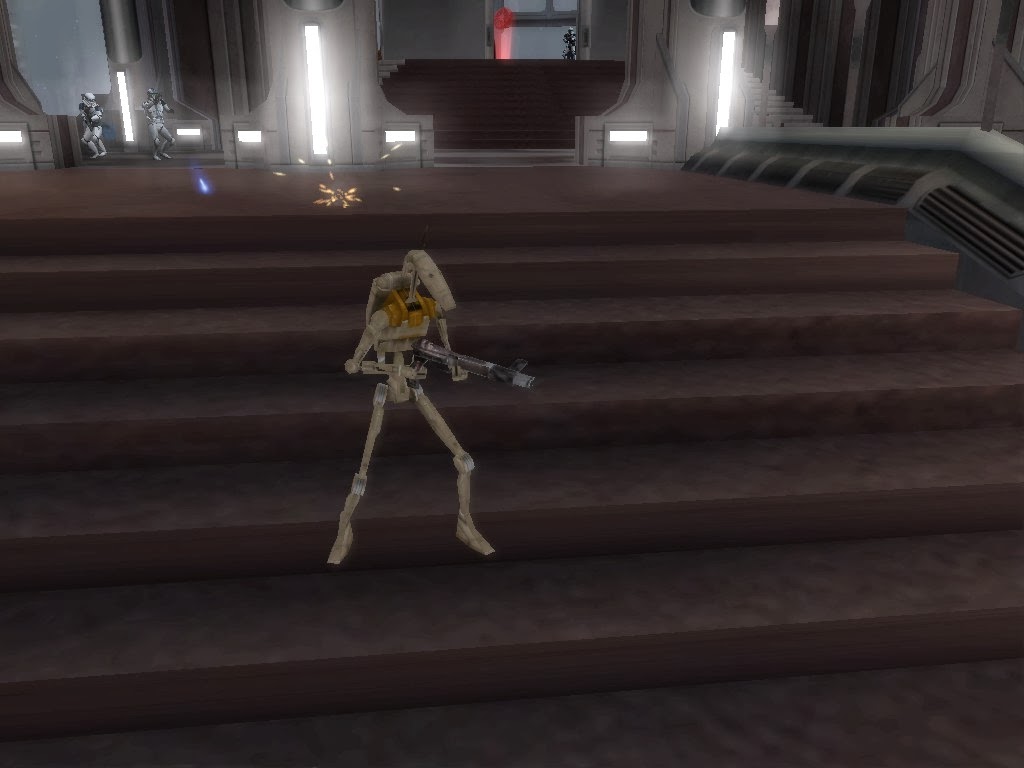
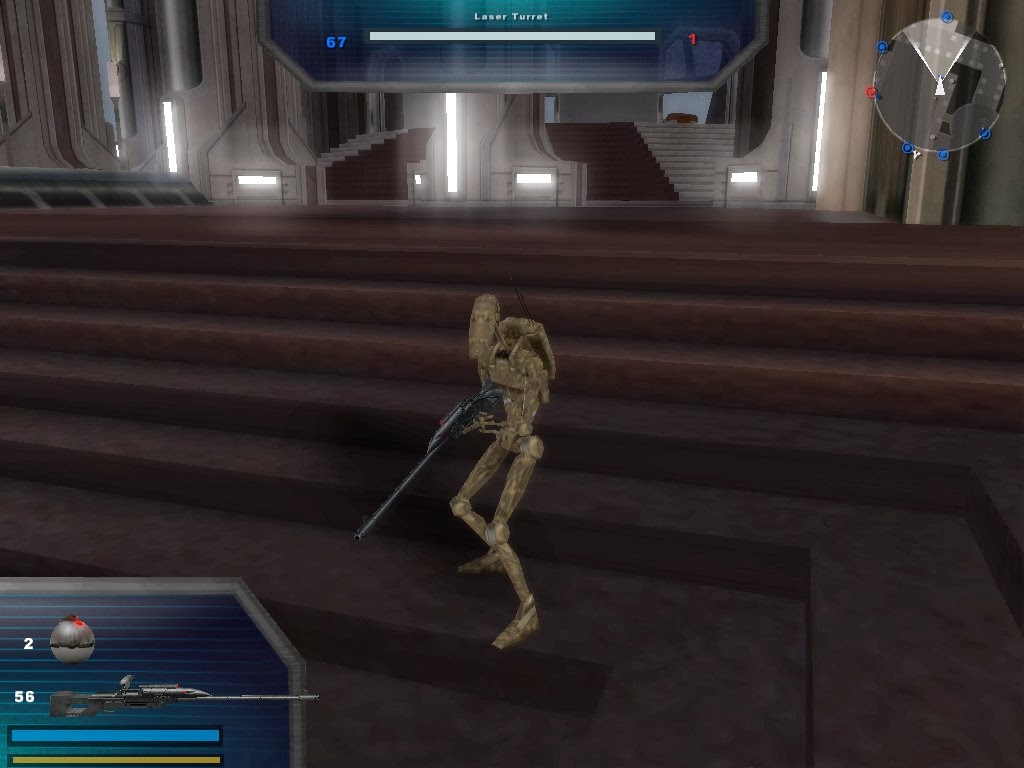
You are right, light doesn't work. Just tried it.....nobody3 wrote:Can you confirm that editing lighting works online? Because im pretty sure I did it before and it always crashed...
-EDIT-
Forget what I just said, it works:
Hidden/Spoiler:
Code: Select all
Light("sun", 1097130976)
{
	Rotation(-0.396709, -0.132737, -0.875473, 0.241971);
	Position(9.931580, 88.982986, 169.230515);
	Type(1);
	Color(0.690196, 0.741176, 0.815686);
	CastShadow();
	Static();
	PS2BlendMode(0);
	TileUV(1.000000,1.000000);
	OffsetUV(0.000000,0.000000);
	CastSpecular();                                    < I removed the 1 to disable specular
}
-
edge123455
- Private Second Class
- Posts: 73
- Joined: Wed May 18, 2011 7:07 pm
- Projects :: Hoth Battlefield
- xbox live or psn: No gamertag set
Re: How to modify existing sides to all maps? Texture+lighti
Now I'm trying to go about doing all this, especially the part of changing the lighting and texture of the stock maps, how do I even go about doing all this.
I have been modding for a few years now so I can understand all the technicality.
I just want to have a straight forward explanation so I can start experimenting and see what is possible and what is not for each map.
For the side modifications do I do this?
http://www.gametoast.com/forums/viewtop ... 96#p287596
I have been modding for a few years now so I can understand all the technicality.
I just want to have a straight forward explanation so I can start experimenting and see what is possible and what is not for each map.
For the side modifications do I do this?
http://www.gametoast.com/forums/viewtop ... 96#p287596
-
Nedarb7
- Lieutenant General
- Posts: 676
- Joined: Sat Sep 22, 2012 3:41 pm
Re: How to modify existing sides to all maps? Texture+lighti
Tutorial for editing shipped maps (skip steps six and up) then replace the map .lvls with your new ones:
http://www.gametoast.com/forums/viewtop ... =27&t=8519
Also you want to make sure you back up the stock .lvls you are going to replace.
http://www.gametoast.com/forums/viewtop ... =27&t=8519
What you will want to do is make the side and replace the stock .lvls with yours. That tutorial is for making an era or game mode kind of thing.edge123455 wrote:for the side modifications do I do this?
http://www.gametoast.com/forums/viewtop ... 96#p287596
Also you want to make sure you back up the stock .lvls you are going to replace.
-
nobody3
- Rebel Sergeant
- Posts: 188
- Joined: Wed Jun 15, 2011 8:30 am
Re: How to modify existing sides to all maps? Texture+lighti
Hmm those lights may be possible but what about "Global light settings" (top and bottom ambient colors) ?
-
Nedarb7
- Lieutenant General
- Posts: 676
- Joined: Sat Sep 22, 2012 3:41 pm
Re: How to modify existing sides to all maps? Texture+lighti
Oh, forgot to mention that I only posted one light that was found in the LGT, the global settings can be found lower in the LGT just like any other light (haven't tested it though).
Also, edge, if you want to add something new (I haven't seen it any mods yet) you could make the sides skins different on each map while preserving online compatability. All you'd need to do is make edits of the textures and load them in your new world.lvls req. Since textures are overwritten by the last .lvl loaded and maps get loaded after the sides it should work (say you added the textures to your utapau, since utapau is only loaded on utapau the skins would only appear on utapau).
Also, edge, if you want to add something new (I haven't seen it any mods yet) you could make the sides skins different on each map while preserving online compatability. All you'd need to do is make edits of the textures and load them in your new world.lvls req. Since textures are overwritten by the last .lvl loaded and maps get loaded after the sides it should work (say you added the textures to your utapau, since utapau is only loaded on utapau the skins would only appear on utapau).
-
edge123455
- Private Second Class
- Posts: 73
- Joined: Wed May 18, 2011 7:07 pm
- Projects :: Hoth Battlefield
- xbox live or psn: No gamertag set
Re: How to modify existing sides to all maps? Texture+lighti
Nedarb7 wrote:Oh, forgot to mention that I only posted one light that was found in the LGT, the global settings can be found lower in the LGT just like any other light (haven't tested it though).
Also, edge, if you want to add something new (I haven't seen it any mods yet) you could make the sides skins different on each map while preserving online compatability. All you'd need to do is make edits of the textures and load them in your new world.lvls req. Since textures are overwritten by the last .lvl loaded and maps get loaded after the sides it should work (say you added the textures to your utapau, since utapau is only loaded on utapau the skins would only appear on utapau).
Sounds, good. Thx
So I had sometime yesterday and did modify the skydome with new textures and also terrain textures successfully.
Also, I added objects and they DO WORK ONLINE, only catch is that you have to define them as 'props' in the ODF and add the 'no collision' command to the msh file. But it is alright because the objects I'm using will be for effects and background props.
I will keep you guys informed on what happened and hopefully post some screenshots to see the results. In a few days since I'm busy with college and work. Hopefully Friday.
That way other modders can see what works and doesn't without having to do it themselves and wasting extra time.
-
Nedarb7
- Lieutenant General
- Posts: 676
- Joined: Sat Sep 22, 2012 3:41 pm
Re: How to modify existing sides to all maps? Texture+lighti
Interesting information!edge123455 wrote:I added objects and they DO WORK ONLINE, only catch is that you have to define them as 'props' in the ODF and add the 'no collision' command to the msh file. But it is alright because the objects I'm using will be for effects and background props.

Alright, that will be helpful.edge123455 wrote:I will keep you guys informed on what happened and hopefully post some screenshots to see the results. In a few days since I'm busy with college and work. Hopefully Friday.
That way other modders can see what works and doesn't without having to do it themselves and wasting extra time.