Page 1 of 1
Creating a Lightsaber Texture?
Posted: Sat Jul 18, 2009 10:14 pm
by RogueKnight
So, I tried making a chrome texture for my lightsaber model, and I must say, I'm less than satisfied with the results....
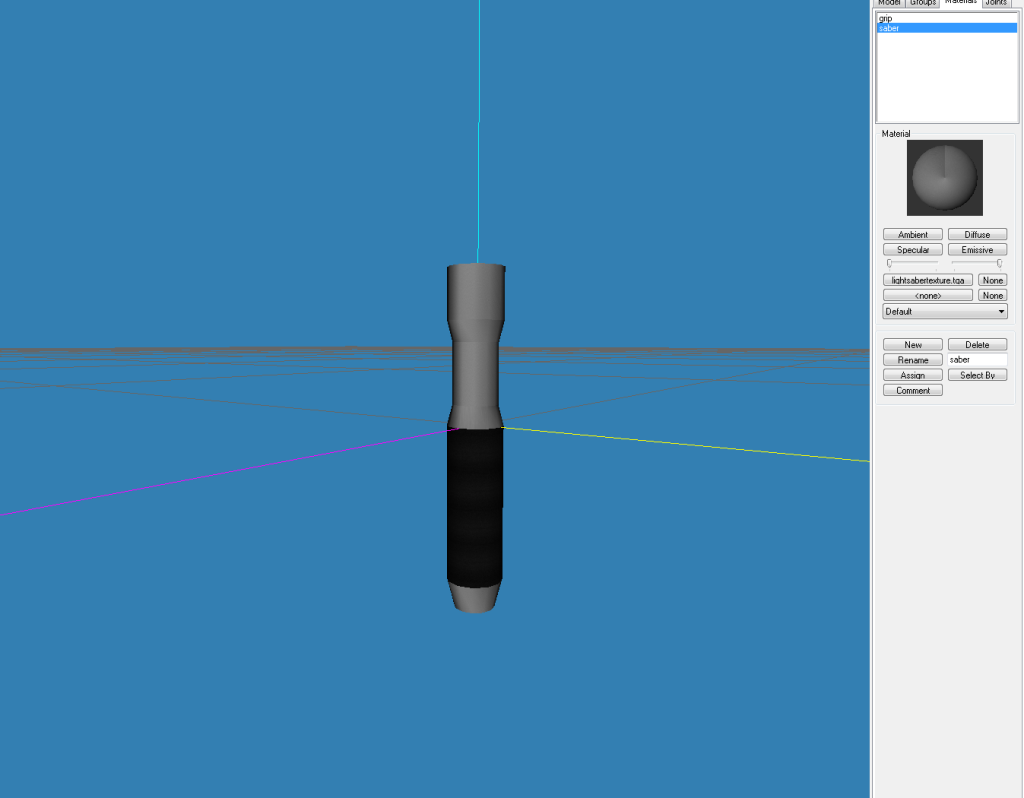
I've gotten better at doing textures, but I can't seem to get the right look for this one.
My Texture:

I tried messing around with Brightness/Contrast/Detail in Photoshop, but all I got was a image that looked like crud....
Does anyone have tips/suggestions as to how to create a nice chrome lightsaber texture?
Re: Creating a Lightsaber Texture?
Posted: Sat Jul 18, 2009 11:08 pm
by Xavious
You could search the web for some nice metal textures.
Re: Creating a Lightsaber Texture?
Posted: Sat Jul 18, 2009 11:21 pm
by icemember
Hmm I tried this out. Here's my results. Best advice I have is to kept at it till ya have what ya want.
icemembers results
Re: Creating a Lightsaber Texture?
Posted: Sat Jul 18, 2009 11:32 pm
by RogueKnight
icemember wrote:Hmm I tried this out. Here's my results. Best advice I have is to kept at it till ya have what ya want.
icemembers results
Image didn't show.
EDIT: nvm, worked in my post.
@Xav: I already tried, but not only would I prefer to make my own, none of the textures out there look very good on a lightsaber.
EDIT2: *facepalm* I spec-mapped it and its shiny now.
You can lock this nao, unless someone has a non-specular way to make a good lightsaber texture.
Re: Creating a Lightsaber Texture?
Posted: Sun Jul 19, 2009 12:18 am
by Maveritchell
DarthRogueKnight wrote:You can lock this nao, unless someone has a non-specular way to make a good lightsaber texture.
It is always better to learn; I would love to hear tips on making good chrome as well (or at least
better than what I currently can do).
The way I do it (which may or may not be the best way) is to use a simple gradient and then adjust its luminosity curve:
Basic gradient (dark to light grey):

Luminosity curve (curve tool) - note how the curve is a sine-esque wave that follows the default inclined line:

It will probably be best if you add a slight motion blur against the grain (in this case horizontally):
