
SWBF Series Model Showcase Thread v4.0
Moderator: Moderators
-
kinetosimpetus
- Imperial Systems Expert

- Posts: 2381
- Joined: Wed Mar 25, 2009 4:15 pm
- Projects :: A secret project
Re: SWBF Series Model Showcase Thread v4.0
Ok, I edited my anim a little more, but no time to take vids and stuff.
-
VF501
- Lieutenant Colonel

- Posts: 539
- Joined: Fri Jun 08, 2007 1:18 am
- Projects :: Various Stuff- Weapon models. UDK Stuff
- xbox live or psn: Vintage Tagious
- Location: Terra Firma, Sol System; Milky Way
Re: SWBF Series Model Showcase Thread v4.0
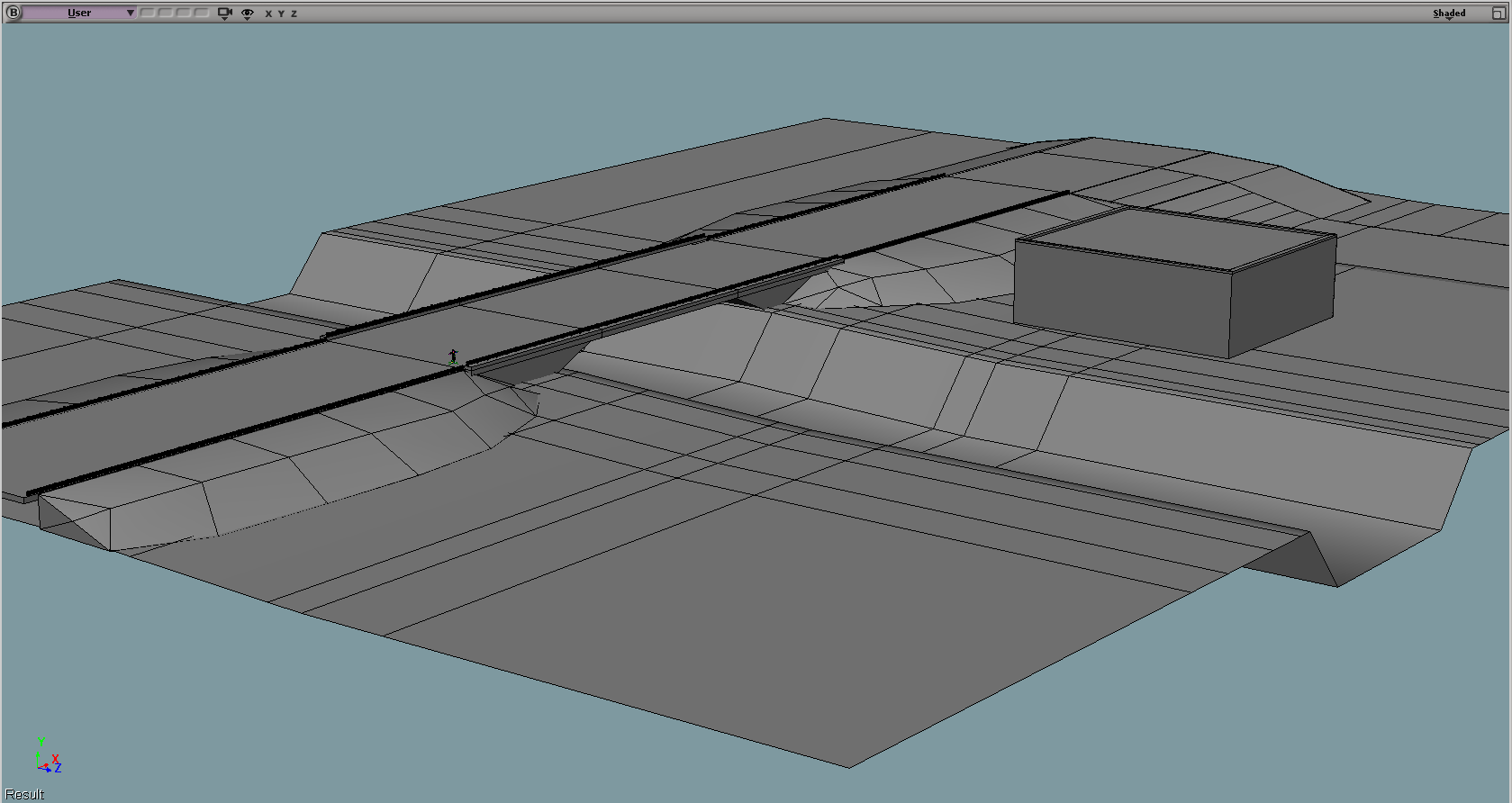
Work in progress of a SWBF2 map. Early grey box block out. More buildings and props will be added. This is mostly for proportions and layout work.
Hidden/Spoiler:
-
CressAlbane
- Master Bounty Hunter

- Posts: 1519
- Joined: Fri Dec 18, 2009 8:02 am
- Projects :: CTF Arenas
- Location: ¿uoıʇɐɔoן ʎɯ sıɥʇ sı
Re: SWBF Series Model Showcase Thread v4.0
Can't wait for the release, VF501!
-
VF501
- Lieutenant Colonel
- Posts: 539
- Joined: Fri Jun 08, 2007 1:18 am
- Projects :: Various Stuff- Weapon models. UDK Stuff
- xbox live or psn: Vintage Tagious
- Location: Terra Firma, Sol System; Milky Way
Re: SWBF Series Model Showcase Thread v4.0
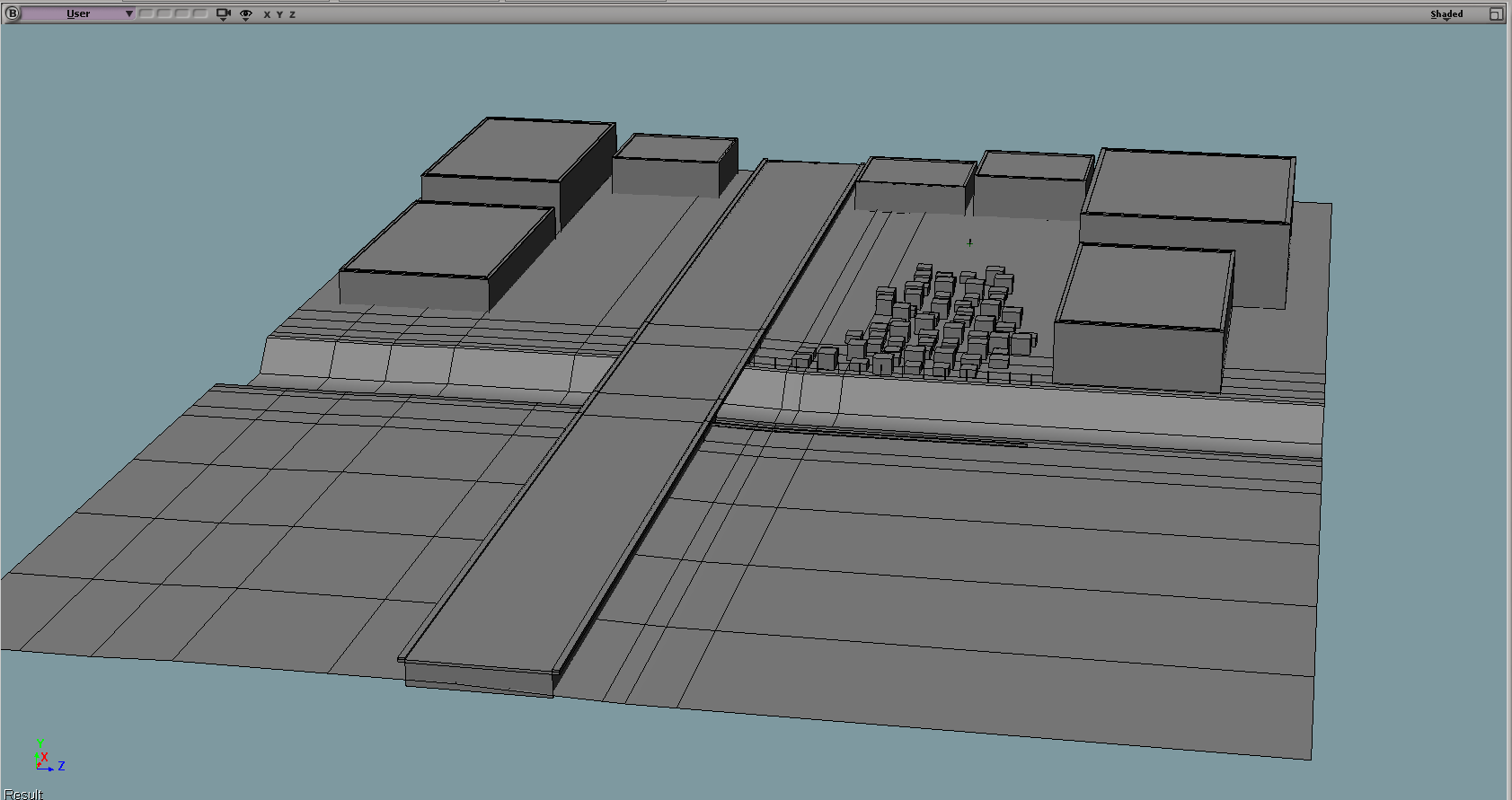
Still playing with the layout and scale of things. Small boxes are shacks (Favela Style) and larger are old factories used to wall off borders. Road runs through the area but will be damaged to allow access and block off front and rear of map. Canal will be developed more and there will be random destroyable objects about (fences, cars, other items).
4th iteration of the general layout so far. Scale wise its been tested. Big enough to support good vehicle combat without being too large.
Looks bland now. but once I get the layout set, and single designs done the detail will be introduced into it.
4th iteration of the general layout so far. Scale wise its been tested. Big enough to support good vehicle combat without being too large.
Looks bland now. but once I get the layout set, and single designs done the detail will be introduced into it.
Hidden/Spoiler:
-
Maveritchell

- Jedi Admin

- Posts: 7366
- Joined: Mon Aug 21, 2006 11:03 pm
Re: SWBF Series Model Showcase Thread v4.0
Looks fine so far, and there's nothing wrong with using simple shapes (provided the texturing is adequate) to define the map. Make sure you vary your use of shapes, though - even with varied textures a map defined by "box box box box" is going to feel a little repetitive (having insides to your boxes will help with this, but having a few cylinders or other circle-related shapes will do it easily too).VF501 wrote:Looks bland now. but once I get the layout set, and single designs done the detail will be introduced into it.Hidden/Spoiler:
-
MasterFang1
- Corporal

- Posts: 144
- Joined: Sat Apr 05, 2008 4:30 pm
- Projects :: No Mod project currently.
- xbox live or psn: No gamertag set
Re: SWBF Series Model Showcase Thread v4.0
Looks great VF501, it reminds me of a map from combat arms called Power Surge.
-
destos

- Chief Warrant Officer

- Posts: 349
- Joined: Sat Sep 22, 2007 10:37 pm
Re: SWBF Series Model Showcase Thread v4.0
More reminds me of Suez Canal on swbf2, I like the way it looks, though i do agree with mav, as of right now it kind of looks like the factories need to be of more variety. Though the choice is up to you, no one else can imagine the future of this object in the same fashion you have.
-
VF501
- Lieutenant Colonel
- Posts: 539
- Joined: Fri Jun 08, 2007 1:18 am
- Projects :: Various Stuff- Weapon models. UDK Stuff
- xbox live or psn: Vintage Tagious
- Location: Terra Firma, Sol System; Milky Way
Re: SWBF Series Model Showcase Thread v4.0
Oh believe me I know the ins and outs of map design. "Box Box Box" is only right now for layout purposes. Id rather test with boxes than used finished assets. Once layout and map composition is nailed, the really fun stuff begins graphically. For this mod, I'm getting the technical aspects down first.Maveritchell wrote:Looks fine so far, and there's nothing wrong with using simple shapes (provided the texturing is adequate) to define the map. Make sure you vary your use of shapes, though - even with varied textures a map defined by "box box box box" is going to feel a little repetitive (having insides to your boxes will help with this, but having a few cylinders or other circle-related shapes will do it easily too).VF501 wrote:Looks bland now. but once I get the layout set, and single designs done the detail will be introduced into it.Hidden/Spoiler:
Nearly all the shacks will have insides and its going to be about 6-7 different models with changing textures for the whole area. Factories are only borders, so pretty outside, no inside.
-
Fiodis

- Master of the Force

- Posts: 4145
- Joined: Wed Nov 12, 2008 9:27 pm
- Projects :: Rannoch + Tientia + Tools Programming
Re: SWBF Series Model Showcase Thread v4.0
You mean BF2142? Or did I miss a very, very big something?destos wrote:More reminds me of Suez Canal on swbf2,
-
Commander_Fett
- High General

- Posts: 847
- Joined: Fri Oct 17, 2008 9:59 pm
- Projects :: No Mod project currently.
Re: SWBF Series Model Showcase Thread v4.0
He means the Battlefield bad company 2 map I believe.
-
redgroupclan

- High General
- Posts: 867
- Joined: Thu Jan 24, 2008 11:47 pm
- Location: For less cheap gameplay - BF2 v1.1 server "NoEngineersAntiGlitch"
Re: SWBF Series Model Showcase Thread v4.0
Hidden/Spoiler:
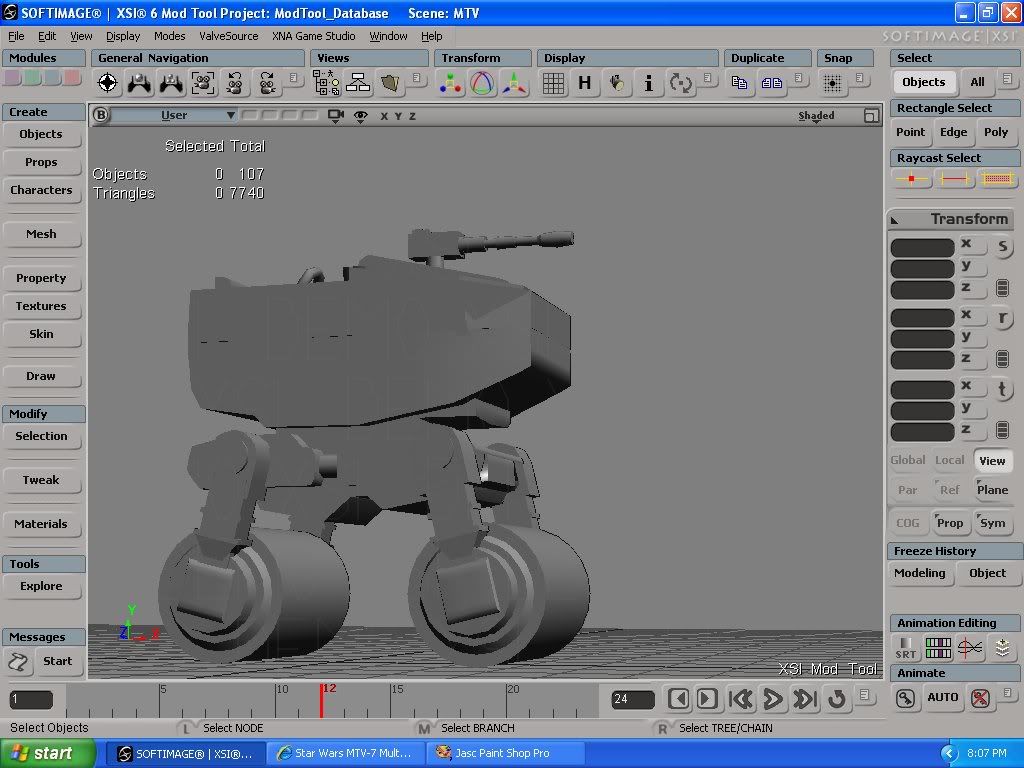
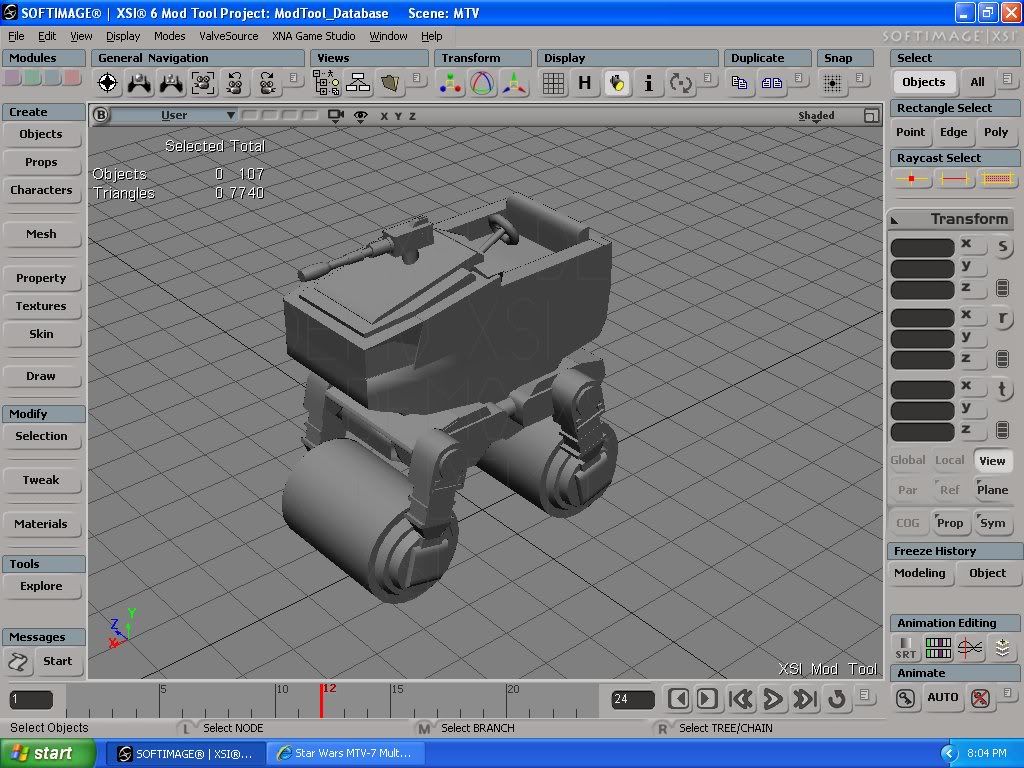
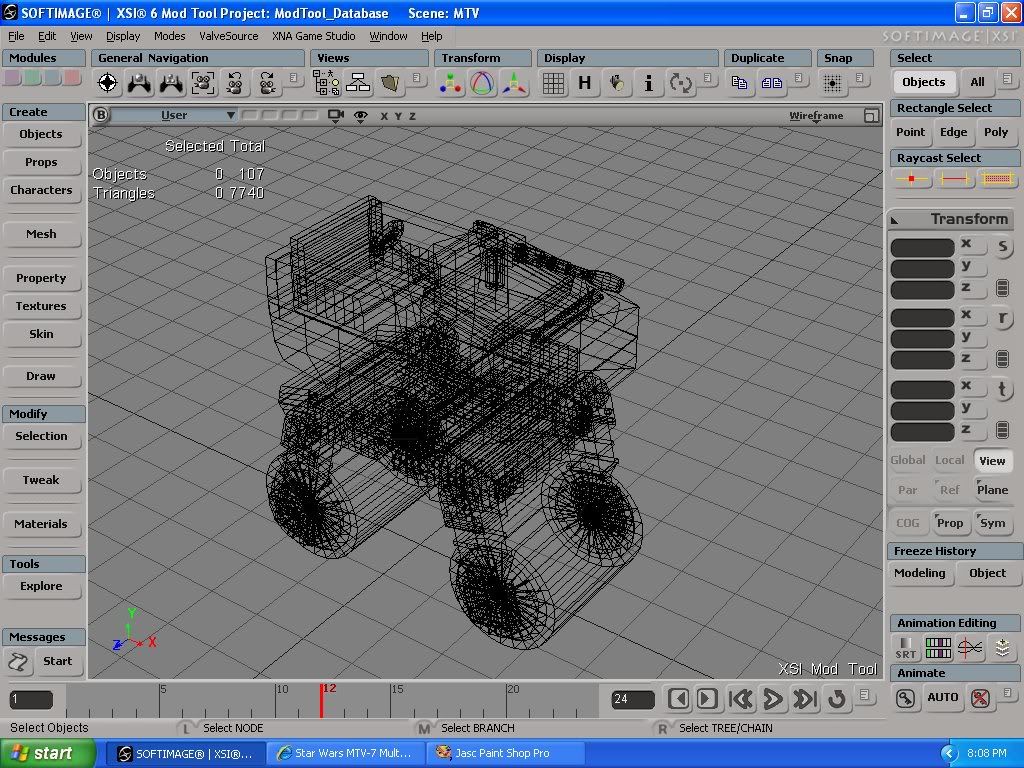
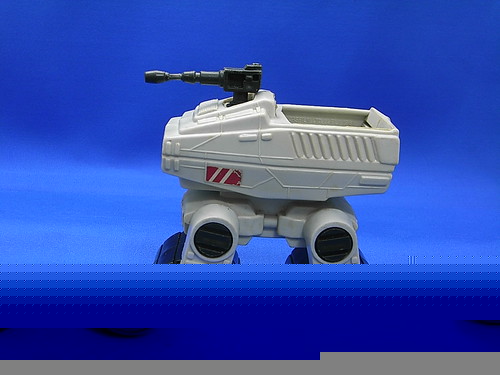
The best model I have ever done.
Now, if someone wants to make a texture for it...*cough*
I'm still not that good with paint programs.

By the way, can someone tell me how to get that info thing to tell me how many polygons are in the model? I keep forgetting.
Hidden/Spoiler:
Last edited by redgroupclan on Mon Jun 21, 2010 9:55 pm, edited 2 times in total.
-
FragMe!
- Gametoast Staff

- Posts: 2244
- Joined: Sat May 13, 2006 12:34 am
- Projects :: Not sure keep changing my mind.
- xbox live or psn: No gamertag set
- Location: Origin name GT_FragMe
- Contact:
Re: SWBF Series Model Showcase Thread v4.0
Select an object and press shift-enter
-
Sky_216

- Droid Pilot Assassin

- Posts: 2086
- Joined: Mon Feb 13, 2006 3:28 am
- Projects :: No Mod project currently.
- xbox live or psn: No gamertag set
Re: SWBF Series Model Showcase Thread v4.0
WIP Trade Federation U-boat. Still have to model engines, layout UVs and texture it. Oh and will need someone to get it in game when done.
Not sure about the turret. Shape kinda clashes a bit.
Idea/craft is from Jedi Starfighter. Couldn't find a single ref pic and don't have that game anymore so went back to the original u-boats for inspiration.
@redgroupclan: niiice. suggest you watch some of the free noesis tutorials on UVing + texturing, they're very good.
EDIT: Started Texturing.
Hidden/Spoiler:
Idea/craft is from Jedi Starfighter. Couldn't find a single ref pic and don't have that game anymore so went back to the original u-boats for inspiration.
@redgroupclan: niiice. suggest you watch some of the free noesis tutorials on UVing + texturing, they're very good.
EDIT: Started Texturing.
Hidden/Spoiler:
-
redgroupclan
- High General
- Posts: 867
- Joined: Thu Jan 24, 2008 11:47 pm
- Location: For less cheap gameplay - BF2 v1.1 server "NoEngineersAntiGlitch"
Re: SWBF Series Model Showcase Thread v4.0
I meant how it will always display the poly count under the triangles count when you press the "i" button, not the shift-enter way. It seems more troublesome to have to pull up a new window to see the poly count.FragMe! wrote:Select an object and press shift-enter
Hidden/Spoiler:
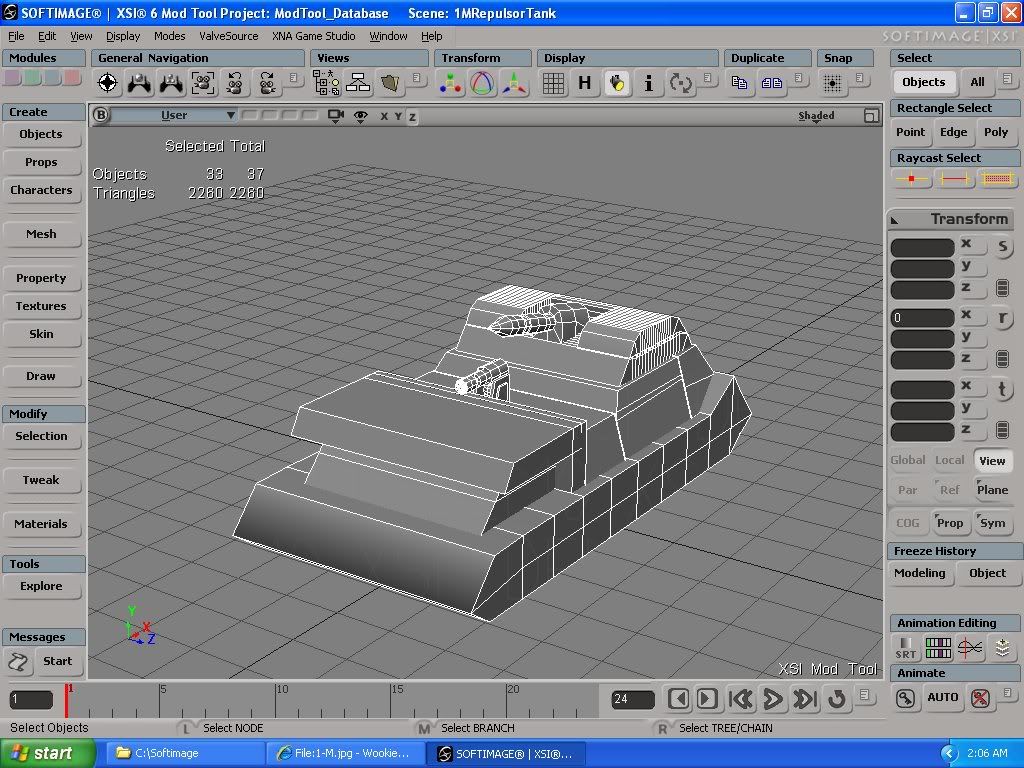
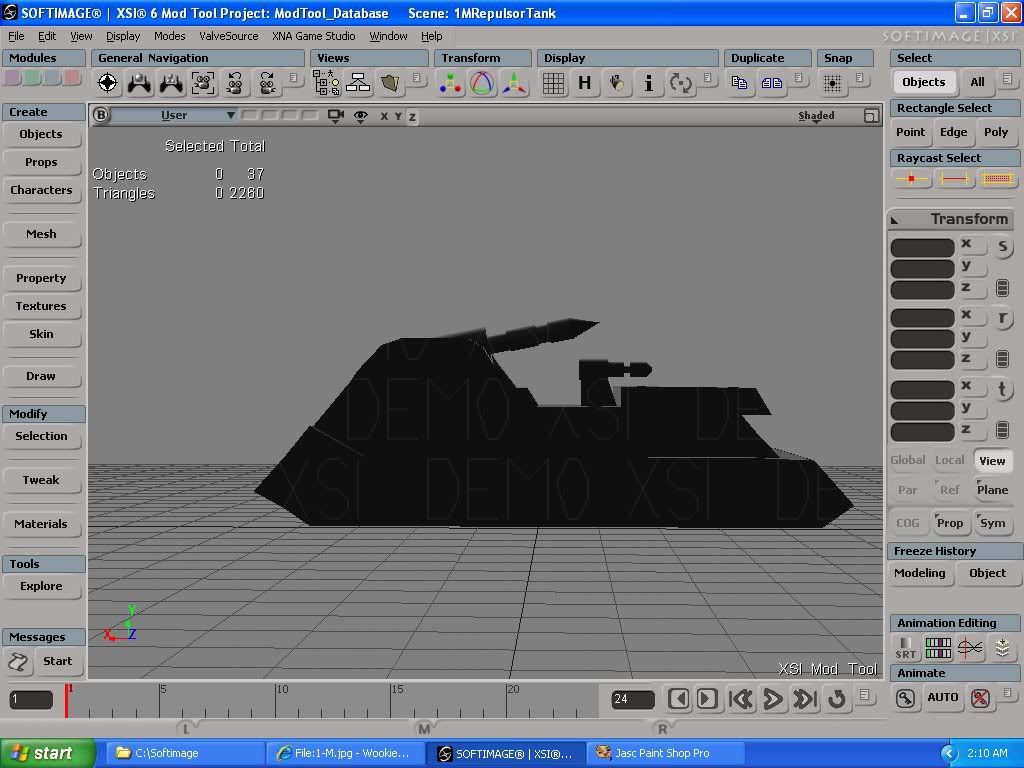
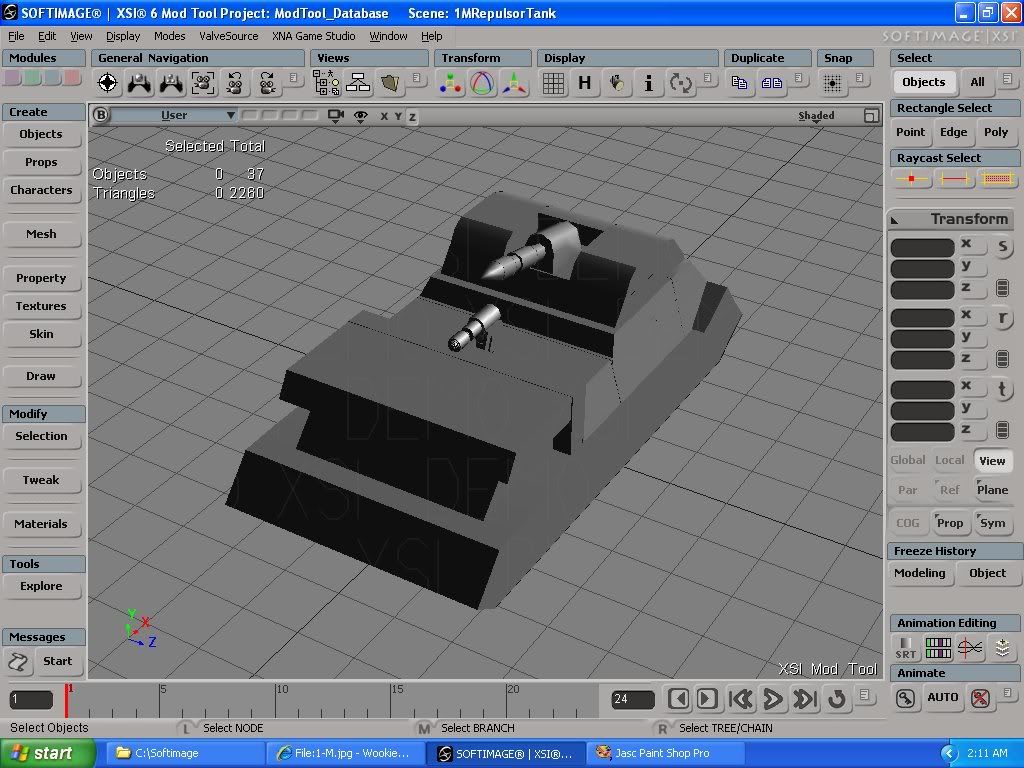
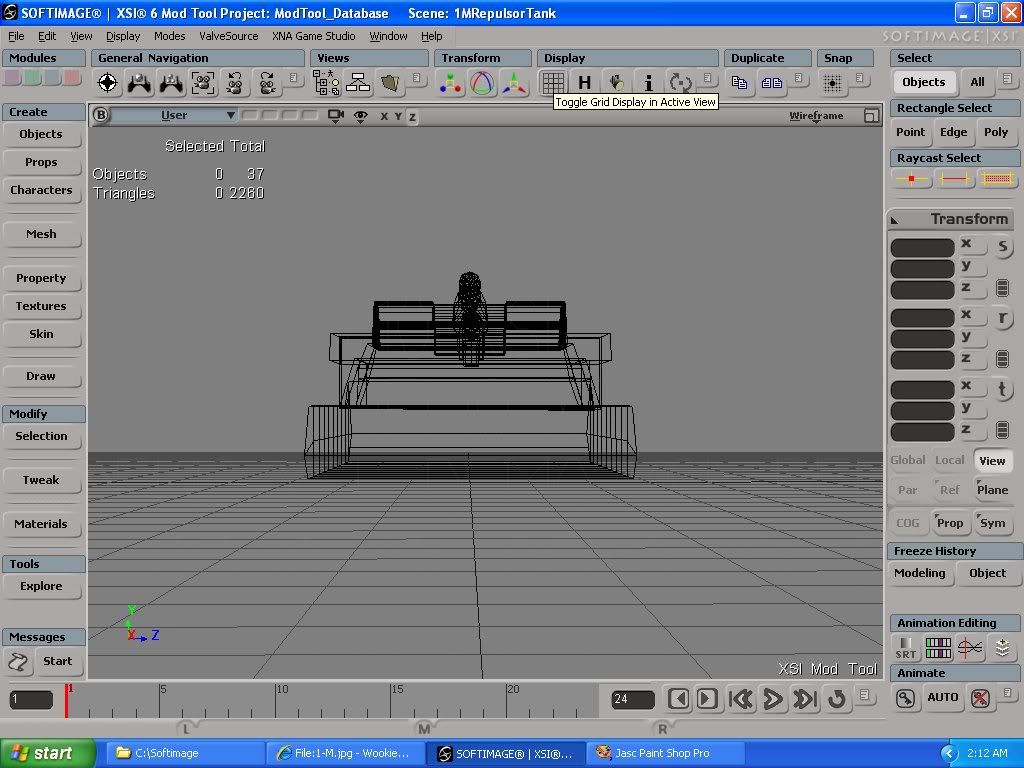
Nothing too fancy, but it seemed appropriate for a n00b modeler.
Guess I better look up a dang skinning tutorial.

-
DarthD.U.C.K.

- Master of the Force
- Posts: 6027
- Joined: Wed Sep 27, 2006 11:05 am
- Location: Duckburg, Germany
Re: SWBF Series Model Showcase Thread v4.0
very good start regroupclan :thumbs up:
the models have way too many unused polygons, but i guess everybody models this way first (atleast i did )
)
the models have way too many unused polygons, but i guess everybody models this way first (atleast i did
)-
CodaRez

- Field Commander
- Posts: 940
- Joined: Mon May 25, 2009 6:49 am
- Projects :: I would like one.....
- Location: Ride around the world! And I won't give you anything :P
Re: SWBF Series Model Showcase Thread v4.0
Hidden/Spoiler:
Seriously though, those many lines there are IMO completely useless, remove them and their points. It takes 2 points to create a perfect, straight line, and around 5 points (including the ends of the line) to make a definitive curve.
-
mswf
- Master Bounty Hunter
- Posts: 1674
- Joined: Tue Mar 31, 2009 3:40 pm
- Location: Twello, The Netherlands
- Contact:
Re: SWBF Series Model Showcase Thread v4.0
Wow, nice models. About those unnecesary edge loops; In blender there's a "delete edge loop" option, so that you don't have to redraw a line or face after you've deleted an edge, maybe there's a similar option in XSI?
-
Fluffy_the_ic

- Hoth Battle Chief
- Posts: 3223
- Joined: Thu Jan 24, 2008 7:03 pm
- xbox live or psn: fluffytherc
- Location: she/her
- Contact:
Re: SWBF Series Model Showcase Thread v4.0
@Red: Nice models, though they are a bit hi-poly. And just so you know, you don't need to know what the polycount is, just the tri count, as that's what really matters, if I'm right.
-
redgroupclan
- High General
- Posts: 867
- Joined: Thu Jan 24, 2008 11:47 pm
- Location: For less cheap gameplay - BF2 v1.1 server "NoEngineersAntiGlitch"
Re: SWBF Series Model Showcase Thread v4.0
Well, last time I dared to model all I ever heard about was poly limits.
BTW how would I get rid of those unused polygons then? I dont think I can make the curves like so without giving the model a bunch of polys. Can I just click on the lines and press delete or something?
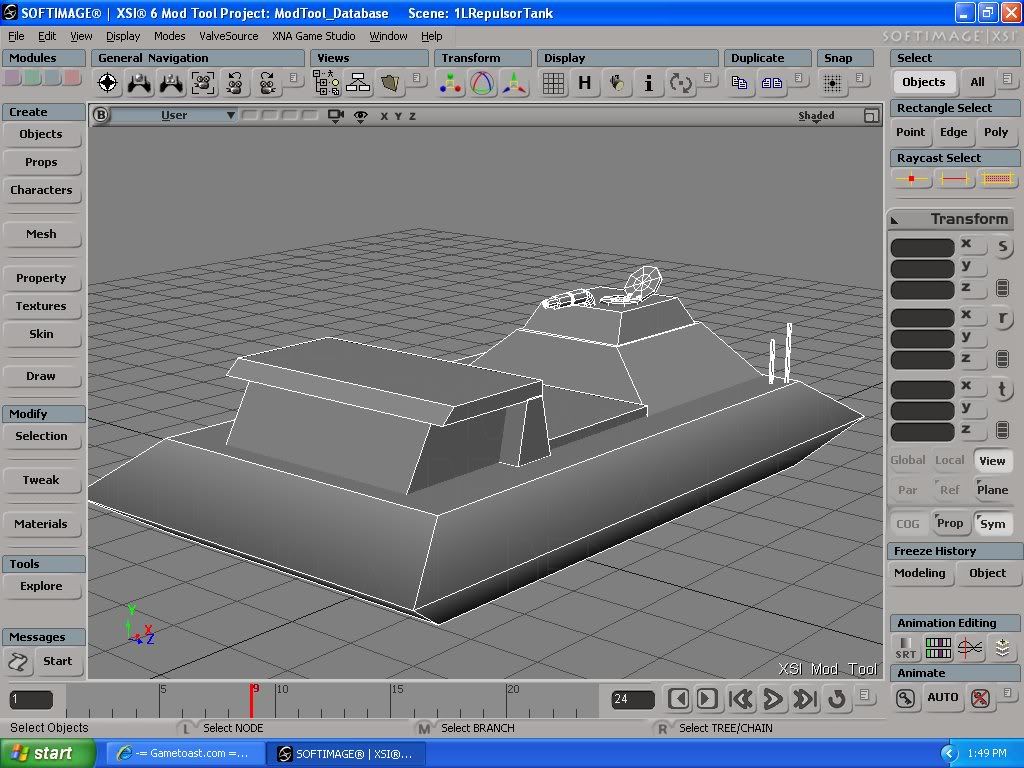
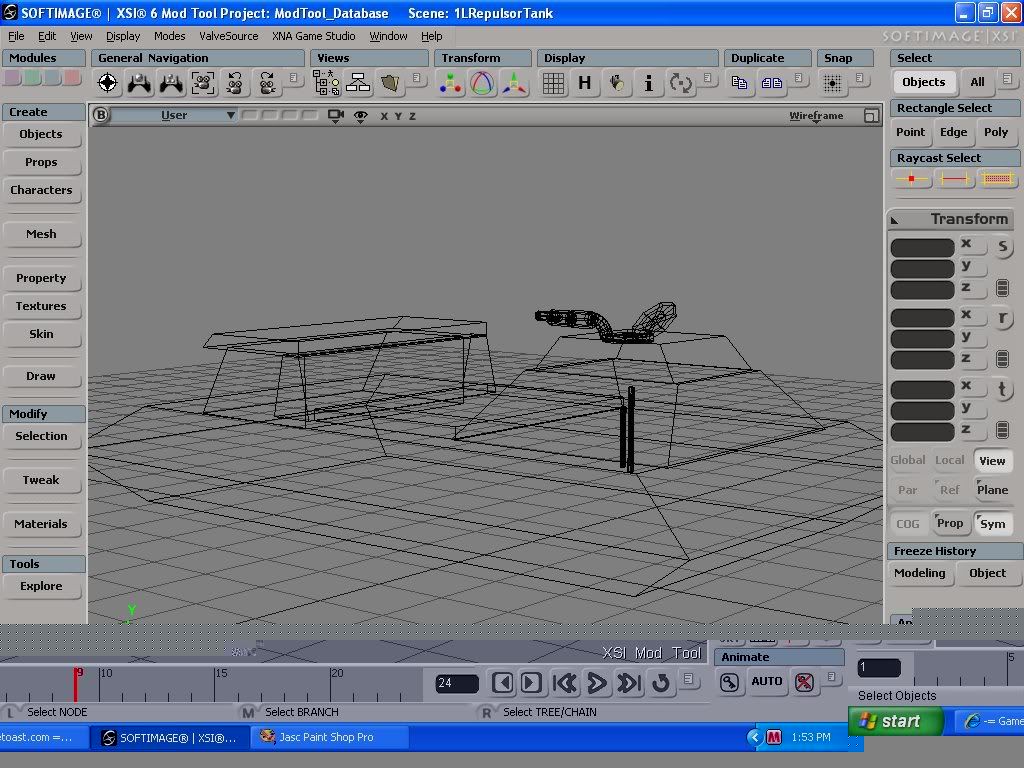
So my 1L Repulsortank checks out, right? It's pretty simple, and I'm no pro, but I cant see any place where there are too many polygons. (Though some of you might be picky about the hatch area for some reason.)
BTW how would I get rid of those unused polygons then? I dont think I can make the curves like so without giving the model a bunch of polys. Can I just click on the lines and press delete or something?
So my 1L Repulsortank checks out, right? It's pretty simple, and I'm no pro, but I cant see any place where there are too many polygons. (Though some of you might be picky about the hatch area for some reason.)
Hidden/Spoiler:
-
Battleffront_Conquer

- Master Sergeant
- Posts: 160
- Joined: Sat Apr 04, 2009 2:44 am
- Projects :: No Mod project currently.
- xbox live or psn: No gamertag set
- Location: InDooRs
Re: SWBF Series Model Showcase Thread v4.0
@ redgroupclan: The best way to deal with "curves" on a model is to use just enough so it looks kinda curved, because with a texture and in in-game it will look like a curve and will save on your poly count. I suggest for that curve to have roughly 3 edges to make it look smooth.
