Milkshape woes, texture problems. [Solved]
Posted: Wed Jun 17, 2009 6:38 pm
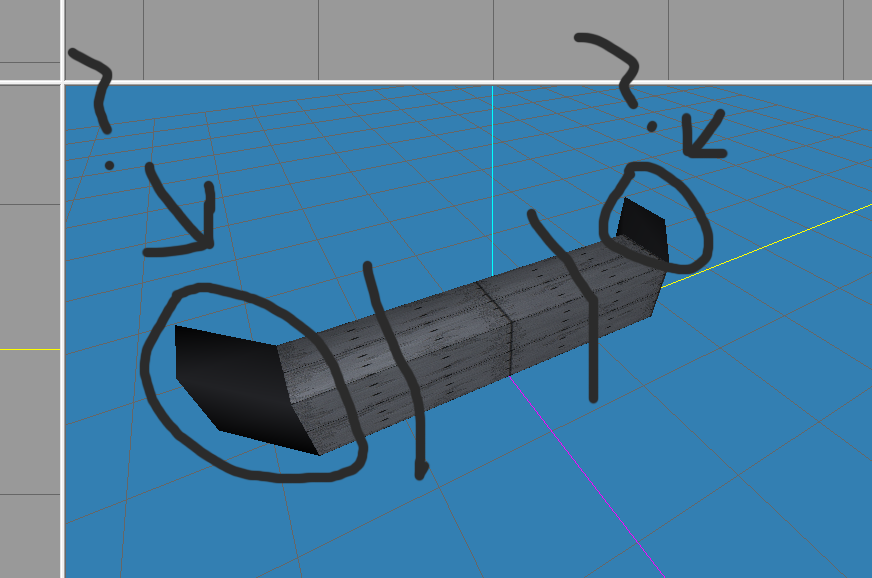
I'm wondering what those black area's with no texture are, my best guess is that they are inverted polygons, but i can't find a way to make them normals, and they may not even be inverted polies, so can someone shed some light?
I haven't learned how to UV yet, as I'm too excited on getting this far to slow down and learn, so for now I'm assigning one texture to the whole model, and as a result, it stretched the texture in the middle of the barrier, as you can see, those grey lines i drew symbolize where i want to split the surface so that the texture won't stretch, but I can't seem to find a way to do that without starting over and re-extruding in that area to create extra polygons.
Please bear with me, I'll learn UVing as soon as i can, but for now can someone help me?