Omni lights aren't lighting objects! [Solved]

In this forum you will find and post information regarding the modding of Star Wars Battlefront 2. DO NOT POST MOD IDEAS/REQUESTS.

Moderator: Moderators

Post Reply
Marth8880
Resistance Leader
Posts: 5042
Joined: Tue Feb 09, 2010 8:43 pm
Projects :: DI2 + Psychosis
Games I'm Playing :: Silent Hill 2
xbox live or psn: Marth8880
Location: Edinburgh, UK
Contact:

Omni lights aren't lighting objects! [Solved]

Post by Marth8880 »

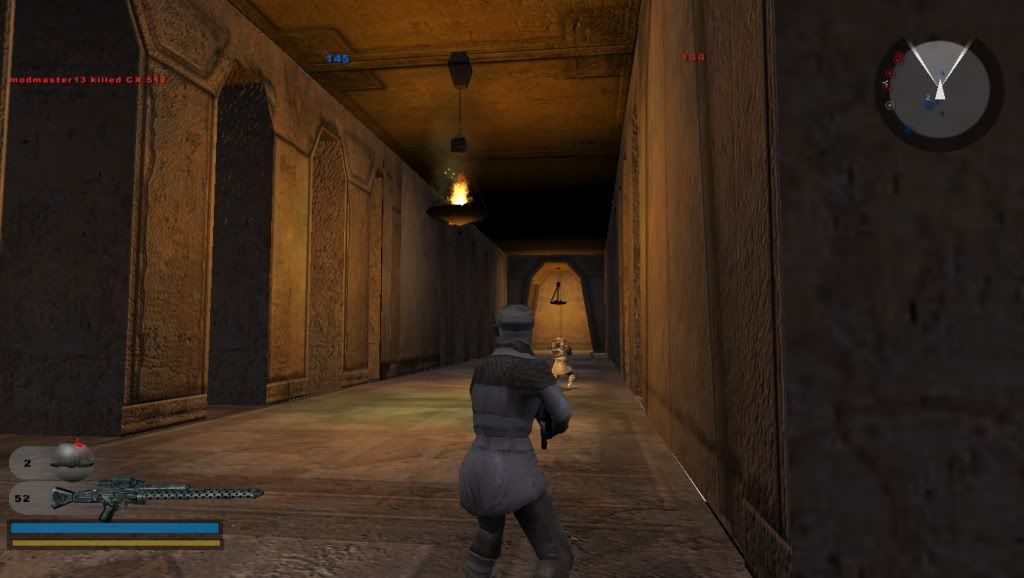
I am using a Hoth tunnel prop (specifically hoth_bldg_small_chamber_natural) (and Sky's cavebase assets) to make a small cave. In that cave, I have some (four) torches that I modeled with torch fire effects from Endor placed inside the Hoth prop; those work and look good and everything. So, in Zero Editor, I have an omni light placed "in" each torch's "fire part". All of the omni lights share the same settings: color of 255,255,120, cast specular enabled, cast shadows disabled, static set to yes, radius set to 9, PS2 overbright obviously set to no, and no texture projection. Once I finished placing them, I noticed that they all cast pure, white light onto the Hoth prop, so I thought, "Hmm, how quaint is this?" I then burnt the terrain (with build accurate object collision checked upon loading the map in Zero Editor) with object shadow set to 'yes', and let Zero Editor do its thing. Then I saved, munged, and went in-game. For some odd reason, everything (everything being the torch props and myself) but the Hoth prop was lit (yes, my lighting is set to high). The lighting effect I am aiming for with the torches in my cave is something like this:
Hidden/Spoiler:
Image
My OPTION file for the Hoth prop's MSH is this:

Code: Select all

-bump HOTH_Tunnels_01 HOTH_Tunnels_02 -vertexlighting
How do I make it so this stupid Hoth prop is lit like it's supposed to be? (Yes, I have read through the BF2_lighting document.)

Oh, and I checked some of the stock levels to see how Pandemic did it; I found that in Coruscant where those outdoor statues are they have omni lights placed as well with the same general settings (except with cast specular disabled) and everything works out for them just fine with both the statue and the cor1_bldg_walk_young MSH lit properly.

LGT file (the omni lights are "cave"):
Hidden/Spoiler:
[code]
Light("lamp5", 976169690)
{
Rotation(1.000000, 0.000000, 0.000000, 0.000000);
Position(150.140320, 207.741104, -603.981873);
Type(2);
Color(1.000000, 1.000000, 1.000000);
Static();
CastSpecular(1);
Range(7.000000);
}

Light("cave3", 1028782871)
{
Rotation(0.515090, 0.000000, -0.857136, 0.000000);
Position(251.782532, 245.341064, -504.945862);
Type(2);
Color(1.000000, 1.000000, 0.470588);
Static();
CastSpecular(1);
Range(9.000000);
}

Light("lamp2", 1129633695)
{
Rotation(0.877545, 0.000000, -0.479494, 0.000000);
Position(244.197067, 246.987610, -573.989563);
Type(2);
Color(1.000000, 1.000000, 1.000000);
Static();
CastSpecular(1);
Range(7.000000);
}

Light("sun", 1468350965)
{
Rotation(0.960646, 0.254614, 0.098017, -0.052359);
Position(-983.871826, 220.011337, -1868.790283);
Type(1);
Color(0.392157, 0.392157, 0.392157);
CastShadow();
Static();
CastSpecular(1);
PS2BlendMode(0);
TileUV(1.000000,1.000000);
OffsetUV(0.000000,0.000000);
}

Light("lamp4", 1883547102)
{
Rotation(0.158479, 0.000000, -0.987362, 0.000000);
Position(100.512100, 171.906357, -555.483948);
Type(2);
Color(1.000000, 1.000000, 1.000000);
Static();
CastSpecular(1);
Range(7.000000);
}

Light("lamp3", 2374974568)
{
Rotation(0.901642, 0.000000, 0.432506, 0.000000);
Position(-18.366226, 125.092361, -523.578064);
Type(2);
Color(1.000000, 1.000000, 1.000000);
Static();
CastSpecular(1);
Range(7.000000);
}

Light("cave2", 2681000652)
{
Rotation(0.819567, 0.000000, 0.572983, 0.000000);
Position(241.135132, 245.331100, -508.770538);
Type(2);
Color(1.000000, 1.000000, 0.470588);
Static();
CastSpecular(1);
Range(9.000000);
}

Light("cave1", 3219623120)
{
Rotation(0.935861, 0.000000, -0.352370, 0.000000);
Position(254.088058, 245.296585, -513.321045);
Type(2);
Color(1.000000, 1.000000, 0.470588);
Static();
CastSpecular(1);
Range(9.000000);
}

Light("lamp1", 3984071678)
{
Rotation(0.296151, 0.000000, -0.955141, 0.000000);
Position(29.781731, 148.101028, -333.341675);
Type(2);
Color(1.000000, 1.000000, 1.000000);
Static();
CastSpecular(1);
Range(7.000000);
}

Light("cave4", 4256064941)
{
Rotation(-0.324948, 0.000000, -0.945732, 0.000000);
Position(239.887817, 245.338013, -499.624207);
Type(2);
Color(1.000000, 1.000000, 0.470588);
Static();
CastSpecular(1);
Range(9.000000);
}

GlobalLights()
{
EditorGlobalDirIconSize(20);
Light1("sun");
Light2("sun");
Top(110, 110, 120);
Bottom(0, 0, 0);
}
[/code]

User avatar
The Nasal Abyss
1st Lieutenant
1st Lieutenant
Posts: 428
Joined: Sun Sep 14, 2008 12:55 pm
Projects :: Currently Working on an Indie Game
Games I'm Playing :: Splatoon 2
xbox live or psn: Stm: Tight Verbage

Re: Omni lights aren't lighting objects! |:O

Post by The Nasal Abyss »

Take "-vertexlighting" out of the .option file :)
Marth8880
Resistance Leader
Posts: 5042
Joined: Tue Feb 09, 2010 8:43 pm
Projects :: DI2 + Psychosis
Games I'm Playing :: Silent Hill 2
xbox live or psn: Marth8880
Location: Edinburgh, UK
Contact:

Re: Omni lights aren't lighting objects! |:O

Post by Marth8880 »

Thank you, that worked, even though I had to make the prop's textures brighter. :O
Post Reply