Page 1 of 2
MSH Suite
Posted: Wed Sep 05, 2012 10:51 am
by ANDEWEGET
This is a 'small' side-project I'm working on for a few weeks now(average 1 hour per day). In the end this should be a input-box-based .msh editor of some sorts. .MSH reading was nearly done and I already used abstraction/modularity when I coded the exporter for the ZETools so .MSH writing was done, too. This is somewhat of a opposite to the ZETools as here the focus lies on the UI and the interaction with the user. With the ZETools the focus was on functionality. The ZETools have a few buttons with a lot of code per button. Here I've got loads of buttons/boxes/dialogs with relatively no code(especially compared to the export button).
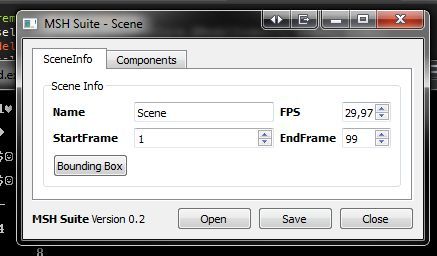
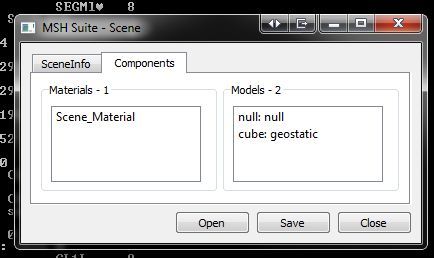
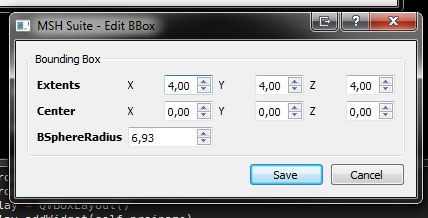
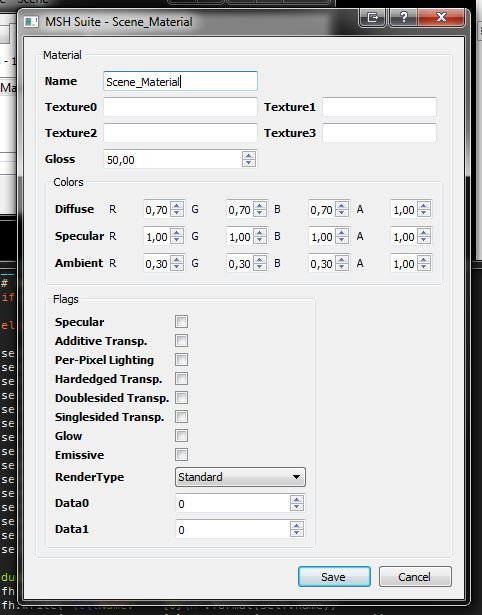
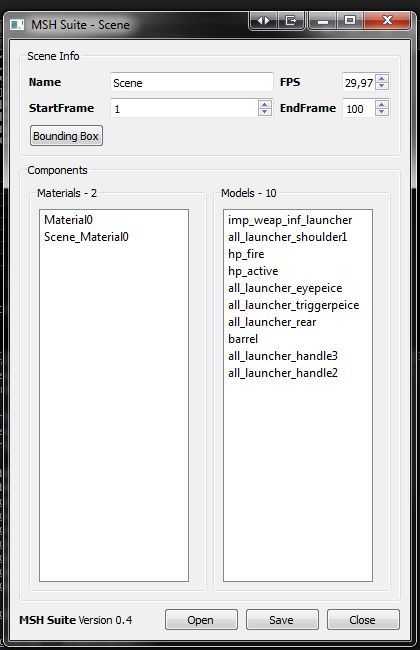
Right now it's possible to edit materials, scene information, 'global' bbox, model bbox, model transform. Saving the changes works for all those.
Next up is model editing(parent, name, type, visibility, making the model a collision prim/remove coll prim) and segment editing(change material, remove weights/vertex colors etc).
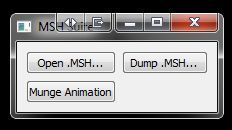
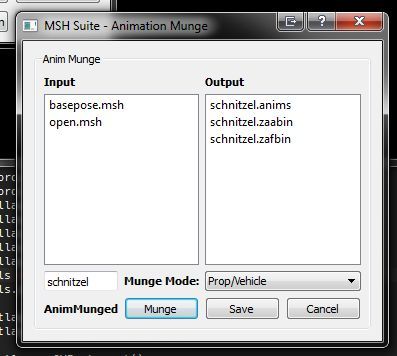
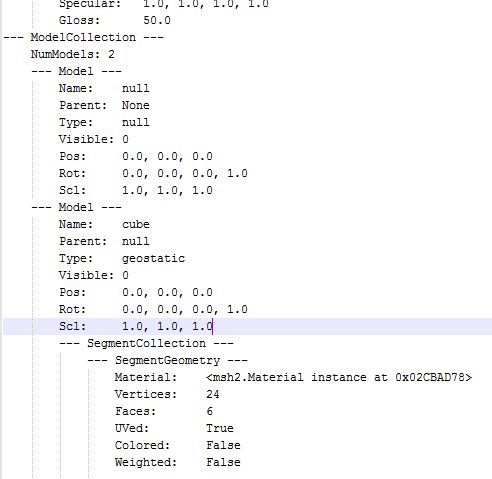
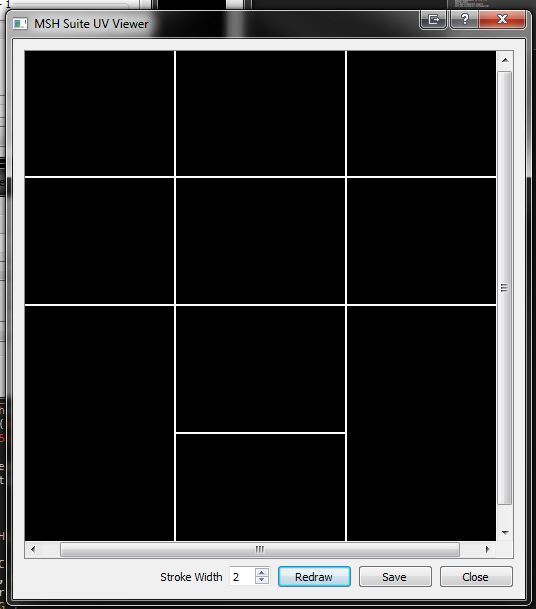
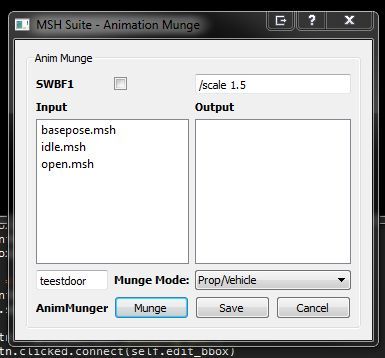
Most screens are from the MSH editor UI, the 2nd from the bottom is the text file the Dump .MSH command creates and the last screen is the animation munger.
Some UI elements are a bit stretched, most of the UI code has to be polished anyways so that's not a problem right now.
I have no release date or anything. I'll just continue coding away at this and maybe release a beta or so sometime. If you have python 2.7(2.6 might work, too) and the corresponding PySide installed you can download the backups I upload here:
https://sites.google.com/site/andescp/mshsuite
https://github.com/Schlechtwetterfront/mshsuite
Re: MSH Suite
Posted: Thu Sep 06, 2012 3:35 am
by Anakin
wow that's great thank you very much!
can you add a code so it would be easier to add and extract msh addons? for example the kamas,...? that would be really great
Re: MSH Suite
Posted: Thu Sep 06, 2012 5:20 am
by DarthD.U.C.K.
very cool! i cant wait to see the schnitzel anims ingame

Re: MSH Suite
Posted: Thu Sep 06, 2012 1:41 pm
by ANDEWEGET
@anakin: That's planned. I want to be able to edit everything(except maybe animations) of one .msh first.
@DUCK:

Sadly it's just named like that... It's just one of my test animations which I labelled schnitzel for the greatest impact on my audience. 'Cause who can truly resist a schnitzel?
Re: MSH Suite
Posted: Fri Sep 07, 2012 4:30 am
by Anakin
ANDEWEGET wrote:@anakin: That's planned. I want to be able to edit everything(except maybe animations) of one .msh first.
That's great

ANDEWEGET wrote:
@DUCK:
Sadly it's just named like that... It's just one of my test animations which I labelled schnitzel for the greatest impact on my audience. 'Cause who can truly resist a schnitzel?
mh a vegetarian maybe?

Re: MSH Suite
Posted: Sun Oct 07, 2012 10:55 am
by AceMastermind
I tried to open all_fly_kwing.msh and got this error:
Code: Select all
Traceback (most recent call last):
  File "mshsuite.py", line 259, in load_msh
    self.init_msh_ui()
  File "mshsuite.py", line 217, in init_msh_ui
    tabw.addTab(self.infomanager.get_frame(), 'SceneInfo')
  File "mshsuite.py", line 59, in get_frame
    namebox.setText(self.info.name)
AttributeError: 'NoneType' object has no attribute 'name'
Would it be possible to display euler angles instead of quats in the transform tab, then convert the euler to quats when saved? I think it's difficult to visualize quaternion rotations.
Re: MSH Suite
Posted: Thu Oct 18, 2012 1:38 pm
by ANDEWEGET
ANDEWEGET wrote:That's the same unpack error you got with the importer. It's fixed now but I still have to update this.
AceMastermind wrote:I think it's difficult to visualize quaternion rotations.
I couldn't find an easy formula or module for converting between quats and euler yet. So until I find something it'll stay quaternions.
Right now the UI is a bit messed up because I added quite some buttons with weird names to debug importing of .msh files for the ZETools.
Well, as promised, sporadic updates:
- Rotations are now displayed in Euler angles.
Added UVs button to model dialog. Renders UV coordinates. Possible to save as PNG file.
Fixed some import errors (via msh2 Framework).
Re: MSH Suite
Posted: Thu Oct 18, 2012 3:58 pm
by AceMastermind
Awesome, thanks for the update!
I hope it wasn't too much trouble to do the quat to euler to quat conversion thing.
I want folks to know this suite offers an intuitive way to munge animations without creating new folders or editing batch files also, but if you're planning to scale up/down animations then you'll need to do it the old way unless ANDE adds a way to use scale parameters etc.
When dumping a msh file I see in the material section of the .dump file that its written as:
Diffuse>Ambient>Specular>Gloss
when the actual order in the msh file is:
Diffuse>Specular>Ambient>Gloss
Could you swap this data to reflect that of the msh files?
Re: MSH Suite
Posted: Wed Nov 14, 2012 11:39 am
by ANDEWEGET
ANDEWEGET wrote:Sure, while doing that I could add some more info to the dumps, too.
Like with the importing converting those quaternions isn't really difficult at all. When I first stumbled across quats I looked it up on wikipedia and it was all like high level math with loads of variables and all. Now I just googled for quaternion to euler code. I found a website with a java quaternion converter so I only had to translate that to python which was no problem.
If it's just a option like specialquathack then that should be easy to do.

Dem sporadic updates are coming.
Changelog:
- General: Merged UI into one tab.
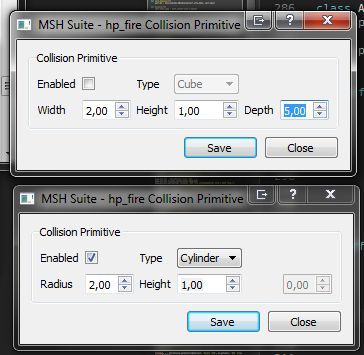
Models: Added functionality for Deformers and Collision Prim buttons. Deformers can't be edited though, only viewed.
Models: Name, visibility and parent are now saved.
Anim Munge: Added additional params text box.
Pics:
If anyone has any wishes for functionality please share.
Re: MSH Suite
Posted: Wed Nov 14, 2012 12:34 pm
by kinetosimpetus
Export cloth?
Re: MSH Suite
Posted: Wed Nov 14, 2012 2:53 pm
by Marth8880
Coffee maker?

Re: MSH Suite
Posted: Wed Nov 14, 2012 2:56 pm
by ANDEWEGET
That is a planned feature for the ZETools. This just loads .msh files so you can edit some basic things like materials bboxes, collision primitives, render out UVs to a texture etc etc.
Figuring out how exactly cloth works etc is a very time consuming process. I have to do multiple tests for every change I make to the algorithm. In comparison developing features for this tool is easy. So when I have a bit of free time I like to work a bit on this and postpone the difficult work on weekends.
I don't like coffee but maybe we can agree on black tea? I already have an algorithm in mind for that.
Re: MSH Suite
Posted: Wed Nov 14, 2012 2:58 pm
by kinetosimpetus
Sorry, thought this was the ZETools thread when I posted that.
Re: MSH Suite
Posted: Thu Nov 15, 2012 2:54 am
by tirpider
This looks like it will make my day

I'm having trouble getting the environment set up for it though.
On a WinXP home setup:
I have Python 2.7 , and it's location is the first element of my path.
I found
PySide 1.1.2 as a package on the Python site.
The trouble comes in with the QT4 part. I have found nothing but sources for the libraries and the build setup is a bit much for me.
Running "launch_suite.bat" gives me the following :
I'm pretty sure this is because I don't have the QT4 binaries. Is this something I can find or will I have to get VS2008 and build them myself?
Re: MSH Suite
Posted: Thu Nov 15, 2012 3:28 am
by AceMastermind
tirpider wrote:...
The trouble comes in with the QT4 part. I have found nothing but sources for the libraries and the build setup is a bit much for me.
...
I got the binaries from
here back when I set this up on my machine.
EDIT
https://download.qt.io/official_releases/pyside/
Re: MSH Suite
Posted: Thu Nov 15, 2012 4:35 am
by tirpider
I just removed all my python stuff and reinstalled 2.7, and the binary from your link.
(Thanks
)
Still getting the same message, though.
Checking the lines it indicates tells me it is getting hung up on "import win32clipboard as w"
There is no "win32clipboard" anything to be imported. Thats why I was thinking it must be part of the QT requirement for PySide
I'm digging around the search engines to see if I can find out what that is part of.
Lots of links refering to how to use it, but nothing on what it is attached to.
It's certainly not in Python or PySide's libraries.
Re: MSH Suite
Posted: Thu Nov 15, 2012 4:43 am
by ANDEWEGET
Ah yes. I forgot that. You need pywin32, too. I changed some code to speed up import and now it requires pywin. I'll post a link to a download for 2.7 pywin when I get home.
Re: MSH Suite
Posted: Thu Nov 15, 2012 5:05 am
by tirpider
That did it.
I got the package from their sorceforge page,
here.
I now have a python powered glory machine!! (
Now how to use it....)
I did already have pywin32 paired with a 2.6 install, but didn't reinstall it when moving up to 2.7.
Thanks to both of you for helping me get over this.
As for the Suite.
I like it.
The material editor is the best part, for me.
I'm still working with msh files outside of XSI so this side project of yours has now become part of my process.
If I come up with any suggestions while poking msh's with it, I'll be sure to post em.
Great job, ANDEWEGET.
Re: MSH Suite
Posted: Thu Nov 15, 2012 5:11 pm
by ANDEWEGET
Good to hear.
PySide is Qt BTW (the python wrappers, they include the Qt binaries already).
Most of the model tools I have in mind aren't functional yet. For materials there aren't a lot of things to build tools for so I focused on getting that done first.
Right now you could edit every party of the loaded .msh via the command prompt if you knew how to use python. I just need to make it all accessible from the UI.
Re: MSH Suite
Posted: Fri Nov 16, 2012 1:03 am
by tirpider
sweet.
You have mentioned python before. I might start tooling around in it.
(As long as I can stay on the command line, I'm ok. GUI's mess me up.)
It looks like a very versitile language. Much more so than the AutoIT stuff I play with.
-edit.
You helped me with the quats.
I had been to that same site before, many times over, trying to balance the wikipedia info with it.
Your conversion of the quat to euler from his java code to python confirmed that I was converting to autoit correctly. (same results, every time.)
So my problem with getting the nulls placed in my modeler(Mikshape3D via ascii) lies elsewhere.
Instead of a basic 'basepose' stance, my render looks like he is doing mid air splits with his head in his chest.
I think I am botching the TRAN translations somehow.